
- Build A Boat For Treasure Script – Auto Farm & More
- Build A Boat For Treasure Script Status
- What Is a Build A Boat For Treasure Script?
- How to Use the Build A Boat For Treasure Script
- Can a Build A Boat For Treasure Script Get Your Roblox Account Banned?
- Build A Boat For Treasure Script for Mobile
- Frequently Asked Questions
Looking for a Build A Boat For Treasure script for Roblox? This page covers Auto Farm and Anti-AFK, plus a quick look at the game before you get to the code.
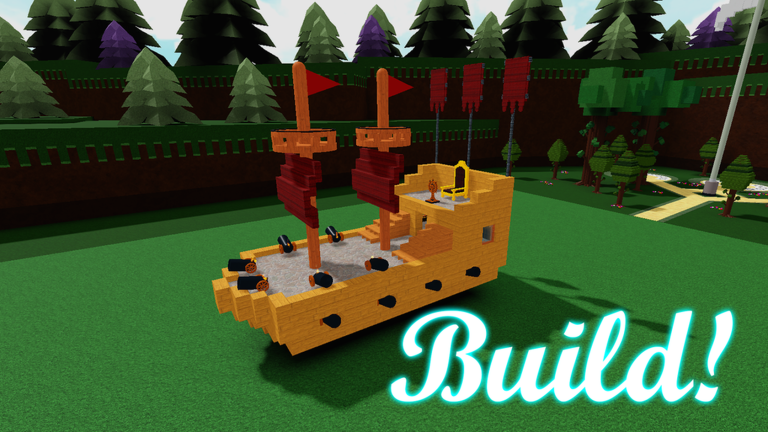
Build A Boat For Treasure starts with a simple plan: build your ship and set sail. Putting a boat together is the creative part. Heading out again and again for treasure is where the grind kicks in. A floating box still counts as a ship, right?
Auto Farm focuses on the farming grind, while Anti-AFK helps prevent idle kicks. If those are the two features you’re after, check out the Build A Boat For Treasure code below.
Build A Boat For Treasure Script – Auto Farm & More
local workspace = game:GetService("Workspace")
local runService = game:GetService("RunService")
local players = game:GetService("Players")
local coreGui = game:GetService("CoreGui")
local localPlayer = players.LocalPlayer
local TweenService = game:GetService("TweenService")
local SoundService = game:GetService("SoundService")
local StarterGui = game:GetService("StarterGui")
local HttpService = game:GetService("HttpService")
local lighting = game:GetService("Lighting")
local virtualUser = game:GetService("VirtualUser")

-- ============================================
-- ANTI-AFK
-- ============================================
local antiAFKConnection
local function iniciarAntiAFK()
    antiAFKConnection = localPlayer.Idled:Connect(function()
        virtualUser:Button2Down(Vector2.new(0, 0), workspace.CurrentCamera.CFrame)
        task.wait(1)
        virtualUser:Button2Up(Vector2.new(0, 0), workspace.CurrentCamera.CFrame)
    end)
end
iniciarAntiAFK()

-- ============================================
-- ANTI-BAN (Anti-Report / Anti-Detection)
-- ============================================
local function iniciarAntiBan()
    -- Anti-report: evita que otros jugadores te reporten facilmente
    local function antiReport()
        for _, player in ipairs(players:GetPlayers()) do
            if player ~= localPlayer then
                local success, err = pcall(function()
                    local character = player.Character
                    if character then
                        -- Ocultar tu nombre de la lista de jugadores remotos
                        local humanoid = character:FindFirstChildOfClass("Humanoid")
                        if humanoid then
                            humanoid.DisplayDistanceType = Enum.HumanoidDisplayDistanceType.None
                        end
                    end
                end)
            end
        end
    end

    -- Anti-detection basica
    local originalName = localPlayer.Name
    local function spoofName()
        pcall(function()
            -- Spoof del nombre en el localplayer (limitado pero util)
            localPlayer.DisplayName = "Player_" .. tostring(math.random(1000, 9999))
        end)
    end

    task.spawn(function()
        while task.wait(5) do
            antiReport()
            spoofName()
        end
    end)

    -- Anti-kick basico
    local mt = getrawmetatable and getrawmetatable(game) or nil
    if mt then
        local oldNamecall
        oldNamecall = hookmetamethod(game, "__namecall", function(self, ...)
            local method = getnamecallmethod()
            if method == "Kick" and self == localPlayer then
                return warn("[AntiBan] Kick attempt blocked!")
            end
            return oldNamecall(self, ...)
        end)
    end
end
iniciarAntiBan()

-- ============================================
-- SISTEMA DE NOTIFICACIONES
-- ============================================
local notifGui = Instance.new("ScreenGui")
notifGui.Name = "GZSSF_Notifications"
notifGui.ResetOnSpawn = false
local successNotif = pcall(function() notifGui.Parent = coreGui end)
if not successNotif then notifGui.Parent = localPlayer:WaitForChild("PlayerGui") end

local notifContainer = Instance.new("Frame")
notifContainer.Size = UDim2.new(0, 300, 0, 0)
notifContainer.Position = UDim2.new(1, -320, 0, 20)
notifContainer.BackgroundTransparency = 1
notifContainer.Parent = notifGui

local notifLayout = Instance.new("UIListLayout")
notifLayout.Padding = UDim.new(0, 8)
notifLayout.HorizontalAlignment = Enum.HorizontalAlignment.Right
notifLayout.VerticalAlignment = Enum.VerticalAlignment.Top
notifLayout.SortOrder = Enum.SortOrder.LayoutOrder
notifLayout.Parent = notifContainer

local function crearNotificacion(titulo, mensaje, tipo)
    local colores = {
        exito = Color3.fromRGB(100, 255, 100),
        error = Color3.fromRGB(255, 80, 80),
        info = Color3.fromRGB(150, 150, 150),
        advertencia = Color3.fromRGB(200, 200, 200)
    }
    local color = colores[tipo] or colores.info

    local notifFrame = Instance.new("Frame")
    notifFrame.Size = UDim2.new(0, 280, 0, 70)
    notifFrame.BackgroundColor3 = Color3.fromRGB(20, 20, 20)
    notifFrame.BackgroundTransparency = 0.2
    notifFrame.BorderSizePixel = 0
    notifFrame.LayoutOrder = -tick()
    notifFrame.Parent = notifContainer

    local corner = Instance.new("UICorner")
    corner.CornerRadius = UDim.new(0, 8)
    corner.Parent = notifFrame

    local stroke = Instance.new("UIStroke")
    stroke.Color = color
    stroke.Thickness = 1
    stroke.Transparency = 0.5
    stroke.Parent = notifFrame

    local barra = Instance.new("Frame")
    barra.Size = UDim2.new(0, 3, 1, 0)
    barra.BackgroundColor3 = color
    barra.BorderSizePixel = 0
    barra.Parent = notifFrame

    local cornerBarra = Instance.new("UICorner")
    cornerBarra.CornerRadius = UDim.new(0, 8)
    cornerBarra.Parent = barra

    local tituloLabel = Instance.new("TextLabel")
    tituloLabel.Size = UDim2.new(1, -20, 0, 22)
    tituloLabel.Position = UDim2.new(0, 12, 0, 5)
    tituloLabel.BackgroundTransparency = 1
    tituloLabel.Text = titulo
    tituloLabel.TextColor3 = color
    tituloLabel.Font = Enum.Font.GothamBold
    tituloLabel.TextSize = 15
    tituloLabel.TextXAlignment = Enum.TextXAlignment.Left
    tituloLabel.Parent = notifFrame

    local mensajeLabel = Instance.new("TextLabel")
    mensajeLabel.Size = UDim2.new(1, -20, 0, 35)
    mensajeLabel.Position = UDim2.new(0, 12, 0, 28)
    mensajeLabel.BackgroundTransparency = 1
    mensajeLabel.Text = mensaje
    mensajeLabel.TextColor3 = Color3.fromRGB(200, 200, 200)
    mensajeLabel.Font = Enum.Font.Gotham
    mensajeLabel.TextSize = 12
    mensajeLabel.TextXAlignment = Enum.TextXAlignment.Left
    mensajeLabel.TextWrapped = true
    mensajeLabel.Parent = notifFrame

    TweenService:Create(notifFrame, TweenInfo.new(0.4, Enum.EasingStyle.Back), {BackgroundTransparency = 0.2}):Play()

    local sonido = Instance.new("Sound")
    sonido.SoundId = tipo == "exito" and "rbxassetid://9113083740" or tipo == "error" and "rbxassetid://9113084002" or "rbxassetid://9113083740"
    sonido.Volume = 0.3
    sonido.Parent = SoundService
    sonido:Play()
    game:GetService("Debris"):AddItem(sonido, 2)

    task.delay(4, function()
        local tween = TweenService:Create(notifFrame, TweenInfo.new(0.3), {Position = UDim2.new(1, 50, 0, 0), BackgroundTransparency = 1})
        tween:Play()
        tween.Completed:Wait()
        notifFrame:Destroy()
    end)
end

-- ============================================
-- SISTEMA DE SONIDOS
-- ============================================
local function reproducirSonido(id, volumen)
    local s = Instance.new("Sound")
    s.SoundId = "rbxassetid://" .. tostring(id)
    s.Volume = volumen or 0.5
    s.Parent = SoundService
    s:Play()
    game:GetService("Debris"):AddItem(s, 3)
end

-- ============================================
-- PANTALLA DE CARGA
-- ============================================
local loadingGui = Instance.new("ScreenGui")
loadingGui.Name = "GZSSF_Loading"
local successLoad = pcall(function() loadingGui.Parent = coreGui end)
if not successLoad then loadingGui.Parent = localPlayer:WaitForChild("PlayerGui") end

local loadingFrame = Instance.new("Frame")
loadingFrame.Size = UDim2.new(1, 0, 1, 0)
loadingFrame.BackgroundColor3 = Color3.fromRGB(0, 0, 0)
loadingFrame.BackgroundTransparency = 0.1
loadingFrame.BorderSizePixel = 0
loadingFrame.Parent = loadingGui

local loadingText = Instance.new("TextLabel")
loadingText.Size = UDim2.new(0, 400, 0, 60)
loadingText.Position = UDim2.new(0.5, -200, 0.5, -30)
loadingText.BackgroundTransparency = 1
loadingText.Text = "Loading AutoFarm..."
loadingText.TextColor3 = Color3.fromRGB(200, 200, 200)
loadingText.Font = Enum.Font.GothamBold
loadingText.TextSize = 32
loadingText.Parent = loadingFrame

local subText = Instance.new("TextLabel")
subText.Size = UDim2.new(0, 400, 0, 30)
subText.Position = UDim2.new(0.5, -200, 0.5, 30)
subText.BackgroundTransparency = 1
subText.Text = "Please wait"
subText.TextColor3 = Color3.fromRGB(120, 120, 120)
subText.Font = Enum.Font.Gotham
subText.TextSize = 16
subText.Parent = loadingFrame

-- Animacion de puntos
local dots = 0
task.spawn(function()
    while loadingGui and loadingGui.Parent do
        dots = (dots + 1) % 4
        local dotStr = string.rep(".", dots)
        loadingText.Text = "Loading AutoFarm" .. dotStr
        task.wait(0.5)
    end
end)

-- ============================================
-- [1] LISTA DE LAS 11 POSICIONES EXACTAS (SIN TOCAR)
-- ============================================
local posiciones = {
    CFrame.new(44.924678802490234, 68.06687927246094, -858.3729248046875),
    CFrame.new(51.228660583496094, 60.556495666503906, -1310.5465087890625),
    CFrame.new(65.39879608154297, 59.0063591003418, -1700.48291015625),
    CFrame.new(31.886220932006836, 58.59709930419922, -2100.6669921875),
    CFrame.new(50.7166748046875, 59.244754791259766, -2507.328125),
    CFrame.new(29.925827026367188, 59.990867614746094, -2904.8037109375),
    CFrame.new(21.2834415435791, 61.2484245300293, -3305.389892578125),
    CFrame.new(53.96512985229492, 21.130041122436523, -3624.62548828125),
    CFrame.new(53.70255661010742, -848.1310424804688, -3652.822509765625),
    CFrame.new(55.575069427490234, -913.5247192382812, -3907.96240234375),
    CFrame.new(53.860145568847656, -913.52880859375, -3970.546142578125)
}

-- ============================================
-- [2] SISTEMA INDESTRUCTIBLE DE PLATAFORMAS (INVISIBLES)
-- ============================================
local nombreCarpeta = "PlataformasFijas_Xeno"
local carpetaExistente = workspace:FindFirstChild(nombreCarpeta)
if carpetaExistente then carpetaExistente:Destroy() end

local carpeta = Instance.new("Folder")
carpeta.Name = nombreCarpeta
carpeta.Parent = workspace

local plataformas = {}

for i, pos in ipairs(posiciones) do
    local p = Instance.new("Part")
    p.Name = "Plat_" .. i
    p.Shape = Enum.PartType.Block
    p.Size = Vector3.new(20, 2, 20)
    p.Transparency = 1  -- INVISIBLE
    p.CanCollide = true
    p.Anchored = true
    p.Parent = carpeta
    table.insert(plataformas, p)
end

runService.RenderStepped:Connect(function()
    for i, plat in ipairs(plataformas) do
        if plat and plat.Parent then
            plat.CFrame = posiciones[i]
            plat.Anchored = true
            plat.CanCollide = true
            plat.Transparency = 1  -- Mantener invisible
        end
    end
end)

-- ============================================
-- [3] CREACION DEL MENU GUI MEJORADO (COLORES: NEGRO, GRIS, SEMI-TRANSPARENTE)
-- ============================================
local nombreGui = "GZSSF_MenuAutoFarm"
local guiExistente = coreGui:FindFirstChild(nombreGui) or localPlayer.PlayerGui:FindFirstChild(nombreGui)
if guiExistente then guiExistente:Destroy() end

local screenGui = Instance.new("ScreenGui")
screenGui.Name = nombreGui
local success = pcall(function() screenGui.Parent = coreGui end)
if not success then screenGui.Parent = localPlayer:WaitForChild("PlayerGui") end

-- Frame principal
local frame = Instance.new("Frame")
frame.Size = UDim2.new(0, 280, 0, 460)
frame.Position = UDim2.new(0.5, -140, 0.5, -230)
frame.BackgroundColor3 = Color3.fromRGB(10, 10, 10)
frame.BackgroundTransparency = 0.15
frame.BorderSizePixel = 0
frame.Active = true
frame.Draggable = true
frame.Visible = false  -- Oculto hasta que termine carga
frame.Parent = screenGui

local cornerFrame = Instance.new("UICorner")
cornerFrame.CornerRadius = UDim.new(0, 10)
cornerFrame.Parent = frame

local strokeFrame = Instance.new("UIStroke")
strokeFrame.Color = Color3.fromRGB(60, 60, 60)
strokeFrame.Thickness = 1
strokeFrame.Transparency = 0.5
strokeFrame.Parent = frame

-- Barra superior
local topBar = Instance.new("Frame")
topBar.Size = UDim2.new(1, 0, 0, 40)
topBar.BackgroundColor3 = Color3.fromRGB(25, 25, 25)
topBar.BackgroundTransparency = 0.2
 topBar.BorderSizePixel = 0
topBar.Parent = frame

local cornerTop = Instance.new("UICorner")
cornerTop.CornerRadius = UDim.new(0, 10)
cornerTop.Parent = topBar

local fixCorner = Instance.new("Frame")
fixCorner.Size = UDim2.new(1, 0, 0, 15)
fixCorner.Position = UDim2.new(0, 0, 1, -15)
fixCorner.BackgroundColor3 = Color3.fromRGB(25, 25, 25)
fixCorner.BackgroundTransparency = 0.2
fixCorner.BorderSizePixel = 0
fixCorner.Parent = topBar
--https://www.rblxscripts.net/users/badkarma
-- Titulo principal
local tituloMenu = Instance.new("TextLabel")
tituloMenu.Size = UDim2.new(1, -90, 0, 20)
tituloMenu.Position = UDim2.new(0, 10, 0, 2)
tituloMenu.BackgroundTransparency = 1
tituloMenu.Text = "Script by ThiAez"
tituloMenu.TextColor3 = Color3.fromRGB(220, 220, 220)
tituloMenu.Font = Enum.Font.GothamBold
tituloMenu.TextSize = 16
tituloMenu.TextXAlignment = Enum.TextXAlignment.Left
tituloMenu.Parent = topBar

-- Subtitulo del juego
local subtituloMenu = Instance.new("TextLabel")
subtituloMenu.Size = UDim2.new(1, -90, 0, 16)
subtituloMenu.Position = UDim2.new(0, 10, 0, 22)
subtituloMenu.BackgroundTransparency = 1
subtituloMenu.Text = "Game: Building Boats"
subtituloMenu.TextColor3 = Color3.fromRGB(120, 120, 120)
subtituloMenu.Font = Enum.Font.Gotham
subtituloMenu.TextSize = 11
subtituloMenu.TextXAlignment = Enum.TextXAlignment.Left
subtituloMenu.Parent = topBar

-- Boton Creditos
local botonCreditos = Instance.new("TextButton")
botonCreditos.Size = UDim2.new(0, 65, 0, 24)
botonCreditos.Position = UDim2.new(1, -70, 0.5, -12)
botonCreditos.BackgroundColor3 = Color3.fromRGB(40, 40, 40)
botonCreditos.BackgroundTransparency = 0.3
botonCreditos.Text = "Credits"
botonCreditos.TextColor3 = Color3.fromRGB(180, 180, 180)
botonCreditos.Font = Enum.Font.GothamBold
botonCreditos.TextSize = 11
botonCreditos.Parent = topBar

local cornerCred = Instance.new("UICorner")
cornerCred.CornerRadius = UDim.new(0, 6)
cornerCred.Parent = botonCreditos

-- Contenedor de botones
local scrollFrame = Instance.new("ScrollingFrame")
scrollFrame.Size = UDim2.new(1, -16, 1, -55)
scrollFrame.Position = UDim2.new(0, 8, 0, 48)
scrollFrame.BackgroundTransparency = 1
scrollFrame.BorderSizePixel = 0
scrollFrame.ScrollBarThickness = 3
scrollFrame.ScrollBarImageColor3 = Color3.fromRGB(80, 80, 80)
scrollFrame.CanvasSize = UDim2.new(0, 0, 0, 420)
scrollFrame.Parent = frame

local layout = Instance.new("UIListLayout")
layout.Padding = UDim.new(0, 12)
layout.HorizontalAlignment = Enum.HorizontalAlignment.Center
layout.Parent = scrollFrame

-- ============================================
-- FUNCION AUXILIAR PARA CREAR BOTONES CON DESCRIPCION
-- ============================================
local function crearBotonConDescripcion(nombreBoton, descripcion, parent)
    local contenedor = Instance.new("Frame")
    contenedor.Size = UDim2.new(0.95, 0, 0, 75)
    contenedor.BackgroundColor3 = Color3.fromRGB(15, 15, 15)
    contenedor.BackgroundTransparency = 0.3
    contenedor.BorderSizePixel = 0
    contenedor.Parent = parent

    local cornerCont = Instance.new("UICorner")
    cornerCont.CornerRadius = UDim.new(0, 8)
    cornerCont.Parent = contenedor

    local strokeCont = Instance.new("UIStroke")
    strokeCont.Color = Color3.fromRGB(50, 50, 50)
    strokeCont.Thickness = 1
    strokeCont.Transparency = 0.6
    strokeCont.Parent = contenedor

    local boton = Instance.new("TextButton")
    boton.Size = UDim2.new(1, -16, 0, 36)
    boton.Position = UDim2.new(0, 8, 0, 6)
    boton.BackgroundColor3 = Color3.fromRGB(30, 30, 30)
    boton.BackgroundTransparency = 0.2
    boton.Text = nombreBoton
    boton.TextColor3 = Color3.fromRGB(255, 80, 80)
    boton.Font = Enum.Font.GothamBold
    boton.TextSize = 14
    boton.Parent = contenedor

    local cornerBtn = Instance.new("UICorner")
    cornerBtn.CornerRadius = UDim.new(0, 6)
    cornerBtn.Parent = boton

    local strokeBtn = Instance.new("UIStroke")
    strokeBtn.Color = Color3.fromRGB(80, 80, 80)
    strokeBtn.Thickness = 1
    strokeBtn.Transparency = 0.5
    strokeBtn.Parent = boton

    local descLabel = Instance.new("TextLabel")
    descLabel.Size = UDim2.new(1, -16, 0, 24)
    descLabel.Position = UDim2.new(0, 8, 0, 44)
    descLabel.BackgroundTransparency = 1
    descLabel.Text = descripcion
    descLabel.TextColor3 = Color3.fromRGB(100, 100, 100)
    descLabel.Font = Enum.Font.Gotham
    descLabel.TextSize = 10
    descLabel.TextWrapped = true
    descLabel.TextXAlignment = Enum.TextXAlignment.Left
    descLabel.Parent = contenedor

    return boton, contenedor, strokeBtn
end

-- ============================================
-- BOTON AUTOFARM (SIN DESCRIPCION - COMO PEDISTE)
-- ============================================
local autoFarmActivo = false

local contenedorFarm = Instance.new("Frame")
contenedorFarm.Size = UDim2.new(0.95, 0, 0, 50)
contenedorFarm.BackgroundColor3 = Color3.fromRGB(15, 15, 15)
contenedorFarm.BackgroundTransparency = 0.3
contenedorFarm.BorderSizePixel = 0
contenedorFarm.Parent = scrollFrame

local cornerFarmCont = Instance.new("UICorner")
cornerFarmCont.CornerRadius = UDim.new(0, 8)
cornerFarmCont.Parent = contenedorFarm

local strokeFarmCont = Instance.new("UIStroke")
strokeFarmCont.Color = Color3.fromRGB(50, 50, 50)
strokeFarmCont.Thickness = 1
strokeFarmCont.Transparency = 0.6
strokeFarmCont.Parent = contenedorFarm

local botonFarm = Instance.new("TextButton")
botonFarm.Size = UDim2.new(1, -16, 0, 36)
botonFarm.Position = UDim2.new(0, 8, 0, 7)
botonFarm.BackgroundColor3 = Color3.fromRGB(30, 30, 30)
botonFarm.BackgroundTransparency = 0.2
botonFarm.Text = "AutoFarm: OFF"
botonFarm.TextColor3 = Color3.fromRGB(255, 80, 80)
botonFarm.Font = Enum.Font.GothamBold
botonFarm.TextSize = 14
botonFarm.Parent = contenedorFarm

local cornerFarm = Instance.new("UICorner")
cornerFarm.CornerRadius = UDim.new(0, 6)
cornerFarm.Parent = botonFarm

local strokeFarm = Instance.new("UIStroke")
strokeFarm.Color = Color3.fromRGB(80, 80, 80)
strokeFarm.Thickness = 1
strokeFarm.Transparency = 0.5
strokeFarm.Parent = botonFarm

botonFarm.MouseButton1Click:Connect(function()
    autoFarmActivo = not autoFarmActivo

    if autoFarmActivo then
        botonFarm.Text = "AutoFarm: ON"
        botonFarm.TextColor3 = Color3.fromRGB(100, 255, 100)
        strokeFarm.Color = Color3.fromRGB(100, 255, 100)
        reproducirSonido(9113083740, 0.4)
        crearNotificacion("AutoFarm", "AutoFarm enabled successfully", "exito")
    else
        botonFarm.Text = "AutoFarm: OFF"
        botonFarm.TextColor3 = Color3.fromRGB(255, 80, 80)
        strokeFarm.Color = Color3.fromRGB(80, 80, 80)
        reproducirSonido(9113084002, 0.4)
        crearNotificacion("AutoFarm", "AutoFarm disabled", "advertencia")
    end
end)

-- ============================================
-- BOTON SUPER BOOST FPS
-- ============================================
local superBoostActivo = false
local foldersBackup = {}

local botonSuperBoost, contSuperBoost, strokeSuperBoost = crearBotonConDescripcion(
    "Super Boost FPS: OFF",
    "Removes all folders from Workspace to maximize performance. Restores them when disabled.",
    scrollFrame
)

botonSuperBoost.MouseButton1Click:Connect(function()
    superBoostActivo = not superBoostActivo

    if superBoostActivo then
        foldersBackup = {}
        for _, obj in ipairs(workspace:GetChildren()) do
            if obj:IsA("Folder") and obj.Name ~= nombreCarpeta then
                table.insert(foldersBackup, obj:Clone())
                obj:Destroy()
            end
        end

        botonSuperBoost.Text = "Super Boost FPS: ON"
        botonSuperBoost.TextColor3 = Color3.fromRGB(100, 255, 100)
        strokeSuperBoost.Color = Color3.fromRGB(100, 255, 100)
        reproducirSonido(9113083740, 0.4)
        crearNotificacion("Super Boost FPS", "All folders removed for maximum performance", "exito")
    else
        for _, folderClone in ipairs(foldersBackup) do
            if folderClone then
                folderClone.Parent = workspace
            end
        end
        foldersBackup = {}

        botonSuperBoost.Text = "Super Boost FPS: OFF"
        botonSuperBoost.TextColor3 = Color3.fromRGB(255, 80, 80)
        strokeSuperBoost.Color = Color3.fromRGB(80, 80, 80)
        reproducirSonido(9113084002, 0.4)
        crearNotificacion("Super Boost FPS", "Folders restored", "advertencia")
    end
end)

-- ============================================
-- BOTON BOOST FPS
-- ============================================
local boostActivo = false
local texturasBackup = {}
local graficosOriginales = {}

local botonBoost, contBoost, strokeBoost = crearBotonConDescripcion(
    "Boost FPS: OFF",
    "Removes textures/decals and lowers graphics quality. Restores settings when disabled.",
    scrollFrame
)

botonBoost.MouseButton1Click:Connect(function()
    boostActivo = not boostActivo

    if boostActivo then
        texturasBackup = {}
        for _, obj in ipairs(workspace:GetDescendants()) do
            if obj:IsA("BasePart") then
                table.insert(texturasBackup, {obj = obj, material = obj.Material})
                obj.Material = Enum.Material.SmoothPlastic
            elseif obj:IsA("Decal") or obj:IsA("Texture") then
                table.insert(texturasBackup, {obj = obj, parent = obj.Parent})
                obj:Destroy()
            end
        end

        graficosOriginales = {
            quality = settings().Rendering.QualityLevel,
            shadows = lighting.GlobalShadows
        }
        settings().Rendering.QualityLevel = Enum.QualityLevel.Level01
        lighting.GlobalShadows = false

        botonBoost.Text = "Boost FPS: ON"
        botonBoost.TextColor3 = Color3.fromRGB(100, 255, 100)
        strokeBoost.Color = Color3.fromRGB(100, 255, 100)
        reproducirSonido(9113083740, 0.4)
        crearNotificacion("Boost FPS", "Textures removed and graphics lowered", "exito")
    else
        for _, data in ipairs(texturasBackup) do
            if data.obj and data.obj.Parent then
                if data.material then
                    data.obj.Material = data.material
                end
            end
        end
        texturasBackup = {}

        if graficosOriginales.quality then
            settings().Rendering.QualityLevel = graficosOriginales.quality
        end
        lighting.GlobalShadows = graficosOriginales.shadows

        botonBoost.Text = "Boost FPS: OFF"
        botonBoost.TextColor3 = Color3.fromRGB(255, 80, 80)
        strokeBoost.Color = Color3.fromRGB(80, 80, 80)
        reproducirSonido(9113084002, 0.4)
        crearNotificacion("Boost FPS", "Graphics restored", "advertencia")
    end
end)

-- ============================================
-- BOTON ANTIBAN (NUEVO)
-- ============================================
local antiBanActivo = true

local botonAntiBan, contAntiBan, strokeAntiBan = crearBotonConDescripcion(
    "AntiBan: ON",
    "Prevents kicks, hides your name from reports, and spoofs display name for protection.",
    scrollFrame
)

botonAntiBan.TextColor3 = Color3.fromRGB(100, 255, 100)
strokeAntiBan.Color = Color3.fromRGB(100, 255, 100)

botonAntiBan.MouseButton1Click:Connect(function()
    antiBanActivo = not antiBanActivo

    if antiBanActivo then
        botonAntiBan.Text = "AntiBan: ON"
        botonAntiBan.TextColor3 = Color3.fromRGB(100, 255, 100)
        strokeAntiBan.Color = Color3.fromRGB(100, 255, 100)
        reproducirSonido(9113083740, 0.4)
        crearNotificacion("AntiBan", "AntiBan protection enabled", "exito")
    else
        botonAntiBan.Text = "AntiBan: OFF"
        botonAntiBan.TextColor3 = Color3.fromRGB(255, 80, 80)
        strokeAntiBan.Color = Color3.fromRGB(80, 80, 80)
        reproducirSonido(9113084002, 0.4)
        crearNotificacion("AntiBan", "AntiBan protection disabled", "advertencia")
    end
end)

-- ============================================
-- BOTON ANTIAFK (NUEVO)
-- ============================================
local antiAFKActivo = true

local botonAntiAFK, contAntiAFK, strokeAntiAFK = crearBotonConDescripcion(
    "AntiAFK: ON",
    "Prevents automatic kick for being AFK by simulating player activity every few minutes.",
    scrollFrame
)

botonAntiAFK.TextColor3 = Color3.fromRGB(100, 255, 100)
strokeAntiAFK.Color = Color3.fromRGB(100, 255, 100)

botonAntiAFK.MouseButton1Click:Connect(function()
    antiAFKActivo = not antiAFKActivo

    if antiAFKActivo then
        if not antiAFKConnection or not antiAFKConnection.Connected then
            iniciarAntiAFK()
        end
        botonAntiAFK.Text = "AntiAFK: ON"
        botonAntiAFK.TextColor3 = Color3.fromRGB(100, 255, 100)
        strokeAntiAFK.Color = Color3.fromRGB(100, 255, 100)
        reproducirSonido(9113083740, 0.4)
        crearNotificacion("AntiAFK", "AntiAFK enabled - You wont be kicked for inactivity", "exito")
    else
        if antiAFKConnection then
            antiAFKConnection:Disconnect()
        end
        botonAntiAFK.Text = "AntiAFK: OFF"
        botonAntiAFK.TextColor3 = Color3.fromRGB(255, 80, 80)
        strokeAntiAFK.Color = Color3.fromRGB(80, 80, 80)
        reproducirSonido(9113084002, 0.4)
        crearNotificacion("AntiAFK", "AntiAFK disabled", "advertencia")
    end
end)

-- ============================================
-- PANEL DE CREDITOS
-- ============================================
local creditosFrame = Instance.new("Frame")
creditosFrame.Size = UDim2.new(0, 300, 0, 400)
creditosFrame.Position = UDim2.new(0.5, -150, 0.5, -200)
creditosFrame.BackgroundColor3 = Color3.fromRGB(10, 10, 10)
creditosFrame.BackgroundTransparency = 0.15
creditosFrame.BorderSizePixel = 0
creditosFrame.Visible = false
creditosFrame.ZIndex = 100
creditosFrame.Parent = screenGui

local cornerCredFrame = Instance.new("UICorner")
cornerCredFrame.CornerRadius = UDim.new(0, 12)
cornerCredFrame.Parent = creditosFrame

local strokeCredFrame = Instance.new("UIStroke")
strokeCredFrame.Color = Color3.fromRGB(60, 60, 60)
strokeCredFrame.Thickness = 1
strokeCredFrame.Transparency = 0.5
strokeCredFrame.Parent = creditosFrame

-- Barra superior creditos
local topBarCred = Instance.new("Frame")
topBarCred.Size = UDim2.new(1, 0, 0, 35)
topBarCred.BackgroundColor3 = Color3.fromRGB(25, 25, 25)
topBarCred.BackgroundTransparency = 0.2
topBarCred.BorderSizePixel = 0
topBarCred.ZIndex = 101
topBarCred.Parent = creditosFrame

local cornerTopCred = Instance.new("UICorner")
cornerTopCred.CornerRadius = UDim.new(0, 12)
cornerTopCred.Parent = topBarCred

local fixCornerCred = Instance.new("Frame")
fixCornerCred.Size = UDim2.new(1, 0, 0, 15)
fixCornerCred.Position = UDim2.new(0, 0, 1, -15)
fixCornerCred.BackgroundColor3 = Color3.fromRGB(25, 25, 25)
fixCornerCred.BackgroundTransparency = 0.2
fixCornerCred.BorderSizePixel = 0
fixCornerCred.ZIndex = 101
fixCornerCred.Parent = topBarCred

local tituloCred = Instance.new("TextLabel")
tituloCred.Size = UDim2.new(1, -40, 1, 0)
tituloCred.Position = UDim2.new(0, 10, 0, 0)
tituloCred.BackgroundTransparency = 1
tituloCred.Text = "Credits"
tituloCred.TextColor3 = Color3.fromRGB(200, 200, 200)
tituloCred.Font = Enum.Font.GothamBold
tituloCred.TextSize = 16
 tituloCred.ZIndex = 102
tituloCred.Parent = topBarCred

-- Boton cerrar creditos
local botonCerrarCred = Instance.new("TextButton")
botonCerrarCred.Size = UDim2.new(0, 26, 0, 26)
botonCerrarCred.Position = UDim2.new(1, -31, 0.5, -13)
botonCerrarCred.BackgroundColor3 = Color3.fromRGB(60, 60, 60)
botonCerrarCred.BackgroundTransparency = 0.3
botonCerrarCred.Text = "X"
botonCerrarCred.TextColor3 = Color3.fromRGB(200, 200, 200)
botonCerrarCred.Font = Enum.Font.GothamBold
botonCerrarCred.TextSize = 13
botonCerrarCred.ZIndex = 102
botonCerrarCred.Parent = topBarCred

local cornerCerrar = Instance.new("UICorner")
cornerCerrar.CornerRadius = UDim.new(0, 6)
cornerCerrar.Parent = botonCerrarCred

botonCerrarCred.MouseButton1Click:Connect(function()
    creditosFrame.Visible = false
    reproducirSonido(9113084002, 0.3)
end)

-- Contenido creditos
local contenidoCred = Instance.new("Frame")
contenidoCred.Size = UDim2.new(1, -20, 1, -50)
contenidoCred.Position = UDim2.new(0, 10, 0, 45)
contenidoCred.BackgroundTransparency = 1
contenidoCred.ZIndex = 101
contenidoCred.Parent = creditosFrame

local layoutCred = Instance.new("UIListLayout")
layoutCred.Padding = UDim.new(0, 12)
layoutCred.HorizontalAlignment = Enum.HorizontalAlignment.Center
layoutCred.Parent = contenidoCred

-- Foto de perfil
local avatarFrame = Instance.new("Frame")
avatarFrame.Size = UDim2.new(0, 90, 0, 90)
avatarFrame.BackgroundColor3 = Color3.fromRGB(30, 30, 30)
avatarFrame.BackgroundTransparency = 0.3
avatarFrame.ZIndex = 101
avatarFrame.Parent = contenidoCred

local cornerAvatar = Instance.new("UICorner")
cornerAvatar.CornerRadius = UDim.new(1, 0)
cornerAvatar.Parent = avatarFrame

local avatarImage = Instance.new("ImageLabel")
avatarImage.Size = UDim2.new(1, -6, 1, -6)
avatarImage.Position = UDim2.new(0, 3, 0, 3)
avatarImage.BackgroundTransparency = 1
avatarImage.Image = "https://www.roblox.com/headshot-thumbnail/image?userId=9122306648&width=420&height=420&format=png"
avatarImage.ZIndex = 102
avatarImage.Parent = avatarFrame

local cornerAvatarImg = Instance.new("UICorner")
cornerAvatarImg.CornerRadius = UDim.new(1, 0)
cornerAvatarImg.Parent = avatarImage

-- Nombre
local nombreLabel = Instance.new("TextLabel")
nombreLabel.Size = UDim2.new(1, 0, 0, 25)
nombreLabel.BackgroundTransparency = 1
nombreLabel.Text = "ThiAez"
nombreLabel.TextColor3 = Color3.fromRGB(200, 200, 200)
nombreLabel.Font = Enum.Font.GothamBold
nombreLabel.TextSize = 20
nombreLabel.ZIndex = 101
nombreLabel.Parent = contenidoCred

-- Seccion Roblox
local robloxFrame = Instance.new("Frame")
robloxFrame.Size = UDim2.new(1, 0, 0, 80)
robloxFrame.BackgroundColor3 = Color3.fromRGB(18, 18, 18)
robloxFrame.BackgroundTransparency = 0.3
robloxFrame.ZIndex = 101
robloxFrame.Parent = contenidoCred

local cornerRoblox = Instance.new("UICorner")
cornerRoblox.CornerRadius = UDim.new(0, 8)
cornerRoblox.Parent = robloxFrame

local sigueRoblox = Instance.new("TextLabel")
sigueRoblox.Size = UDim2.new(1, -10, 0, 20)
sigueRoblox.Position = UDim2.new(0, 5, 0, 5)
sigueRoblox.BackgroundTransparency = 1
sigueRoblox.Text = "Follow me on Roblox"
sigueRoblox.TextColor3 = Color3.fromRGB(150, 150, 150)
sigueRoblox.Font = Enum.Font.Gotham
sigueRoblox.TextSize = 13
sigueRoblox.ZIndex = 102
sigueRoblox.Parent = robloxFrame

local botonCopiarRoblox = Instance.new("TextButton")
botonCopiarRoblox.Size = UDim2.new(0.9, 0, 0, 32)
botonCopiarRoblox.Position = UDim2.new(0.05, 0, 0, 35)
botonCopiarRoblox.BackgroundColor3 = Color3.fromRGB(40, 40, 40)
botonCopiarRoblox.BackgroundTransparency = 0.3
botonCopiarRoblox.Text = "Copy Link"
botonCopiarRoblox.TextColor3 = Color3.fromRGB(180, 180, 180)
botonCopiarRoblox.Font = Enum.Font.GothamBold
botonCopiarRoblox.TextSize = 13
botonCopiarRoblox.ZIndex = 102
botonCopiarRoblox.Parent = robloxFrame

local cornerCopiarR = Instance.new("UICorner")
cornerCopiarR.CornerRadius = UDim.new(0, 6)
cornerCopiarR.Parent = botonCopiarRoblox

botonCopiarRoblox.MouseButton1Click:Connect(function()
    local link = "https://www.roblox.com/es/users/9122306648/profile"
    if setclipboard then
        setclipboard(link)
        crearNotificacion("Copied", "Roblox profile link copied to clipboard", "exito")
        reproducirSonido(9113083740, 0.3)
    else
        crearNotificacion("Error", "Could not copy to clipboard", "error")
    end
end)

-- Seccion Rscript
local rscriptFrame = Instance.new("Frame")
rscriptFrame.Size = UDim2.new(1, 0, 0, 80)
rscriptFrame.BackgroundColor3 = Color3.fromRGB(18, 18, 18)
rscriptFrame.BackgroundTransparency = 0.3
rscriptFrame.ZIndex = 101
rscriptFrame.Parent = contenidoCred

local cornerRscript = Instance.new("UICorner")
cornerRscript.CornerRadius = UDim.new(0, 8)
cornerRscript.Parent = rscriptFrame

local sigueRscript = Instance.new("TextLabel")
sigueRscript.Size = UDim2.new(1, -10, 0, 20)
sigueRscript.Position = UDim2.new(0, 5, 0, 5)
sigueRscript.BackgroundTransparency = 1
sigueRscript.Text = "Follow me on Rscript"
sigueRscript.TextColor3 = Color3.fromRGB(150, 150, 150)
sigueRscript.Font = Enum.Font.Gotham
sigueRscript.TextSize = 13
sigueRscript.ZIndex = 102
sigueRscript.Parent = rscriptFrame

local botonCopiarRscript = Instance.new("TextButton")
botonCopiarRscript.Size = UDim2.new(0.9, 0, 0, 32)
botonCopiarRscript.Position = UDim2.new(0.05, 0, 0, 35)
botonCopiarRscript.BackgroundColor3 = Color3.fromRGB(40, 40, 40)
botonCopiarRscript.BackgroundTransparency = 0.3
botonCopiarRscript.Text = "Copy Link"
botonCopiarRscript.TextColor3 = Color3.fromRGB(180, 180, 180)
botonCopiarRscript.Font = Enum.Font.GothamBold
botonCopiarRscript.TextSize = 13
botonCopiarRscript.ZIndex = 102
botonCopiarRscript.Parent = rscriptFrame

local cornerCopiarRs = Instance.new("UICorner")
cornerCopiarRs.CornerRadius = UDim.new(0, 6)
cornerCopiarRs.Parent = botonCopiarRscript

botonCopiarRscript.MouseButton1Click:Connect(function()
    local link = "https://rscripts.net/@ThiAez"
    if setclipboard then
        setclipboard(link)
        crearNotificacion("Copied", "Rscript profile link copied to clipboard", "exito")
        reproducirSonido(9113083740, 0.3)
    else
        crearNotificacion("Error", "Could not copy to clipboard", "error")
    end
end)

-- Mensaje final
local mensajeFinal = Instance.new("TextLabel")
mensajeFinal.Size = UDim2.new(1, 0, 0, 25)
mensajeFinal.BackgroundTransparency = 1
mensajeFinal.Text = "Thanks for using my script!"
mensajeFinal.TextColor3 = Color3.fromRGB(120, 120, 120)
mensajeFinal.Font = Enum.Font.GothamBold
mensajeFinal.TextSize = 12
mensajeFinal.ZIndex = 101
mensajeFinal.Parent = contenidoCred

-- Abrir creditos
botonCreditos.MouseButton1Click:Connect(function()
    creditosFrame.Visible = true
    reproducirSonido(9113083740, 0.3)
    crearNotificacion("Credits", "Credits panel opened", "info")
end)

-- ============================================
-- [4] LOGICA DEL BUCLE AUTOFARM (SIN TOCAR)
-- ============================================
task.spawn(function()
    while task.wait() do
        if autoFarmActivo then
            for i = 1, #posiciones do
                if not autoFarmActivo then break end

                local character = localPlayer.Character
                if character and character:FindFirstChild("HumanoidRootPart") then
                    character.HumanoidRootPart.CFrame = posiciones[i] * CFrame.new(0, 3, 0)
                end

                if i == 11 then
                    task.wait(6)
                else
                    task.wait(4)
                end
            end
        end
    end
end)

-- ============================================
-- CARGA FINAL - MOSTRAR MENU
-- ============================================
task.delay(2.5, function()
    if loadingGui then
        local tween = TweenService:Create(loadingFrame, TweenInfo.new(0.5), {BackgroundTransparency = 1})
        tween:Play()
        tween.Completed:Wait()
        loadingGui:Destroy()
    end

    frame.Visible = true
    TweenService:Create(frame, TweenInfo.new(0.4, Enum.EasingStyle.Back), {Size = UDim2.new(0, 280, 0, 460)}):Play()

    reproducirSonido(9113083740, 0.5)
    crearNotificacion("GZSSF", "Script loaded successfully - By ThiAez", "exito")
    crearNotificacion("AntiAFK", "AntiAFK is active - You wont be kicked", "info")
    crearNotificacion("AntiBan", "AntiBan protection is active", "info")
end)Script #2 Aurora Hub
loadstring(game:HttpGet("https://rawscripts.net/raw/Universal-Script-Aurora-Hub-Keyless-Script-Hub-246096"))()Script #3 Auto Farm & More
-- // Services
local Players = game:GetService("Players")
local RunService = game:GetService("RunService")
local TweenService = game:GetService("TweenService")
local Workspace = game:GetService("Workspace")

local LocalPlayer = Players.LocalPlayer

-- // Safe GUI Container
local function getRootGuiContainer()
    if gethui then
        return gethui()
    end
    local success, result = pcall(function()
        return game:GetService("CoreGui")
    end)
    if success and result then
        return result
    end
    return LocalPlayer:FindFirstChildOfClass("PlayerGui") or LocalPlayer:WaitForChild("PlayerGui")
end

-- // Prevent Double Execution
local targetParent = getRootGuiContainer()
if targetParent:FindFirstChild("BoatAutoFarmGUI") then
    targetParent.BoatAutoFarmGUI:Destroy()
end

-- // GUI Creation
local ScreenGui = Instance.new("ScreenGui")
ScreenGui.Name = "BoatAutoFarmGUI"
ScreenGui.Parent = targetParent
ScreenGui.ZIndexBehavior = Enum.ZIndexBehavior.Sibling

-- Main Frame (380 x 280)
local MainFrame = Instance.new("Frame")
MainFrame.Name = "MainFrame"
MainFrame.Parent = ScreenGui
MainFrame.BackgroundColor3 = Color3.fromRGB(25, 25, 35)
MainFrame.Position = UDim2.new(0.5, -190, 0.5, -140)
MainFrame.Size = UDim2.new(0, 380, 0, 280)
MainFrame.Active = true
MainFrame.Draggable = true
MainFrame.ClipsDescendants = true

local UICorner = Instance.new("UICorner")
UICorner.CornerRadius = UDim.new(0, 8)
UICorner.Parent = MainFrame

-- Title Bar
local TitleBar = Instance.new("Frame")
TitleBar.Name = "TitleBar"
TitleBar.Parent = MainFrame
TitleBar.BackgroundColor3 = Color3.fromRGB(35, 35, 45)
TitleBar.BorderSizePixel = 0
TitleBar.Size = UDim2.new(1, 0, 0, 45)

local TitleCorner = Instance.new("UICorner")
TitleCorner.CornerRadius = UDim.new(0, 8)
TitleCorner.Parent = TitleBar

local TitleFix = Instance.new("Frame")
TitleFix.Parent = TitleBar
TitleFix.BackgroundColor3 = Color3.fromRGB(35, 35, 45)
TitleFix.BorderSizePixel = 0
TitleFix.Position = UDim2.new(0, 0, 0.5, 0)
TitleFix.Size = UDim2.new(1, 0, 0.5, 0)

local TitleText = Instance.new("TextLabel")
TitleText.Parent = TitleBar
TitleText.BackgroundTransparency = 1
TitleText.Position = UDim2.new(0, 15, 0, 0)
TitleText.Size = UDim2.new(1, -90, 1, 0)
TitleText.Font = Enum.Font.GothamBold
TitleText.Text = "Build a Boat Auto-Farm"
TitleText.TextColor3 = Color3.fromRGB(255, 255, 255)
TitleText.TextSize = 15
TitleText.TextXAlignment = Enum.TextXAlignment.Left

-- // Tab Navigation System
local TabContainer = Instance.new("Frame")
TabContainer.Parent = MainFrame
TabContainer.BackgroundTransparency = 1
TabContainer.Position = UDim2.new(0, 15, 0, 55)
TabContainer.Size = UDim2.new(1, -30, 0, 30)

local TabListLayout = Instance.new("UIListLayout")
TabListLayout.Parent = TabContainer
TabListLayout.FillDirection = Enum.FillDirection.Horizontal
TabListLayout.SortOrder = Enum.SortOrder.LayoutOrder
TabListLayout.Padding = UDim.new(0, 10)

-- Content Pages Container
local PagesContainer = Instance.new("Frame")
PagesContainer.Parent = MainFrame
PagesContainer.BackgroundTransparency = 1
PagesContainer.Position = UDim2.new(0, 15, 0, 95)
PagesContainer.Size = UDim2.new(1, -30, 1, -105)
PagesContainer.ClipsDescendants = true

local MainTabPage = Instance.new("ScrollingFrame")
MainTabPage.Name = "MainTabPage"
MainTabPage.Parent = PagesContainer
MainTabPage.BackgroundTransparency = 1
MainTabPage.Size = UDim2.new(1, 0, 1, 0)
MainTabPage.CanvasSize = UDim2.new(0, 0, 0, 180)
MainTabPage.ScrollBarThickness = 4
MainTabPage.Visible = true

local MainList = Instance.new("UIListLayout")
MainList.Parent = MainTabPage
MainList.SortOrder = Enum.SortOrder.LayoutOrder
MainList.Padding = UDim.new(0, 10)

local SettingsTabPage = Instance.new("ScrollingFrame")
SettingsTabPage.Name = "SettingsTabPage"
SettingsTabPage.Parent = PagesContainer
SettingsTabPage.BackgroundTransparency = 1
SettingsTabPage.Size = UDim2.new(1, 0, 1, 0)
SettingsTabPage.CanvasSize = UDim2.new(0, 0, 0, 180)
SettingsTabPage.ScrollBarThickness = 4
SettingsTabPage.Visible = false

local SettingsList = Instance.new("UIListLayout")
SettingsList.Parent = SettingsTabPage
SettingsList.SortOrder = Enum.SortOrder.LayoutOrder
SettingsList.Padding = UDim.new(0, 10)

-- Create Tab Buttons
local function CreateTabButton(name, pageToShow)
    local TabBtn = Instance.new("TextButton")
    TabBtn.Parent = TabContainer
    TabBtn.BackgroundColor3 = Color3.fromRGB(40, 40, 50)
    TabBtn.Size = UDim2.new(0, 110, 1, 0)
    TabBtn.Font = Enum.Font.GothamSemibold
    TabBtn.Text = name
    TabBtn.TextColor3 = Color3.fromRGB(180, 180, 180)
    TabBtn.TextSize = 13

    local Corner = Instance.new("UICorner")
    Corner.CornerRadius = UDim.new(0, 6)
    Corner.Parent = TabBtn

    TabBtn.MouseButton1Click:Connect(function()
        MainTabPage.Visible = (pageToShow == MainTabPage)
        SettingsTabPage.Visible = (pageToShow == SettingsTabPage)
    end)
end

CreateTabButton("Main", MainTabPage)
CreateTabButton("Settings", SettingsTabPage)

-- // Helper Function: Create Toggle Button & Return Update Reference
local function CreateToggle(parent, name, callback)
    local ToggleBtn = Instance.new("TextButton")
    ToggleBtn.Parent = parent
    ToggleBtn.BackgroundColor3 = Color3.fromRGB(45, 45, 55)
    ToggleBtn.Size = UDim2.new(1, 0, 0, 40)
    ToggleBtn.Font = Enum.Font.GothamSemibold
    ToggleBtn.Text = "  " .. name .. ": [ OFF ]"
    ToggleBtn.TextColor3 = Color3.fromRGB(200, 200, 200)
    ToggleBtn.TextSize = 13
    ToggleBtn.TextXAlignment = Enum.TextXAlignment.Left

    local BtnCorner = Instance.new("UICorner")
    BtnCorner.CornerRadius = UDim.new(0, 6)
    BtnCorner.Parent = ToggleBtn

    local enabled = false

    local function setState(newState)
        enabled = newState
        if enabled then
            ToggleBtn.Text = "  " .. name .. ": [ ON ]"
            ToggleBtn.TextColor3 = Color3.fromRGB(46, 204, 113)
            ToggleBtn.BackgroundColor3 = Color3.fromRGB(35, 55, 45)
        else
            ToggleBtn.Text = "  " .. name .. ": [ OFF ]"
            ToggleBtn.TextColor3 = Color3.fromRGB(200, 200, 200)
            ToggleBtn.BackgroundColor3 = Color3.fromRGB(45, 45, 55)
        end
        callback(enabled)
    end

    ToggleBtn.MouseButton1Click:Connect(function()
        setState(not enabled)
    end)

    return setState, function() return enabled end
end

-- // Helper Function: Create Standard Button
local function CreateButton(parent, name, color, callback)
    local Btn = Instance.new("TextButton")
    Btn.Parent = parent
    Btn.BackgroundColor3 = color
    Btn.Size = UDim2.new(1, 0, 0, 40)
    Btn.Font = Enum.Font.GothamSemibold
    Btn.Text = name
    Btn.TextColor3 = Color3.fromRGB(255, 255, 255)
    Btn.TextSize = 13

    local BtnCorner = Instance.new("UICorner")
    BtnCorner.CornerRadius = UDim.new(0, 6)
    BtnCorner.Parent = Btn

    Btn.MouseButton1Click:Connect(callback)
end

-- // Script Logic & State Variables
local autoFarmActive = false
local autoCollectActive = false
-- Increased Y altitude offset (+120 studs high) so you fly comfortably higher up
local endPosition = Vector3.new(-50, 120, 9490)

local setAutoFarmState, getAutoFarmState

-- Butter-Smooth RenderStepped Flight (Higher Altitude Adjustment)
RunService.RenderStepped:Connect(function(dt)
    if not autoFarmActive then return end

    local char = LocalPlayer.Character
    if not char then return end
    local hrp = char:FindFirstChild("HumanoidRootPart")
    local humanoid = char:FindFirstChildOfClass("Humanoid")

    if hrp and humanoid and humanoid.Health > 0 then
        humanoid.PlatformStand = true

        for _, part in ipairs(char:GetDescendants()) do
            if part:IsA("BasePart") then
                part.CanCollide = false
            end
        end

        local currentPos = hrp.Position
        local distance = (endPosition - currentPos).Magnitude

        if distance > 15 then
            local speed = 200 * dt
            local targetDestination = Vector3.new(endPosition.X, endPosition.Y, endPosition.Z)
            local newPos = currentPos:Lerp(targetDestination, math.clamp(speed / distance, 0, 1))

            hrp.CFrame = CFrame.new(newPos, targetDestination)
            hrp.Velocity = Vector3.new(0, 0, 0)
            hrp.AssemblyLinearVelocity = Vector3.new(0, 0, 0)
        else
            humanoid.PlatformStand = false
            autoFarmActive = false
            if setAutoFarmState then setAutoFarmState(false) end
        end
    end
end)

-- Auto Respawn Loop Handler
task.spawn(function()
    while true do
        task.wait(1)
        if getAutoFarmState and getAutoFarmState() and not autoFarmActive then
            local char = LocalPlayer.Character
            if char and char:FindFirstChildOfClass("Humanoid") and char.Humanoid.Health <= 0 then
                LocalPlayer.CharacterAdded:Wait()
                task.wait(1.5)
                autoFarmActive = true
            end
        end
    end
end)

setAutoFarmState, getAutoFarmState = CreateToggle(MainTabPage, "Auto Farm (Fly to End)", function(state)
    autoFarmActive = state
    local char = LocalPlayer.Character
    if char and char:FindFirstChild("HumanoidRootPart") then
        if not autoFarmActive then
            local humanoid = char:FindFirstChildOfClass("Humanoid")
            if humanoid then humanoid.PlatformStand = false end
        end
    end
end)

-- Zero-Lag Auto Collect Gold
CreateToggle(MainTabPage, "Auto Collect Gold", function(state)
    autoCollectActive = state
    task.spawn(function()
        while autoCollectActive do
            task.wait(1.5)
            pcall(function()
                local char = LocalPlayer.Character
                local hrp = char and char:FindFirstChild("HumanoidRootPart")
                if hrp then
                    if (endPosition - hrp.Position).Magnitude < 180 then
                        for _, obj in ipairs(Workspace:GetDescendants()) do
                            if obj:IsA("TouchTransmitter") and obj.Parent then
                                local nameLower = obj.Parent.Name:lower()
                                if nameLower:find("chest") or nameLower:find("gold") or nameLower:find("treasure") or nameLower:find("reward") then
                                    firetouchinterest(hrp, obj.Parent, 0)
                                    task.wait(0.05)
                                    firetouchinterest(hrp, obj.Parent, 1)
                                end
                            end
                        end
                    end

                    for _, gui in ipairs(LocalPlayer.PlayerGui:GetDescendants()) do
                        if gui:IsA("TextButton") or gui:IsA("ImageButton") then
                            local textLower = (gui.Name .. (gui:IsA("TextButton") and gui.Text or "")):lower()
                            if textLower:find("collect") or textLower:find("claim") or textLower:find("reward") then
                                if gui.Visible then
                                    for _, connection in ipairs(getconnections(gui.MouseButton1Click)) do
                                        connection:Fire()
                                    end
                                end
                            end
                        end
                    end
                end
            end)
        end
    end)
end)

-- Settings: Unload Button
CreateButton(SettingsTabPage, "Unload Script", Color3.fromRGB(217, 83, 79), function()
    autoFarmActive = false
    autoCollectActive = false
    local char = LocalPlayer.Character
    if char and char:FindFirstChildOfClass("Humanoid") then
        char.Humanoid.PlatformStand = false
    end
    ScreenGui:Destroy()
end)

-- Minimize Button with Smooth Animations
local MinimizeBtn = Instance.new("TextButton")
MinimizeBtn.Parent = TitleBar
MinimizeBtn.BackgroundColor3 = Color3.fromRGB(45, 45, 55)
MinimizeBtn.Position = UDim2.new(1, -40, 0, 7)
MinimizeBtn.Size = UDim2.new(0, 32, 0, 32)
MinimizeBtn.Font = Enum.Font.GothamBold
MinimizeBtn.Text = "-"
MinimizeBtn.TextColor3 = Color3.fromRGB(255, 255, 255)
MinimizeBtn.TextSize = 16

local MinCorner = Instance.new("UICorner")
MinCorner.CornerRadius = UDim.new(0, 6)
MinCorner.Parent = MinimizeBtn

local minimized = false
MinimizeBtn.MouseButton1Click:Connect(function()
    minimized = not minimized

    local targetSize = minimized and UDim2.new(0, 380, 0, 45) or UDim2.new(0, 380, 0, 280)
    local tweenInfo = TweenInfo.new(0.25, Enum.EasingStyle.Quad, Enum.EasingDirection.Out)

    local resizeTween = TweenService:Create(MainFrame, tweenInfo, {Size = targetSize})
    resizeTween:Play()

    TabContainer.Visible = not minimized
    if minimized then
        PagesContainer.Visible = false
        MinimizeBtn.Text = "+"
    else
        PagesContainer.Visible = true
        MinimizeBtn.Text = "-"
    end
end)Script #4 Auto Farm & More
loadstring(game:HttpGet("https://raw.githubusercontent.com/Usernadddddd1/easy-farm-BABFT-roblox-v1.0/refs/heads/main/script%20easy%20farm%20babft.lua"))()Copy the code above into a compatible Roblox script executor if you choose to test it.
Build A Boat For Treasure Script Status
Roblox and game updates can affect compatibility, so the script’s status should be treated as temporary rather than guaranteed.
What Is a Build A Boat For Treasure Script?
A Build A Boat For Treasure script is Lua code intended to run alongside the Roblox game through a third-party script executor.
Different scripts can contain different code and features. This version includes the following features:
How to Use the Build A Boat For Treasure Script
If you decide to test a third-party Roblox script, the general process involves a compatible executor and the Lua code provided above.
Can a Build A Boat For Treasure Script Get Your Roblox Account Banned?
- Only use code from a source you trust.
- Never enter your Roblox password into a script or executor.
- Test on an alternate account first.
Build A Boat For Treasure Script for Mobile
If you’re searching for a Build A Boat For Treasure script for mobile, check whether both the executor and the script support your device and current Roblox version. Mobile executor support does not guarantee that every script will work.
Frequently Asked Questions
What is a Build A Boat For Treasure script?
A Build A Boat For Treasure script is third-party Lua code intended to run alongside the Roblox game through a compatible script executor.
Can a Build A Boat For Treasure script get an account banned?
Yes. Third-party scripts can violate Roblox rules, and compatibility or safety is never guaranteed.

