
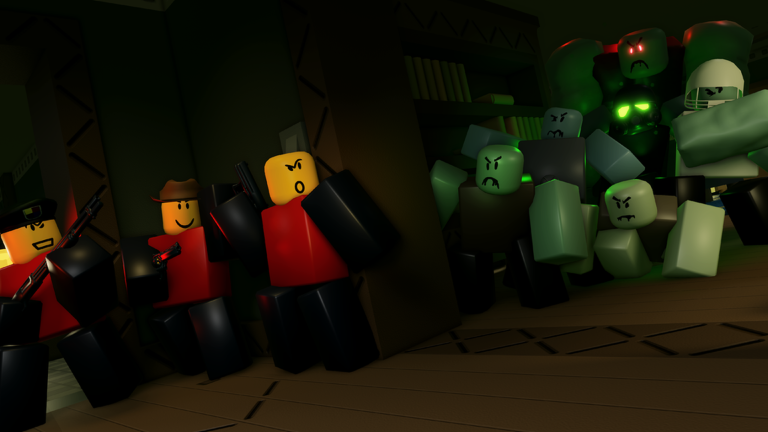
Looking for a The Undead Coming script for Roblox? You are in the right spot to grab the latest working code for this round survival game.
In The Undead Coming, you fight off endless hordes of zombies in intense round-based action. You have to blast through wave after wave of undead to survive the chaos.
If you want an easier time clearing out those hordes, the script below will help you out. Just copy the code and run it in your favorite executor.
The Undead Coming Script – Team Dev
loadstring(game:HttpGet("https://raw.githubusercontent.com/teamdev654-hub/td/refs/heads/main/%EC%96%B8%EB%8D%B0%EB%93%9C"))()Script #2 Zombie Destroyer
local Players = game:GetService("Players")
local RunService = game:GetService("RunService")
local ReplicatedStorage = game:GetService("ReplicatedStorage")
local UserInputService = game:GetService("UserInputService")

local player = Players.LocalPlayer
local damageEvent = ReplicatedStorage.Remotes.SendOuchies

local damageOn = false
local seatOn = false
local sitting = false

local cooldown = 0.15
local damage = 14
local lastHit = 0

local gui = Instance.new("ScreenGui")
gui.Name = "coolzombiedestroyer"
gui.ResetOnSpawn = false
gui.Parent = player:WaitForChild("PlayerGui")

local frame = Instance.new("Frame")
frame.Size = UDim2.fromOffset(230, 195)
frame.Position = UDim2.new(0.5, -115, 0.5, -97)
frame.BackgroundColor3 = Color3.fromRGB(35, 35, 35)
frame.BorderSizePixel = 0
frame.Parent = gui

local round = Instance.new("UICorner")
round.CornerRadius = UDim.new(0, 8)
round.Parent = frame

local title = Instance.new("TextLabel")
title.Size = UDim2.new(1, 0, 0, 30)
title.BackgroundTransparency = 1
title.Text = "cool zombie destroyer"
title.TextColor3 = Color3.new(1, 1, 1)
title.TextSize = 18
title.Font = Enum.Font.SourceSansBold
title.Parent = frame

local dragging = false
local dragStart
local oldPos

title.InputBegan:Connect(function(input)
	if input.UserInputType ~= Enum.UserInputType.MouseButton1
		and input.UserInputType ~= Enum.UserInputType.Touch then
		return
	end

	dragging = true
	dragStart = input.Position
	oldPos = frame.Position

	input.Changed:Connect(function()
		if input.UserInputState == Enum.UserInputState.End then
			dragging = false
		end
	end)
end)

UserInputService.InputChanged:Connect(function(input)
	if not dragging then
		return
	end

	if input.UserInputType ~= Enum.UserInputType.MouseMovement
		and input.UserInputType ~= Enum.UserInputType.Touch then
		return
	end

	local move = input.Position - dragStart

	frame.Position = UDim2.new(
		oldPos.X.Scale,
		oldPos.X.Offset + move.X,
		oldPos.Y.Scale,
		oldPos.Y.Offset + move.Y
	)
end)

local damageButton = Instance.new("TextButton")
damageButton.Size = UDim2.fromOffset(190, 32)
damageButton.Position = UDim2.new(0.5, -95, 0, 35)
damageButton.Text = "damage: off"
damageButton.TextSize = 16
damageButton.TextColor3 = Color3.new(1, 1, 1)
damageButton.BackgroundColor3 = Color3.fromRGB(100, 40, 40)
damageButton.BorderSizePixel = 0
damageButton.Parent = frame

local damageRound = Instance.new("UICorner")
damageRound.CornerRadius = UDim.new(0, 6)
damageRound.Parent = damageButton

local cooldownBox = Instance.new("TextBox")
cooldownBox.Size = UDim2.fromOffset(190, 30)
cooldownBox.Position = UDim2.new(0.5, -95, 0, 75)
cooldownBox.Text = "0.15"
cooldownBox.PlaceholderText = "cooldown"
cooldownBox.TextSize = 15
cooldownBox.TextColor3 = Color3.new(1, 1, 1)
cooldownBox.BackgroundColor3 = Color3.fromRGB(50, 50, 50)
cooldownBox.BorderSizePixel = 0
cooldownBox.ClearTextOnFocus = false
cooldownBox.Parent = frame

local cooldownRound = Instance.new("UICorner")
cooldownRound.CornerRadius = UDim.new(0, 6)
cooldownRound.Parent = cooldownBox

local damageBox = Instance.new("TextBox")
damageBox.Size = UDim2.fromOffset(190, 30)
damageBox.Position = UDim2.new(0.5, -95, 0, 115)
damageBox.Text = "14"
damageBox.PlaceholderText = "damage"
damageBox.TextSize = 15
damageBox.TextColor3 = Color3.new(1, 1, 1)
damageBox.BackgroundColor3 = Color3.fromRGB(50, 50, 50)
damageBox.BorderSizePixel = 0
damageBox.ClearTextOnFocus = false
damageBox.Parent = frame

local damageBoxRound = Instance.new("UICorner")
damageBoxRound.CornerRadius = UDim.new(0, 6)
damageBoxRound.Parent = damageBox

local seatButton = Instance.new("TextButton")
seatButton.Size = UDim2.fromOffset(190, 32)
seatButton.Position = UDim2.new(0.5, -95, 0, 155)
seatButton.Text = "auto seat: off"
seatButton.TextSize = 16
seatButton.TextColor3 = Color3.new(1, 1, 1)
seatButton.BackgroundColor3 = Color3.fromRGB(100, 40, 40)
seatButton.BorderSizePixel = 0
seatButton.Parent = frame

local seatRound = Instance.new("UICorner")
seatRound.CornerRadius = UDim.new(0, 6)
seatRound.Parent = seatButton

damageButton.MouseButton1Click:Connect(function()
	damageOn = not damageOn

	if damageOn then
		damageButton.Text = "damage: on"
		damageButton.BackgroundColor3 = Color3.fromRGB(40, 100, 40)
	else
		damageButton.Text = "damage: off"
		damageButton.BackgroundColor3 = Color3.fromRGB(100, 40, 40)
	end
end)

seatButton.MouseButton1Click:Connect(function()
	seatOn = not seatOn

	if seatOn then
		seatButton.Text = "auto seat: on"
		seatButton.BackgroundColor3 = Color3.fromRGB(40, 100, 40)
	else
		seatButton.Text = "auto seat: off"
		seatButton.BackgroundColor3 = Color3.fromRGB(100, 40, 40)
	end
end)

cooldownBox.FocusLost:Connect(function()
	local number = tonumber(cooldownBox.Text)

	if number and number > 0 then
		cooldown = number
	else
		cooldownBox.Text = tostring(cooldown)
	end
end)

damageBox.FocusLost:Connect(function()
	local number = tonumber(damageBox.Text)

	if number then
		damage = number
	else
		damageBox.Text = tostring(damage)
	end
end)

local function getStuff()
	local folder = workspace:FindFirstChild("GameFolder")

	if not folder then
		return
	end

	return folder,
		folder:FindFirstChild("Zombies"),
		folder:FindFirstChild("CurrentMap")
end

local function mapEmpty()
	local _, _, map = getStuff()

	if not map then
		return false
	end

	return #map:GetChildren() == 0
end

local function getSeat()
	for _, thing in ipairs(workspace:GetDescendants()) do
		if (thing:IsA("Seat") or thing:IsA("VehicleSeat"))
			and not thing.Disabled
			and thing.Occupant == nil then
			return thing
		end
	end
end

local function sit()
	if sitting or not seatOn then
		return
	end

	local _, zombies = getStuff()

	if not mapEmpty() then
		return
	end

	if not zombies or #zombies:GetChildren() > 0 then
		return
	end

	sitting = true

	task.spawn(function()
		for i = 1, 30 do
			if not seatOn or not mapEmpty() then
				break
			end

			local _, currentZombies = getStuff()

			if currentZombies and #currentZombies:GetChildren() > 0 then
				break
			end

			local character = player.Character
			local humanoid = character and character:FindFirstChildOfClass("Humanoid")
			local root = character and character:FindFirstChild("HumanoidRootPart")
			local seat = getSeat()

			if humanoid and root and seat then
				if humanoid.SeatPart == seat then
					break
				end

				root.CFrame = seat.CFrame + Vector3.new(0, 2, 0)

				task.wait(0.1)

				if not humanoid.SeatPart and not seat.Occupant then
					seat:Sit(humanoid)
				end

				task.wait(0.1)

				if humanoid.SeatPart == seat then
					break
				end
			end

			task.wait(0.1)
		end

		sitting = false
	end)
end

task.spawn(function()
	local folder = workspace:WaitForChild("GameFolder")
	local zombies = folder:WaitForChild("Zombies")
	local map = folder:WaitForChild("CurrentMap")

	local function check()
		if not seatOn then
			return
		end

		if #zombies:GetChildren() == 0
			and #map:GetChildren() == 0 then
			sit()
		end
	end

	zombies.ChildRemoved:Connect(check)
	map.ChildRemoved:Connect(check)

	check()
end)

task.spawn(function()
	while true do
		task.wait(0.5)

		if seatOn then
			local _, zombies, map = getStuff()

			if zombies and map
				and #zombies:GetChildren() == 0
				and #map:GetChildren() == 0 then

				local character = player.Character
				local humanoid = character and character:FindFirstChildOfClass("Humanoid")

				if humanoid and not humanoid.SeatPart then
					sit()
				end
			end
		end
	end
end)

RunService.RenderStepped:Connect(function(delta)
	lastHit += delta

	if not damageOn or lastHit < cooldown then
		return
	end

	local folder = workspace:FindFirstChild("GameFolder")
	local zombies = folder and folder:FindFirstChild("Zombies")

	if not zombies then
		return
	end

	for _, zombie in ipairs(zombies:GetChildren()) do
		if zombie:FindFirstChild("Humanoid")
			and zombie:FindFirstChild("Head") then
			damageEvent:FireServer(zombie, damage)
		end
	end

	lastHit = 0
end)Copy the code above into a compatible Roblox script executor if you choose to test it.
The Undead Coming Script Status
Roblox and game updates can affect compatibility, so the script’s status should be treated as temporary rather than guaranteed.
What Is a The Undead Coming Script?
A The Undead Coming script is Lua code intended to run alongside the Roblox game through a third-party script executor.
Different scripts can contain different code and features. This version includes the following features:
How to Use the The Undead Coming Script
If you decide to test a third-party Roblox script, the general process involves a compatible executor and the Lua code provided above.
Can a The Undead Coming Script Get Your Roblox Account Banned?
- Only use code from a source you trust.
- Never enter your Roblox password into a script or executor.
- Test on an alternate account first.
The Undead Coming Script for Mobile
If you’re searching for a The Undead Coming script for mobile, check whether both the executor and the script support your device and current Roblox version. Mobile executor support does not guarantee that every script will work.
Frequently Asked Questions
What is a The Undead Coming script?
A The Undead Coming script is third-party Lua code intended to run alongside the Roblox game through a compatible script executor.
Can a The Undead Coming script get an account banned?
Yes. Third-party scripts can violate Roblox rules, and compatibility or safety is never guaranteed.

