
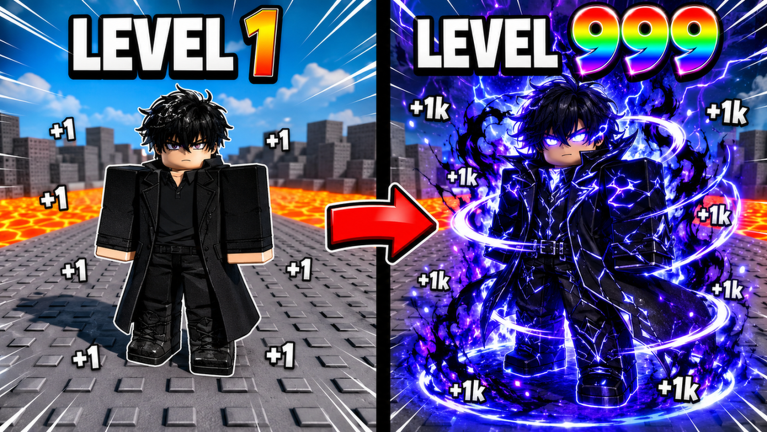
- +1 Speed Solo Leveling Escape Script – Auto Farm & More
- +1 Speed Solo Leveling Escape Script Status
- What Is a +1 Speed Solo Leveling Escape Script?
- How to Use the +1 Speed Solo Leveling Escape Script
- Can a +1 Speed Solo Leveling Escape Script Get Your Roblox Account Banned?
- +1 Speed Solo Leveling Escape Script for Mobile
- Frequently Asked Questions
Looking for a +1 Speed Solo Leveling Escape script for Roblox? You are in the right spot for a working tool that helps you speed past the grind without losing your mind.
In +1 Speed Solo Leveling Escape, every second or step increases your speed as you dodge dungeon traps and beasts. You have to grind, train, and level up to clear the gates, rebirth for massive multipliers, and unlock powerful hunters.
If you want to skip the endless walking and get straight to maxing out your stats, check out the script code below.
+1 Speed Solo Leveling Escape Script – Auto Farm & More
local Players = game:GetService("Players")
local player = Players.LocalPlayer
local playerGui = player:WaitForChild("PlayerGui")

-- --- CONFIGURATION ---
local TARGET_POSITION = Vector3.new(-36.2, 45.2, -3704.0)
local TP_INTERVAL = 1.5 -- Alle 1,5 Sekunden teleportieren
local isAutoFarming = false

-- --- UI ERSTELLUNG ---
local screenGui = Instance.new("ScreenGui")
screenGui.Name = "AutoFarmWinsUI"
screenGui.ResetOnSpawn = false
screenGui.Parent = playerGui

-- Hauptfenster (Kompakt)
local frame = Instance.new("Frame")
frame.Size = UDim2.new(0, 200, 0, 90)
frame.Position = UDim2.new(0.8, 0, 0.2, 0) -- Rechts oben auf dem Bildschirm
frame.BackgroundColor3 = Color3.fromRGB(30, 30, 30)
frame.BorderSizePixel = 0
frame.Active = true
frame.Draggable = true -- Du kannst das Fenster im Spiel verschieben
frame.Parent = screenGui

local uiCorner = Instance.new("UICorner")
uiCorner.CornerRadius = UDim.new(0, 8)
uiCorner.Parent = frame

-- Titel des Fensters
local title = Instance.new("TextLabel")
title.Size = UDim2.new(1, 0, 0, 30)
title.BackgroundColor3 = Color3.fromRGB(20, 20, 20)
title.Text = "Auto-Farm-Wins"
title.TextColor3 = Color3.fromRGB(255, 255, 255)
title.TextSize = 14
title.Font = Enum.Font.SourceSansBold
title.Parent = frame

local titleCorner = Instance.new("UICorner")
titleCorner.CornerRadius = UDim.new(0, 8)
titleCorner.Parent = title

-- Ein/Aus Button
local farmButton = Instance.new("TextButton")
farmButton.Size = UDim2.new(1, -20, 0, 40)
farmButton.Position = UDim2.new(0, 10, 0, 40)
farmButton.BackgroundColor3 = Color3.fromRGB(150, 0, 0) -- Startet Rot (AUS)
farmButton.Text = "Auto-Farm: AUS"
farmButton.TextColor3 = Color3.fromRGB(255, 255, 255)
farmButton.TextSize = 16
farmButton.Font = Enum.Font.SourceSansBold
farmButton.Parent = frame

local btnCorner = Instance.new("UICorner")
btnCorner.CornerRadius = UDim.new(0, 6)
btnCorner.Parent = farmButton

-- --- AUTO-FARM LOGIK ---
local function startFarmingLoop()
	-- Dieser Loop läuft asynchron im Hintergrund, solange isAutoFarming true ist
	task.spawn(function()
		while isAutoFarming do
			local character = player.Character
			if character and character:FindFirstChild("HumanoidRootPart") then
				-- Teleportiert den Charakter zur Zielposition, behält aber die Blickrichtung bei
				local rootPart = character.HumanoidRootPart
				rootPart.CFrame = CFrame.new(TARGET_POSITION) * (rootPart.CFrame - rootPart.CFrame.Position)
			end
			-- Wartet exakt die vorgegebene Zeit bis zum nächsten TP
			task.wait(TP_INTERVAL)
		end
	end)
end

farmButton.MouseButton1Click:Connect(function()
	-- Zustand umkehren (Toggle)
	isAutoFarming = not isAutoFarming

	if isAutoFarming then
		-- Einschalten
		farmButton.Text = "Auto-Farm: AN"
		farmButton.BackgroundColor3 = Color3.fromRGB(0, 135, 60) -- Grün
		startFarmingLoop()
	else
		-- Ausschalten
		farmButton.Text = "Auto-Farm: AUS"
		farmButton.BackgroundColor3 = Color3.fromRGB(150, 0, 0) -- Rot
	end
end)Copy the code above into a compatible Roblox script executor if you choose to test it.
+1 Speed Solo Leveling Escape Script Status
Roblox and game updates can affect compatibility, so the script’s status should be treated as temporary rather than guaranteed.
What Is a +1 Speed Solo Leveling Escape Script?
A +1 Speed Solo Leveling Escape script is Lua code intended to run alongside the Roblox game through a third-party script executor.
Different scripts can contain different code and features. This version includes the following features:
How to Use the +1 Speed Solo Leveling Escape Script
If you decide to test a third-party Roblox script, the general process involves a compatible executor and the Lua code provided above.
Can a +1 Speed Solo Leveling Escape Script Get Your Roblox Account Banned?
- Only use code from a source you trust.
- Never enter your Roblox password into a script or executor.
- Test on an alternate account first.
+1 Speed Solo Leveling Escape Script for Mobile
If you’re searching for a +1 Speed Solo Leveling Escape script for mobile, check whether both the executor and the script support your device and current Roblox version. Mobile executor support does not guarantee that every script will work.
Frequently Asked Questions
What is a +1 Speed Solo Leveling Escape script?
A +1 Speed Solo Leveling Escape script is third-party Lua code intended to run alongside the Roblox game through a compatible script executor.
What features does this +1 Speed Solo Leveling Escape script include?
Different scripts contain different code. This version includes: Auto Farm.
How do you use the +1 Speed Solo Leveling Escape script?
Pick a compatible executor such as Hydrogen, MacSploit, AWP.GG, Delta, Fluxus, Codex, launch Roblox and join the game, copy the complete Lua code from the script card above, paste it into the executor’s editor, and click Run or Execute. Compatibility changes over time, so a name here doesn’t guarantee current support.
Can a +1 Speed Solo Leveling Escape script get your Roblox account banned?
Yes. Third-party scripts can violate Roblox rules and may put an account at risk. Only use code from a source you trust, never enter your Roblox password into a script or executor, and test on an alternate account first.
Does the +1 Speed Solo Leveling Escape script work on mobile?
Check whether both the executor and the script support your device and the current Roblox version. Mobile executor support does not guarantee that every script will work.

