
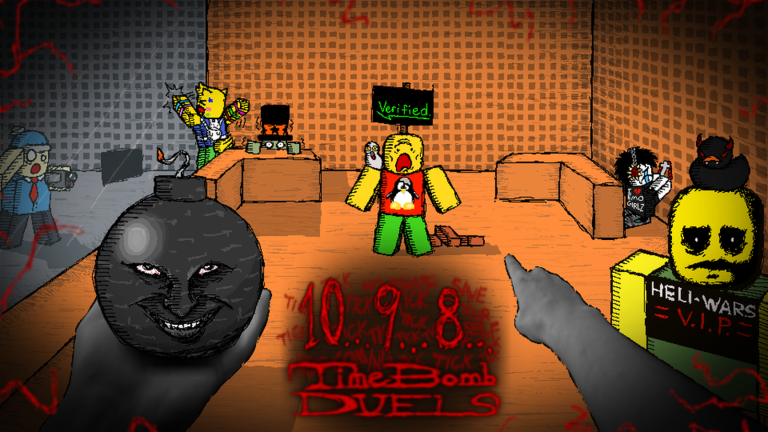
Keeping up with other players in Timebomb Duels gets a lot easier when you run the Timebomb Duels script to handle the boring stuff for you.
You are dropping into an alpha stage where matches get intense and bugs pop up, so keeping your ping low and stats in check is the main routine.
Here is the working code you need to test out these features right now.
Timebomb Duels Script – Auto assest and holding & More
-- ═══════════════════════════════════════════════════════════════
-- 💣 TimeBomb - Holding & Auto Assist (VEX TOP ONE)
-- ═══════════════════════════════════════════════════════════════

local Players = game:GetService("Players")
local RunService = game:GetService("RunService")
local UserInputService = game:GetService("UserInputService")

local LocalPlayer = Players.LocalPlayer
local PlayerGui = LocalPlayer:WaitForChild("PlayerGui")
local Camera = workspace.CurrentCamera

-- ═══════════════════════════════════════════════════════════════
-- الحالة
-- ═══════════════════════════════════════════════════════════════
local State = {
    AutoAssistEnabled = false,
    HoldingEnabled = false,
    AssistConn = nil,
    HoldingConn = nil
}

-- ═══════════════════════════════════════════════════════════════
-- أدوات مساعدة
-- ═══════════════════════════════════════════════════════════════
local function new(class, props, parent)
    local inst = Instance.new(class)
    if props then
        for k, v in pairs(props) do
            pcall(function() inst[k] = v end)
        end
    end
    if parent then inst.Parent = parent end
    return inst
end

local function corner(p, r)
    return new("UICorner", { CornerRadius = r or UDim.new(0, 10) }, p)
end

local function getHRP(player)
    local c = player.Character
    if not c then return nil end
    return c:FindFirstChild("HumanoidRootPart")
end

local function getHum(player)
    local c = player.Character
    if not c then return nil end
    return c:FindFirstChildOfClass("Humanoid")
end

local function getPlayerInFront()
    local myHRP = getHRP(LocalPlayer)
    if not myHRP then return nil end
    local closest, closestDist = nil, 25
    for _, p in ipairs(Players:GetPlayers()) do
        if p ~= LocalPlayer and p.Character then
            local pHRP = getHRP(p)
            local pHum = getHum(p)
            if pHRP and pHum and pHum.Health > 0 then
                local dist = (pHRP.Position - myHRP.Position).Magnitude
                if dist < closestDist then
                    local directionToPlayer = (pHRP.Position - Camera.CFrame.Position).Unit
                    local cameraLook = Camera.CFrame.LookVector
                    if directionToPlayer:Dot(cameraLook) > 0 then
                        closestDist = dist
                        closest = p
                    end
                end
            end
        end
    end
    return closest
end

local function getClosestPlayer()
    local myHRP = getHRP(LocalPlayer)
    if not myHRP then return nil, math.huge end
    local closest, closestDist = nil, math.huge
    for _, p in ipairs(Players:GetPlayers()) do
        if p ~= LocalPlayer and p.Character then
            local pHRP = getHRP(p)
            local pHum = getHum(p)
            if pHRP and pHum and pHum.Health > 0 then
                local dist = (pHRP.Position - myHRP.Position).Magnitude
                if dist < closestDist then
                    closestDist = dist
                    closest = p
                end
            end
        end
    end
    return closest, closestDist
end

-- ═══════════════════════════════════════════════════════════════
-- 1. HOLDING
-- ═══════════════════════════════════════════════════════════════
local function startHolding()
    if State.HoldingConn then return end
    local myHum = getHum(LocalPlayer)
    if myHum then myHum.AutoRotate = false end

    State.HoldingConn = RunService.RenderStepped:Connect(function()
        if not State.HoldingEnabled then return end
        local target = getPlayerInFront()
        if not target then return end

        local myHRP = getHRP(LocalPlayer)
        local tHRP = getHRP(target)

        if myHRP and tHRP then
            pcall(function()
                local lookDirection = (tHRP.Position - myHRP.Position).Unit
                local reversedDirection = -lookDirection
                myHRP.CFrame = CFrame.new(myHRP.Position, myHRP.Position + reversedDirection)
            end)
        end
    end)
end

local function stopHolding()
    local myHum = getHum(LocalPlayer)
    if myHum then myHum.AutoRotate = true end
    if State.HoldingConn then
        State.HoldingConn:Disconnect()
        State.HoldingConn = nil
    end
end

-- ═══════════════════════════════════════════════════════════════
-- 2. AUTO ASSIST
-- ═══════════════════════════════════════════════════════════════
local function hasTool()
    local char = LocalPlayer.Character
    if not char then return false end
    return char:FindFirstChildOfClass("Tool") ~= nil
end

local function startAutoAssist()
    if State.AssistConn then return end

    State.AssistConn = RunService.Heartbeat:Connect(function()
        if not State.AutoAssistEnabled then return end
        if not hasTool() then return end

        local target, dist = getClosestPlayer()
        local myHum = getHum(LocalPlayer)
        local tHRP = getHRP(target)

        if target and myHum and tHRP then
            if dist > 4 then
                myHum:MoveTo(tHRP.Position)
            end
        end
    end)
end

local function stopAutoAssist()
    if State.AssistConn then
        State.AssistConn:Disconnect()
        State.AssistConn = nil
    end
end

-- ═══════════════════════════════════════════════════════════════
-- واجهة المستخدم
-- ═══════════════════════════════════════════════════════════════
local old = PlayerGui:FindFirstChild("TimeBombButtons")
if old then old:Destroy() end

local gui = new("ScreenGui", {
    Name = "TimeBombButtons",
    ResetOnSpawn = false,
    IgnoreGuiInset = true,
}, PlayerGui)

-- ═══════════════════════════════════════════════════════════════
-- اسم السكربت (VEX TOP ONE)
-- ═══════════════════════════════════════════════════════════════
local titleLabel = new("TextLabel", {
    Size = UDim2.new(0, 400, 0, 60),
    Position = UDim2.new(0.5, -200, 0, 20),
    BackgroundTransparency = 1,
    Text = "VEX TOP ONE",
    Font = Enum.Font.GothamBlack,
    TextSize = 38,
    TextColor3 = Color3.fromRGB(255, 255, 255),
    TextStrokeTransparency = 0,
    TextStrokeColor3 = Color3.fromRGB(0, 0, 0),
}, gui)

local gradient = new("UIGradient", {
    Color = ColorSequence.new({
        ColorSequenceKeypoint.new(0, Color3.fromRGB(255, 105, 180)),
        ColorSequenceKeypoint.new(0.5, Color3.fromRGB(180, 90, 220)),
        ColorSequenceKeypoint.new(1, Color3.fromRGB(100, 150, 240))
    }),
    Rotation = 90,
}, titleLabel)

local shadow = titleLabel:Clone()
shadow.Parent = gui
shadow.Position = UDim2.new(0.5, -200, 0, 23)
shadow.TextColor3 = Color3.fromRGB(0, 0, 0)
shadow.TextTransparency = 0.5
shadow.ZIndex = titleLabel.ZIndex - 1
shadow.TextStrokeTransparency = 1
if shadow:FindFirstChildOfClass("UIGradient") then
    shadow:FindFirstChildOfClass("UIGradient"):Destroy()
end

task.spawn(function()
    while gui.Parent do
        task.wait(0.5)
        titleLabel:TweenSize(UDim2.new(0, 420, 0, 60), Enum.EasingDirection.Out, Enum.EasingStyle.Quad, 0.5, true)
        task.wait(0.5)
        titleLabel:TweenSize(UDim2.new(0, 400, 0, 60), Enum.EasingDirection.In, Enum.EasingStyle.Quad, 0.5, true)
    end
end)

-- ═══════════════════════════════════════════════════════════════
-- الأزرار
-- ═══════════════════════════════════════════════════════════════
local function createButton(text, pos, callback)
    local frame = new("Frame", {
        Size = UDim2.fromOffset(150, 50),
        Position = pos,
        BackgroundColor3 = Color3.fromRGB(255, 105, 180),
        BorderSizePixel = 0,
    }, gui)
    corner(frame, UDim.new(0, 10))
    new("UIStroke", { Color = Color3.fromRGB(255, 255, 255), Thickness = 2 }, frame)

    local btn = new("TextButton", {
        Size = UDim2.fromScale(1, 1),
        BackgroundTransparency = 1,
        Text = text,
        TextColor3 = Color3.fromRGB(255, 255, 255),
        Font = Enum.Font.GothamBold,
        TextSize = 16,
    }, frame)

    local lockBtn = new("TextButton", {
        Size = UDim2.fromOffset(25, 25),
        Position = UDim2.new(1, -30, 0, 5),
        BackgroundColor3 = Color3.fromRGB(30, 30, 40),
        Text = "🔒",
        TextColor3 = Color3.fromRGB(255, 255, 255),
        Font = Enum.Font.GothamBold,
        TextSize = 14,
        BorderSizePixel = 0,
        AutoButtonColor = false,
    }, frame)
    corner(lockBtn, UDim.new(1, 0))

    local dragging, dragStart, startPos
    local isUnlocked = false

    lockBtn.InputBegan:Connect(function(input)
        if input.UserInputType == Enum.UserInputType.MouseButton1 or input.UserInputType == Enum.UserInputType.Touch then
            if isUnlocked then
                dragging = true
                dragStart = input.Position
                startPos = frame.Position
            end
        end
    end)

    UserInputService.InputChanged:Connect(function(input)
        if dragging and (input.UserInputType == Enum.UserInputType.MouseMovement or input.UserInputType == Enum.UserInputType.Touch) then
            local delta = input.Position - dragStart
            frame.Position = UDim2.new(startPos.X.Scale, startPos.X.Offset + delta.X, startPos.Y.Scale, startPos.Y.Offset + delta.Y)
        end
    end)

    UserInputService.InputEnded:Connect(function(input)
        if input.UserInputType == Enum.UserInputType.MouseButton1 or input.UserInputType == Enum.UserInputType.Touch then
            dragging = false
        end
    end)

    lockBtn.MouseButton1Click:Connect(function()
        isUnlocked = not isUnlocked
        if isUnlocked then
            lockBtn.Text = "🔓"
        else
            lockBtn.Text = "🔒"
        end
    end)

    btn.MouseButton1Click:Connect(function()
        callback(btn, frame)
    end)

    return btn, frame
end

local holdBtn, holdFrame = createButton("HOLDING", UDim2.new(0, 20, 0.5, -60), function(btn, frame)
    State.HoldingEnabled = not State.HoldingEnabled
    if State.HoldingEnabled then
        btn.Text = "HOLDING: ON"
        frame.BackgroundColor3 = Color3.fromRGB(50, 205, 50)
        startHolding()
    else
        btn.Text = "HOLDING"
        frame.BackgroundColor3 = Color3.fromRGB(255, 105, 180)
        stopHolding()
    end
end)

local assistBtn, assistFrame = createButton("AUTO ASSIST", UDim2.new(0, 20, 0.5, 0), function(btn, frame)
    State.AutoAssistEnabled = not State.AutoAssistEnabled
    if State.AutoAssistEnabled then
        btn.Text = "AUTO: ON"
        frame.BackgroundColor3 = Color3.fromRGB(50, 205, 50)
        startAutoAssist()
    else
        btn.Text = "AUTO ASSIST"
        frame.BackgroundColor3 = Color3.fromRGB(255, 105, 180)
        stopAutoAssist()
    end
end)

UserInputService.InputBegan:Connect(function(input, processed)
    if processed then return end

    if input.KeyCode == Enum.KeyCode.F then
        State.HoldingEnabled = not State.HoldingEnabled
        if State.HoldingEnabled then
            holdBtn.Text = "HOLDING: ON"
            holdFrame.BackgroundColor3 = Color3.fromRGB(50, 205, 50)
            startHolding()
        else
            holdBtn.Text = "HOLDING"
            holdFrame.BackgroundColor3 = Color3.fromRGB(255, 105, 180)
            stopHolding()
        end
    end

    if input.KeyCode == Enum.KeyCode.T then
        State.AutoAssistEnabled = not State.AutoAssistEnabled
        if State.AutoAssistEnabled then
            assistBtn.Text = "AUTO: ON"
            assistFrame.BackgroundColor3 = Color3.fromRGB(50, 205, 50)
            startAutoAssist()
        else
            assistBtn.Text = "AUTO ASSIST"
            assistFrame.BackgroundColor3 = Color3.fromRGB(255, 105, 180)
            stopAutoAssist()
        end
    end
end)

print("[VEX TOP ONE] تم التحميل بنجاح")Copy the code above into a compatible Roblox script executor if you choose to test it.
Timebomb Duels Script Status
Roblox and game updates can affect compatibility, so the script’s status should be treated as temporary rather than guaranteed.
Frequently Asked Questions
What is a Timebomb Duels script?
A Timebomb Duels script is third-party Lua code intended to run alongside the Roblox game through a compatible script executor.
What features does this Timebomb Duels script include?
Different scripts contain different code. This version includes: Auto assest and holding.
How do you use the Timebomb Duels script?
Pick a compatible executor such as Hydrogen, MacSploit, AWP.GG, Delta, Fluxus, Codex, launch Roblox and join the game, copy the complete Lua code from the script card above, paste it into the executor’s editor, and click Run or Execute. Compatibility changes over time, so a name here doesn’t guarantee current support.
Can a Timebomb Duels script get your Roblox account banned?
Yes. Third-party scripts can violate Roblox rules and may put an account at risk. Only use code from a source you trust, never enter your Roblox password into a script or executor, and test on an alternate account first.
Does the Timebomb Duels script work on mobile?
Check whether both the executor and the script support your device and the current Roblox version. Mobile executor support does not guarantee that every script will work.

