
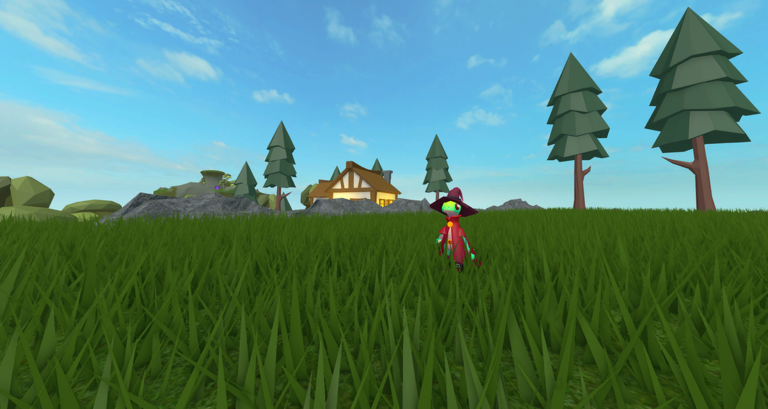
Grinding out resources on your plot can take forever when you just want to build cool stuff. Slap on the Islands Reborn script and skip the boring parts of the routine.
You spend your time building up a private plot, growing massive farms, and cooking up food to sell for cash. Gathering everything manually gets old fast when you want to expand.
Grab the working script below and start automating your chores right now.
Islands Reborn Script – Auto Farm & More
dragArea.BackgroundTransparency = 1
dragArea.Text = ""
dragArea.Parent = main

dragArea.InputBegan:Connect(function(input)
    if input.UserInputType == Enum.UserInputType.MouseButton1
        or input.UserInputType == Enum.UserInputType.Touch then
        dragging = true
        dragStart = input.Position
        startPos = main.Position
    end
end)

UIS.InputChanged:Connect(function(input)
    if dragging and (
        input.UserInputType == Enum.UserInputType.MouseMovement
        or input.UserInputType == Enum.UserInputType.Touch
    ) then
        local delta = input.Position - dragStart
        main.Position = UDim2.new(
            startPos.X.Scale, startPos.X.Offset + delta.X,
            startPos.Y.Scale, startPos.Y.Offset + delta.Y
        )
    end
end)

UIS.InputEnded:Connect(function(input)
    if input.UserInputType == Enum.UserInputType.MouseButton1
        or input.UserInputType == Enum.UserInputType.Touch then
        dragging = false
    end
end)

local status = label(main, "Status: Ready",
    UDim2.new(1, -30, 0, 25), UDim2.fromOffset(18, 76),
    12, Color3.fromRGB(125, 220, 170))

local tabBar = Instance.new("Frame")
tabBar.Size = UDim2.new(1, -28, 0, 36)
tabBar.Position = UDim2.fromOffset(14, 107)
tabBar.BackgroundTransparency = 1
tabBar.Parent = main

local content = Instance.new("Frame")
content.Size = UDim2.new(1, -28, 1, -157)
content.Position = UDim2.fromOffset(14, 150)
content.BackgroundTransparency = 1
content.Parent = main

local tabs = {}
local activeTab
local settings = {
    ["Auto Farm"] = false,
    ["Auto Collect"] = false,
    ["Auto Sell"] = false,
    ["Portal Teleport"] = false
}

local function setStatus(text)
    status.Text = "Status: " .. text
end

local function showTab(name)
    activeTab = name
    for tabName, frame in pairs(tabs) do
        frame.Visible = tabName == name
    end
    for _, child in ipairs(tabBar:GetChildren()) do
        if child:IsA("TextButton") then
            child.BackgroundColor3 =
                child.Name == name
                and Color3.fromRGB(47, 113, 158)
                or Color3.fromRGB(37, 42, 55)
        end
    end
end

local function createTab(name, x, width)
    local button = Instance.new("TextButton")
    button.Name = name
    button.Size = UDim2.new(width, -4, 1, 0)
    button.Position = UDim2.new(x, 0, 0, 0)
    button.Text = name
    button.Font = Enum.Font.GothamMedium
    button.TextSize = 11
    button.TextColor3 = Color3.new(1, 1, 1)
    button.BackgroundColor3 = Color3.fromRGB(37, 42, 55)
    button.Parent = tabBar
    Instance.new("UICorner", button).CornerRadius = UDim.new(0, 7)

    local frame = Instance.new("Frame")
    frame.Size = UDim2.fromScale(1, 1)
    frame.BackgroundTransparency = 1
    frame.Visible = false
    frame.Parent = content
    tabs[name] = frame

    button.Activated:Connect(function() showTab(name) end)
    return frame
end

local farm = createTab("Farm", 0, 0.25)
local travel = createTab("Travel", 0.25, 0.25)
local inventory = createTab("Items", 0.50, 0.25)
local info = createTab("Info", 0.75, 0.25)

local function makeButton(parent, text, y, callback)
    local b = Instance.new("TextButton")
    b.Size = UDim2.new(1, -4, 0, 43)
    b.Position = UDim2.fromOffset(2, y)
    b.BackgroundColor3 = Color3.fromRGB(37, 42, 55)
    b.TextColor3 = Color3.fromRGB(235, 239, 248)
    b.Text = text
    b.Font = Enum.Font.GothamMedium
    b.TextSize = 13
    b.Parent = parent
    Instance.new("UICorner", b).CornerRadius = UDim.new(0, 8)
    b.Activated:Connect(function() callback(b) end)
    return b
end

local function toggle(parent, name, y)
    local function refresh(button)
        button.Text = name .. "  [" ..
            (settings[name] and "ON" or "OFF") .. "]"
        button.BackgroundColor3 = settings[name]
            and Color3.fromRGB(34, 105, 79)
            or Color3.fromRGB(37, 42, 55)
    end

    local button = makeButton(parent, name .. " [OFF]", y, function(b)
        settings[name] = not settings[name]
        refresh(b)
        setStatus(name .. (settings[name] and " enabled" or " disabled")
            .. " (prototype)")
    end)
    refresh(button)
end

toggle(farm, "Auto Farm", 5)
toggle(farm, "Auto Collect", 55)

makeButton(travel, "Selling Island", 5, function()
    setStatus("Portal destination not connected")
end)

makeButton(travel, "Home Island", 55, function()
    setStatus("Portal destination not connected")
end)

toggle(inventory, "Auto Sell", 5)

makeButton(inventory, "Sell Max (demo)", 55, function()
    setStatus("Vendor interaction not connected")
end)

label(info, "Feature status", UDim2.new(1, 0, 0, 25),
    UDim2.fromOffset(3, 4), 15, Color3.fromRGB(110, 205, 255))

label(info, "This is a GUI prototype.\n\n" ..
    "Game-specific automation is not implemented.\n\n" ..
    "No money, items, or inventory values are changed.",
    UDim2.new(1, -8, 0, 120), UDim2.fromOffset(3, 35),
    12, Color3.fromRGB(195, 202, 215))

makeButton(main, "STOP ALL", 345, function()
    for name in pairs(settings) do settings[name] = false end
    for _, frame in pairs(tabs) do
        for _, child in ipairs(frame:GetChildren()) do
            if child:IsA("TextButton") then
                if child.Text:find("%[") then
                    child.Text = child.Text:gsub("%[ON%]", "[OFF]")
                    child.BackgroundColor3 = Color3.fromRGB(37, 42, 55)
                end
            end
        end
    end
    setStatus("All toggles disabled")
end).BackgroundColor3 = Color3.fromRGB(135, 54, 65)

showTab("Farm")Copy the code above into a compatible Roblox script executor if you choose to test it.
Islands Reborn Script Status
Roblox and game updates can affect compatibility, so the script’s status should be treated as temporary rather than guaranteed.
Frequently Asked Questions
What is a Islands Reborn script?
A Islands Reborn script is third-party Lua code intended to run alongside the Roblox game through a compatible script executor.
What features does this Islands Reborn script include?
Different scripts contain different code. This version includes: Auto Farm, Teleport, Auto Sell.
How do you use the Islands Reborn script?
Pick a compatible executor such as Hydrogen, MacSploit, AWP.GG, Delta, Fluxus, Codex, launch Roblox and join the game, copy the complete Lua code from the script card above, paste it into the executor’s editor, and click Run or Execute. Compatibility changes over time, so a name here doesn’t guarantee current support.
Can a Islands Reborn script get your Roblox account banned?
Yes. Third-party scripts can violate Roblox rules and may put an account at risk. Only use code from a source you trust, never enter your Roblox password into a script or executor, and test on an alternate account first.
Does the Islands Reborn script work on mobile?
Check whether both the executor and the script support your device and the current Roblox version. Mobile executor support does not guarantee that every script will work.

