
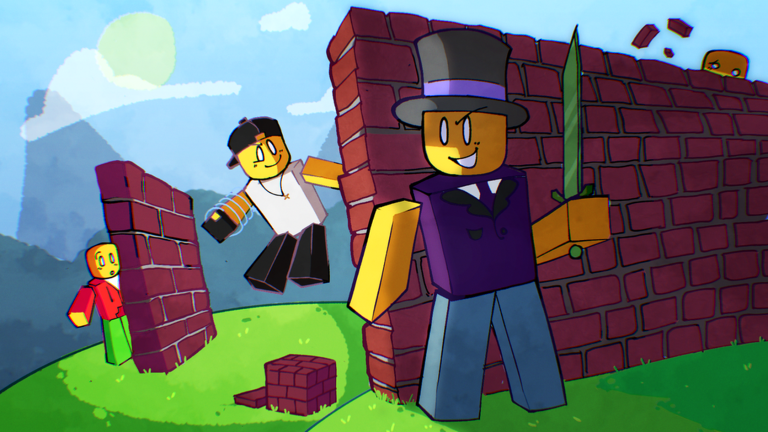
Playing on mobile can get messy when you are trying to outbuild and outfight the entire server, but a good Build and Brawl script makes everything so much easier to manage.
You spend your time putting up base kits, unlocking swords from fights, and slapping decals on your plot just to keep things defended, plus saving your best builds before someone ruins them.
If you want to trick out your plot without spending hours on regular block placement, check out the working script below.
Build and Brawl Script – Change your plates materials. & More
local ReplicatedStorage = game:GetService("ReplicatedStorage")
local LocalPlayer = game:GetService("Players").LocalPlayer
local TweenService = game:GetService("TweenService")
local UserInputService = game:GetService("UserInputService")

local BaseCustomization = ReplicatedStorage:WaitForChild("Remotes"):WaitForChild("BaseCustomization")
local UpdateMaterial = BaseCustomization:WaitForChild("UpdateBaseMaterial")

-- ONLY verified, working materials. No dead buttons.
local CategorizedMaterials = {
    ["Standard & Plastic"] = {
        "Plastic", "SmoothPlastic", "Neon", "Wood", "WoodPlanks",
        "Glass", "ForceField", "Fabric"
    },
    ["Environment & Terrain"] = {
        "Basalt", "Slate", "CrackedLava", "Concrete", "Limestone",
        "Pavement", "Brick", "Pebble", "Cobblestone", "Rock", "Sandstone",
        "Grass", "LeafyGrass", "Sand", "Snow", "Mud", "Ground", "Asphalt",
        "Salt", "Ice", "Glacier"
    },
    ["Metals"] = {
        "Metal", "CorrodedMetal", "DiamondPlate", "Foil", "Marble", "Granite"
    },
    ["Rare (2024 PBR Update)"] = {
        "Cardboard", "Carpet", "CeramicTiles", "ClayRoofTiles",
        "RoofShingles", "Leather", "Plaster", "Rubber"
    }
}

-- GUI Creation
local ScreenGui = Instance.new("ScreenGui")
ScreenGui.Name = "MaterialCustomizerFinal"
ScreenGui.ResetOnSpawn = false
ScreenGui.Parent = LocalPlayer:WaitForChild("PlayerGui")

local MainFrame = Instance.new("Frame")
MainFrame.Name = "Main"
MainFrame.Size = UDim2.new(0, 260, 0, 420)
MainFrame.Position = UDim2.new(0.5, -130, 0.5, -210)
MainFrame.BackgroundColor3 = Color3.fromRGB(15, 15, 18)
MainFrame.BorderSizePixel = 0
MainFrame.Active = true
MainFrame.Draggable = true
MainFrame.Parent = ScreenGui
Instance.new("UICorner", MainFrame).CornerRadius = UDim.new(0, 8)

local TopBar = Instance.new("Frame")
TopBar.Size = UDim2.new(1, 0, 0, 40)
TopBar.BackgroundColor3 = Color3.fromRGB(25, 25, 30)
TopBar.Parent = MainFrame
Instance.new("UICorner", TopBar).CornerRadius = UDim.new(0, 8)

local Title = Instance.new("TextLabel")
Title.Size = UDim2.new(1, 0, 1, 0)
Title.BackgroundTransparency = 1
Title.Text = "Base Materials"
Title.TextColor3 = Color3.fromRGB(0, 255, 150)
Title.Font = Enum.Font.GothamBold
Title.TextSize = 16
Title.Parent = TopBar

-- Search Bar
local SearchBox = Instance.new("TextBox")
SearchBox.Size = UDim2.new(1, -20, 0, 30)
SearchBox.Position = UDim2.new(0, 10, 0, 50)
SearchBox.BackgroundColor3 = Color3.fromRGB(30, 30, 35)
SearchBox.TextColor3 = Color3.fromRGB(255, 255, 255)
SearchBox.PlaceholderText = "🔍 Search materials..."
SearchBox.Font = Enum.Font.Gotham
SearchBox.TextSize = 12
SearchBox.ClearTextOnFocus = false
SearchBox.Parent = MainFrame
Instance.new("UICorner", SearchBox).CornerRadius = UDim.new(0, 4)

-- Material List
local ScrollFrame = Instance.new("ScrollingFrame")
ScrollFrame.Size = UDim2.new(1, -20, 1, -95)
ScrollFrame.Position = UDim2.new(0, 10, 0, 90)
ScrollFrame.BackgroundTransparency = 1
ScrollFrame.BorderSizePixel = 0
ScrollFrame.ScrollBarThickness = 4
ScrollFrame.ScrollBarImageColor3 = Color3.fromRGB(80, 80, 80)
ScrollFrame.CanvasSize = UDim2.new(0, 0, 0, 0)
ScrollFrame.Parent = MainFrame

local UIListLayout = Instance.new("UIListLayout")
UIListLayout.Padding = UDim.new(0, 6)
UIListLayout.SortOrder = Enum.SortOrder.LayoutOrder
UIListLayout.Parent = ScrollFrame
UIListLayout.Changed:Connect(function()
    ScrollFrame.CanvasSize = UDim2.new(0, 0, 0, UIListLayout.AbsoluteContentSize.Y + 10)
end)

local allButtons = {}
local layoutOrder = 1

local function addMaterialCategory(catName, materials)
    local catLabel = Instance.new("TextLabel")
    catLabel.Size = UDim2.new(1, 0, 0, 20)
    catLabel.BackgroundTransparency = 1
    catLabel.Text = catName
    catLabel.TextColor3 = Color3.fromRGB(0, 255, 150)
    catLabel.Font = Enum.Font.GothamBold
    catLabel.TextSize = 12
    catLabel.TextXAlignment = Enum.TextXAlignment.Left
    catLabel.LayoutOrder = layoutOrder
    catLabel.Parent = ScrollFrame
    layoutOrder = layoutOrder + 1

    for _, matName in ipairs(materials) do
        local Button = Instance.new("TextButton")
        Button.Size = UDim2.new(1, 0, 0, 32)
        Button.BackgroundColor3 = Color3.fromRGB(35, 35, 42)
        Button.Text = "  " .. matName
        Button.TextColor3 = Color3.fromRGB(230, 230, 230)
        Button.Font = Enum.Font.Gotham
        Button.TextSize = 12
        Button.TextXAlignment = Enum.TextXAlignment.Left
        Button.BorderSizePixel = 0
        Button.LayoutOrder = layoutOrder
        Button.Parent = ScrollFrame
        Instance.new("UICorner", Button).CornerRadius = UDim.new(0, 5)

        table.insert(allButtons, {btn = Button, name = matName})

        Button.MouseEnter:Connect(function()
            TweenService:Create(Button, TweenInfo.new(0.15), {BackgroundColor3 = Color3.fromRGB(60, 60, 75)}):Play()
        end)
        Button.MouseLeave:Connect(function()
            TweenService:Create(Button, TweenInfo.new(0.15), {BackgroundColor3 = Color3.fromRGB(35, 35, 42)}):Play()
        end)

        Button.MouseButton1Click:Connect(function()
            UpdateMaterial:FireServer(matName)
            Button.BackgroundColor3 = Color3.fromRGB(0, 200, 100)
            task.delay(0.3, function()
                Button.BackgroundColor3 = Color3.fromRGB(35, 35, 42)
            end)
        end)

        layoutOrder = layoutOrder + 1
    end
end

for catName, mats in pairs(CategorizedMaterials) do
    addMaterialCategory(catName, mats)
end

-- Search Logic
SearchBox:GetPropertyChangedSignal("Text"):Connect(function()
    local query = string.lower(SearchBox.Text)
    for _, data in ipairs(allButtons) do
        local isMatch = string.find(string.lower(data.name), query) ~= nil
        data.btn.Visible = isMatch
    end
end)

-- Dragging Logic
local dragging, dragInput, dragStart, startPos
MainFrame.InputBegan:Connect(function(input)
    if input.UserInputType == Enum.UserInputType.MouseButton1 then
        dragging = true
        dragStart = input.Position
        startPos = MainFrame.Position
        input.Changed:Connect(function()
            if input.UserInputState == Enum.UserInputState.End then dragging = false end
        end)
    end
end)
MainFrame.InputChanged:Connect(function(input)
    if input.UserInputType == Enum.UserInputType.MouseMovement then dragInput = input end
end)
UserInputService.InputChanged:Connect(function(input)
    if input == dragInput and dragging then
        local delta = input.Position - dragStart
        MainFrame.Position = UDim2.new(startPos.X.Scale, startPos.X.Offset + delta.X, startPos.Y.Scale, startPos.Y.Offset + delta.Y)
    end
end)Copy the code above into a compatible Roblox script executor if you choose to test it.
Build and Brawl Script Status
Roblox and game updates can affect compatibility, so the script’s status should be treated as temporary rather than guaranteed.
Frequently Asked Questions
What is a Build and Brawl script?
A Build and Brawl script is third-party Lua code intended to run alongside the Roblox game through a compatible script executor.
What features does this Build and Brawl script include?
Different scripts contain different code. This version includes: Change your plates materials., Even hidden ones..
How do you use the Build and Brawl script?
Pick a compatible executor such as Hydrogen, MacSploit, AWP.GG, Delta, Fluxus, Codex, launch Roblox and join the game, copy the complete Lua code from the script card above, paste it into the executor’s editor, and click Run or Execute. Compatibility changes over time, so a name here doesn’t guarantee current support.
Can a Build and Brawl script get your Roblox account banned?
Yes. Third-party scripts can violate Roblox rules and may put an account at risk. Only use code from a source you trust, never enter your Roblox password into a script or executor, and test on an alternate account first.
Does the Build and Brawl script work on mobile?
Check whether both the executor and the script support your device and the current Roblox version. Mobile executor support does not guarantee that every script will work.

