
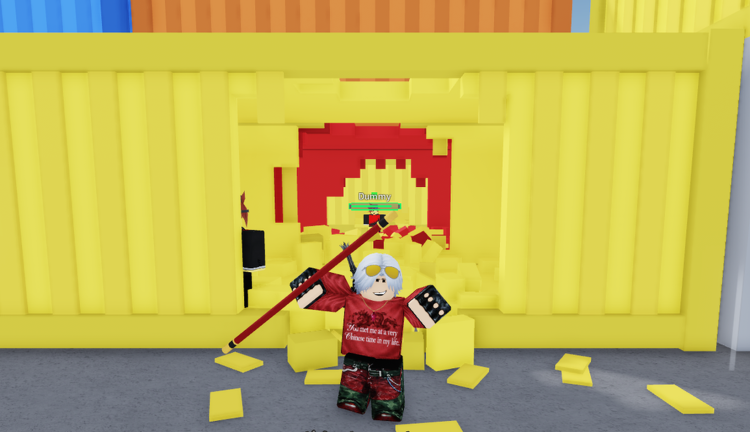
Grinding out matches in Shinjuku Shenanigans can get pretty repetitive when everyone else is pulling off crazy combos. Dropping the Shinjuku Shenanigans script into your executor changes the pace instantly and keeps you from getting caught in endless loops.
This game is inspired by Jujutsu Shenanigans and Tze, meaning you spend a lot of time fighting using M1 attacks, dashes, evasives, and special skills mapped to your hotbar. You are constantly trading blows, managing cooldowns, and trying to outplay opponents in fast-paced brawls.
If you want to try out some stealthy map tricks and mess around with your positioning during fights, the working code below has you covered. Let’s look at what it does and how to run it.
Shinjuku Shenanigans Script – “T” to go underground & More
shared.InvisToggleBind = 'T';

repeat task.wait() until game:IsLoaded();

local cloneref = cloneref or function(obj) return obj end;

local Services = setmetatable({}, {
    __index = function(_, k)
        return cloneref(game:GetService(k));
    end
});

local Players = Services.Players;
local RunService = Services.RunService;
local UserInputService = Services.UserInputService;

local Player = Players.LocalPlayer;
local Camera = workspace.CurrentCamera;

local Character = Player.Character or Player.CharacterAdded:Wait();
local Humanoid = Character:WaitForChild("Humanoid");
local HRP = Character:WaitForChild("HumanoidRootPart");

-- R6 Check (silent fail)
if not Character:FindFirstChild("Torso") then
    return;
end

Player.CharacterAdded:Connect(function(newChar)
    Character = newChar;
    Humanoid = newChar:WaitForChild("Humanoid");
    HRP = newChar:WaitForChild("HumanoidRootPart");
end);

local InvisEnabled = false;
local AnimationTrack = nil;
local Connection = nil;

-- Reusable animation
local Anim = Instance.new("Animation");
Anim.AnimationId = "rbxassetid://215384594";

local function SetupAnimation()
    if AnimationTrack then AnimationTrack:Destroy(); end
    AnimationTrack = Humanoid:LoadAnimation(Anim);
    AnimationTrack.Priority = Enum.AnimationPriority.Action4;
end

-- Toggle (silent)
UserInputService.InputBegan:Connect(function(input, gpe)
    if gpe then return; end

    local success, key = pcall(function()
        return Enum.KeyCode[shared.InvisToggleBind:upper()];
    end);

    if success and input.KeyCode == key then
        InvisEnabled = not InvisEnabled;

        if InvisEnabled then
            SetupAnimation();
            Camera.CameraSubject = HRP;
        else
            if AnimationTrack then
                AnimationTrack:Stop();
            end
            Camera.CameraSubject = Humanoid;
        end
    end
end);

-- Main Loop
Connection = RunService.Heartbeat:Connect(function()
    if not InvisEnabled or not Character or not HRP then
        -- Reset transparency when disabled
        for _, v in ipairs(Character:GetDescendants()) do
            if v:IsA("BasePart") and v.Transparency == 0.5 then
                v.Transparency = 0;
            end
        end
        return;
    end

    -- Face camera direction
    local _, camY, _ = Camera.CFrame:ToOrientation();
    HRP.CFrame = CFrame.new(HRP.Position) * CFrame.fromOrientation(0, camY, 0);

    -- Animation trick
    HRP.CFrame = HRP.CFrame * CFrame.Angles(math.rad(90), 0, 0);
    Humanoid.CameraOffset = Vector3.new(0, 1.44, 0);

    if AnimationTrack then
        AnimationTrack:Play();
        AnimationTrack:AdjustSpeed(0);
        AnimationTrack.TimePosition = 0.3;
    end

    RunService.RenderStepped:Wait();

    if AnimationTrack then
        AnimationTrack:Stop();
    end

    -- Restore facing direction
    local look = Camera.CFrame.LookVector;
    local horizontalLook = Vector3.new(look.X, 0, look.Z).Unit;
    HRP.CFrame = CFrame.lookAt(HRP.Position, HRP.Position + horizontalLook);

    -- Semi-transparent
    for _, v in ipairs(Character:GetDescendants()) do
        if v:IsA("BasePart") and v.Transparency < 1 then
            v.Transparency = 0.5;
        end
    end
end);Copy the code above into a compatible Roblox script executor if you choose to test it.
Shinjuku Shenanigans Script Status
Roblox and game updates can affect compatibility, so the script’s status should be treated as temporary rather than guaranteed.
Frequently Asked Questions
What is a Shinjuku Shenanigans script?
A Shinjuku Shenanigans script is third-party Lua code intended to run alongside the Roblox game through a compatible script executor.
What features does this Shinjuku Shenanigans script include?
Different scripts contain different code. This version includes: “T” to go underground, shinjuku 1988 underground / invis script, open sourced.
How do you use the Shinjuku Shenanigans script?
Pick a compatible executor such as Hydrogen, MacSploit, AWP.GG, Delta, Fluxus, Codex, launch Roblox and join the game, copy the complete Lua code from the script card above, paste it into the executor’s editor, and click Run or Execute. Compatibility changes over time, so a name here doesn’t guarantee current support.
Can a Shinjuku Shenanigans script get your Roblox account banned?
Yes. Third-party scripts can violate Roblox rules and may put an account at risk. Only use code from a source you trust, never enter your Roblox password into a script or executor, and test on an alternate account first.
Does the Shinjuku Shenanigans script work on mobile?
Check whether both the executor and the script support your device and the current Roblox version. Mobile executor support does not guarantee that every script will work.

