
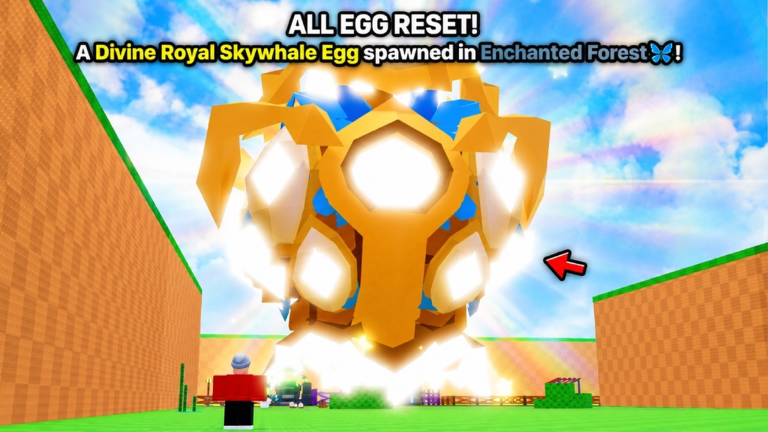
Grinding out levels in Roblox can feel like a total chore when everyone else is already miles ahead. Slap the SPAWN DIVINE! script into your executor and skip the boring parts of the grind.
You are dropping into big maps, fighting tough enemies, and collecting loot to power up your character. The main loop is all about repeating fights and grinding resources so you can beat stronger bosses.
You want to get around the map fast without walking everywhere. Grab the working copy below and try it out.
SPAWN DIVINE! Script – press t to teleport & More
local Players = game:GetService("Players")
local UserInputService = game:GetService("UserInputService")
local RunService = game:GetService("RunService")
local player = Players.LocalPlayer
local mouse = player:GetMouse()

local flying = false
local flySpeed = 50
local bodyVel = nil
local bodyGyro = nil

local function startFly()
	local char = player.Character
	if not char then return end
	local hrp = char:FindFirstChild("HumanoidRootPart")
	local humanoid = char:FindFirstChildOfClass("Humanoid")
	if not hrp or not humanoid then return end

	humanoid.PlatformStand = true

	bodyVel = Instance.new("BodyVelocity")
	bodyVel.MaxForce = Vector3.new(math.huge, math.huge, math.huge)
	bodyVel.Velocity = Vector3.zero
	bodyVel.Parent = hrp

	bodyGyro = Instance.new("BodyGyro")
	bodyGyro.MaxTorque = Vector3.new(math.huge, math.huge, math.huge)
	bodyGyro.P = 10000
	bodyGyro.Parent = hrp

	flying = true
end

local function stopFly()
	local char = player.Character
	if char then
		local humanoid = char:FindFirstChildOfClass("Humanoid")
		if humanoid then
			humanoid.PlatformStand = false
		end
	end

	if bodyVel then bodyVel:Destroy() bodyVel = nil end
	if bodyGyro then bodyGyro:Destroy() bodyGyro = nil end
	flying = false
end

UserInputService.InputBegan:Connect(function(input, gpe)
	if gpe then return end

	if input.KeyCode == Enum.KeyCode.F then
		if flying then
			stopFly()
		else
			startFly()
		end
	end

	if input.KeyCode == Enum.KeyCode.T then
		local char = player.Character
		if char and char:FindFirstChild("HumanoidRootPart") then
			local target = mouse.Hit.Position + Vector3.new(0, 3, 0)
			char.HumanoidRootPart.CFrame = CFrame.new(target)
		end
	end
end)

RunService.RenderStepped:Connect(function()
	if not flying or not bodyVel or not bodyGyro then return end

	local char = player.Character
	if not char then return end
	local hrp = char:FindFirstChild("HumanoidRootPart")
	if not hrp then return end

	local cam = workspace.CurrentCamera
	local moveDir = Vector3.zero

	if UserInputService:IsKeyDown(Enum.KeyCode.W) then
		moveDir = moveDir + cam.CFrame.LookVector
	end
	if UserInputService:IsKeyDown(Enum.KeyCode.S) then
		moveDir = moveDir - cam.CFrame.LookVector
	end
	if UserInputService:IsKeyDown(Enum.KeyCode.A) then
		moveDir = moveDir - cam.CFrame.RightVector
	end
	if UserInputService:IsKeyDown(Enum.KeyCode.D) then
		moveDir = moveDir + cam.CFrame.RightVector
	end
	if UserInputService:IsKeyDown(Enum.KeyCode.Space) then
		moveDir = moveDir + Vector3.new(0, 1, 0)
	end
	if UserInputService:IsKeyDown(Enum.KeyCode.LeftControl) then
		moveDir = moveDir - Vector3.new(0, 1, 0)
	end

	if moveDir.Magnitude > 0 then
		moveDir = moveDir.Unit * flySpeed
	end

	bodyVel.Velocity = moveDir
	bodyGyro.CFrame = cam.CFrame
end)

player.CharacterAdded:Connect(function()
	stopFly()
end)Copy the code above into a compatible Roblox script executor if you choose to test it.
SPAWN DIVINE! Script Status
Roblox and game updates can affect compatibility, so the script’s status should be treated as temporary rather than guaranteed.
Frequently Asked Questions
What is a SPAWN DIVINE! script?
A SPAWN DIVINE! script is third-party Lua code intended to run alongside the Roblox game through a compatible script executor.
What features does this SPAWN DIVINE! script include?
Different scripts contain different code. This version includes: press t to teleport.
How do you use the SPAWN DIVINE! script?
Pick a compatible executor such as Hydrogen, MacSploit, AWP.GG, Delta, Fluxus, Codex, launch Roblox and join the game, copy the complete Lua code from the script card above, paste it into the executor’s editor, and click Run or Execute. Compatibility changes over time, so a name here doesn’t guarantee current support.
Can a SPAWN DIVINE! script get your Roblox account banned?
Yes. Third-party scripts can violate Roblox rules and may put an account at risk. Only use code from a source you trust, never enter your Roblox password into a script or executor, and test on an alternate account first.
Does the SPAWN DIVINE! script work on mobile?
Check whether both the executor and the script support your device and the current Roblox version. Mobile executor support does not guarantee that every script will work.

