
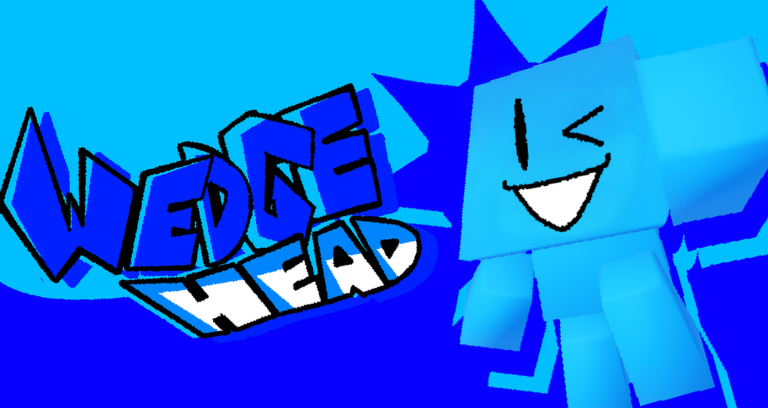
Skipping the slow grind in platformers is the best way to enjoy collecting without wasting hours, which is why having a wedge head script handy makes total sense right now.
You play as a little wedge shaped character who has to jump, roll, and dash around to grab as many CDs as you can find, bouncing off walls to keep your momentum going.
If you want to grab endless cubes without any hassle, check out the working code below and copy it into your executor.
wedge head Script – Simple just gives u inf cubes & More
--[[
  Wedge Head — Infinite Cubes GUI
  Fires GameStorage.EVENTS.CollectParts with a custom amount.
--]]

local P = game:GetService("Players")
local RS = game:GetService("ReplicatedStorage")
local UIS = game:GetService("UserInputService")
local CG = game:GetService("CoreGui")
local LP = P.LocalPlayer

local function makeGUI()
    local old = CG:FindFirstChild("WedgeHeadGUI")
    if old then old:Destroy() end

    local sg = Instance.new("ScreenGui")
    sg.Name = "WedgeHeadGUI"
    sg.ResetOnSpawn = false
    sg.Parent = CG

    local main = Instance.new("Frame")
    main.Size = UDim2.new(0, 240, 0, 180)
    main.Position = UDim2.new(0.5, -120, 0.5, -90)
    main.BackgroundColor3 = Color3.fromRGB(20, 20, 26)
    main.BorderSizePixel = 0
    main.Active = true
    main.Parent = sg
    Instance.new("UICorner", main).CornerRadius = UDim.new(0, 10)

    local st = Instance.new("UIStroke", main)
    st.Color = Color3.fromRGB(50, 200, 255)
    st.Thickness = 1.5

    -- Drag
    local dragging, dStart, sPos
    main.InputBegan:Connect(function(i)
        if i.UserInputType == Enum.UserInputType.MouseButton1 or i.UserInputType == Enum.UserInputType.Touch then
            dragging = true; dStart = i.Position; sPos = main.Position
        end
    end)
    UIS.InputChanged:Connect(function(i)
        if not dragging then return end
        if i.UserInputType == Enum.UserInputType.MouseMovement or i.UserInputType == Enum.UserInputType.Touch then
            local d = i.Position - dStart
            main.Position = UDim2.new(0, sPos.X.Offset + d.X, 0, sPos.Y.Offset + d.Y)
        end
    end)
    UIS.InputEnded:Connect(function(i)
        if i.UserInputType == Enum.UserInputType.MouseButton1 or i.UserInputType == Enum.UserInputType.Touch then dragging = false end
    end)

    -- Title
    local title = Instance.new("TextLabel")
    title.Size = UDim2.new(1, 0, 0, 32)
    title.BackgroundColor3 = Color3.fromRGB(20, 40, 50)
    title.BorderSizePixel = 0
    title.Text = "  Wedge Head | Cube Spawner"
    title.TextColor3 = Color3.fromRGB(150, 220, 255)
    title.Font = Enum.Font.GothamBold
    title.TextSize = 13
    title.TextXAlignment = Enum.TextXAlignment.Left
    title.Parent = main
    Instance.new("UICorner", title).CornerRadius = UDim.new(0, 10)

    -- Close
    local close = Instance.new("TextButton")
    close.Size = UDim2.new(0, 26, 0, 26)
    close.Position = UDim2.new(1, -30, 0, 3)
    close.BackgroundColor3 = Color3.fromRGB(180, 50, 70)
    close.BorderSizePixel = 0
    close.Text = "×"
    close.TextColor3 = Color3.fromRGB(255,255,255)
    close.Font = Enum.Font.GothamBold
    close.TextSize = 18
    close.Parent = title
    Instance.new("UICorner", close).CornerRadius = UDim.new(0, 5)
    close.MouseButton1Click:Connect(function() sg:Destroy() end)

    -- Amount Label
    local label = Instance.new("TextLabel")
    label.Size = UDim2.new(0.9, 0, 0, 24)
    label.Position = UDim2.new(0.05, 0, 0, 42)
    label.BackgroundTransparency = 1
    label.Text = "Enter Cube Amount:"
    label.TextColor3 = Color3.fromRGB(200, 200, 210)
    label.Font = Enum.Font.Gotham
    label.TextSize = 12
    label.TextXAlignment = Enum.TextXAlignment.Left
    label.Parent = main

    -- Amount Input
    local input = Instance.new("TextBox")
    input.Size = UDim2.new(0.9, 0, 0, 36)
    input.Position = UDim2.new(0.05, 0, 0, 70)
    input.BackgroundColor3 = Color3.fromRGB(30, 30, 40)
    input.BorderSizePixel = 0
    input.Text = "10000000"
    input.TextColor3 = Color3.fromRGB(255, 255, 255)
    input.Font = Enum.Font.GothamBold
    input.TextSize = 14
    input.Parent = main
    Instance.new("UICorner", input).CornerRadius = UDim.new(0, 6)

    -- Fire Button
    local btn = Instance.new("TextButton")
    btn.Size = UDim2.new(0.9, 0, 0, 40)
    btn.Position = UDim2.new(0.05, 0, 0, 120)
    btn.BackgroundColor3 = Color3.fromRGB(50, 200, 255)
    btn.BorderSizePixel = 0
    btn.Text = "SPAWN CUBES"
    btn.TextColor3 = Color3.fromRGB(0, 0, 0)
    btn.Font = Enum.Font.GothamBold
    btn.TextSize = 14
    btn.Parent = main
    Instance.new("UICorner", btn).CornerRadius = UDim.new(0, 6)

    btn.MouseButton1Click:Connect(function()
        local amount = tonumber(input.Text) or 10000000
        local remote = RS:FindFirstChild("GameStorage")
            and RS.GameStorage:FindFirstChild("EVENTS")
            and RS.GameStorage.EVENTS:FindFirstChild("CollectParts")

        if remote then
            local args = { amount }
            pcall(function()
                remote:FireServer(unpack(args))
            end)
            btn.Text = "SPAWNED " .. amount .. "!"
            task.wait(1.5)
            btn.Text = "SPAWN CUBES"
        end
    end)
end

makeGUI()
print("[Wedge Head] Cube Spawner Loaded.")Copy the code above into a compatible Roblox script executor if you choose to test it.
wedge head Script Status
Roblox and game updates can affect compatibility, so the script’s status should be treated as temporary rather than guaranteed.
Frequently Asked Questions
What is a wedge head script?
A wedge head script is third-party Lua code intended to run alongside the Roblox game through a compatible script executor.
What features does this wedge head script include?
Different scripts contain different code. This version includes: Simple just gives u inf cubes.
How do you use the wedge head script?
Pick a compatible executor such as Hydrogen, MacSploit, AWP.GG, Delta, Fluxus, Codex, launch Roblox and join the game, copy the complete Lua code from the script card above, paste it into the executor’s editor, and click Run or Execute. Compatibility changes over time, so a name here doesn’t guarantee current support.
Can a wedge head script get your Roblox account banned?
Yes. Third-party scripts can violate Roblox rules and may put an account at risk. Only use code from a source you trust, never enter your Roblox password into a script or executor, and test on an alternate account first.
Does the wedge head script work on mobile?
Check whether both the executor and the script support your device and the current Roblox version. Mobile executor support does not guarantee that every script will work.

