
Keeping up with a fast lobby is tough when you keep getting caught in the dark. Grabbing a Curtain Call script makes the whole match way easier to manage. You get to see what is happening around you without guessing where the killer is hiding.
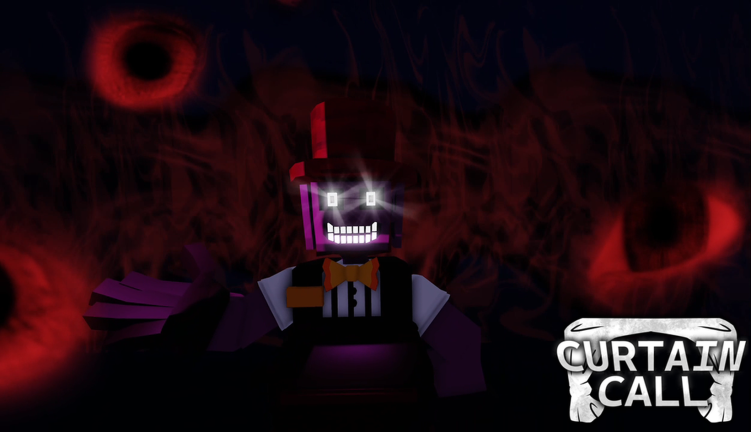
This is a one versus eight horror setup inspired by Dead by Daylight. You play as part of the production crew trying to finish tasks and set the stage before time runs out. The star of the show is hunting you down, so you have to stay quiet, avoid danger, and escape before the curtain drops.
If you want to survive the backstage chaos and finish your chores in peace, you will want a working script. We tested the latest file and dropped it right below so you can skip the usual frustration.
Curtain Call Script – Working Script
local Players = game:GetService("Players")
local LocalPlayer = Players.LocalPlayer
local RunService = game:GetService("RunService")
local CoreGui = game:GetService("CoreGui")

if CoreGui:FindFirstChild("MenuCurtainCallFinalAzul") then CoreGui.MenuCurtainCallFinalAzul:Destroy() end

local sg = Instance.new("ScreenGui", CoreGui)
sg.Name = "MenuCurtainCallFinalAzul"

local MainFrame = Instance.new("Frame", sg)
MainFrame.Size = UDim2.new(0, 200, 0, 220)
MainFrame.Position = UDim2.new(0.05, 0, 0.25, 0)
MainFrame.BackgroundColor3 = Color3.fromRGB(25, 25, 25)
MainFrame.Active = true
MainFrame.Draggable = true

local title = Instance.new("TextLabel", MainFrame)
title.Size = UDim2.new(0.6, 0, 0, 35)
title.Text = "  CC MENU AZUL"
title.TextColor3 = Color3.fromRGB(255, 255, 255)
title.BackgroundColor3 = Color3.fromRGB(15, 15, 15)
title.Font = Enum.Font.SourceSansBold
title.TextSize = 14
title.TextXAlignment = Enum.TextXAlignment.Left

local ReopenBtn = Instance.new("TextButton", sg)
ReopenBtn.Size = UDim2.new(0, 100, 0, 30)
ReopenBtn.Position = UDim2.new(0.5, -50, 0.02, 0)
ReopenBtn.Text = "Abrir Menu"
ReopenBtn.BackgroundColor3 = Color3.fromRGB(35, 35, 35)
ReopenBtn.TextColor3 = Color3.fromRGB(255, 255, 255)
ReopenBtn.Font = Enum.Font.SourceSansBold
ReopenBtn.TextSize = 14
ReopenBtn.Visible = false

local MinimizeBtn = Instance.new("TextButton", MainFrame)
MinimizeBtn.Size = UDim2.new(0.2, 0, 0, 35)
MinimizeBtn.Position = UDim2.new(0.6, 0, 0, 0)
MinimizeBtn.Text = "🔲"
MinimizeBtn.TextColor3 = Color3.fromRGB(200, 200, 200)
MinimizeBtn.BackgroundColor3 = Color3.fromRGB(35, 35, 35)
MinimizeBtn.Font = Enum.Font.SourceSansBold
MinimizeBtn.TextSize = 12

MinimizeBtn.MouseButton1Click:Connect(function()
    MainFrame.Visible = false
    ReopenBtn.Visible = true
end)

ReopenBtn.MouseButton1Click:Connect(function()
    MainFrame.Visible = true
    ReopenBtn.Visible = false
end)

_G.SpeedHackActive = false
_G.TargetSpeed = 45
local espActive = false

local function limpiarTodoESP()
    for _, p in pairs(Players:GetPlayers()) do
        if p.Character and p.Character:FindFirstChild("EspFinalAzul") then
            p.Character.EspFinalAzul:Destroy()
        end
    end
end

local CloseBtn = Instance.new("TextButton", MainFrame)
CloseBtn.Size = UDim2.new(0.2, 0, 0, 35)
CloseBtn.Position = UDim2.new(0.8, 0, 0, 0)
CloseBtn.Text = "X"
CloseBtn.TextColor3 = Color3.fromRGB(255, 100, 100)
CloseBtn.BackgroundColor3 = Color3.fromRGB(20, 10, 10)
CloseBtn.Font = Enum.Font.SourceSansBold
CloseBtn.TextSize = 16

CloseBtn.MouseButton1Click:Connect(function()
    _G.SpeedHackActive = false
    espActive = false
    pcall(function() LocalPlayer.Character.Humanoid.WalkSpeed = 16 end)
    limpiarTodoESP()
    sg:Destroy()
end)

local bSpeed = Instance.new("TextButton", MainFrame)
bSpeed.Size = UDim2.new(0.9, 0, 0, 35)
bSpeed.Position = UDim2.new(0.05, 0, 0.20, 0)
bSpeed.Text = "Speed (OFF)"
bSpeed.BackgroundColor3 = Color3.fromRGB(150, 40, 40)
bSpeed.TextColor3 = Color3.fromRGB(255, 255, 255)
bSpeed.Font = Enum.Font.SourceSansBold

bSpeed.MouseButton1Click:Connect(function()
    _G.SpeedHackActive = not _G.SpeedHackActive
    if _G.SpeedHackActive then
        bSpeed.Text = "Speed (ON)"
        bSpeed.BackgroundColor3 = Color3.fromRGB(40, 150, 40)
    else
        bSpeed.Text = "Speed (OFF)"
        bSpeed.BackgroundColor3 = Color3.fromRGB(150, 40, 40)
        pcall(function() LocalPlayer.Character.Humanoid.WalkSpeed = 16 end)
    end
end)

task.spawn(function()
    while true do
        task.wait()
        if _G.SpeedHackActive then
            pcall(function()
                local character = LocalPlayer.Character
                if character and character:FindFirstChild("Humanoid") then
                    character.Humanoid.WalkSpeed = _G.TargetSpeed
                end
            end)
        end
    end
end)

local speedInput = Instance.new("TextBox", MainFrame)
speedInput.Size = UDim2.new(0.9, 0, 0, 30)
speedInput.Position = UDim2.new(0.05, 0, 0.42, 0)
speedInput.Text = tostring(_G.TargetSpeed)
speedInput.BackgroundColor3 = Color3.fromRGB(40, 40, 40)
speedInput.TextColor3 = Color3.fromRGB(255, 255, 255)
speedInput.Font = Enum.Font.SourceSans
speedInput.TextSize = 14

speedInput.FocusLost:Connect(function()
    local num = tonumber(speedInput.Text)
    if num then _G.TargetSpeed = num else speedInput.Text = tostring(_G.TargetSpeed) end
end)

local bEsp = Instance.new("TextButton", MainFrame)
bEsp.Size = UDim2.new(0.9, 0, 0, 35)
bEsp.Position = UDim2.new(0.05, 0, 0.68, 0)
bEsp.Text = "ESP Azul (OFF)"
bEsp.BackgroundColor3 = Color3.fromRGB(150, 40, 40)
bEsp.TextColor3 = Color3.fromRGB(255, 255, 255)
bEsp.Font = Enum.Font.SourceSansBold

local function applyAzulESP(p)
    if p ~= LocalPlayer and p.Character then
        if p.Character:FindFirstChild("EspFinalAzul") then p.Character.EspFinalAzul:Destroy() end

        local hl = Instance.new("Highlight")
        hl.Name = "EspFinalAzul"
        hl.DepthMode = Enum.HighlightDepthMode.AlwaysOnTop
        hl.FillColor = Color3.fromRGB(0, 102, 255)
        hl.FillTransparency = 0.40
        hl.OutlineColor = Color3.fromRGB(255, 255, 255)
        hl.OutlineTransparency = 0

        hl.Adornee = p.Character
        hl.Parent = p.Character
    end
end

bEsp.MouseButton1Click:Connect(function()
    espActive = not espActive
    if espActive then
        bEsp.Text = "ESP Azul (ON)"
        bEsp.BackgroundColor3 = Color3.fromRGB(40, 150, 40)

        task.spawn(function()
            while espActive do
                for _, p in pairs(Players:GetPlayers()) do
                    applyAzulESP(p)
                end
                task.wait(1)
            end
        end)
    else
        bEsp.Text = "ESP Azul (OFF)"
        bEsp.BackgroundColor3 = Color3.fromRGB(150, 40, 40)
        limpiarTodoESP()
    end
end)Copy the code above into a compatible Roblox script executor if you choose to test it.
Curtain Call Script Status
Roblox and game updates can affect compatibility, so the script’s status should be treated as temporary rather than guaranteed.
Frequently Asked Questions
What is a Curtain Call script?
A Curtain Call script is third-party Lua code intended to run alongside the Roblox game through a compatible script executor.
What features does this Curtain Call script include?
Different scripts contain different code and features. Check the script menu after it loads to see everything it offers.
How do you use the Curtain Call script?
Pick a compatible executor such as Hydrogen, MacSploit, AWP.GG, Delta, Fluxus, Codex, launch Roblox and join the game, copy the complete Lua code from the script card above, paste it into the executor’s editor, and click Run or Execute. Compatibility changes over time, so a name here doesn’t guarantee current support.
Can a Curtain Call script get your Roblox account banned?
Yes. Third-party scripts can violate Roblox rules and may put an account at risk. Only use code from a source you trust, never enter your Roblox password into a script or executor, and test on an alternate account first.
Does the Curtain Call script work on mobile?
Check whether both the executor and the script support your device and the current Roblox version. Mobile executor support does not guarantee that every script will work.

