
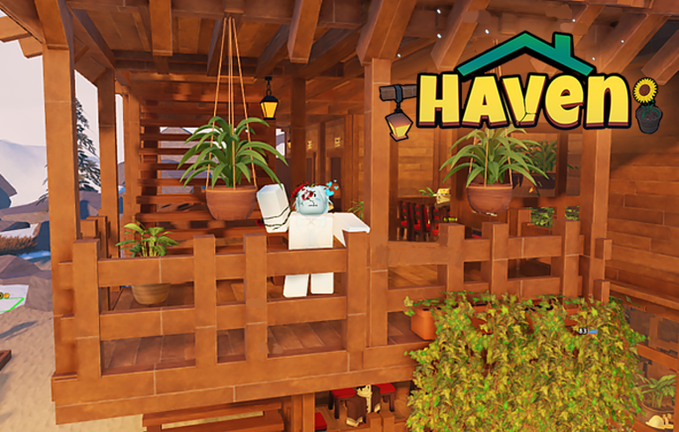
Staying ahead of other players without spending hours staring at the screen is easier when you use a Build a Haven script to help manage your setup.
Your main job is helping travelers survive a tough trip through the mountains by building a cozy haven with hot water baths, food, drinks, and shelter, earning cash even while you are offline.
Grinding out enough money to expand your base takes time, so grab the current script below to speed things up.
Build a Haven Script – Auto farm functional might not work well & More
local Players = game:GetService("Players")
local player = Players.LocalPlayer
local playerGui = player:WaitForChild("PlayerGui")
local virtualInputManager = game:GetService("VirtualInputManager")

pcall(function()
    if playerGui:FindFirstChild("SvimtysscriptsHavenAutoFarm") then
        playerGui.SvimtysscriptsHavenAutoFarm:Destroy()
    end
end)

local screenGui = Instance.new("ScreenGui", playerGui)
screenGui.Name = "SvimtysscriptsHavenAutoFarm"
screenGui.ResetOnSpawn = false
screenGui.IgnoreGuiInset = true

local mainFrame = Instance.new("Frame", screenGui)
mainFrame.Size = UDim2.new(0, 260, 0, 130)
mainFrame.Position = UDim2.new(0.05, 0, 0.3, 0)
mainFrame.BackgroundColor3 = Color3.fromRGB(20, 20, 20)
mainFrame.Active = true
mainFrame.Draggable = true
mainFrame.Visible = false
Instance.new("UICorner", mainFrame).CornerRadius = UDim.new(0, 10)

local titleLbl = Instance.new("TextLabel", mainFrame)
titleLbl.Size = UDim2.new(1, 0, 0, 30)
titleLbl.BackgroundTransparency = 1
titleLbl.TextColor3 = Color3.fromRGB(255, 255, 255)
titleLbl.TextSize = 13
titleLbl.Font = Enum.Font.GothamBold
titleLbl.Text = "Svimtysscripts — Haven"

local function createBtn(parent, text, yPos, color)
    local btn = Instance.new("TextButton", parent)
    btn.Size = UDim2.new(0, 240, 0, 35)
    btn.Position = UDim2.new(0, 10, 0, yPos)
    btn.BackgroundColor3 = color
    btn.Text = text
    btn.TextColor3 = Color3.fromRGB(255, 255, 255)
    btn.Font = Enum.Font.GothamBold
    btn.TextSize = 13
    Instance.new("UICorner", btn).CornerRadius = UDim.new(0, 6)
    return btn
end

local collectChestBtn = createBtn(mainFrame, "COLLECT CHEST", 40, Color3.fromRGB(40, 100, 40))
local autofarmBtn = createBtn(mainFrame, "AUTOFARM: OFF", 85, Color3.fromRGB(60, 60, 60))

local keyFrame = Instance.new("Frame", screenGui)
keyFrame.Size = UDim2.new(0, 280, 0, 160)
keyFrame.Position = UDim2.new(0.5, -140, 0.4, -80)
keyFrame.BackgroundColor3 = Color3.fromRGB(20, 20, 20)
keyFrame.Active = true
keyFrame.Draggable = true
keyFrame.Visible = true
Instance.new("UICorner", keyFrame).CornerRadius = UDim.new(0, 10)

local keyTitle = Instance.new("TextLabel", keyFrame)
keyTitle.Size = UDim2.new(1, 0, 0, 30)
keyTitle.Position = UDim2.new(0, 0, 0, 5)
keyTitle.BackgroundTransparency = 1
keyTitle.TextColor3 = Color3.fromRGB(255, 255, 255)
keyTitle.TextSize = 13
keyTitle.Font = Enum.Font.GothamBold
keyTitle.Text = "Key System — Svimtysscripts"

local keyBox = Instance.new("TextBox", keyFrame)
keyBox.Size = UDim2.new(0, 260, 0, 35)
keyBox.Position = UDim2.new(0, 10, 0, 40)
keyBox.BackgroundColor3 = Color3.fromRGB(35, 35, 35)
keyBox.TextColor3 = Color3.fromRGB(255, 255, 255)
keyBox.PlaceholderText = "Enter key here..."
keyBox.Text = ""
keyBox.TextSize = 12
keyBox.Font = Enum.Font.Gotham
Instance.new("UICorner", keyBox).CornerRadius = UDim.new(0, 6)

local getKeyBtn = createBtn(keyFrame, "GET KEY", 85, Color3.fromRGB(40, 80, 160))
local redeemBtn = createBtn(keyFrame, "REDEEM", 120, Color3.fromRGB(40, 160, 80))

local keyUrl = "https://key.luaprotect.dev/0a10cc/0a79c8"

getKeyBtn.MouseButton1Click:Connect(function()
    pcall(function()
        setclipboard(keyUrl)
    end)
    getKeyBtn.Text = "COPIED TO CLIPBOARD!"
    task.wait(1.5)
    getKeyBtn.Text = "GET KEY"
end)

redeemBtn.MouseButton1Click:Connect(function()
    local userKey = keyBox.Text
    userKey = userKey:gsub("^%s*(.-)%s*$", "%1")

    if userKey == "" then
        redeemBtn.BackgroundColor3 = Color3.fromRGB(160, 40, 40)
        redeemBtn.Text = "ENTER A KEY!"
        task.wait(1.5)
        redeemBtn.BackgroundColor3 = Color3.fromRGB(40, 160, 80)
        redeemBtn.Text = "REDEEM"
        return
    end

    redeemBtn.Text = "CHECKING..."
    task.wait(0.5)

    -- Перевірка на майстер-ключ "master" або справжні ключі LuaProtect
    if userKey == "master" or (string.sub(userKey, 1, 3) == "LP-" and #userKey >= 15) then
        keyFrame.Visible = false
        mainFrame.Visible = true
    else
        redeemBtn.BackgroundColor3 = Color3.fromRGB(160, 40, 40)
        redeemBtn.Text = "INVALID KEY!"
        task.wait(1.5)
        redeemBtn.BackgroundColor3 = Color3.fromRGB(40, 160, 80)
        redeemBtn.Text = "REDEEM"
    end
end)

local isRunning = false
local isBusy = false

local function getNearestCustomer()
    local char = player.Character
    if not char or not char:FindFirstChild("HumanoidRootPart") then return nil end
    local root = char.HumanoidRootPart

    local nearestTarget = nil
    local minDist = 15

    for _, obj in ipairs(workspace:GetDescendants()) do
        if obj:IsA("Model") and obj ~= char and obj:FindFirstChild("Humanoid") then
            local head = obj:FindFirstChild("Head") or obj:FindFirstChild("HumanoidRootPart")
            if head then
                local dist = (head.Position - root.Position).Magnitude
                if dist <= minDist then
                    minDist = dist
                    nearestTarget = {model = obj, head = head}
                end
            end
        end
    end
    return nearestTarget
end

local function doCollectChest()
    if isBusy then return end
    if getNearestCustomer() ~= nil then return end

    isBusy = true
    pcall(function()
        local char = player.Character
        if not char or not char:FindFirstChild("HumanoidRootPart") then return end
        local root = char.HumanoidRootPart
        local orig = root.CFrame

        local targetPart = nil
        local maxDist = 50

        for _, obj in ipairs(workspace:GetDescendants()) do
            if obj:IsA("Model") and not obj:FindFirstChild("Humanoid") then
                for _, g in ipairs(obj:GetDescendants()) do
                    if g:IsA("BillboardGui") or g:IsA("SurfaceGui") then
                        for _, l in ipairs(g:GetDescendants()) do
                            if l:IsA("TextLabel") and (l.Text:find("/") or l.Text:find("🪙")) then
                                local part = obj.PrimaryPart or obj:FindFirstChildWhichIsA("BasePart")
                                if part then
                                    local dist = (part.Position - root.Position).Magnitude
                                    if dist < maxDist then
                                        maxDist = dist
                                        targetPart = part
                                    end
                                end
                            end
                        end
                    end
                end
            end
        end

        if targetPart then
            root.CFrame = targetPart.CFrame * CFrame.new(0, 0, -2)
            task.wait(0.05)
            for _, obj in ipairs(workspace:GetDescendants()) do
                if obj:IsA("Model") then
                    for _, d in ipairs(obj:GetDescendants()) do
                        if (d:IsA("ProximityPrompt") or d:IsA("ClickDetector")) then
                            local p = obj.PrimaryPart or obj:FindFirstChildWhichIsA("BasePart")
                            if p and (p.Position - root.Position).Magnitude < 12 then
                                if d:IsA("ProximityPrompt") then fireproximityprompt(d)
                                elseif d:IsA("ClickDetector") then fireclickdetector(d) end
                            end
                        end
                    end
                end
            end
            task.wait(0.05)
        end
        root.CFrame = orig
    end)
    isBusy = false
end

local function clickScreenOnPart(part)
    pcall(function()
        local cam = workspace.CurrentCamera
        if not cam then return end
        local screenPos, onScreen = cam:WorldToScreenPoint(part.Position)
        if onScreen then
            virtualInputManager:SendMouseButtonEvent(screenPos.X, screenPos.Y, 0, true, game, 0)
            task.wait()
            virtualInputManager:SendMouseButtonEvent(screenPos.X, screenPos.Y, 0, false, game, 0)
        end
    end)
end

local function doAcceptCustomer()
    if isBusy then return end

    local nearestTarget = getNearestCustomer()
    if not nearestTarget then return end

    isBusy = true
    pcall(function()
        local char = player.Character
        if not char or not char:FindFirstChild("HumanoidRootPart") then return end
        local root = char.HumanoidRootPart
        local orig = root.CFrame

        root.CFrame = nearestTarget.head.CFrame * CFrame.new(0, 0, 1.5)
        task.wait(0.03)

        for _, d in ipairs(nearestTarget.model:GetDescendants()) do
            if d:IsA("ClickDetector") then fireclickdetector(d)
            elseif d:IsA("ProximityPrompt") then fireproximityprompt(d) end
        end
        clickScreenOnPart(nearestTarget.head)

        task.wait(0.03)
        root.CFrame = orig
    end)
    isBusy = false
end

collectChestBtn.MouseButton1Click:Connect(function()
    doCollectChest()
end)

autofarmBtn.MouseButton1Click:Connect(function()
    isRunning = not isRunning
    if isRunning then
        autofarmBtn.BackgroundColor3 = Color3.fromRGB(40, 160, 80)
        autofarmBtn.Text = "AUTOFARM: ON"
    else
        autofarmBtn.BackgroundColor3 = Color3.fromRGB(60, 60, 60)
        autofarmBtn.Text = "AUTOFARM: OFF"
    end
end)

task.spawn(function()
    while true do
        if isRunning then
            doCollectChest()
        end
        task.wait(1)
    end
end)

task.spawn(function()
    while true do
        if isRunning then
            doAcceptCustomer()
        end
        task.wait(0.2)
    end
end)Copy the code above into a compatible Roblox script executor if you choose to test it.
Build a Haven Script Status
Roblox and game updates can affect compatibility, so the script’s status should be treated as temporary rather than guaranteed.
Frequently Asked Questions
What is a Build a Haven script?
A Build a Haven script is third-party Lua code intended to run alongside the Roblox game through a compatible script executor.
What features does this Build a Haven script include?
Different scripts contain different code. This version includes: Auto farm functional might not work well.
How do you use the Build a Haven script?
Pick a compatible executor such as Hydrogen, MacSploit, AWP.GG, Delta, Fluxus, Codex, launch Roblox and join the game, copy the complete Lua code from the script card above, paste it into the executor’s editor, and click Run or Execute. Compatibility changes over time, so a name here doesn’t guarantee current support.
Can a Build a Haven script get your Roblox account banned?
Yes. Third-party scripts can violate Roblox rules and may put an account at risk. Only use code from a source you trust, never enter your Roblox password into a script or executor, and test on an alternate account first.
Does the Build a Haven script work on mobile?
Check whether both the executor and the script support your device and the current Roblox version. Mobile executor support does not guarantee that every script will work.

