
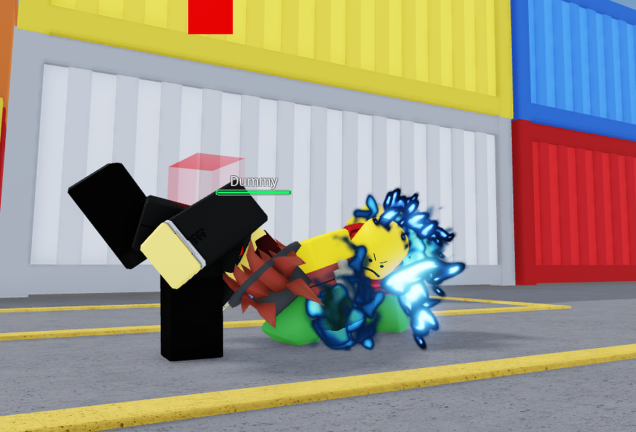
Staying ahead of the competition in Shinjuku Shenanigans gets a lot easier when you use the Shinjuku Shenanigans script to secure quick wins.
The action draws inspiration from Jujutsu Shenanigans and Tze, keeping you busy mastering combat controls like M1, dashes, and special moves while fighting your way through the streets.
Getting the upper hand in every firefight takes the right tool, so check out the working code below.
Shinjuku Shenanigans Script – Works On Every Gun & More
local Players = game:GetService("Players")
local UserInputService = game:GetService("UserInputService")
local RunService = game:GetService("RunService")
local Camera = workspace.CurrentCamera

local LocalPlayer = Players.LocalPlayer
local Mouse = LocalPlayer:GetMouse()

getgenv().SilentAim = {
    Enabled = true,
    TargetPart = "Head",
    FOV = 140,
    HitChance = 100,
    TeamCheck = false,
    ShowFOV = true,
    TracerEnabled = true,
}
local FOVCircle = Drawing.new("Circle")
FOVCircle.Thickness = 2
FOVCircle.NumSides = 80
FOVCircle.Color = Color3.fromRGB(255, 50, 50)
FOVCircle.Transparency = 0.75
FOVCircle.Filled = false
FOVCircle.Visible = true

local Tracer = Drawing.new("Line")
Tracer.Thickness = 2
Tracer.Color = Color3.fromRGB(255, 0, 0)
Tracer.Transparency = 0.8
Tracer.Visible = false

local LockedTarget = nil

local function GetClosestPlayer()
    local closest = nil
    local shortest = math.huge

    for _, player in ipairs(Players:GetPlayers()) do
        if player ~= LocalPlayer and player.Character and player.Character:FindFirstChild("Humanoid") and player.Character.Humanoid.Health > 0 then
            if getgenv().SilentAim.TeamCheck and player.Team == LocalPlayer.Team then continue end

            local part = player.Character:FindFirstChild(getgenv().SilentAim.TargetPart) or player.Character:FindFirstChild("HumanoidRootPart")
            if not part then continue end

            local screenPos, onScreen = Camera:WorldToViewportPoint(part.Position)
            if not onScreen then continue end

            local mousePos = UserInputService:GetMouseLocation()
            local dist = (mousePos - Vector2.new(screenPos.X, screenPos.Y)).Magnitude

            if dist < shortest and dist <= getgenv().SilentAim.FOV then
                shortest = dist
                closest = part
            end
        end
    end
    return closest
end

RunService.RenderStepped:Connect(function()
    local mousePos = UserInputService:GetMouseLocation()

    FOVCircle.Position = mousePos
    FOVCircle.Radius = getgenv().SilentAim.FOV
    FOVCircle.Visible = getgenv().SilentAim.ShowFOV and getgenv().SilentAim.Enabled

    LockedTarget = GetClosestPlayer()

    if getgenv().SilentAim.TracerEnabled and LockedTarget and getgenv().SilentAim.Enabled then
        local screenPos, onScreen = Camera:WorldToViewportPoint(LockedTarget.Position)

        if onScreen then
            Tracer.From = mousePos
            Tracer.To = Vector2.new(screenPos.X, screenPos.Y)
            Tracer.Visible = true
        else
            Tracer.Visible = false
        end
    else
        Tracer.Visible = false
    end
end)

local mt = getrawmetatable(game)
local oldIndex = mt.__index
setreadonly(mt, false)

mt.__index = newcclosure(function(self, key)
    if getgenv().SilentAim.Enabled and self == Mouse and key == "Hit" then
        if LockedTarget and math.random(1, 100) <= getgenv().SilentAim.HitChance then
            return CFrame.new(LockedTarget.Position)  -- No Prediction
        end
    end
    return oldIndex(self, key)
end)

setreadonly(mt, true)

UserInputService.InputBegan:Connect(function(input, gp)
    if gp then return end

    if input.KeyCode == Enum.KeyCode.Insert then
        getgenv().SilentAim.Enabled = not getgenv().SilentAim.Enabled
        print("Silent Aim:", getgenv().SilentAim.Enabled and "ON" or "OFF")

    elseif input.KeyCode == Enum.KeyCode.RightBracket then -- ] Increase FOV
        getgenv().SilentAim.FOV = getgenv().SilentAim.FOV + 10
        print("FOV Increased →", getgenv().SilentAim.FOV)

    elseif input.KeyCode == Enum.KeyCode.LeftBracket then -- [ Decrease FOV
        getgenv().SilentAim.FOV = math.max(30, getgenv().SilentAim.FOV - 10)
        print("FOV Decreased →", getgenv().SilentAim.FOV)
    end
end)

print("✅ Silent Aim v2.5 (0 Prediction) Loaded")
print("INSERT = Toggle | [ ] = Adjust FOV")Copy the code above into a compatible Roblox script executor if you choose to test it.
Shinjuku Shenanigans Script Status
Roblox and game updates can affect compatibility, so the script’s status should be treated as temporary rather than guaranteed.
Frequently Asked Questions
What is a Shinjuku Shenanigans script?
A Shinjuku Shenanigans script is third-party Lua code intended to run alongside the Roblox game through a compatible script executor.
What features does this Shinjuku Shenanigans script include?
Different scripts contain different code. This version includes: Works On Every Gun.
How do you use the Shinjuku Shenanigans script?
Pick a compatible executor such as Hydrogen, MacSploit, AWP.GG, Delta, Fluxus, Codex, launch Roblox and join the game, copy the complete Lua code from the script card above, paste it into the executor’s editor, and click Run or Execute. Compatibility changes over time, so a name here doesn’t guarantee current support.
Can a Shinjuku Shenanigans script get your Roblox account banned?
Yes. Third-party scripts can violate Roblox rules and may put an account at risk. Only use code from a source you trust, never enter your Roblox password into a script or executor, and test on an alternate account first.
Does the Shinjuku Shenanigans script work on mobile?
Check whether both the executor and the script support your device and the current Roblox version. Mobile executor support does not guarantee that every script will work.

