
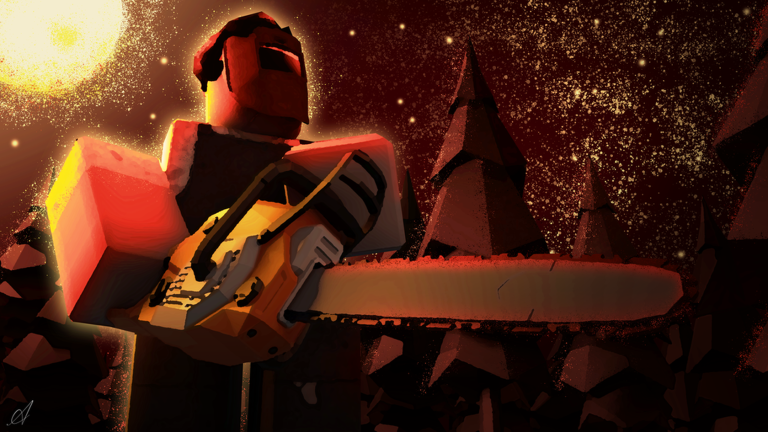
Staying ahead of the horde is tough when you are trying to skip a slow grind and keep your survival streak alive in Those Who Remain script sessions.
You drop into endless waves of infected, scavenge for loot, build defenses, and finish objectives with your friends before the zombies completely overrun your position.
If you want to grab the current code and see how it runs in the match, check out the options below.
Those Who Remain Script – Working Script
local Players = game:GetService("Players")
local LocalPlayer = Players.LocalPlayer

local Settings = {
    TOGGLE_KEY = Enum.KeyCode.Insert,
    TARGET_LIMB = "Head",
    LIMB_SIZE = 5,
    MIN_SIZE = 1,
    MAX_SIZE = 10,
    LIMB_TRANSPARENCY = 0.8,
    LIMB_CAN_COLLIDE = false,
    RESET_LIMB_ON_DEATH = false,

    -- Features
    EXTENDER_ENABLED = false,
    IGNORE_HIGHLIGHT_ENABLED = false,
    INF_ENERGY_DRINK = false,

    -- Highlights
    DEPTH_MODE = Enum.HighlightDepthMode.AlwaysOnTop,
    HIGHLIGHT_FILL_COLOR = Color3.fromRGB(0, 140, 140),
    HIGHLIGHT_FILL_TRANSPARENCY = 1,
    HIGHLIGHT_OUTLINE_COLOR = Color3.fromRGB(255, 255, 255),
    HIGHLIGHT_OUTLINE_TRANSPARENCY = 0,

    IGNORE_FOLDER_PATH = "workspace.Ignore.Items",
    IGNORE_HIGHLIGHT_COLOR = Color3.fromRGB(0, 255, 100),
}

local UIS = game:GetService("UserInputService")
local Workspace = game:GetService("Workspace")
local CoreGui = game:GetService("CoreGui")
local TweenService = game:GetService("TweenService")

-- Global State Management
getgenv().TWR_Hub = getgenv().TWR_Hub or {
    Connections = {},
    LimbsChanged = {},
    TrackedItems = {}
}
local State = getgenv().TWR_Hub

-- Clean existing instances to avoid duplicates on re-execution
if State.ScreenGui then State.ScreenGui:Destroy() end
for _, conn in ipairs(State.Connections) do if conn then conn:Disconnect() end end
State.Connections = {}

-- Helper: Safe Highlights
local function applyHighlight(parent, fill, fillTrans, outline, outlineTrans)
    if parent:FindFirstChildOfClass("Highlight") then return end
    local h = Instance.new("Highlight")
    h.DepthMode = Settings.DEPTH_MODE
    h.FillColor = fill
    h.FillTransparency = fillTrans
    h.OutlineColor = outline
    h.OutlineTransparency = outlineTrans
    h.Adornee = parent
    h.Parent = parent
    return h
end

-- Limb Management
local function extendLimb(limb)
    if not limb or not Settings.EXTENDER_ENABLED then return end
    pcall(function()
        if limb:IsA("BasePart") then
            if not State.LimbsChanged[limb] then
                State.LimbsChanged[limb] = {
                    Size = limb.Size,
                    Transparency = limb.Transparency,
                    CanCollide = limb.CanCollide,
                    Massless = limb.Massless
                }
            end
            limb.Size = Vector3.new(Settings.LIMB_SIZE, Settings.LIMB_SIZE, Settings.LIMB_SIZE)
            limb.Transparency = Settings.LIMB_TRANSPARENCY
            limb.CanCollide = Settings.LIMB_CAN_COLLIDE
            limb.Massless = true

            local mesh = limb:FindFirstChildOfClass("SpecialMesh")
            if mesh then mesh.Scale = Vector3.new(1.25, 1.25, 1.25) end
            applyHighlight(limb, Settings.HIGHLIGHT_FILL_COLOR, Settings.HIGHLIGHT_FILL_TRANSPARENCY, Settings.HIGHLIGHT_OUTLINE_COLOR, Settings.HIGHLIGHT_OUTLINE_TRANSPARENCY)
        end
    end)
end

local function resetLimb(limb)
    if not limb then return end
    pcall(function()
        local orig = State.LimbsChanged[limb]
        if orig then
            limb.Size = orig.Size
            limb.Transparency = orig.Transparency
            limb.CanCollide = orig.CanCollide
            limb.Massless = orig.Massless
            State.LimbsChanged[limb] = nil
        else
            limb.Size = (limb.Name == "Head") and Vector3.new(2, 1, 1) or Vector3.new(1, 1, 1)
            limb.Transparency = 0
            limb.CanCollide = true
            limb.Massless = false
        end
        local mesh = limb:FindFirstChildOfClass("SpecialMesh")
        if mesh then mesh.Scale = Vector3.new(1.25, 1.25, 1.25) end
    end)
    local h = limb:FindFirstChildOfClass("Highlight")
    if h then h:Destroy() end
end

-- Feature Update Loops
local function updateInfected()
    local folder = Workspace:FindFirstChild("Entities") and Workspace.Entities:FindFirstChild("Infected")
    if folder then
        for _, char in ipairs(folder:GetChildren()) do
            local limb = char:FindFirstChild(Settings.TARGET_LIMB)
            if Settings.EXTENDER_ENABLED then
                -- Reset current sizes first to properly apply the updated size configuration
                resetLimb(limb)
                extendLimb(limb)
            else
                resetLimb(limb)
            end
        end
    end
end

local function updateIgnoreItems()
    local segments = string.split(Settings.IGNORE_FOLDER_PATH, ".")
    local folder = Workspace
    for i = 2, #segments do
        if folder then folder = folder:FindFirstChild(segments[i]) end
    end

    if folder then
        for _, model in ipairs(folder:GetChildren()) do
            if model:IsA("Model") and (model:FindFirstChildOfClass("MeshPart") or model:FindFirstChildOfClass("Part")) then
                local h = model:FindFirstChildOfClass("Highlight")
                if Settings.IGNORE_HIGHLIGHT_ENABLED then
                    applyHighlight(model, Settings.IGNORE_HIGHLIGHT_COLOR, 0.5, Settings.IGNORE_HIGHLIGHT_COLOR, 0)
                elseif h then
                    h:Destroy()
                end
            end
        end
    end
end

-- Infinite Energy Drink Implementation Loop
task.spawn(function()
    while true do
        task.wait(0.1)
        if Settings.INF_ENERGY_DRINK then
            pcall(function()
                local char = LocalPlayer.Character
                if char then
                    local drinked = char:FindFirstChild("Drinked")
                    if drinked and drinked:IsA("BoolValue") then
                        drinked.Value = true
                    end
                end
            end)
        end
    end
end)

-- Initialize Listeners
local function watchPath(folderPath, callback)
    local segments = string.split(folderPath, ".")
    local function setup(folder)
        local c1 = folder.ChildAdded:Connect(function(child)
            task.wait(0.2)
            callback(child)
        end)
        table.insert(State.Connections, c1)
        for _, child in ipairs(folder:GetChildren()) do task.defer(callback, child) end
    end

    local current = Workspace
    for i = 2, #segments do if current then current = current:FindFirstChild(segments[i]) end end
    if current then setup(current) end
end

watchPath("workspace.Entities.Infected", function(char)
    if Settings.EXTENDER_ENABLED then
        task.wait(0.1)
        extendLimb(char:FindFirstChild(Settings.TARGET_LIMB))
    end
end)

watchPath(Settings.IGNORE_FOLDER_PATH, function(model)
    if Settings.IGNORE_HIGHLIGHT_ENABLED and model:IsA("Model") then
        if model:FindFirstChildOfClass("MeshPart") or model:FindFirstChildOfClass("Part") then
            applyHighlight(model, Settings.IGNORE_HIGHLIGHT_COLOR, 0.5, Settings.IGNORE_HIGHLIGHT_COLOR, 0)
        end
    end
end)

-- // UI CONSTRUCTION (Dark & Sleek Red Theme) \\ --

local ScreenGui = Instance.new("ScreenGui")
ScreenGui.Name = "TWR_Hub_UI"
ScreenGui.ResetOnSpawn = false
ScreenGui.ZIndexBehavior = Enum.ZIndexBehavior.Sibling
ScreenGui.Parent = CoreGui
State.ScreenGui = ScreenGui

-- Main Frame
local MainFrame = Instance.new("Frame")
MainFrame.Name = "MainFrame"
MainFrame.Size = UDim2.new(0, 320, 0, 360) -- Increased height to accommodate the new toggle
MainFrame.Position = UDim2.new(0.5, -160, 0.4, -180)
MainFrame.BackgroundColor3 = Color3.fromRGB(15, 15, 20)
MainFrame.BorderSizePixel = 0
MainFrame.Active = true
MainFrame.Draggable = true
MainFrame.Parent = ScreenGui

local MainCorner = Instance.new("UICorner")
MainCorner.CornerRadius = UDim.new(0, 12)
MainCorner.Parent = MainFrame

local UIStroke = Instance.new("UIStroke")
UIStroke.Color = Color3.fromRGB(220, 20, 40) -- Dark Red Border
UIStroke.Thickness = 1.5
UIStroke.Parent = MainFrame

-- Title Bar
local Title = Instance.new("TextLabel")
Title.Size = UDim2.new(1, 0, 0, 40)
Title.BackgroundTransparency = 1
Title.Text = "  THOSE WHO REMAIN"
Title.TextColor3 = Color3.fromRGB(255, 30, 60) -- Dark Red Title Accent
Title.TextSize = 15
Title.Font = Enum.Font.GothamBold
Title.TextXAlignment = Enum.TextXAlignment.Left
Title.Parent = MainFrame

-- Toggle Components Factory
local function createToggle(name, position, default, callback)
    local Frame = Instance.new("Frame")
    Frame.Size = UDim2.new(1, -30, 0, 40)
    Frame.Position = position
    Frame.BackgroundTransparency = 1
    Frame.Parent = MainFrame

    local Label = Instance.new("TextLabel")
    Label.Size = UDim2.new(0, 200, 1, 0)
    Label.BackgroundTransparency = 1
    Label.Text = name
    Label.TextColor3 = Color3.fromRGB(180, 180, 190)
    Label.TextSize = 14
    Label.Font = Enum.Font.GothamSemibold
    Label.TextXAlignment = Enum.TextXAlignment.Left
    Label.Parent = Frame

    local Button = Instance.new("TextButton")
    Button.Size = UDim2.new(0, 45, 0, 22)
    Button.Position = UDim2.new(1, -45, 0.5, -11)
    Button.BackgroundColor3 = default and Color3.fromRGB(220, 20, 40) or Color3.fromRGB(35, 35, 45)
    Button.Text = ""
    Button.Parent = Frame

    local btnCorner = Instance.new("UICorner")
    btnCorner.CornerRadius = UDim.new(1, 0)
    btnCorner.Parent = Button

    local Circle = Instance.new("Frame")
    Circle.Size = UDim2.new(0, 16, 0, 16)
    Circle.Position = default and UDim2.new(1, -19, 0.5, -8) or UDim2.new(0, 3, 0.5, -8)
    Circle.BackgroundColor3 = Color3.fromRGB(255, 255, 255)
    Circle.Parent = Button

    local circleCorner = Instance.new("UICorner")
    circleCorner.CornerRadius = UDim.new(1, 0)
    circleCorner.Parent = Circle

    local active = default
    Button.MouseButton1Click:Connect(function()
        active = not active
        TweenService:Create(Button, TweenInfo.new(0.2), {BackgroundColor3 = active and Color3.fromRGB(220, 20, 40) or Color3.fromRGB(35, 35, 45)}):Play()
        TweenService:Create(Circle, TweenInfo.new(0.2), {Position = active and UDim2.new(1, -19, 0.5, -8) or UDim2.new(0, 3, 0.5, -8)}):Play()
        callback(active)
    end)
end

-- Build Toggles
createToggle("Limb Extender Hitbox", UDim2.new(0, 15, 0, 50), Settings.EXTENDER_ENABLED, function(val)
    Settings.EXTENDER_ENABLED = val
    updateInfected()
end)

createToggle("Highlight Items (Ignore Folder)", UDim2.new(0, 15, 0, 95), Settings.IGNORE_HIGHLIGHT_ENABLED, function(val)
    Settings.IGNORE_HIGHLIGHT_ENABLED = val
    updateIgnoreItems()
end)

createToggle("Inf Energy Drink", UDim2.new(0, 15, 0, 140), Settings.INF_ENERGY_DRINK, function(val)
    Settings.INF_ENERGY_DRINK = val
end)

-- Dropdown Component (Selector)
local DropdownFrame = Instance.new("Frame")
DropdownFrame.Size = UDim2.new(1, -30, 0, 40)
DropdownFrame.Position = UDim2.new(0, 15, 0, 185) -- Shifted down from 140
DropdownFrame.BackgroundTransparency = 1
DropdownFrame.Parent = MainFrame

local DropdownLabel = Instance.new("TextLabel")
DropdownLabel.Size = UDim2.new(0, 150, 1, 0)
DropdownLabel.BackgroundTransparency = 1
DropdownLabel.Text = "Target Limb"
DropdownLabel.TextColor3 = Color3.fromRGB(180, 180, 190)
DropdownLabel.TextSize = 14
DropdownLabel.Font = Enum.Font.GothamSemibold
DropdownLabel.TextXAlignment = Enum.TextXAlignment.Left
DropdownLabel.Parent = DropdownFrame

local DropdownBtn = Instance.new("TextButton")
DropdownBtn.Size = UDim2.new(0, 110, 0, 30)
DropdownBtn.Position = UDim2.new(1, -110, 0.5, -15)
DropdownBtn.BackgroundColor3 = Color3.fromRGB(25, 25, 35)
DropdownBtn.Text = Settings.TARGET_LIMB .. "  ▼"
DropdownBtn.TextColor3 = Color3.fromRGB(220, 220, 230)
DropdownBtn.TextSize = 13
DropdownBtn.Font = Enum.Font.GothamMedium
DropdownBtn.Parent = DropdownFrame

local DropdownCorner = Instance.new("UICorner")
DropdownCorner.CornerRadius = UDim.new(0, 6)
DropdownCorner.Parent = DropdownBtn

local DropdownStroke = Instance.new("UIStroke")
DropdownStroke.Color = Color3.fromRGB(45, 45, 55)
DropdownStroke.Parent = DropdownBtn

local ContentContainer = Instance.new("Frame")
ContentContainer.Size = UDim2.new(0, 110, 0, 0)
ContentContainer.Position = UDim2.new(1, -110, 0.5, 18)
ContentContainer.BackgroundColor3 = Color3.fromRGB(25, 25, 35)
ContentContainer.BorderSizePixel = 0
ContentContainer.ClipsDescendants = true
ContentContainer.ZIndex = 5
ContentContainer.Parent = DropdownFrame

local ContainerCorner = Instance.new("UICorner")
ContainerCorner.CornerRadius = UDim.new(0, 6)
ContainerCorner.Parent = ContentContainer

local ContainerStroke = Instance.new("UIStroke")
ContainerStroke.Color = Color3.fromRGB(45, 45, 55)
ContainerStroke.Parent = ContentContainer

local UIListLayout = Instance.new("UIListLayout")
UIListLayout.SortOrder = Enum.SortOrder.LayoutOrder
UIListLayout.Parent = ContentContainer

local limbs = {"Head", "Torso", "Left Arm", "Right Arm", "Left Leg", "Right Leg"}
local isOpen = false

local function toggleDropdown()
    isOpen = not isOpen
    local targetHeight = isOpen and (#limbs * 28) or 0
    TweenService:Create(ContentContainer, TweenInfo.new(0.25, Enum.EasingStyle.Quart), {Size = UDim2.new(0, 110, 0, targetHeight)}):Play()
    DropdownBtn.Text = Settings.TARGET_LIMB .. (isOpen and "  ▲" or "  ▼")
end

DropdownBtn.MouseButton1Click:Connect(toggleDropdown)

for i, limbName in ipairs(limbs) do
    local Option = Instance.new("TextButton")
    Option.Size = UDim2.new(1, 0, 0, 28)
    Option.BackgroundColor3 = Color3.fromRGB(25, 25, 35)
    Option.BorderSizePixel = 0
    Option.Text = limbName
    Option.TextColor3 = Color3.fromRGB(170, 170, 180)
    Option.TextSize = 12
    Option.Font = Enum.Font.Gotham
    Option.ZIndex = 6
    Option.Parent = ContentContainer

    Option.MouseEnter:Connect(function() Option.BackgroundColor3 = Color3.fromRGB(35, 35, 45) end)
    Option.MouseLeave:Connect(function() Option.BackgroundColor3 = Color3.fromRGB(25, 25, 35) end)

    Option.MouseButton1Click:Connect(function()
        -- Revert old modifications before swapping target limb structures
        local folder = Workspace:FindFirstChild("Entities") and Workspace.Entities:FindFirstChild("Infected")
        if folder then
            for _, char in ipairs(folder:GetChildren()) do
                local limb = char:FindFirstChild(Settings.TARGET_LIMB)
                if limb then resetLimb(limb) end
            end
        end

        Settings.TARGET_LIMB = limbName
        toggleDropdown()
        updateInfected()
    end)
end

-- Slider & TextBox Sizing Container
local SliderFrame = Instance.new("Frame")
SliderFrame.Size = UDim2.new(1, -30, 0, 45)
SliderFrame.Position = UDim2.new(0, 15, 0, 240) -- Shifted down from 195
SliderFrame.BackgroundTransparency = 1
SliderFrame.Parent = MainFrame

local SliderLabel = Instance.new("TextLabel")
SliderLabel.Size = UDim2.new(0, 100, 0, 20)
SliderLabel.BackgroundTransparency = 1
SliderLabel.Text = "Limb Size"
SliderLabel.TextColor3 = Color3.fromRGB(180, 180, 190)
SliderLabel.TextSize = 14
SliderLabel.Font = Enum.Font.GothamSemibold
SliderLabel.TextXAlignment = Enum.TextXAlignment.Left
SliderLabel.Parent = SliderFrame

-- Direct Input Box
local SizeBox = Instance.new("TextBox")
SizeBox.Size = UDim2.new(0, 45, 0, 22)
SizeBox.Position = UDim2.new(1, -45, 0, -1)
SizeBox.BackgroundColor3 = Color3.fromRGB(25, 25, 35)
SizeBox.Font = Enum.Font.GothamMedium
SizeBox.Text = tostring(Settings.LIMB_SIZE)
SizeBox.TextColor3 = Color3.fromRGB(240, 240, 245)
SizeBox.TextSize = 12
SizeBox.ClipsDescendants = true
SizeBox.Parent = SliderFrame

local BoxCorner = Instance.new("UICorner")
BoxCorner.CornerRadius = UDim.new(0, 4)
BoxCorner.Parent = SizeBox

local BoxStroke = Instance.new("UIStroke")
BoxStroke.Color = Color3.fromRGB(45, 45, 55)
BoxStroke.Parent = SizeBox

-- Slider Track Bar
local SliderBar = Instance.new("TextButton")
SliderBar.Size = UDim2.new(1, 0, 0, 6)
SliderBar.Position = UDim2.new(0, 0, 0, 30)
SliderBar.BackgroundColor3 = Color3.fromRGB(35, 35, 45)
SliderBar.AutoButtonColor = false
SliderBar.Text = ""
SliderBar.Parent = SliderFrame

local BarCorner = Instance.new("UICorner")
BarCorner.CornerRadius = UDim.new(1, 0)
BarCorner.Parent = SliderBar

local SliderFill = Instance.new("Frame")
SliderFill.Size = UDim2.new((Settings.LIMB_SIZE - Settings.MIN_SIZE) / (Settings.MAX_SIZE - Settings.MIN_SIZE), 0, 1, 0)
SliderFill.BackgroundColor3 = Color3.fromRGB(220, 20, 40)
SliderFill.BorderSizePixel = 0
SliderFill.Parent = SliderBar

local FillCorner = Instance.new("UICorner")
FillCorner.CornerRadius = UDim.new(1, 0)
FillCorner.Parent = SliderFill

local SliderKnob = Instance.new("Frame")
SliderKnob.Size = UDim2.new(0, 12, 0, 12)
SliderKnob.Position = UDim2.new(1, -6, 0.5, -6)
SliderKnob.BackgroundColor3 = Color3.fromRGB(255, 255, 255)
SliderKnob.Parent = SliderFill

local KnobCorner = Instance.new("UICorner")
KnobCorner.CornerRadius = UDim.new(1, 0)
KnobCorner.Parent = SliderKnob

-- Sync Logic Function
local function updateSize(newSize)
    Settings.LIMB_SIZE = math.clamp(newSize, Settings.MIN_SIZE, Settings.MAX_SIZE)
    SizeBox.Text = tostring(math.floor(Settings.LIMB_SIZE * 10) / 10)

    local percent = (Settings.LIMB_SIZE - Settings.MIN_SIZE) / (Settings.MAX_SIZE - Settings.MIN_SIZE)
    SliderFill.Size = UDim2.new(percent, 0, 1, 0)

    updateInfected()
end

-- Dragging Interactions
local isDragging = false
local function updateSliderDrag(input)
    local relativeX = input.Position.X - SliderBar.AbsolutePosition.X
    local percentage = math.clamp(relativeX / SliderBar.AbsoluteSize.X, 0, 1)
    local computedSize = Settings.MIN_SIZE + (percentage * (Settings.MAX_SIZE - Settings.MIN_SIZE))
    updateSize(computedSize)
end

SliderBar.InputBegan:Connect(function(input)
    if input.UserInputType == Enum.UserInputType.MouseButton1 or input.UserInputType == Enum.UserInputType.Touch then
        isDragging = true
        updateSliderDrag(input)
    end
end)

UIS.InputChanged:Connect(function(input)
    if isDragging and (input.UserInputType == Enum.UserInputType.MouseMovement or input.UserInputType == Enum.UserInputType.Touch) then
        updateSliderDrag(input)
    end
end)

UIS.InputEnded:Connect(function(input)
    if input.UserInputType == Enum.UserInputType.MouseButton1 or input.UserInputType == Enum.UserInputType.Touch then
        isDragging = false
    end
end)

SizeBox.FocusLost:Connect(function(enterPressed)
    local num = tonumber(SizeBox.Text)
    if num then
        updateSize(num)
    else
        SizeBox.Text = tostring(Settings.LIMB_SIZE)
    end
end)

-- Footer UI Hotkey Note
local HintLabel = Instance.new("TextLabel")
HintLabel.Size = UDim2.new(1, 0, 0, 25)
HintLabel.Position = UDim2.new(0, 0, 1, -30)
HintLabel.BackgroundTransparency = 1
HintLabel.Text = "Press UI key [ UI Toggle: Insert ]"
HintLabel.TextColor3 = Color3.fromRGB(90, 90, 105)
HintLabel.TextSize = 11
HintLabel.Font = Enum.Font.Gotham
HintLabel.Parent = MainFrame

-- Interface Toggle Bind
local uiVisible = true
local ToggleConnection = UIS.InputBegan:Connect(function(input, gp)
    if gp then return end
    if input.KeyCode == Settings.TOGGLE_KEY then
        uiVisible = not uiVisible
        MainFrame.Visible = uiVisible
    end
end)
table.insert(State.Connections, ToggleConnection)Copy the code above into a compatible Roblox script executor if you choose to test it.
Those Who Remain Script Status
Roblox and game updates can affect compatibility, so the script’s status should be treated as temporary rather than guaranteed.
Frequently Asked Questions
What is a Those Who Remain script?
A Those Who Remain script is third-party Lua code intended to run alongside the Roblox game through a compatible script executor.
What features does this Those Who Remain script include?
Different scripts contain different code and features. Check the script menu after it loads to see everything it offers.
How do you use the Those Who Remain script?
Pick a compatible executor such as Hydrogen, MacSploit, AWP.GG, Delta, Fluxus, Codex, launch Roblox and join the game, copy the complete Lua code from the script card above, paste it into the executor’s editor, and click Run or Execute. Compatibility changes over time, so a name here doesn’t guarantee current support.
Can a Those Who Remain script get your Roblox account banned?
Yes. Third-party scripts can violate Roblox rules and may put an account at risk. Only use code from a source you trust, never enter your Roblox password into a script or executor, and test on an alternate account first.
Does the Those Who Remain script work on mobile?
Check whether both the executor and the script support your device and the current Roblox version. Mobile executor support does not guarantee that every script will work.

