
On this page
PUBLISHEDUPDATED
Verified Working1 Active Script100% Free
Key Features:
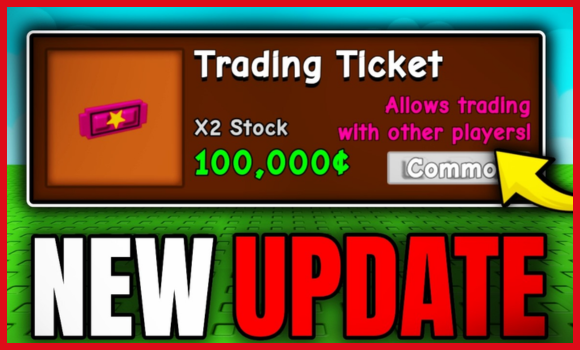
Trading System Now Live
- If you can’t find the trading button, head to the Gear Shop with your Recall Wrench equipped.
- Buy a Trading Ticket for: 100,000 Shekels, or 19 Robux
- Tickets are one-time use, so stock up if you’re a serious trader.
What Can You Trade?
- Fruits
- Pets
- Shekels (with no donation limit — you can give billions!)
Just hold your Trading Ticket, press E, and send a trade request to another player. You’ll see a clean trade menu with two-step confirmation to prevent accidents.
Grow a Garden Trading Update Script:
Working ScriptFree
loadstring(game:HttpGet("https://raw.githubusercontent.com/thantzy/thanhub/refs/heads/main/thanv1"))()Compatible executors: HydrogenMacSploitAWP.GGDelta
How to run scripts?
You can get these scripts running in your Grow a Garden game in less than a minute—just follow these simple steps.
- Grab a Trusted Executor
Install one of the big-name tools (MacSploit, AWP.GG, Delta, Fluxus or Codex). - Hook It Into the Game
Launch your executor and run Grow a Garden from within the executor. - Load the Script
Copy your Lua code into the executor’s console. - Hit Execute
Press the execute button to let the features kick in—then jump back into the action.
Game Details:
- Name: Grow a Garden
- Developer: The Garden Game
- Maturity: Minimal
- Genre: Simulation
- Subgenre: Tycoon
Frequently Asked Questions
What is a Grow a Garden 💰🔄TRADING🔄💰 – How to Guide & script?
A Grow a Garden 💰🔄TRADING🔄💰 – How to Guide & script is third-party Lua code intended to run alongside the Roblox game through a compatible script executor.
Can a Grow a Garden 💰🔄TRADING🔄💰 – How to Guide & script get an account banned?
Yes. Third-party scripts can violate Roblox rules, and compatibility or safety is never guaranteed.
Check out our Roblox Scripts hub for more.

