
On this page
PUBLISHEDUPDATED
Verified Working1 Active Script100% Free
Script Features:
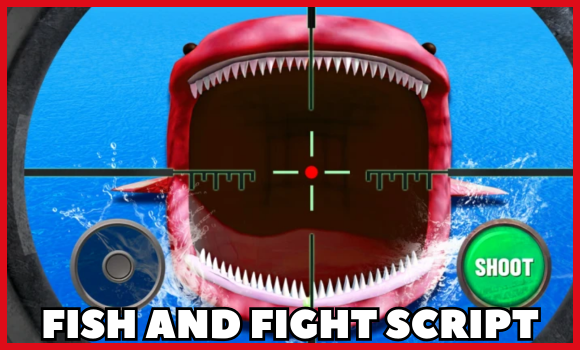
- Eternal Boss Priority Targeting – Auto-focuses top bosses like Loch Ness, Skeleton, Sea Elf, and Godzilla
- Smart Fish Targeting – Targets rarest nearby fish using optimized distance logic
- Dynamic 3-Spot Positioning – Rotates between 3 locations to avoid PvP
- Real-Time Target Info – Shows target stats and exact distance in real time
- Full Automation Suite – Works with auto-executors for hands-free farming
- Auto Weapon Equip & Shoot – Equips best weapon and auto-fires at targets
- Anti-Fall Fly System – Keeps you airborne and safely positioned
- Multi-Layer Anti-AFK – Prevents idle kick through multiple activity checks
- Premium AutoSell – Auto-sells fish by rarity (Robux required)
- Aquarium Auto Coin Collect – Automatically grabs aquarium coins when available
- Start Screen Auto-Clicker – Automatically bypasses intro screens for faster setup
User Interface
- Mobile-Optimized UI – Designed to work well on phones and tablets
- 3-Tab Control Panel – Organized into clear sections for easy use
- Live Stats & Targeting Info – Displays ongoing fish and boss data
- Full Feature Toggles – Turn any feature on or off instantly
- Draggable & Minimizable Panel – Move or hide the menu any time
- Color-Coded Rarity Display – Fish types are highlighted by rarity level
Technical Specs
- 33 Fish Database – Accurate rarity data for all in-game fish
- Advanced Targeting Algorithm – Prefers close, high-value targets
- Instant Boss Detection – Instantly detects and switches to eternal bosses
- Strategic PvP Protection – Smart spot rotation avoids other players
- Cross-Platform Support – Works on both PC and Mobile
- Optimized for Performance – Built-in error handling and smooth execution
Fish and Fight Script:
Working ScriptFree
local Players = game:GetService("Players")
local RunService = game:GetService("RunService")
local TweenService = game:GetService("TweenService")
local SoundService = game:GetService("SoundService")
local ReplicatedStorage = game:GetService("ReplicatedStorage")
local VirtualInputManager = game:GetService("VirtualInputManager")
local localPlayer = Players.LocalPlayer
local camera = workspace.CurrentCamera
-- AUTO-CLICK START NOW SCREEN (runs immediately on script load)
task.spawn(function()
if not game:IsLoaded() then game.Loaded:Wait() end
task.wait(5) -- Wait 5 seconds for game to fully load
-- Click screen center 3 times to pass Start Now screen
local screenSize = workspace.CurrentCamera.ViewportSize
local centerX = screenSize.X / 2
local centerY = screenSize.Y / 2
for i = 1, 3 do
VirtualInputManager:SendMouseButtonEvent(centerX, centerY, 0, true, game, 0)
task.wait(0.1)
VirtualInputManager:SendMouseButtonEvent(centerX, centerY, 0, false, game, 0)
task.wait(0.2)
end
task.wait(2) -- Wait 2 more seconds before continuing
end)
local function getRoot()
local character = localPlayer.Character or localPlayer.CharacterAdded:Wait()
return character:WaitForChild("HumanoidRootPart")
end
local function getCharacter()
return localPlayer.Character or localPlayer.CharacterAdded:Wait()
end
-- Your three anchor spots
local spots = {
{name="Spot 1", pos=Vector3.new(-26.609,115.715,-285.779)},
{name="Spot 2", pos=Vector3.new(-26.456,113.007,-154.013)},
{name="Spot 3", pos=Vector3.new(-24.498,116.377,-2.832)},
}
-- Eternal IDs → display names
local ETERNAL_NAMES = {
SFish1 = "Loch Ness",
SFish2 = "Skeleton",
SFish3 = "Sea Elf",
SFish4 = "Godzilla",
}
-- UI
-- UI refs (recreated if GUI is wiped by reconnect/start screen)
local screenGui, info, distLabel, anchorLabel
-- Sidebar refs
local sidebarFrame, sidebarHeader, tabContainer, farmTab, generalTab, sellTab
local farmContent, generalContent, sellContent
local function makeToggleFactory(parent)
return function(text, x)
local b = Instance.new("TextButton")
b.Size = UDim2.new(0, 140, 0, 24)
b.Position = UDim2.new(0, x, 0, 1)
b.Text = text
b.Font = Enum.Font.Gotham
b.TextSize = 11
b.TextColor3 = Color3.new(1,1,1)
b.BackgroundColor3 = Color3.fromRGB(60,120,210)
b.BorderSizePixel = 0
b.Parent = parent
return b
end
end
-- Global toggle variables for proper access
autoFocus = true
autoTeleport = true
autoStart = true
autoFly = true
-- Autosell states
local rarities = { "Common", "Uncommon", "Rare", "Epic", "Legendary", "Mythical", "Eternal" }
local baseState = {}
local goldState = {}
for i = 1, #rarities do
local on = i <= 6 -- default ON for first six (including Mythical), OFF for Eternal only
baseState[i] = on
goldState[i] = on
end
-- Autosell remote functions
local function getAutoSellRF()
local autoSell = ReplicatedStorage:WaitForChild("AutoSell", 5)
if not autoSell then return nil end
local remote = autoSell:WaitForChild("Remote", 5)
if not remote then return nil end
local fn = remote:WaitForChild("ApplyUpdateAutoSellData", 5)
if not fn or not fn:IsA("RemoteFunction") then return nil end
return fn
end
local function sendAutoSellUpdate(idx, grp, enabled)
local rf = getAutoSellRF()
if not rf then return false end
local ok, res = pcall(function()
return rf:InvokeServer(idx, grp, enabled)
end)
return ok
end
-- Forward declarations for functions used in buildUI
local tryAutoStartOnce
local autoEquipState = true
local autoShootState = true
local enableAutoShoot -- Forward declare the function
local function buildUI()
local pg = localPlayer:FindFirstChild("PlayerGui") or localPlayer:WaitForChild("PlayerGui")
if screenGui then pcall(function() screenGui:Destroy() end) end
screenGui = Instance.new("ScreenGui")
screenGui.Name = "EternalDetector"
screenGui.ResetOnSpawn = false
screenGui.Parent = pg
-- Create sidebar first
sidebarFrame = Instance.new("Frame")
sidebarFrame.Size = UDim2.new(0, 280, 0, 380)
sidebarFrame.Position = UDim2.new(0, 10, 0, 120)
sidebarFrame.BackgroundColor3 = Color3.fromRGB(25,25,25)
sidebarFrame.BorderSizePixel = 0
sidebarFrame.Visible = true
sidebarFrame.Parent = screenGui
-- Sidebar header (draggable)
sidebarHeader = Instance.new("Frame")
sidebarHeader.Size = UDim2.new(1, 0, 0, 30)
sidebarHeader.Position = UDim2.new(0, 0, 0, 0)
sidebarHeader.BackgroundColor3 = Color3.fromRGB(35,35,35)
sidebarHeader.BorderSizePixel = 0
sidebarHeader.Parent = sidebarFrame
local headerLabel = Instance.new("TextLabel")
headerLabel.Size = UDim2.new(1, -60, 1, 0)
headerLabel.Position = UDim2.new(0, 10, 0, 0)
headerLabel.BackgroundTransparency = 1
headerLabel.Font = Enum.Font.GothamBold
headerLabel.TextSize = 14
headerLabel.Text = "MENU"
headerLabel.TextXAlignment = Enum.TextXAlignment.Left
headerLabel.TextColor3 = Color3.new(1,1,1)
headerLabel.Parent = sidebarHeader
-- Minimize button
local minimizeBtn = Instance.new("TextButton")
minimizeBtn.Size = UDim2.new(0, 25, 0, 25)
minimizeBtn.Position = UDim2.new(1, -55, 0, 2.5)
minimizeBtn.Text = "−"
minimizeBtn.Font = Enum.Font.GothamBold
minimizeBtn.TextSize = 18
minimizeBtn.TextColor3 = Color3.new(1,1,1)
minimizeBtn.BackgroundColor3 = Color3.fromRGB(50,50,50)
minimizeBtn.BorderSizePixel = 0
minimizeBtn.Parent = sidebarHeader
-- Close button for sidebar
local sidebarCloseBtn = Instance.new("TextButton")
sidebarCloseBtn.Size = UDim2.new(0, 25, 0, 25)
sidebarCloseBtn.Position = UDim2.new(1, -28, 0, 2.5)
sidebarCloseBtn.Text = "×"
sidebarCloseBtn.Font = Enum.Font.GothamBold
sidebarCloseBtn.TextSize = 16
sidebarCloseBtn.TextColor3 = Color3.new(1,1,1)
sidebarCloseBtn.BackgroundColor3 = Color3.fromRGB(160,50,50)
sidebarCloseBtn.BorderSizePixel = 0
sidebarCloseBtn.Parent = sidebarHeader
-- Make sidebar draggable
do
local dragging, dragStart, startPos
sidebarHeader.InputBegan:Connect(function(input)
if input.UserInputType == Enum.UserInputType.MouseButton1 or input.UserInputType == Enum.UserInputType.Touch then
dragging = true
dragStart = input.Position
startPos = sidebarFrame.Position
end
end)
sidebarHeader.InputEnded:Connect(function(input)
if input.UserInputType == Enum.UserInputType.MouseButton1 or input.UserInputType == Enum.UserInputType.Touch then
dragging = false
end
end)
game:GetService("UserInputService").InputChanged:Connect(function(input)
if dragging and (input.UserInputType == Enum.UserInputType.MouseMovement or input.UserInputType == Enum.UserInputType.Touch) then
local delta = input.Position - dragStart
sidebarFrame.Position = UDim2.new(startPos.X.Scale, startPos.X.Offset + delta.X, startPos.Y.Scale, startPos.Y.Offset + delta.Y)
end
end)
end
-- Tab container
tabContainer = Instance.new("Frame")
tabContainer.Size = UDim2.new(1, 0, 0, 35)
tabContainer.Position = UDim2.new(0, 0, 0, 30)
tabContainer.BackgroundColor3 = Color3.fromRGB(30,30,30)
tabContainer.BorderSizePixel = 0
tabContainer.Parent = sidebarFrame
-- Create tab buttons
local tabWidth = 92
farmTab = Instance.new("TextButton")
farmTab.Size = UDim2.new(0, tabWidth, 1, 0)
farmTab.Position = UDim2.new(0, 0, 0, 0)
farmTab.Text = "Farm"
farmTab.Font = Enum.Font.Gotham
farmTab.TextSize = 12
farmTab.TextColor3 = Color3.new(1,1,1)
farmTab.BackgroundColor3 = Color3.fromRGB(45,45,45)
farmTab.BorderSizePixel = 0
farmTab.Parent = tabContainer
generalTab = Instance.new("TextButton")
generalTab.Size = UDim2.new(0, tabWidth, 1, 0)
generalTab.Position = UDim2.new(0, tabWidth + 1, 0, 0)
generalTab.Text = "General"
generalTab.Font = Enum.Font.Gotham
generalTab.TextSize = 12
generalTab.TextColor3 = Color3.fromRGB(180,180,180)
generalTab.BackgroundColor3 = Color3.fromRGB(30,30,30)
generalTab.BorderSizePixel = 0
generalTab.Parent = tabContainer
sellTab = Instance.new("TextButton")
sellTab.Size = UDim2.new(0, tabWidth, 1, 0)
sellTab.Position = UDim2.new(0, (tabWidth + 1) * 2, 0, 0)
sellTab.Text = "Sell"
sellTab.Font = Enum.Font.Gotham
sellTab.TextSize = 12
sellTab.TextColor3 = Color3.fromRGB(180,180,180)
sellTab.BackgroundColor3 = Color3.fromRGB(30,30,30)
sellTab.BorderSizePixel = 0
sellTab.Parent = tabContainer
-- Content container
local contentContainer = Instance.new("Frame")
contentContainer.Size = UDim2.new(1, -10, 1, -70)
contentContainer.Position = UDim2.new(0, 5, 0, 65)
contentContainer.BackgroundTransparency = 1
contentContainer.Parent = sidebarFrame
-- Farm content area
farmContent = Instance.new("Frame")
farmContent.Size = UDim2.new(1, 0, 1, 0)
farmContent.Position = UDim2.new(0, 0, 0, 0)
farmContent.BackgroundTransparency = 1
farmContent.Parent = contentContainer
farmContent.Visible = true
-- General content area
generalContent = Instance.new("Frame")
generalContent.Size = UDim2.new(1, 0, 1, 0)
generalContent.Position = UDim2.new(0, 0, 0, 0)
generalContent.BackgroundTransparency = 1
generalContent.Parent = contentContainer
generalContent.Visible = false
-- Add General tab controls
local generalTitle = Instance.new("TextLabel")
generalTitle.Size = UDim2.new(1, 0, 0, 20)
generalTitle.Position = UDim2.new(0, 0, 0, 0)
generalTitle.BackgroundTransparency = 1
generalTitle.Font = Enum.Font.GothamBold
generalTitle.TextSize = 12
generalTitle.TextXAlignment = Enum.TextXAlignment.Left
generalTitle.TextColor3 = Color3.fromRGB(200,200,200)
generalTitle.Text = "General Settings"
generalTitle.Parent = generalContent
-- Equip Slot 1 button
local equipSlot1Btn = Instance.new("TextButton")
equipSlot1Btn.Size = UDim2.new(1, -20, 0, 30)
equipSlot1Btn.Position = UDim2.new(0, 10, 0, 30)
equipSlot1Btn.Text = "Equip Slot 1"
equipSlot1Btn.Font = Enum.Font.Gotham
equipSlot1Btn.TextSize = 12
equipSlot1Btn.TextColor3 = Color3.new(1,1,1)
equipSlot1Btn.BackgroundColor3 = Color3.fromRGB(60,120,210)
equipSlot1Btn.BorderSizePixel = 0
equipSlot1Btn.Parent = generalContent
equipSlot1Btn.MouseButton1Click:Connect(function()
-- Tap key "1" to equip slot 1
VirtualInputManager:SendKeyEvent(true, Enum.KeyCode.One, false, game)
VirtualInputManager:SendKeyEvent(false, Enum.KeyCode.One, false, game)
equipSlot1Btn.Text = "Equipped!"
equipSlot1Btn.BackgroundColor3 = Color3.fromRGB(60,180,60)
task.wait(1)
equipSlot1Btn.Text = "Equip Slot 1"
equipSlot1Btn.BackgroundColor3 = Color3.fromRGB(60,120,210)
end)
-- Enable AutoShoot button
local autoShootBtn = Instance.new("TextButton")
autoShootBtn.Size = UDim2.new(1, -20, 0, 30)
autoShootBtn.Position = UDim2.new(0, 10, 0, 70)
autoShootBtn.Text = "Enable AutoShoot"
autoShootBtn.Font = Enum.Font.Gotham
autoShootBtn.TextSize = 12
autoShootBtn.TextColor3 = Color3.new(1,1,1)
autoShootBtn.BackgroundColor3 = Color3.fromRGB(60,120,210)
autoShootBtn.BorderSizePixel = 0
autoShootBtn.Parent = generalContent
-- AutoShoot enable function using firesignal (proven to work)
enableAutoShoot = function()
local PATH = {"MainGui","RightFrame","AutoShootFrame","ContentFrame","AutoShootButton"}
local pg = localPlayer:FindFirstChild("PlayerGui")
if not pg then return false end
-- Find button through path
local node = pg
for _, n in ipairs(PATH) do
node = node and node:FindFirstChild(n)
if not node then break end
end
-- If path failed, search all descendants
if not node or not (node:IsA("TextButton") or node:IsA("ImageButton")) then
node = nil
for _, d in ipairs(pg:GetDescendants()) do
if (d:IsA("TextButton") or d:IsA("ImageButton")) and d.Name == "AutoShootButton" then
node = d
break
end
end
end
if node and (node:IsA("TextButton") or node:IsA("ImageButton")) then
-- Check if already enabled
local txt = ""
pcall(function() txt = tostring(node.Text or "") end)
txt = txt:lower()
if txt:find("on") or txt:find("enable") then
return true -- Already enabled
end
-- Use firesignal to click the button (Method 2 - proven to work)
local success = pcall(function()
if typeof(firesignal) == "function" then
firesignal(node.MouseButton1Click)
end
end)
return success
end
return false
end
autoShootBtn.MouseButton1Click:Connect(function()
local success = enableAutoShoot()
if success then
autoShootBtn.Text = "AutoShoot Enabled!"
autoShootBtn.BackgroundColor3 = Color3.fromRGB(60,180,60)
task.wait(1.5)
autoShootBtn.Text = "Enable AutoShoot"
autoShootBtn.BackgroundColor3 = Color3.fromRGB(60,120,210)
else
autoShootBtn.Text = "Failed to find button"
autoShootBtn.BackgroundColor3 = Color3.fromRGB(180,60,60)
task.wait(1.5)
autoShootBtn.Text = "Enable AutoShoot"
autoShootBtn.BackgroundColor3 = Color3.fromRGB(60,120,210)
end
end)
-- Auto Equip on Start toggle
local autoEquipBtn = Instance.new("TextButton")
autoEquipBtn.Size = UDim2.new(1, -20, 0, 30)
autoEquipBtn.Position = UDim2.new(0, 10, 0, 110)
autoEquipBtn.Text = "Auto Equip on Start: ON"
autoEquipBtn.Font = Enum.Font.Gotham
autoEquipBtn.TextSize = 12
autoEquipBtn.TextColor3 = Color3.new(1,1,1)
autoEquipBtn.BackgroundColor3 = Color3.fromRGB(60,180,60)
autoEquipBtn.BorderSizePixel = 0
autoEquipBtn.Parent = generalContent
autoEquipBtn.MouseButton1Click:Connect(function()
autoEquipState = not autoEquipState
autoEquipBtn.Text = autoEquipState and "Auto Equip on Start: ON" or "Auto Equip on Start: OFF"
autoEquipBtn.BackgroundColor3 = autoEquipState and Color3.fromRGB(60,180,60) or Color3.fromRGB(180,60,60)
end)
-- Auto enable AutoShoot on Start toggle
local autoShootToggle = Instance.new("TextButton")
autoShootToggle.Size = UDim2.new(1, -20, 0, 30)
autoShootToggle.Position = UDim2.new(0, 10, 0, 150)
autoShootToggle.Text = "Auto Enable Shoot on Start: ON"
autoShootToggle.Font = Enum.Font.Gotham
autoShootToggle.TextSize = 12
autoShootToggle.TextColor3 = Color3.new(1,1,1)
autoShootToggle.BackgroundColor3 = Color3.fromRGB(60,180,60)
autoShootToggle.BorderSizePixel = 0
autoShootToggle.Parent = generalContent
autoShootToggle.MouseButton1Click:Connect(function()
autoShootState = not autoShootState
autoShootToggle.Text = autoShootState and "Auto Enable Shoot on Start: ON" or "Auto Enable Shoot on Start: OFF"
autoShootToggle.BackgroundColor3 = autoShootState and Color3.fromRGB(60,180,60) or Color3.fromRGB(180,60,60)
end)
-- Auto Collect Aquarium toggle
local autoCollectState = true -- Default to ON
local collectConnection = nil
local autoCollectToggle = Instance.new("TextButton")
autoCollectToggle.Size = UDim2.new(1, -20, 0, 30)
autoCollectToggle.Position = UDim2.new(0, 10, 0, 190)
autoCollectToggle.Text = "Auto Collect Aquarium: ON" -- Default text shows ON
autoCollectToggle.Font = Enum.Font.Gotham
autoCollectToggle.TextSize = 12
autoCollectToggle.TextColor3 = Color3.new(1,1,1)
autoCollectToggle.BackgroundColor3 = Color3.fromRGB(60,180,60) -- Default color is green
autoCollectToggle.BorderSizePixel = 0
autoCollectToggle.Parent = generalContent
-- Start auto-collect immediately since it's ON by default
collectConnection = task.spawn(function()
while autoCollectState do
local aquariumRemote = game:GetService("ReplicatedStorage"):FindFirstChild("Aquarium")
if aquariumRemote then
local remote = aquariumRemote:FindFirstChild("Remote")
if remote then
local settleRemote = remote:FindFirstChild("ApplySettlementAquariumIncome")
if settleRemote and settleRemote:IsA("RemoteFunction") then
pcall(function()
settleRemote:InvokeServer()
end)
end
end
end
task.wait(2) -- Collect every 2 seconds
end
end)
autoCollectToggle.MouseButton1Click:Connect(function()
autoCollectState = not autoCollectState
autoCollectToggle.Text = autoCollectState and "Auto Collect Aquarium: ON" or "Auto Collect Aquarium: OFF"
autoCollectToggle.BackgroundColor3 = autoCollectState and Color3.fromRGB(60,180,60) or Color3.fromRGB(180,60,60)
if autoCollectState then
-- Start auto-collect loop
collectConnection = task.spawn(function()
while autoCollectState do
local aquariumRemote = game:GetService("ReplicatedStorage"):FindFirstChild("Aquarium")
if aquariumRemote then
local remote = aquariumRemote:FindFirstChild("Remote")
if remote then
local settleRemote = remote:FindFirstChild("ApplySettlementAquariumIncome")
if settleRemote and settleRemote:IsA("RemoteFunction") then
pcall(function()
settleRemote:InvokeServer()
end)
end
end
end
task.wait(2) -- Collect every 2 seconds
end
end)
else
-- Stop auto-collect
if collectConnection then
task.cancel(collectConnection)
collectConnection = nil
end
end
end)
-- Anti-AFK toggle
local antiAfkState = true -- Default to ON
local antiAfkConnections = {}
local antiAfkPeriodicConnection = nil
local antiAfkToggle = Instance.new("TextButton")
antiAfkToggle.Size = UDim2.new(1, -20, 0, 30)
antiAfkToggle.Position = UDim2.new(0, 10, 0, 270)
antiAfkToggle.Text = "Anti-AFK Protection: ON"
antiAfkToggle.Font = Enum.Font.Gotham
antiAfkToggle.TextSize = 12
antiAfkToggle.TextColor3 = Color3.new(1,1,1)
antiAfkToggle.BackgroundColor3 = Color3.fromRGB(60,180,60)
antiAfkToggle.BorderSizePixel = 0
antiAfkToggle.Parent = generalContent
-- Anti-AFK functions
local function enableAntiAfk()
-- Method 1: Disable Idled connections entirely
local idledConnections = getconnections(localPlayer.Idled)
for i, connection in ipairs(idledConnections) do
connection:Disable()
end
-- Method 2: VirtualUser backup (in case Method 1 fails)
local VirtualUser = game:GetService("VirtualUser")
local idledConnection = localPlayer.Idled:Connect(function()
VirtualUser:CaptureController()
VirtualUser:ClickButton2(Vector2.new())
end)
table.insert(antiAfkConnections, idledConnection)
-- Method 3: Periodic activity simulation (every 5 minutes)
antiAfkPeriodicConnection = task.spawn(function()
while antiAfkState do
task.wait(300) -- Wait 5 minutes
if VirtualUser and antiAfkState then
VirtualUser:CaptureController()
VirtualUser:Button2Down(Vector2.new(0,0), workspace.CurrentCamera.CFrame)
task.wait(0.1)
VirtualUser:Button2Up(Vector2.new(0,0), workspace.CurrentCamera.CFrame)
end
end
end)
-- Show notification
if game.StarterGui then
pcall(function()
game.StarterGui:SetCore("SendNotification", {
Title = "🛡️ Anti-AFK Active",
Text = "Multi-layer AFK protection enabled",
Duration = 3
})
end)
end
end
local function disableAntiAfk()
-- Disconnect all anti-AFK connections
for _, connection in pairs(antiAfkConnections) do
if connection then
connection:Disconnect()
end
end
antiAfkConnections = {}
-- Stop periodic connection
if antiAfkPeriodicConnection then
task.cancel(antiAfkPeriodicConnection)
antiAfkPeriodicConnection = nil
end
-- Show notification
if game.StarterGui then
pcall(function()
game.StarterGui:SetCore("SendNotification", {
Title = "🛡️ Anti-AFK Disabled",
Text = "AFK protection turned off",
Duration = 3
})
end)
end
end
-- Start anti-AFK by default since it's ON
enableAntiAfk()
antiAfkToggle.MouseButton1Click:Connect(function()
antiAfkState = not antiAfkState
antiAfkToggle.Text = antiAfkState and "Anti-AFK Protection: ON" or "Anti-AFK Protection: OFF"
antiAfkToggle.BackgroundColor3 = antiAfkState and Color3.fromRGB(60,180,60) or Color3.fromRGB(180,60,60)
if antiAfkState then
enableAntiAfk()
else
disableAntiAfk()
end
end)
-- Note: Auto actions will be executed after GUI is built
-- Sell content area
sellContent = Instance.new("Frame")
sellContent.Size = UDim2.new(1, 0, 1, 0)
sellContent.Position = UDim2.new(0, 0, 0, 0)
sellContent.BackgroundTransparency = 1
sellContent.Parent = contentContainer
sellContent.Visible = false
-- Add AutoSell controls to Sell tab
local sellTitle = Instance.new("TextLabel")
sellTitle.Size = UDim2.new(1, 0, 0, 20)
sellTitle.Position = UDim2.new(0, 0, 0, 0)
sellTitle.BackgroundTransparency = 1
sellTitle.Font = Enum.Font.GothamBold
sellTitle.TextSize = 12
sellTitle.TextXAlignment = Enum.TextXAlignment.Left
sellTitle.TextColor3 = Color3.fromRGB(200,200,200)
sellTitle.Text = "AutoSell Filters"
sellTitle.Parent = sellContent
-- Create scrolling frame for rarities (with more space from headers)
local scrollFrame = Instance.new("ScrollingFrame")
scrollFrame.Size = UDim2.new(1, 0, 1, -40)
scrollFrame.Position = UDim2.new(0, 0, 0, 40)
scrollFrame.BackgroundTransparency = 1
scrollFrame.BorderSizePixel = 0
scrollFrame.ScrollBarThickness = 4
scrollFrame.ScrollBarImageColor3 = Color3.fromRGB(80,80,80)
scrollFrame.CanvasSize = UDim2.new(0, 0, 0, #rarities * 35 + 10)
scrollFrame.Parent = sellContent
-- Store button references for updates
local baseBtns, goldBtns = {}, {}
local function updateSellBtnVisual(btn, isOn)
btn.Text = isOn and "ON" or "OFF"
btn.BackgroundColor3 = isOn and Color3.fromRGB(60,180,60) or Color3.fromRGB(180,60,60)
end
-- Create rarity rows
for i, rarityName in ipairs(rarities) do
local rowY = (i-1) * 35 + 5
-- Rarity label
local rarityLabel = Instance.new("TextLabel")
rarityLabel.Size = UDim2.new(0, 100, 0, 25)
rarityLabel.Position = UDim2.new(0, 10, 0, rowY)
rarityLabel.BackgroundTransparency = 1
rarityLabel.Font = Enum.Font.Gotham
rarityLabel.TextSize = 12
rarityLabel.TextXAlignment = Enum.TextXAlignment.Left
rarityLabel.TextColor3 = Color3.fromRGB(200,200,200)
rarityLabel.Text = rarityName
rarityLabel.Parent = scrollFrame
-- Base toggle
local baseBtn = Instance.new("TextButton")
baseBtn.Size = UDim2.new(0, 50, 0, 24)
baseBtn.Position = UDim2.new(0, 120, 0, rowY)
baseBtn.Font = Enum.Font.GothamBold
baseBtn.TextSize = 11
baseBtn.TextColor3 = Color3.new(1,1,1)
baseBtn.BorderSizePixel = 0
baseBtn.Parent = scrollFrame
updateSellBtnVisual(baseBtn, baseState[i])
baseBtn.MouseButton1Click:Connect(function()
baseState[i] = not baseState[i]
updateSellBtnVisual(baseBtn, baseState[i])
sendAutoSellUpdate(i, 1, baseState[i])
end)
baseBtns[i] = baseBtn
-- Gold toggle
local goldBtn = Instance.new("TextButton")
goldBtn.Size = UDim2.new(0, 50, 0, 24)
goldBtn.Position = UDim2.new(0, 180, 0, rowY)
goldBtn.Font = Enum.Font.GothamBold
goldBtn.TextSize = 10
goldBtn.TextColor3 = Color3.new(1,1,1)
goldBtn.BorderSizePixel = 0
goldBtn.Parent = scrollFrame
updateSellBtnVisual(goldBtn, goldState[i])
goldBtn.MouseButton1Click:Connect(function()
goldState[i] = not goldState[i]
updateSellBtnVisual(goldBtn, goldState[i])
sendAutoSellUpdate(i, 2, goldState[i])
end)
goldBtns[i] = goldBtn
end
-- Add column headers (moved higher to create space)
local baseHeader = Instance.new("TextLabel")
baseHeader.Size = UDim2.new(0, 50, 0, 15)
baseHeader.Position = UDim2.new(0, 120, 0, 18)
baseHeader.BackgroundTransparency = 1
baseHeader.Font = Enum.Font.Gotham
baseHeader.TextSize = 11
baseHeader.Text = "Base"
baseHeader.TextColor3 = Color3.fromRGB(150,150,150)
baseHeader.Parent = sellContent
local goldHeader = Instance.new("TextLabel")
goldHeader.Size = UDim2.new(0, 50, 0, 15)
goldHeader.Position = UDim2.new(0, 180, 0, 18)
goldHeader.BackgroundTransparency = 1
goldHeader.Font = Enum.Font.Gotham
goldHeader.TextSize = 11
goldHeader.Text = "Gold"
goldHeader.TextColor3 = Color3.fromRGB(255,215,0)
goldHeader.Parent = sellContent
-- Tab switching functionality
local function switchTab(tabName)
-- Reset all tabs
farmTab.BackgroundColor3 = Color3.fromRGB(30,30,30)
farmTab.TextColor3 = Color3.fromRGB(180,180,180)
generalTab.BackgroundColor3 = Color3.fromRGB(30,30,30)
generalTab.TextColor3 = Color3.fromRGB(180,180,180)
sellTab.BackgroundColor3 = Color3.fromRGB(30,30,30)
sellTab.TextColor3 = Color3.fromRGB(180,180,180)
-- Hide all content
farmContent.Visible = false
generalContent.Visible = false
sellContent.Visible = false
-- Show selected tab
if tabName == "farm" then
farmTab.BackgroundColor3 = Color3.fromRGB(45,45,45)
farmTab.TextColor3 = Color3.new(1,1,1)
farmContent.Visible = true
elseif tabName == "general" then
generalTab.BackgroundColor3 = Color3.fromRGB(45,45,45)
generalTab.TextColor3 = Color3.new(1,1,1)
generalContent.Visible = true
elseif tabName == "sell" then
sellTab.BackgroundColor3 = Color3.fromRGB(45,45,45)
sellTab.TextColor3 = Color3.new(1,1,1)
sellContent.Visible = true
end
end
-- Connect tab buttons
farmTab.MouseButton1Click:Connect(function()
switchTab("farm")
end)
generalTab.MouseButton1Click:Connect(function()
switchTab("general")
end)
sellTab.MouseButton1Click:Connect(function()
switchTab("sell")
end)
-- Set default tab
switchTab("farm")
-- Minimize/Maximize functionality
local isMinimized = false
local originalSize = sidebarFrame.Size
minimizeBtn.MouseButton1Click:Connect(function()
isMinimized = not isMinimized
if isMinimized then
minimizeBtn.Text = "+"
sidebarFrame.Size = UDim2.new(0, 280, 0, 30)
tabContainer.Visible = false
contentContainer.Visible = false
else
minimizeBtn.Text = "−"
sidebarFrame.Size = originalSize
tabContainer.Visible = true
contentContainer.Visible = true
end
end)
-- Close button functionality
sidebarCloseBtn.MouseButton1Click:Connect(function()
if sidebarFrame then
sidebarFrame.Visible = false
end
end)
-- Add eternal detector info to Farm tab
info = Instance.new("TextLabel")
info.Size = UDim2.new(1, 0, 0, 20)
info.Position = UDim2.new(0, 0, 0, 0)
info.BackgroundTransparency = 1
info.Font = Enum.Font.Gotham
info.TextSize = 12
info.TextXAlignment = Enum.TextXAlignment.Left
info.TextColor3 = Color3.fromRGB(200,200,200)
info.Text = "Waiting for eternal..."
info.Parent = farmContent
distLabel = Instance.new("TextLabel")
distLabel.Size = UDim2.new(1, 0, 0, 18)
distLabel.Position = UDim2.new(0, 0, 0, 22)
distLabel.BackgroundTransparency = 1
distLabel.Font = Enum.Font.Gotham
distLabel.TextSize = 12
distLabel.TextXAlignment = Enum.TextXAlignment.Left
distLabel.TextColor3 = Color3.fromRGB(180,220,180)
distLabel.Text = "Distance: -"
distLabel.Parent = farmContent
anchorLabel = Instance.new("TextLabel")
anchorLabel.Size = UDim2.new(1, 0, 0, 18)
anchorLabel.Position = UDim2.new(0, 0, 0, 42)
anchorLabel.BackgroundTransparency = 1
anchorLabel.Font = Enum.Font.Gotham
anchorLabel.TextSize = 12
anchorLabel.TextXAlignment = Enum.TextXAlignment.Left
anchorLabel.TextColor3 = Color3.fromRGB(180,180,230)
anchorLabel.Text = "Nearest spot: -"
anchorLabel.Parent = farmContent
-- Sidebar toggles with proper rows (moved down to accommodate info labels)
local function createSidebarToggle(name, yPos, defaultValue)
local toggleFrame = Instance.new("Frame")
toggleFrame.Size = UDim2.new(1, 0, 0, 30)
toggleFrame.Position = UDim2.new(0, 0, 0, yPos)
toggleFrame.BackgroundTransparency = 1
toggleFrame.Parent = farmContent
local label = Instance.new("TextLabel")
label.Size = UDim2.new(0.7, -5, 1, 0)
label.Position = UDim2.new(0, 0, 0, 0)
label.BackgroundTransparency = 1
label.Font = Enum.Font.Gotham
label.TextSize = 12
label.TextXAlignment = Enum.TextXAlignment.Left
label.Text = name
label.TextColor3 = Color3.fromRGB(200,200,200)
label.Parent = toggleFrame
local button = Instance.new("TextButton")
button.Size = UDim2.new(0.3, 0, 0, 24)
button.Position = UDim2.new(0.7, 0, 0, 3)
button.Text = defaultValue and "ON" or "OFF"
button.Font = Enum.Font.GothamBold
button.TextSize = 11
button.TextColor3 = Color3.new(1,1,1)
button.BackgroundColor3 = defaultValue and Color3.fromRGB(60,180,60) or Color3.fromRGB(180,60,60)
button.BorderSizePixel = 0
button.Parent = toggleFrame
return button
end
local sidebarFocusBtn = createSidebarToggle("Auto Focus", 75, autoFocus)
local sidebarStartBtn = createSidebarToggle("Auto Start", 115, autoStart)
local sidebarTpBtn = createSidebarToggle("Auto Teleport", 155, autoTeleport)
local sidebarFlyBtn = createSidebarToggle("Auto Fly", 195, autoFly)
-- Connect sidebar toggle handlers
sidebarFocusBtn.MouseButton1Click:Connect(function()
autoFocus = not autoFocus
sidebarFocusBtn.Text = autoFocus and "ON" or "OFF"
sidebarFocusBtn.BackgroundColor3 = autoFocus and Color3.fromRGB(60,180,60) or Color3.fromRGB(180,60,60)
end)
sidebarStartBtn.MouseButton1Click:Connect(function()
autoStart = not autoStart
sidebarStartBtn.Text = autoStart and "ON" or "OFF"
sidebarStartBtn.BackgroundColor3 = autoStart and Color3.fromRGB(60,180,60) or Color3.fromRGB(180,60,60)
end)
sidebarTpBtn.MouseButton1Click:Connect(function()
autoTeleport = not autoTeleport
sidebarTpBtn.Text = autoTeleport and "ON" or "OFF"
sidebarTpBtn.BackgroundColor3 = autoTeleport and Color3.fromRGB(60,180,60) or Color3.fromRGB(180,60,60)
end)
sidebarFlyBtn.MouseButton1Click:Connect(function()
autoFly = not autoFly
sidebarFlyBtn.Text = autoFly and "ON" or "OFF"
sidebarFlyBtn.BackgroundColor3 = autoFly and Color3.fromRGB(60,180,60) or Color3.fromRGB(180,60,60)
-- If turning off auto fly while currently flying, stop flying
if not autoFly and flying then
stopFlying()
end
end)
-- try immediately on build (useful right after hop)
task.delay(0.1, function()
if autoStart then
for _=1,30 do
if tryAutoStartOnce() then break end
task.wait(0.1)
end
end
end)
-- Initialize autosell settings on server (first 6 rarities ON, Eternal OFF)
task.defer(function()
for grp = 1, 2 do
for i = 1, #rarities do
local desired = i <= 6
sendAutoSellUpdate(i, grp, desired)
task.wait(0.02)
end
end
end)
end
-- initial build
local success, err = pcall(buildUI)
if not success then
warn("Failed to build UI:", err)
end
-- Add keyboard toggle for sidebar (press F9 to show/hide)
game:GetService("UserInputService").InputBegan:Connect(function(input, gameProcessed)
if not gameProcessed and input.KeyCode == Enum.KeyCode.F9 then
if sidebarFrame then
sidebarFrame.Visible = not sidebarFrame.Visible
end
end
end)
-- Execute auto actions after GUI is built
task.spawn(function()
if not game:IsLoaded() then game.Loaded:Wait() end
-- Wait for character to exist
local character = localPlayer.Character or localPlayer.CharacterAdded:Wait()
character:WaitForChild("HumanoidRootPart")
-- Wait a bit longer to ensure everything is loaded after Start Now clicks
task.wait(3) -- Wait 3 seconds for GUI and game to load
if autoEquipState then
-- Auto equip slot 1
VirtualInputManager:SendKeyEvent(true, Enum.KeyCode.One, false, game)
VirtualInputManager:SendKeyEvent(false, Enum.KeyCode.One, false, game)
end
task.wait(0.5)
if autoShootState and enableAutoShoot then
-- Auto enable autoshoot
enableAutoShoot()
end
task.wait(0.5)
-- Teleport to Spot 1 and start flying on game start
if autoFly then
local root = getRoot()
root.CFrame = CFrame.new(spots[1].pos)
root.AssemblyLinearVelocity = Vector3.zero
currentSpotIndex = 1
startFlying()
end
task.wait(0.5)
-- Initialize autosell settings (first 6 rarities ON, Eternal OFF)
for grp = 1, 2 do
for i = 1, #rarities do
local desired = i <= 6
sendAutoSellUpdate(i, grp, desired)
task.wait(0.02)
end
end
end)
-- Alert sound
local function playAlert()
local s = Instance.new("Sound")
s.SoundId = "rbxassetid://1839997591" -- loud bell
s.Volume = 1
s.Parent = SoundService
s.Ended:Connect(function()
s:Destroy()
end)
s:Play()
end
-- Find active eternal (Model) and its Humanoid
local function getActiveEternal()
local fishList = workspace:FindFirstChild("FishModelList")
if not fishList then return nil end
for _, m in ipairs(fishList:GetChildren()) do
if m:IsA("Model") and ETERNAL_NAMES[m.Name] then
local hum = m:FindFirstChildOfClass("Humanoid")
if hum and hum.Health > 0 then
return m, hum
end
end
end
return nil
end
-- Dynamic fish rarity system based on fish numbers
-- Higher fish numbers = rarer fish
-- Extract fish number from fish name (Fish1, Fish2, etc.)
local function getFishNumber(fishName)
local number = string.match(fishName, "Fish(%d+)")
return number and tonumber(number) or 0
end
-- Determine rarity based on fish number (higher number = rarer)
local function getRarityFromNumber(fishNumber)
if fishNumber >= 12 then
return "mythical", 6
elseif fishNumber >= 11 then
return "legendary", 5
elseif fishNumber >= 9 then
return "epic", 4
elseif fishNumber >= 7 then
return "rare", 3
elseif fishNumber >= 3 then
return "uncommon", 2
else
return "common", 1
end
end
-- Get fish data (rarity and priority) based on fish name
local function getFishData(fishName)
local fishNumber = getFishNumber(fishName)
-- Handle numbered fish (Fish1, Fish2, etc.)
if fishNumber > 0 then
local rarity, priority = getRarityFromNumber(fishNumber)
return {
name = fishName,
rarity = rarity,
priority = priority,
number = fishNumber
}
end
-- Handle special Black fish variants
local blackFish = {
["Black1"] = {rarity = "legendary", priority = 5},
["Black2"] = {rarity = "legendary", priority = 5},
["Black3"] = {rarity = "epic", priority = 4},
["Black4"] = {rarity = "rare", priority = 3},
}
if blackFish[fishName] then
local data = blackFish[fishName]
return {
name = fishName,
rarity = data.rarity,
priority = data.priority,
number = 0
}
end
-- Ignore all other non-numbered fish
return nil
end
-- Find regular fish when no eternal is present (prioritize by rarity AND distance)
local function getRegularFish()
local fishList = workspace:FindFirstChild("FishModelList")
if not fishList then return nil end
local myPos = getRoot().Position
local availableFish = {}
local maxDistance = 150 -- Only target fish within 150 studs
-- Collect all available fish within range with their rarity priorities
for _, m in ipairs(fishList:GetChildren()) do
if m:IsA("Model") and not ETERNAL_NAMES[m.Name] then
local fishData = getFishData(m.Name)
if fishData then
local hum = m:FindFirstChildOfClass("Humanoid")
if hum and hum.Health > 0 then
local fishPos = m:GetModelCFrame().p
local distance = (fishPos - myPos).Magnitude
-- Only consider fish within range
if distance <= maxDistance then
table.insert(availableFish, {
model = m,
humanoid = hum,
rarity = fishData.rarity,
priority = fishData.priority,
name = fishData.name,
distance = distance,
position = fishPos,
fishNumber = fishData.number
})
end
end
end
end
end
if #availableFish == 0 then return nil end
-- Advanced sorting: Rarity first, then distance as tiebreaker
table.sort(availableFish, function(a, b)
if a.priority == b.priority then
-- Same rarity - choose closer fish
return a.distance < b.distance
else
-- Different rarity - choose higher rarity
return a.priority > b.priority
end
end)
-- Additional check: If highest rarity fish is very far, consider closer lower rarity
local bestFish = availableFish[1]
-- If the best fish is mythical/legendary and very far (>100 studs),
-- check if there's a closer epic/rare fish within 50 studs
if bestFish.distance > 100 and (bestFish.rarity == "mythical" or bestFish.rarity == "legendary") then
for _, fish in ipairs(availableFish) do
if fish.distance <= 50 and (fish.rarity == "epic" or fish.rarity == "rare") then
return fish.model, fish.humanoid
end
end
end
return bestFish.model, bestFish.humanoid
end
-- Compute nearest anchor spot to the boss position
local function getNearestSpot(toPos)
local bestIndex, bestDist = 1, math.huge
for i, sp in ipairs(spots) do
local d = (sp.pos - toPos).Magnitude
if d < bestDist then
bestDist = d
bestIndex = i
end
end
return bestIndex, bestDist
end
-- Camera management
local defaultFov = camera.FieldOfView
local focusing = false
local function focusCameraOn(position)
if not autoFocus then return end
focusing = true
-- keep current camera position, just look at the target and zoom a bit
camera.FieldOfView = math.clamp(defaultFov - 15, 40, 100)
camera.CFrame = CFrame.lookAt(camera.CFrame.Position, position)
end
local function releaseCamera()
if focusing then
camera.FieldOfView = defaultFov
focusing = false
end
end
-- Teleport throttling
local lastTpTime = 0
local currentSpotIndex = nil
local TP_COOLDOWN = 1.8 -- seconds
local lastBossSeenAt = 0
-- Fly system variables
local flying = false
-- (Server hop persistence removed)
-- Find a different public server instance with available slots
-- (Server hop logic removed)
-- Rebuild GUI after reconnect/start screen wipes PlayerGui
local function ensureUI()
if not screenGui or not screenGui.Parent then
buildUI()
end
end
-- Try auto-pressing a Start/Play button on the start screen
local function pressGuiButton(btn)
local vim = game:GetService("VirtualInputManager")
local pos = btn.AbsolutePosition + btn.AbsoluteSize/2
pcall(function()
vim:SendMouseButtonEvent(pos.X, pos.Y, 0, true, btn, 0)
task.wait(0.05)
vim:SendMouseButtonEvent(pos.X, pos.Y, 0, false, btn, 0)
end)
end
local START_PATTERNS = {"start", "play", "join"}
local function looksLikeStartText(s)
s = string.lower(s or "")
for _, p in ipairs(START_PATTERNS) do
if string.find(s, p, 1, true) then return true end
end
return false
end
tryAutoStartOnce = function()
if not autoStart then return end
local pg = localPlayer:FindFirstChild("PlayerGui")
if not pg then return end
-- scan
for _, gui in ipairs(pg:GetDescendants()) do
if gui:IsA("TextButton") then
if looksLikeStartText(gui.Text) or looksLikeStartText(gui.Name) then
pressGuiButton(gui)
return true
end
elseif gui:IsA("ImageButton") then
if looksLikeStartText(gui.Name) then
pressGuiButton(gui)
return true
end
end
end
return false
end
-- listener to catch when start screen appears
local function watchForStart()
local pg = localPlayer:FindFirstChild("PlayerGui")
if not pg then return end
pg.DescendantAdded:Connect(function(obj)
if autoStart and (obj:IsA("TextButton") or obj:IsA("ImageButton")) then
if looksLikeStartText(obj.Name) or (obj:IsA("TextButton") and looksLikeStartText(obj.Text)) then
-- give UI a moment
task.delay(0.1, function()
pressGuiButton(obj)
end)
end
end
end)
end
watchForStart()
-- Simple fly system to keep player at teleport spots
local function startFlying()
if flying then return end
flying = true
local character = getCharacter()
local humanoid = character:FindFirstChildOfClass("Humanoid")
local root = getRoot()
-- Clear any existing BodyMovers first
for _, obj in pairs(root:GetChildren()) do
if obj:IsA("BodyPosition") or obj:IsA("BodyGyro") or obj:IsA("BodyVelocity") then
obj:Destroy()
end
end
-- Create BodyVelocity for better stability
local bodyVel = Instance.new("BodyVelocity")
bodyVel.MaxForce = Vector3.new(math.huge, math.huge, math.huge)
bodyVel.Velocity = Vector3.new(0, 0, 0)
bodyVel.Parent = root
local bodyGyro = Instance.new("BodyGyro")
bodyGyro.MaxTorque = Vector3.new(0, math.huge, 0)
bodyGyro.CFrame = root.CFrame
bodyGyro.D = 500
bodyGyro.P = 4000
bodyGyro.Parent = root
-- Set PlatformStand to prevent falling animations
if humanoid then
humanoid.PlatformStand = true
end
end
local function stopFlying()
if not flying then return end
flying = false
local character = getCharacter()
local humanoid = character:FindFirstChildOfClass("Humanoid")
local root = getRoot()
-- Remove BodyMovers
if root then
for _, obj in pairs(root:GetChildren()) do
if obj:IsA("BodyPosition") or obj:IsA("BodyGyro") or obj:IsA("BodyVelocity") then
obj:Destroy()
end
end
end
-- Restore normal movement
if humanoid then
humanoid.PlatformStand = false
end
end
local function teleportToSpot(index)
if not autoTeleport then return end
if tick() - lastTpTime < TP_COOLDOWN then return end
local sp = spots[index]
if not sp then return end
local root = getRoot()
-- Teleport to spot
root.CFrame = CFrame.new(sp.pos)
root.AssemblyLinearVelocity = Vector3.zero
currentSpotIndex = index
lastTpTime = tick()
-- Enable flying if autoFly is on to prevent falling
if autoFly then
startFlying()
end
end
-- Main loop
local seenThisSpawn = false -- to play alert once per spawn
local lastBossModel = nil
local currentTarget = nil -- Track current target (eternal or regular fish)
RunService.Heartbeat:Connect(function()
ensureUI()
-- Priority 1: Check for eternal fish first
local bossModel = nil
local bossHumanoid = nil
bossModel, bossHumanoid = getActiveEternal()
-- Priority 2: If no eternal, look for regular fish
local regularFish = nil
if not bossModel then
regularFish, _ = getRegularFish()
end
-- Determine current target
local targetModel = bossModel or regularFish
local targetPos = nil
local targetName = ""
local isEternal = false
if bossModel then
-- Eternal fish found (highest priority)
targetPos = bossModel:GetModelCFrame().p
targetName = ETERNAL_NAMES[bossModel.Name] or bossModel.Name
isEternal = true
currentTarget = bossModel
-- Alert once per eternal spawn
if bossModel ~= lastBossModel then
seenThisSpawn = true
lastBossModel = bossModel
playAlert()
lastBossSeenAt = tick()
end
info.Text = string.format("👑 %s detected", targetName)
elseif regularFish then
-- Regular fish found (when no eternal)
targetPos = regularFish:GetModelCFrame().p
local fishData = getFishData(regularFish.Name)
targetName = fishData.name or regularFish.Name
local rarity = fishData.rarity or "unknown"
local distance = (targetPos - getRoot().Position).Magnitude
local fishNumber = fishData.number or 0
isEternal = false
currentTarget = regularFish
-- Show rarity with appropriate emoji and color
local rarityEmoji = {
mythical = "🌟",
legendary = "🔥",
epic = "💜",
rare = "🔵",
uncommon = "🟢",
common = "⚪"
}
local emoji = rarityEmoji[rarity] or "🎣"
-- Show fish number for numbered fish
local displayText = fishNumber > 0
and string.format("%s %s (Fish%d - %s) - %.1f studs", emoji, targetName, fishNumber, rarity:upper(), distance)
or string.format("%s %s (%s) - %.1f studs", emoji, targetName, rarity:upper(), distance)
info.Text = displayText
else
-- No fish found at all
if seenThisSpawn then
-- Target despawned - return to base 1
info.Text = "Target left. Returning to base..."
releaseCamera()
seenThisSpawn = false
lastBossModel = nil
currentTarget = nil
-- Return to Spot 1 and keep flying
if autoFly then
local root = getRoot()
root.CFrame = CFrame.new(spots[1].pos)
root.AssemblyLinearVelocity = Vector3.zero
currentSpotIndex = 1
if not flying then
startFlying()
end
end
else
info.Text = "Searching for targets..."
-- Keep at Spot 1 while waiting
if autoFly and not flying then
local root = getRoot()
root.CFrame = CFrame.new(spots[1].pos)
root.AssemblyLinearVelocity = Vector3.zero
currentSpotIndex = 1
startFlying()
end
end
distLabel.Text = "Distance: -"
anchorLabel.Text = "Nearest spot: Base 1"
return
end
-- Target found (eternal or regular fish)
-- Distance from my character
local myPos = getRoot().Position
local distToMe = (targetPos - myPos).Magnitude
distLabel.Text = string.format("Distance: %0.1f studs", distToMe)
-- Auto focus camera on target
focusCameraOn(targetPos)
-- Compute nearest anchor and teleport if needed
local nearestIndex = select(1, getNearestSpot(targetPos))
anchorLabel.Text = string.format("Nearest spot: %s", spots[nearestIndex].name)
if currentSpotIndex ~= nearestIndex then
teleportToSpot(nearestIndex)
end
-- Set seen flag for any target
if not seenThisSpawn and targetModel then
seenThisSpawn = true
end
end)
print("Eternal Detector loaded: will alert, focus, and auto-TP to nearest spot while boss is active.")Compatible executors: HydrogenMacSploitAWP.GGDelta
How to use scripts?
Follow the steps to execute Fish and Fight scripts in the game easily.
- Download a Script Executor – I only recommend MacSploit, AWP.GG, Delta, Fluxus, or Codex.
- Attach the Executor – Connect the tool to the game process.
- Paste the Script – Load and execute the Lua script inside the game.
- Activate Features – Tap the execute icon to use the injected script for custom actions.
Game Details:
- Name: Fish and Fight
- Developer: Fishing League
- Maturity: Minimal
- Genre: Simulation
- Subgenre: Tycoon
Frequently Asked Questions
What is a [UPD] Fish and Fight script?
A [UPD] Fish and Fight script is third-party Lua code intended to run alongside the Roblox game through a compatible script executor.
Can a [UPD] Fish and Fight script get an account banned?
Yes. Third-party scripts can violate Roblox rules, and compatibility or safety is never guaranteed.
Check out our Roblox Scripts hub for more.

