
On this page
PUBLISHEDUPDATED
Verified Working2 Active ScriptsKeyless
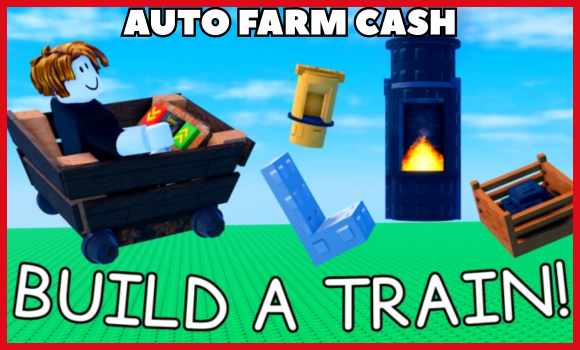
Features:
- Auto Kill – Instantly defeats enemies using any weapon
- Auto Loot – Automatically collects dropped items after battles
- Auto Farm Money – Earns in game cash without manual grinding
- Auto TP to End – Teleports player straight to finish point
- Auto TP to Seat – Moves player instantly to chosen seat spot
- TP to End and Reset – Goes to end then respawns immediately
- Auto Buy All – Purchases every available upgrade instantly
- Buy Selected Stuff – Instantly buys only chosen items
Tip – Always use a high UNC and sUNC executor and consider testing scripts on an alt account first. If you’re ready to go, just copy the code below and paste it into your executor to get started safely.
Build a Train Script:
KEY -> https://discord.gg/t6SKTqyJFN
Working ScriptFree
loadstring(game:HttpGet("https://raw.githubusercontent.com/DeadScripter/Deadhub/refs/heads/main/DeadLoader.lua"))()Compatible executors: HydrogenMacSploitAWP.GGDelta
KEYLESS
Working ScriptFree
local Players = game:GetService("Players")
local LocalPlayer = Players.LocalPlayer

local ScreenGui = Instance.new("ScreenGui")
ScreenGui.Name = "Terminated_Fear Teleport Gui"
ScreenGui.Parent = LocalPlayer:WaitForChild("PlayerGui")
ScreenGui.ResetOnSpawn = false

local Frame = Instance.new("Frame")
Frame.Size = UDim2.new(0, 320, 0, 160)
Frame.Position = UDim2.new(0.5, -160, 0.5, -80)
Frame.BackgroundColor3 = Color3.fromRGB(10, 10, 20)
Frame.BorderSizePixel = 0
Frame.Parent = ScreenGui
Instance.new("UICorner", Frame).CornerRadius = UDim.new(0, 12)

local Title = Instance.new("TextLabel")
Title.Size = UDim2.new(1, 0, 0, 40)
Title.BackgroundTransparency = 1
Title.Text = "Terminated_Fear Teleport"
Title.TextColor3 = Color3.fromRGB(0, 255, 200)
Title.Font = Enum.Font.GothamBold
Title.TextSize = 20
Title.Parent = Frame

local TeleportBtn = Instance.new("TextButton")
TeleportBtn.Size = UDim2.new(0.8, 0, 0, 50)
TeleportBtn.Position = UDim2.new(0.1, 0, 0.5, -25)
TeleportBtn.BackgroundColor3 = Color3.fromRGB(0, 50, 50)
TeleportBtn.Text = "Teleport to 100B Studs"
TeleportBtn.TextColor3 = Color3.fromRGB(0, 255, 200)
TeleportBtn.Font = Enum.Font.GothamBold
TeleportBtn.TextSize = 18
TeleportBtn.Parent = Frame
Instance.new("UICorner", TeleportBtn).CornerRadius = UDim.new(0, 8)

local function findPlayerTrain()
    for _, seat in pairs(workspace:GetDescendants()) do
        if seat:IsA("VehicleSeat") or seat:IsA("Seat") then
            if seat.Occupant and seat.Occupant.Parent == LocalPlayer.Character then
                return seat:FindFirstAncestorOfClass("Model")
            end
        end
    end
    return nil
end

TeleportBtn.MouseButton1Click:Connect(function()
    local train = findPlayerTrain()
    if train then
        local offset = Vector3.new(100000000000, 0, 0)
        for _, part in pairs(train:GetDescendants()) do
            if part:IsA("BasePart") then
                part.CFrame = part.CFrame + offset
            end
        end
    else
        warn("You must be sitting in the train to teleport it!")
    end
end)

Frame.Active = true
Frame.Draggable = true
Compatible executors: HydrogenMacSploitAWP.GGDelta
How to use these scripts?
Follow these quick steps to get the script running in Build a Train game.
- Download a Script Executor – I only recommend Hydrogen, AWP.GG, Delta, Fluxus, or Codex.
- Attach the Executor – Open the executor and connect it to your Roblox game process.
- Paste the Script – Copy the code above and paste it into the executor.
- Activate Features – Click the Execute button so the script injects and features will activate automatically.
Game Details:
- Name: Build a Train
- Developer: Bibble Babble
- Maturity: Minimal
- Genre: Simulation
- Subgenre: Sandbox
Frequently Asked Questions
What is a 🚂 Build a Train script?
A 🚂 Build a Train script is third-party Lua code intended to run alongside the Roblox game through a compatible script executor.
Can a 🚂 Build a Train script get an account banned?
Yes. Third-party scripts can violate Roblox rules, and compatibility or safety is never guaranteed.
Check out our Roblox Scripts hub for more.

