
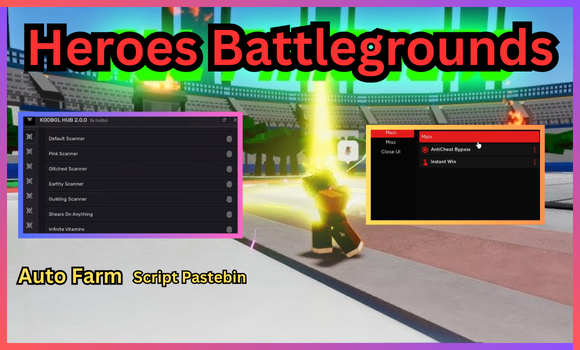
- 2026-10-14 — Added Script #5: Solstice Hub.
- 2026-10-10 — Added Script #4: Auto Farm & More.
Full List of OP Scripts:
loadstring(game:HttpGet("https://raw.githubusercontent.com/Snxdfer/Games/refs/heads/main/UltimateBattlegrounds_HeroesBattlegroundsV2.lua"))()loadstring(game:HttpGet("https://pastebin.com/raw/fbta5b8L", true))()--[[
AimLock Legit Plus
Created by @devzinh
Discord: https://discord.gg/J37PW97j6a
Please keep credits if you modify this code.
Be mindful and respect the creator's work.
]]--
-- Services
local Players = game:GetService("Players")
local RunService = game:GetService("RunService")
local UserInputService = game:GetService("UserInputService")
local StarterGui = game:GetService("StarterGui")
-- Constants
local NOTIFICATION_COOLDOWN = 1.5 -- Minimum time between notifications (in seconds)
local TARGET_CHECK_INTERVAL = 0.1 -- Target check interval (in seconds)
local DEFAULT_CONFIG = {
Active = false, -- do not change this
Prediction = 0.145, -- Target movement prediction value (higher = more anticipation)
TargetPart = "HumanoidRootPart", -- Body part that aimlock will target. Can also be "Head", "UpperTorso", "LowerTorso", "LeftUpperLeg", "RightUpperLeg", "LeftLowerLeg", "RightLowerLeg", "LeftFoot", "RightFoot", "Neck", "LeftShoulder", "RightShoulder", "LeftUpperArm", "RightUpperArm", "LeftLowerArm", "RightLowerArm", "LeftHand", "RightHand"
Smoothness = 0.5, -- Camera movement smoothness (0 = instant, 1 = very smooth)
MaxRadius = 300, -- Maximum distance to find targets
MinimumDistance = 10, -- Minimum distance to activate aimlock, recommended to keep at 10
DeactivationSensitivity = 0.5 -- Sensitivity to deactivate aimlock, recommended to keep at 0.5
}
-- State
local State = {
LastNotification = 0,
LastTargetCheck = 0,
LockedTarget = nil,
ControlPressed = false,
LastMousePosition = Vector2.new(0, 0)
}
-- Cache
local LocalPlayer = Players.LocalPlayer
local Mouse = LocalPlayer:GetMouse()
local Camera = workspace.CurrentCamera
-- Utility Functions
local function SendNotification(active)
local currentTime = tick()
if currentTime - State.LastNotification >= NOTIFICATION_COOLDOWN then
StarterGui:SetCore("SendNotification", {
Title = "AimLock Legit Plus",
Text = active and "Activated" or "Deactivated",
Duration = 1
})
State.LastNotification = currentTime
end
end
local function IsTargetValid(player)
if not player or not player.Character then return false end
local character = player.Character
local humanoid = character:FindFirstChild("Humanoid")
local targetPart = character:FindFirstChild(DEFAULT_CONFIG.TargetPart)
return targetPart
and humanoid
and humanoid.Health > 0
end
local function CalculateDistance(position)
local viewportPosition = Camera:WorldToViewportPoint(position)
return (Vector2.new(viewportPosition.X, viewportPosition.Y) - Vector2.new(Mouse.X, Mouse.Y)).Magnitude
end
local function FindNearestPlayer()
if State.LockedTarget and IsTargetValid(State.LockedTarget) then
return State.LockedTarget
end
local shortestDistance = DEFAULT_CONFIG.MaxRadius
local target = nil
for _, player in ipairs(Players:GetPlayers()) do
if player ~= LocalPlayer and IsTargetValid(player) then
local targetPart = player.Character[DEFAULT_CONFIG.TargetPart]
local distance = CalculateDistance(targetPart.Position)
if distance >= DEFAULT_CONFIG.MinimumDistance and distance < shortestDistance then
shortestDistance = distance
target = player
end
end
end
return target
end
local function UpdateAimLock()
if not DEFAULT_CONFIG.Active or not State.LockedTarget then return end
if not IsTargetValid(State.LockedTarget) then
DEFAULT_CONFIG.Active = false
State.LockedTarget = nil
return
end
local targetPart = State.LockedTarget.Character[DEFAULT_CONFIG.TargetPart]
local prediction = targetPart.Velocity * DEFAULT_CONFIG.Prediction
local targetPosition = targetPart.Position + prediction
local newCFrame = CFrame.lookAt(Camera.CFrame.Position, targetPosition)
Camera.CFrame = Camera.CFrame:Lerp(newCFrame, DEFAULT_CONFIG.Smoothness)
end
-- Input Handling
-- To change the aimlock key, change "Enum.KeyCode.LeftControl" to the desired key
-- Example: Enum.KeyCode.E to use the E key
UserInputService.InputBegan:Connect(function(input)
if input.KeyCode == Enum.KeyCode.LeftControl then
State.ControlPressed = true
DEFAULT_CONFIG.Active = not DEFAULT_CONFIG.Active
if DEFAULT_CONFIG.Active then
State.LockedTarget = FindNearestPlayer()
else
State.LockedTarget = nil
end
SendNotification(DEFAULT_CONFIG.Active)
end
end)
UserInputService.InputEnded:Connect(function(input)
if input.KeyCode == Enum.KeyCode.LeftControl then
State.ControlPressed = false
end
end)
-- Main Loop
RunService.RenderStepped:Connect(function()
State.LastMousePosition = Vector2.new(Mouse.X, Mouse.Y)
UpdateAimLock()
end)Script #4 Auto Farm & More
loadstring(game:HttpGet("https://raw.githubusercontent.com/solarastuff/hbg/refs/heads/main/academic.lua"))()Script #5 Solstice Hub
loadstring(game:HttpGet("https://raw.githubusercontent.com/vaynxxyz-beep/Solstice/refs/heads/main/Hub"))()[MASTERY] Heroes Battlegrounds Script Features:
Here’s the full list of features that these Heroes Battlegrounds scripts have to offer:
- Select Player – Choose your favorite character.
- Auto Farm Player – Farm resources from a specific player.
- Auto Farm Random Players – Farm resources from random players.
- Auto Atk – Automatically attack enemies fast.
- Change Hero – Switch to another cool hero.
- Aimlock – Perfectly lock on your target.
How to execute scripts?
- Download a Script Executor – I recommend → Synapse X, Delta, Codex, or MacSploit.
- Attach the Executor – Connect the tool to the game process.
- Paste the Script – Load and execute the Lua script inside the tool.
- Activate Features – Hit the execute button to inject script for custom actions.
Game Details:
- Name: Heroes Battlegrounds
- Developer: more awesome games yo
- Maturity: Mild
- Genre: Action
- Subgenre: Battlegrounds & Fighting
Frequently Asked Questions
What is a Heroes Battlegrounds script?
A Heroes Battlegrounds script is third-party Lua code intended to run alongside the Roblox game through a compatible script executor.
What features does this Heroes Battlegrounds script include?
Different scripts contain different code. This version includes: Auto Farm, Kill Aura, ESP, Teleport, Fly, Noclip, Infinite Jump, Anti-AFK, Aimbot, More.
How do you use the Heroes Battlegrounds script?
Pick a compatible executor such as Hydrogen, MacSploit, AWP.GG, Delta, Fluxus, Codex, launch Roblox and join the game, copy the complete Lua code from the script card above, paste it into the executor’s editor, and click Run or Execute. Compatibility changes over time, so a name here doesn’t guarantee current support.
Can a Heroes Battlegrounds script get your Roblox account banned?
Yes. Third-party scripts can violate Roblox rules and may put an account at risk. Only use code from a source you trust, never enter your Roblox password into a script or executor, and test on an alternate account first.
Does the Heroes Battlegrounds script work on mobile?
Check whether both the executor and the script support your device and the current Roblox version. Mobile executor support does not guarantee that every script will work.

