
- 2026-10-09 — Added Script #2: ENTRENCHED–Venice Hub.
Looking for a ENTRENCHED script for Roblox? You are in the right spot for a working tool that helps you stay ahead on the battlefield.
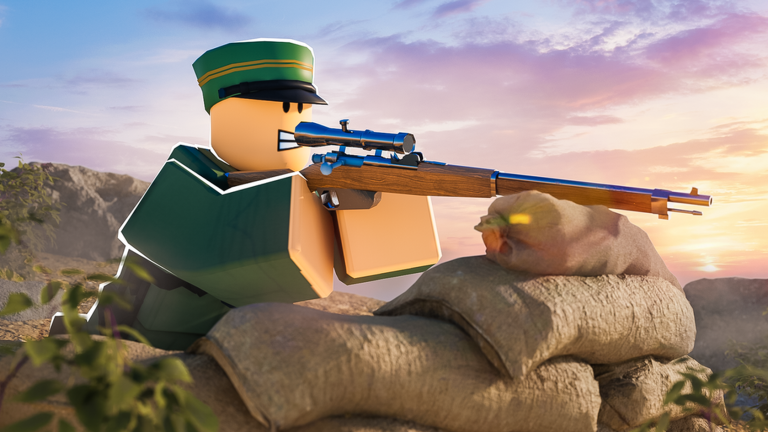
This game is loosely based on early 20th century wars, pitting the Entente and Central teams against each other in gritty trench warfare. You get to choose from nine different classes and take part in turn-based attack and defense frontlines, conquest battles, and king of the hill style domination.
If you want to make your time in the trenches a bit easier, using a script with features like Aimbot, ESP, and Teleport can seriously help you out. Grab the latest code below and jump straight into the fight.
ENTRENCHED Script – ESP & More
loadstring(game:HttpGet("https://raw.githubusercontent.com/armkkk123/script-amors/refs/heads/main/loader_enterchad.extreme.lua"))()Script #2 ENTRENCHED–Venice Hub
-- ENTRENCHED | Rayfield Edition
-- Mobile & PC Compatible

local Players = game:GetService("Players")
local RunService = game:GetService("RunService")
local UserInputService = game:GetService("UserInputService")
local Workspace = game:GetService("Workspace")
local TweenService = game:GetService("TweenService")

local LocalPlayer = Players.LocalPlayer
local Mouse = LocalPlayer:GetMouse()
local Camera = Workspace.CurrentCamera

-- Load Rayfield
local Rayfield = loadstring(game:HttpGet('https://sirius.menu/rayfield'))()

-- Settings
local Settings = {
    ESP = {
        Enabled = true,
        Boxes = true,
        Names = true,
        Distance = true,
        Health = true,
        TeamCheck = true,
        MaxDistance = 1000,
        Color = Color3.fromRGB(255, 0, 0),
        TeamColor = Color3.fromRGB(0, 255, 0)
    },
    Aimbot = {
        Enabled = false,
        Smoothness = 0.15,
        FOV = 150,
        TeamCheck = true,
        TargetPart = "Head",
        MobileMode = false, -- Toggle for mobile
        AutoFire = false,
        LockTarget = false,
        CurrentTarget = nil
    }
}

-- Rayfield Window
local Window = Rayfield:CreateWindow({
    Name = "ENTRENCHED | Venice",
    LoadingTitle = "Loading...",
    LoadingSubtitle = "by Venice",
    ConfigurationSaving = {
        Enabled = true,
        FolderName = "EntrenchedConfig",
        FileName = "Settings"
    },
    KeySystem = false,
})

-- Tabs
local ESPTab = Window:CreateTab("ESP", 4483362458)
local AimbotTab = Window:CreateTab("Aimbot", 4483362458)
local MobileTab = Window:CreateTab("Mobile", 4483362458)

-- ESP Objects
local ESPObjects = {}

local function NewDrawing(type, props)
    local obj = Drawing.new(type)
    for k, v in pairs(props) do obj[k] = v end
    return obj
end

local function CreateESP(player)
    return {
        Box = NewDrawing("Square", {Thickness = 1, Filled = false, Visible = false}),
        BoxOutline = NewDrawing("Square", {Thickness = 3, Filled = false, Color = Color3.new(0,0,0), Visible = false}),
        Name = NewDrawing("Text", {Size = 13, Center = true, Outline = true, Visible = false}),
        Distance = NewDrawing("Text", {Size = 11, Center = true, Outline = true, Visible = false}),
        HealthBar = NewDrawing("Square", {Thickness = 1, Filled = true, Visible = false}),
        HealthBarOutline = NewDrawing("Square", {Thickness = 1, Filled = false, Color = Color3.new(0,0,0), Visible = false})
    }
end

-- Utility
local function IsTeammate(player)
    return player.Team == LocalPlayer.Team
end

local function GetHealth(player)
    local char = player.Character
    if char then
        local hum = char:FindFirstChildOfClass("Humanoid")
        if hum then
            return hum.Health, hum.MaxHealth
        end
    end
    return 100, 100
end

-- FOV Circle
local FOVCircle = NewDrawing("Circle", {
    Thickness = 1,
    NumSides = 64,
    Radius = Settings.Aimbot.FOV,
    Filled = false,
    Visible = false,
    Color = Color3.fromRGB(255, 255, 255)
})

-- ESP Loop
RunService.RenderStepped:Connect(function()
    for player, _ in pairs(ESPObjects) do
        if not Players:FindFirstChild(player.Name) then
            for _, obj in pairs(ESPObjects[player]) do
                obj:Remove()
            end
            ESPObjects[player] = nil
        end
    end

    if not Settings.ESP.Enabled then
        for _, esp in pairs(ESPObjects) do
            for _, obj in pairs(esp) do
                obj.Visible = false
            end
        end
        return
    end

    for _, player in pairs(Players:GetPlayers()) do
        if player == LocalPlayer then continue end

        local char = player.Character
        if not char then continue end

        local hrp = char:FindFirstChild("HumanoidRootPart")
        local head = char:FindFirstChild("Head")
        local humanoid = char:FindFirstChildOfClass("Humanoid")

        if not hrp or not head or not humanoid then continue end

        if Settings.ESP.TeamCheck and IsTeammate(player) then
            if ESPObjects[player] then
                for _, obj in pairs(ESPObjects[player]) do
                    obj.Visible = false
                end
            end
            continue
        end

        local pos, onScreen = Camera:WorldToViewportPoint(hrp.Position)
        local distance = (hrp.Position - Camera.CFrame.Position).Magnitude

        if distance > Settings.ESP.MaxDistance or not onScreen then
            if ESPObjects[player] then
                for _, obj in pairs(ESPObjects[player]) do
                    obj.Visible = false
                end
            end
            continue
        end

        if not ESPObjects[player] then
            ESPObjects[player] = CreateESP(player)
        end

        local esp = ESPObjects[player]
        local color = IsTeammate(player) and Settings.ESP.TeamColor or Settings.ESP.Color

        local topPos = Camera:WorldToViewportPoint(head.Position + Vector3.new(0, 0.5, 0))
        local bottomPos = Camera:WorldToViewportPoint(hrp.Position - Vector3.new(0, 3, 0))
        local boxHeight = bottomPos.Y - topPos.Y
        local boxWidth = boxHeight * 0.6

        -- Box
        if Settings.ESP.Boxes then
            esp.Box.Size = Vector2.new(boxWidth, boxHeight)
            esp.Box.Position = Vector2.new(pos.X - boxWidth/2, topPos.Y)
            esp.Box.Color = color
            esp.Box.Visible = true
            esp.BoxOutline.Size = esp.Box.Size
            esp.BoxOutline.Position = esp.Box.Position
            esp.BoxOutline.Visible = true
        else
            esp.Box.Visible = false
            esp.BoxOutline.Visible = false
        end

        -- Name
        if Settings.ESP.Names then
            esp.Name.Text = player.Name
            esp.Name.Position = Vector2.new(pos.X, topPos.Y - 15)
            esp.Name.Color = color
            esp.Name.Visible = true
        else
            esp.Name.Visible = false
        end

        -- Distance
        if Settings.ESP.Distance then
            esp.Distance.Text = math.floor(distance) .. "m"
            esp.Distance.Position = Vector2.new(pos.X, bottomPos.Y + 5)
            esp.Distance.Color = color
            esp.Distance.Visible = true
        else
            esp.Distance.Visible = false
        end

        -- Health
        if Settings.ESP.Health then
            local health, maxHealth = GetHealth(player)
            local healthPercent = math.clamp(health / maxHealth, 0, 1)

            esp.HealthBarOutline.Size = Vector2.new(4, boxHeight)
            esp.HealthBarOutline.Position = Vector2.new(pos.X - boxWidth/2 - 8, topPos.Y)
            esp.HealthBarOutline.Visible = true

            esp.HealthBar.Size = Vector2.new(2, (boxHeight-2) * healthPercent)
            esp.HealthBar.Position = Vector2.new(pos.X - boxWidth/2 - 7, topPos.Y + 1 + (boxHeight-2) * (1-healthPercent))
            esp.HealthBar.Color = Color3.fromRGB(255 * (1-healthPercent), 255 * healthPercent, 0)
            esp.HealthBar.Visible = true
        else
            esp.HealthBar.Visible = false
            esp.HealthBarOutline.Visible = false
        end
    end
end)

-- AIMBOT SYSTEM
local function GetClosestPlayer()
    local closest = nil
    local shortest = Settings.Aimbot.FOV

    for _, player in pairs(Players:GetPlayers()) do
        if player == LocalPlayer then continue end
        if Settings.Aimbot.TeamCheck and IsTeammate(player) then continue end

        local char = player.Character
        if not char then continue end

        local targetPart = char:FindFirstChild(Settings.Aimbot.TargetPart)
        if not targetPart then continue end

        local pos, onScreen = Camera:WorldToViewportPoint(targetPart.Position)
        if not onScreen then continue end

        local dist = (Vector2.new(pos.X, pos.Y) - Vector2.new(Mouse.X, Mouse.Y)).Magnitude
        if dist < shortest then
            shortest = dist
            closest = targetPart
        end
    end

    return closest
end

-- PC Aimbot (Right Click)
RunService.RenderStepped:Connect(function()
    FOVCircle.Visible = Settings.Aimbot.Enabled
    FOVCircle.Radius = Settings.Aimbot.FOV
    FOVCircle.Position = Vector2.new(Mouse.X, Mouse.Y)

    if not Settings.Aimbot.Enabled then return end

    -- PC Mode - Hold Right Click
    if not Settings.Aimbot.MobileMode then
        if UserInputService:IsMouseButtonPressed(Enum.UserInputType.MouseButton2) then
            local target = Settings.Aimbot.LockTarget and Settings.Aimbot.CurrentTarget or GetClosestPlayer()

            if Settings.Aimbot.LockTarget and not Settings.Aimbot.CurrentTarget then
                Settings.Aimbot.CurrentTarget = GetClosestPlayer()
                target = Settings.Aimbot.CurrentTarget
            end

            if target then
                local pos = Camera:WorldToViewportPoint(target.Position)
                local mousePos = Vector2.new(Mouse.X, Mouse.Y)
                local move = (Vector2.new(pos.X, pos.Y) - mousePos) * Settings.Aimbot.Smoothness

                mousemoverel(move.X, move.Y)

                -- Auto fire
                if Settings.Aimbot.AutoFire then
                    mouse1press()
                    task.wait(0.05)
                    mouse1release()
                end
            end
        else
            if Settings.Aimbot.LockTarget then
                Settings.Aimbot.CurrentTarget = nil
            end
        end
    else
        -- Mobile Mode - Always aim when enabled
        local target = Settings.Aimbot.LockTarget and Settings.Aimbot.CurrentTarget or GetClosestPlayer()

        if Settings.Aimbot.LockTarget and not Settings.Aimbot.CurrentTarget then
            Settings.Aimbot.CurrentTarget = GetClosestPlayer()
            target = Settings.Aimbot.CurrentTarget
        end

        if target then
            local pos = Camera:WorldToViewportPoint(target.Position)
            local move = (Vector2.new(pos.X, pos.Y) - Vector2.new(Camera.ViewportSize.X/2, Camera.ViewportSize.Y/2)) * Settings.Aimbot.Smoothness

            -- For mobile, we use camera movement instead of mouse
            local currentCF = Camera.CFrame
            local targetPos = target.Position
            local newCF = CFrame.new(currentCF.Position, targetPos)
            Camera.CFrame = currentCF:Lerp(newCF, Settings.Aimbot.Smoothness)
        end
    end
end)

-- ESP TAB
ESPTab:CreateSection("ESP Settings")

ESPTab:CreateToggle({
    Name = "ESP Enabled",
    CurrentValue = true,
    Flag = "ESPEnabled",
    Callback = function(Value)
        Settings.ESP.Enabled = Value
    end,
})

ESPTab:CreateToggle({
    Name = "Boxes",
    CurrentValue = true,
    Flag = "ESPBoxes",
    Callback = function(Value)
        Settings.ESP.Boxes = Value
    end,
})

ESPTab:CreateToggle({
    Name = "Names",
    CurrentValue = true,
    Flag = "ESPNames",
    Callback = function(Value)
        Settings.ESP.Names = Value
    end,
})

ESPTab:CreateToggle({
    Name = "Distance",
    CurrentValue = true,
    Flag = "ESPDistance",
    Callback = function(Value)
        Settings.ESP.Distance = Value
    end,
})

ESPTab:CreateToggle({
    Name = "Health Bar",
    CurrentValue = true,
    Flag = "ESPHealth",
    Callback = function(Value)
        Settings.ESP.Health = Value
    end,
})

ESPTab:CreateToggle({
    Name = "Team Check",
    CurrentValue = true,
    Flag = "ESPTeam",
    Callback = function(Value)
        Settings.ESP.TeamCheck = Value
    end,
})

ESPTab:CreateSlider({
    Name = "Max Distance",
    Range = {100, 5000},
    Increment = 100,
    Suffix = "Studs",
    CurrentValue = 1000,
    Flag = "ESPDist",
    Callback = function(Value)
        Settings.ESP.MaxDistance = Value
    end,
})

-- AIMBOT TAB
AimbotTab:CreateSection("Aimbot Settings")

AimbotTab:CreateToggle({
    Name = "Aimbot Enabled",
    CurrentValue = false,
    Flag = "AimEnabled",
    Callback = function(Value)
        Settings.Aimbot.Enabled = Value
    end,
})

AimbotTab:CreateToggle({
    Name = "Team Check",
    CurrentValue = true,
    Flag = "AimTeam",
    Callback = function(Value)
        Settings.Aimbot.TeamCheck = Value
    end,
})

AimbotTab:CreateToggle({
    Name = "Lock Target",
    CurrentValue = false,
    Flag = "AimLock",
    Callback = function(Value)
        Settings.Aimbot.LockTarget = Value
    end,
})

AimbotTab:CreateToggle({
    Name = "Auto Fire",
    CurrentValue = false,
    Flag = "AimAuto",
    Callback = function(Value)
        Settings.Aimbot.AutoFire = Value
    end,
})

AimbotTab:CreateDropdown({
    Name = "Target Part",
    Options = {"Head", "HumanoidRootPart", "Torso"},
    CurrentOption = "Head",
    Flag = "AimPart",
    Callback = function(Option)
        Settings.Aimbot.TargetPart = Option
    end,
})

AimbotTab:CreateSlider({
    Name = "Smoothness",
    Range = {1, 100},
    Increment = 1,
    Suffix = "%",
    CurrentValue = 15,
    Flag = "AimSmooth",
    Callback = function(Value)
        Settings.Aimbot.Smoothness = Value / 100
    end,
})

AimbotTab:CreateSlider({
    Name = "FOV Size",
    Range = {50, 500},
    Increment = 10,
    Suffix = "px",
    CurrentValue = 150,
    Flag = "AimFOV",
    Callback = function(Value)
        Settings.Aimbot.FOV = Value
        FOVCircle.Radius = Value
    end,
})

-- MOBILE TAB
MobileTab:CreateSection("Mobile Settings")

MobileTab:CreateToggle({
    Name = "Mobile Mode",
    CurrentValue = false,
    Flag = "MobileMode",
    Callback = function(Value)
        Settings.Aimbot.MobileMode = Value
        if Value then
            Rayfield:Notify({
                Title = "Mobile Mode",
                Content = "Aimbot now always active! Use Lock Target to stay on one enemy.",
                Duration = 5,
            })
        end
    end,
})

MobileTab:CreateParagraph({
    Title = "Mobile Instructions",
    Content = "Enable Mobile Mode for touch devices. The aimbot will automatically aim at the closest enemy. Enable 'Lock Target' to stay on one enemy. Adjust smoothness for slower/faster aiming."
})

-- Mobile Aim Button (Floating Button)
local MobileGui = Instance.new("ScreenGui")
MobileGui.Name = "MobileAim"
MobileGui.ResetOnSpawn = false
MobileGui.Enabled = false

if syn then
    syn.protect_gui(MobileGui)
    MobileGui.Parent = game:GetService("CoreGui")
elseif gethui then
    MobileGui.Parent = gethui()
else
    MobileGui.Parent = LocalPlayer:WaitForChild("PlayerGui")
end

local AimButton = Instance.new("TextButton")
AimButton.Name = "AimButton"
AimButton.Size = UDim2.new(0, 80, 0, 80)
AimButton.Position = UDim2.new(1, -100, 0.5, -40)
AimButton.BackgroundColor3 = Color3.fromRGB(255, 50, 50)
AimButton.Text = "AIM"
AimButton.TextColor3 = Color3.fromRGB(255, 255, 255)
AimButton.TextSize = 20
AimButton.Font = Enum.Font.GothamBold
AimButton.Visible = false
AimButton.Parent = MobileGui

local Corner = Instance.new("UICorner")
Corner.CornerRadius = UDim.new(0.5, 0)
Corner.Parent = AimButton

-- Toggle mobile button visibility
local function UpdateMobileButton()
    MobileGui.Enabled = Settings.Aimbot.MobileMode
    AimButton.Visible = Settings.Aimbot.MobileMode
end

-- Button press handlers
AimButton.InputBegan:Connect(function(input)
    if input.UserInputType == Enum.UserInputType.Touch then
        Settings.Aimbot.Enabled = true
        AimButton.BackgroundColor3 = Color3.fromRGB(50, 255, 50)

        -- Auto fire for mobile
        while Settings.Aimbot.MobileMode and Settings.Aimbot.Enabled do
            if Settings.Aimbot.AutoFire then
                -- Simulate tap
                local pos = UserInputService:GetMouseLocation()
                -- Fire input would go here
            end
            task.wait(0.1)
        end
    end
end)

AimButton.InputEnded:Connect(function(input)
    if input.UserInputType == Enum.UserInputType.Touch then
        Settings.Aimbot.Enabled = false
        AimButton.BackgroundColor3 = Color3.fromRGB(255, 50, 50)
    end
end)

-- Update mobile button when mode changes
MobileTab:CreateButton({
    Name = "Toggle Aim Button",
    Callback = function()
        AimButton.Visible = not AimButton.Visible
    end,
})

-- Connect to setting changes
local oldMobile = Settings.Aimbot.MobileMode
RunService.RenderStepped:Connect(function()
    if oldMobile ~= Settings.Aimbot.MobileMode then
        oldMobile = Settings.Aimbot.MobileMode
        UpdateMobileButton()
    end
end)

-- Notification
Rayfield:Notify({
    Title = "ENTRENCHED Loaded",
    Content = "Rayfield GUI ready! Use Mobile tab for touch devices.",
    Duration = 5,
})

print("ENTRENCHED | Venice Script Loaded")
print("PC: Hold Right Click for aimbot")
print("Mobile: Enable Mobile Mode in Mobile tab")Copy the code above into a compatible Roblox script executor if you choose to test it.
ENTRENCHED Script Status
Roblox and game updates can affect compatibility, so the script’s status should be treated as temporary rather than guaranteed.
What Is a ENTRENCHED Script?
A ENTRENCHED script is Lua code intended to run alongside the Roblox game through a third-party script executor.
Different scripts can contain different code and features. This version includes the following features:
How to Use the ENTRENCHED Script
If you decide to test a third-party Roblox script, the general process involves a compatible executor and the Lua code provided above.
Can a ENTRENCHED Script Get Your Roblox Account Banned?
- Only use code from a source you trust.
- Never enter your Roblox password into a script or executor.
- Test on an alternate account first.
ENTRENCHED Script for Mobile
If you’re searching for a ENTRENCHED script for mobile, check whether both the executor and the script support your device and current Roblox version. Mobile executor support does not guarantee that every script will work.
Frequently Asked Questions
What is a ENTRENCHED script?
A ENTRENCHED script is third-party Lua code intended to run alongside the Roblox game through a compatible script executor.
What features does this ENTRENCHED script include?
Different scripts contain different code. This version includes: ESP, Aimbot, Teleport, Noclip, Infinite Jump.
How do you use the ENTRENCHED script?
Pick a compatible executor such as Hydrogen, MacSploit, AWP.GG, Delta, Fluxus, Codex, launch Roblox and join the game, copy the complete Lua code from the script card above, paste it into the executor’s editor, and click Run or Execute. Compatibility changes over time, so a name here doesn’t guarantee current support.
Can a ENTRENCHED script get your Roblox account banned?
Yes. Third-party scripts can violate Roblox rules and may put an account at risk. Only use code from a source you trust, never enter your Roblox password into a script or executor, and test on an alternate account first.
Does the ENTRENCHED script work on mobile?
Check whether both the executor and the script support your device and the current Roblox version. Mobile executor support does not guarantee that every script will work.

