
On this page
PUBLISHEDUPDATED
Verified Working2 Active Scripts100% Free
Features:
Step-by-Step Guide
Step 1 – Know What You’re Looking For
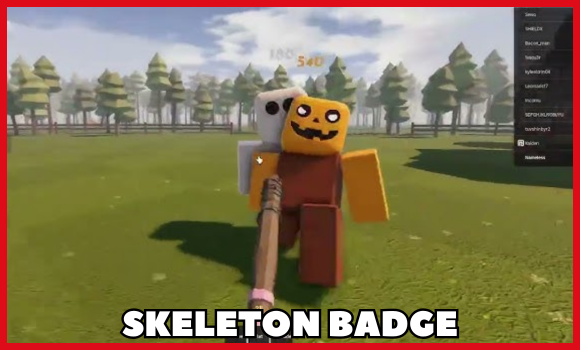
- The badge is triggered when you approach a skeleton prop in the world.
- No button presses or item use needed — just walk close enough.
Step 2 – Gear Up Before Leaving
Make sure you’re not walking into a death trap.
- Go in full health.
- Wear any armor or defensive gear available.
- Bring a teammate to distract monsters if possible.
- Always have a quick retreat plan.
Step 3 – Make Your Way to the Map’s Edge
- From the safe zone, start heading toward the outer forest.
- Stick close to trees and walls for cover.
- Avoid running in the open — monster patrols will spot you faster.
Step 4 – Find the Narrow Gap
- Look for a thin pass between rocks or walls.
- This leads into a foggy, darker forest section.
- Expect more monster activity here — keep moving and stay close to your teammate.
Step 5 – Locate the Skeleton
- Keep exploring until you spot a skeleton lying on the ground.
- Simply walk near it to unlock the badge.
- No clicks, no interactions — proximity is enough.
Step 6 – Get Out Alive
- Don’t hang around after grabbing it.
- Retrace your route or take a different path if your way back is blocked.
Personal Tips for Success
- Partner up → If a monster chases one of you, the other can keep moving.
- Use cover smartly → Trees, walls, and terrain keep you hidden.
- Stay in motion → Stopping makes you an easy target.
- Know your exits → Always have a mental map of your escape.
Tip – Always use a high UNC and sUNC executor and consider testing scripts on an alt account first. If you’re ready to go, just copy the code below and paste it into your executor to get started safely.
Protect The House From Monsters Script:
Working ScriptFree
local monsters = workspace:WaitForChild("Monsters")
local player = game:GetService("Players").LocalPlayer
local weapon = player.Character:WaitForChild("Revolver")
local remote = game:GetService("ReplicatedStorage"):WaitForChild("Remotes"):WaitForChild("InflictTarget")

while task.wait(0.1) do -- adjust the wait time if you want faster/slower hits
    for _, monster in pairs(monsters:GetChildren()) do
        local humanoid = monster:FindFirstChild("Humanoid")
        local root = monster:FindFirstChild("HumanoidRootPart")
        local head = monster:FindFirstChild("Head")

        if humanoid and root and head then
            local args = {
                "Gun",
                weapon,
                humanoid,
                root,
                head,
                Vector3.zero,
                {
                    ChargeLevel = 0,
                    ExplosionEffectFolder = game:GetService("ReplicatedStorage").Miscs.GunVisualEffects.Common.ExplosionEffect,
                    MuzzleFolder = game:GetService("ReplicatedStorage").Miscs.GunVisualEffects.Common.MuzzleEffect,
                    HitEffectFolder = game:GetService("ReplicatedStorage").Miscs.GunVisualEffects.Common.HitEffect,
                    BloodEffectFolder = game:GetService("ReplicatedStorage").Miscs.GunVisualEffects.Common.BloodEffect
                },
                100
            }

            remote:FireServer(unpack(args))
        end
    end
end
Compatible executors: HydrogenMacSploitAWP.GGDelta
Working ScriptFree
loadstring(game:HttpGet("https://pastefy.app/DXPqepew/raw", true))()Compatible executors: HydrogenMacSploitAWP.GGDelta
How to use these scripts?
Follow these quick steps to get the script running in Protect The House From Monsters game.
- Download a Script Executor – I only recommend Hydrogen, AWP.GG, Delta, Fluxus, or Codex.
- Attach the Executor – Open the executor and connect it to your Roblox game process.
- Paste the Script – Copy the code above and paste it into the executor.
- Activate Features – Click the Execute button so the script injects and features will activate automatically.
Game Details:
- Name: Protect The House From Monsters
- Developer: Mango Jungle
- Maturity: Mild
- Genre: Shooter
- Subgenre: PvE Shooter
Frequently Asked Questions
What is a Protect The House From Monsters | Get Skeleton Badge script?
A Protect The House From Monsters | Get Skeleton Badge script is third-party Lua code intended to run alongside the Roblox game through a compatible script executor.
Can a Protect The House From Monsters | Get Skeleton Badge script get an account banned?
Yes. Third-party scripts can violate Roblox rules, and compatibility or safety is never guaranteed.
Check out our Roblox Scripts hub for more.

