
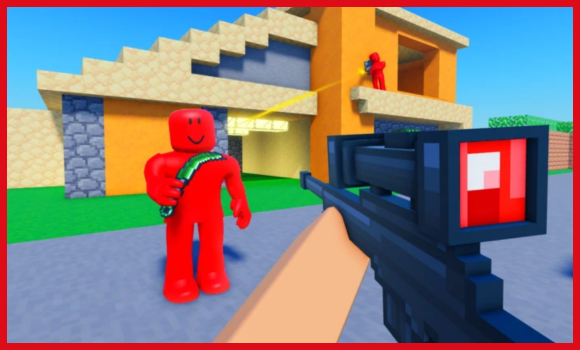
If you’re looking for a simple, no-hassle way to boost your gameplay in SNIPE OR DIE [FPS], you’re in the right place.
Finding scripts that actually work, and don’t make you jump through 12 hoops with keys and timers can be a pain, so I decided to break down one of the smoothest options you can use right now.
This setup gives you ESP, aimbot, FOV control, and a bunch of quality-of-life features that just make the whole experience way more fun (and honestly, way easier).
Script Features:
- AIMBOT
- ESP
- FOV
- WALKSPEED
Tip – Always use a high UNC and sUNC executor and consider testing scripts on an alt Roblox account first. If you’re ready to go, just copy the code below and paste it into your executor to get started safely.
SNIPE OR DIE Script:
loadstring(game:HttpGet("https://gist.githubusercontent.com/shogunprime/889aa9251323f48c016f5d005048329a/raw/ebf42d46723189f726e240e8cf43aba5cadf1fbf/Luau"))()SNIPE HUB
loadstring(game:HttpGet("https://raw.githubusercontent.com/bozokongy-hash/mastxr/refs/heads/main/snipehub.lua"))()Note: Every script shared here is personally tested on MacSploit first to keep things safe and working for you.
How to use these scripts?
You simply follow these quick steps given below to get the script running in the SNIPE OR DIE Roblox game.
- Download a Script Executor – I only recommend Hydrogen, AWP.GG, Delta, Fluxus, or Codex.
- Attach the Executor – Open the executor and connect it to your Roblox game process.
- Paste the Script – Copy the code above and paste it into the executor.
- Activate Features – Click the Execute button so the script injects and features will activate automatically.
Game Details:
- Name: SNIPE OR DIE
- Developer: @Chaseroony
- Maturity: Mild (Age 9+)
- Genre: Shooter
- Subgenre: Deathmatch Shooter
Frequently Asked Questions
What is a 💥SNIPE OR DIE [FPS] script?
A 💥SNIPE OR DIE [FPS] script is third-party Lua code intended to run alongside the Roblox game through a compatible script executor.
Can a 💥SNIPE OR DIE [FPS] script get an account banned?
Yes. Third-party scripts can violate Roblox rules, and compatibility or safety is never guaranteed.

