
On this page
PUBLISHEDUPDATED
Verified Working3 Active Scripts100% Free
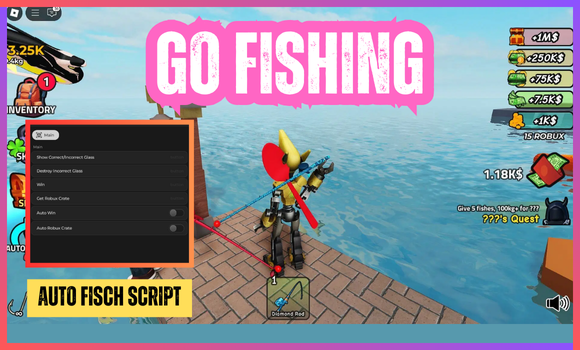
If you’re hunting for GO FISHING scripts and tired of scrolling through half-baked links and expired Pastebins, you can relax because everything you need is available here.
We’ve functional scripts for GO FISHING which can unlock pro features for you with minimal friction.
Working ScriptFree
loadstring(game:HttpGet("https://raw.githubusercontent.com/emwmelchi/gofishing/refs/heads/main/main"))()Compatible executors: HydrogenMacSploitAWP.GGDelta
Working ScriptFree
loadstring(game:HttpGet("https://raw.githubusercontent.com/Feimgps/Nebula/refs/heads/main/Fisch"))()Compatible executors: HydrogenMacSploitAWP.GGDelta
Working ScriptFree
getgenv().UserPreference = {
    ['AutoReloadOnRejoin'] = true,
};
loadstring(game:HttpGet('https://raw.githubusercontent.com/0vma/Strelizia/refs/heads/main/Loader.lua', true))()
Compatible executors: HydrogenMacSploitAWP.GGDelta
[UPD] GO FISHING Script Features:
Here’s the full list of features that GO FISHING scripts offer:
Main Features:
- Auto Fisch: Automatically catch fish.
- Auto Shake Mode: Automated shake modes: Phantom, Mouse.
- AutoShake Delay: Adjust shaking speed.
- Freeze Position: Stay locked in place.
- Anti-AFK: Prevent being kicked for idling.
- Auto Sell Fish: Automatically sell caught fish.
- Custom Auto-Sell Delay: Set selling time gaps.
- Sell One Fish: Sell a single fish.
- Sell All Fishs: Sell every fish instantly.
Teleports:
- Places: Teleport to landmarks (e.g., altar, volcano).
- Fish Area: Move to fishing spots (e.g., ocean, lava).
- NPC Teleport: Quick access to NPCs (e.g., Merchant, Angler).
- Items Teleport: Jump to gear locations (e.g., rods, radar).
Misc:
- Auto Appraiser: Automatic item appraisal.
- Noclip: Walk through obstacles.
- Infinity Oxygen: Unlimited underwater breathing.
- FPS Cap: Set frames per second limit.
Other Features:
- Walk Speed: Adjust walking pace.
- Jump Power: Modify jump height.
- Webhook: Customizable alerts and tracking.
- Change UI Theme: Pick a preferred theme.
- Transparency: Adjust UI visibility.
- Minimize Bind: Minimize script panel.
- Configs: Save and load preferences.
- Walk on Water: Move across water surfaces.
- GPS Bypass: Ignore GPS restrictions.
- Radar Bypass: Override radar limits.
- UI Buy Boat: Purchase boats directly from UI.
How to use scripts?
- Download a Script Executor – Tools like AWP.GG, Delta, Hydrogen, Kiwi, Fluxus, or Codex.
- Attach the Executor – Connect the tool to the game process.
- Paste the Script – Load and execute the Lua script inside the game.
- Activate Features – Tap the execute icon to use the injected script for custom actions.
Game Details:
- Name: GO FISHING
- Developer: Fishing Forum
- Maturity: Minimal
- Genre: Simulation
- Subgenre: Incremental Simulator
Frequently Asked Questions
What is a [UPD] 🐟GO FISHING script?
A [UPD] 🐟GO FISHING script is third-party Lua code intended to run alongside the Roblox game through a compatible script executor.
Can a [UPD] 🐟GO FISHING script get an account banned?
Yes. Third-party scripts can violate Roblox rules, and compatibility or safety is never guaranteed.
Check out our Roblox Scripts hub for more.

