
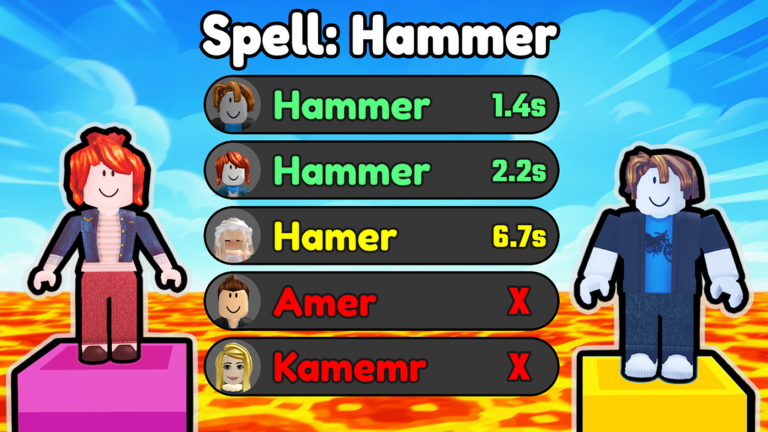
Typing out words as fast as you can gets tiring after a while, which is why using a Spelling Race script makes things way easier.
Show off your spelling skills by answering quickly to earn blocks and beat everyone else to the finish line.
Check out the working code below to get started.
Spelling Race Script – Auto Guess & More
if game.PlaceId == 74779072921656 then
    local settings = {
        AutoGuess = true,
        totalTypingDelay = 1.7
    }

    local ReplicatedStorage = game:GetService("ReplicatedStorage")
    local Players = game:GetService("Players")
    local SoundService = game:GetService("SoundService")
    local LocalPlayer = Players.LocalPlayer

    local TweenService = game:GetService("TweenService")
    local CoreGui = game:GetService("CoreGui")

    local EntropyGui = Instance.new("ScreenGui")
    EntropyGui.Name = "EntropyScript"
    EntropyGui.ResetOnSpawn = false
    EntropyGui.DisplayOrder = 999

    pcall(function()
        EntropyGui.Parent = CoreGui
    end)
    if not EntropyGui.Parent then
        EntropyGui.Parent = LocalPlayer:WaitForChild("PlayerGui")
    end

    local uiScale = Instance.new("UIScale")
    uiScale.Parent = EntropyGui

    local function updateUIScale()
        local viewportSize = workspace.CurrentCamera and workspace.CurrentCamera.ViewportSize or Vector2.new(1920, 1080)
        if viewportSize.X < 800 then
            uiScale.Scale = 0.85
        else
            uiScale.Scale = 1
        end
    end

    if workspace.CurrentCamera then
        workspace.CurrentCamera:GetPropertyChangedSignal("ViewportSize"):Connect(updateUIScale)
        updateUIScale()
    end

    local successId, userId = pcall(function()
        return Players:GetUserIdFromNameAsync("Clockzoos")
    end)
    if not successId then userId = 1 end

    local avatarUrl = "https://roblox.com"..tostring(userId).."&width=150&height=150&format=png"
    pcall(function()
        avatarUrl = Players:GetUserThumbnailAsync(userId, Enum.ThumbnailType.HeadShot, Enum.ThumbnailSize.Size150x150)
    end)

    local activeNotifications = {}

    local function RepositionNotifications()
        for index, frame in ipairs(activeNotifications) do
            local offset = (index - 1) * 60
            local targetY = 0.08

            TweenService:Create(frame, TweenInfo.new(0.3, Enum.EasingStyle.Quint, Enum.EasingDirection.Out), {
                Position = UDim2.new(0.98, 0, targetY, offset)
            }):Play()
        end
    end

    local function Notify(titleText, descText, duration)
        titleText = titleText or "Entropy Hub"
        descText = descText or "Notification"
        duration = duration or 5

        local EntropyFrame = Instance.new("Frame")
        EntropyFrame.Name = "EntropyFrame"
        EntropyFrame.Size = UDim2.new(0, 260, 0, 54)
        EntropyFrame.AnchorPoint = Vector2.new(1, 0)
        EntropyFrame.Position = UDim2.new(0.98, 0, -0.2, 0)
        EntropyFrame.BackgroundColor3 = Color3.fromRGB(20, 15, 30)
        EntropyFrame.BackgroundTransparency = 1
        EntropyFrame.ClipsDescendants = true
        EntropyFrame.Parent = EntropyGui

        local EntropyCorner = Instance.new("UICorner")
        EntropyCorner.CornerRadius = UDim.new(0, 27)
        EntropyCorner.Parent = EntropyFrame

        local EntropyStroke = Instance.new("UIStroke")
        EntropyStroke.Color = Color3.fromRGB(130, 50, 200)
        EntropyStroke.Thickness = 1.5
        EntropyStroke.Transparency = 1
        EntropyStroke.Parent = EntropyFrame

        local EntropyAvatar = Instance.new("ImageLabel")
        EntropyAvatar.Size = UDim2.new(0, 36, 0, 36)
        EntropyAvatar.Position = UDim2.new(0, 10, 0, 9)
        EntropyAvatar.BackgroundTransparency = 1
        EntropyAvatar.Image = avatarUrl
        EntropyAvatar.ImageTransparency = 1
        EntropyAvatar.Parent = EntropyFrame

        local EntropyAvatarCorner = Instance.new("UICorner")
        EntropyAvatarCorner.CornerRadius = UDim.new(1, 0)
        EntropyAvatarCorner.Parent = EntropyAvatar

        local EntropyTitleLabel = Instance.new("TextLabel")
        EntropyTitleLabel.Size = UDim2.new(1, -65, 0, 16)
        EntropyTitleLabel.Position = UDim2.new(0, 56, 0, 11)
        EntropyTitleLabel.BackgroundTransparency = 1
        EntropyTitleLabel.Font = Enum.Font.GothamBold
        EntropyTitleLabel.TextColor3 = Color3.fromRGB(255, 255, 255)
        EntropyTitleLabel.TextSize = 12
        EntropyTitleLabel.Text = titleText
        EntropyTitleLabel.TextXAlignment = Enum.TextXAlignment.Left
        EntropyTitleLabel.TextTransparency = 1
        EntropyTitleLabel.Parent = EntropyFrame

        local EntropyTextLabel = Instance.new("TextLabel")
        EntropyTextLabel.Size = UDim2.new(1, -65, 0, 16)
        EntropyTextLabel.Position = UDim2.new(0, 56, 0, 27)
        EntropyTextLabel.BackgroundTransparency = 1
        EntropyTextLabel.Font = Enum.Font.GothamMedium
        EntropyTextLabel.TextColor3 = Color3.fromRGB(180, 160, 200)
        EntropyTextLabel.TextSize = 11
        EntropyTextLabel.Text = descText
        EntropyTextLabel.TextXAlignment = Enum.TextXAlignment.Left
        EntropyTextLabel.TextTransparency = 1
        EntropyTextLabel.Parent = EntropyFrame

        local EntropyProgressBar = Instance.new("Frame")
        EntropyProgressBar.Size = UDim2.new(1, -40, 0, 2)
        EntropyProgressBar.Position = UDim2.new(0, 20, 1, -4)
        EntropyProgressBar.BackgroundColor3 = Color3.fromRGB(160, 32, 240)
        EntropyProgressBar.BackgroundTransparency = 1
        EntropyProgressBar.BorderSizePixel = 0
        EntropyProgressBar.Parent = EntropyFrame

        table.insert(activeNotifications, 1, EntropyFrame)
        RepositionNotifications()

        local tweenInfo = TweenInfo.new(0.4, Enum.EasingStyle.Quint, Enum.EasingDirection.Out)
        TweenService:Create(EntropyFrame, tweenInfo, {BackgroundTransparency = 0.15}):Play()
        TweenService:Create(EntropyStroke, tweenInfo, {Transparency = 0}):Play()
        TweenService:Create(EntropyAvatar, tweenInfo, {ImageTransparency = 0}):Play()
        TweenService:Create(EntropyTitleLabel, tweenInfo, {TextTransparency = 0}):Play()
        TweenService:Create(EntropyTextLabel, tweenInfo, {TextTransparency = 0}):Play()
        TweenService:Create(EntropyProgressBar, tweenInfo, {BackgroundTransparency = 0}):Play()

        local progressTween = TweenService:Create(EntropyProgressBar, TweenInfo.new(duration, Enum.EasingStyle.Linear), {Size = UDim2.new(0, 0, 0, 2)})
        progressTween:Play()

        task.delay(duration, function()
            local idx = table.find(activeNotifications, EntropyFrame)
            if idx then
                table.remove(activeNotifications, idx)
            end
            RepositionNotifications()

            local fadeOutInfo = TweenInfo.new(0.4, Enum.EasingStyle.Quint, Enum.EasingDirection.In)
            local fadeOut = TweenService:Create(EntropyFrame, fadeOutInfo, {BackgroundTransparency = 1})
            TweenService:Create(EntropyStroke, fadeOutInfo, {Transparency = 1}):Play()
            TweenService:Create(EntropyAvatar, fadeOutInfo, {ImageTransparency = 1}):Play()
            TweenService:Create(EntropyTitleLabel, fadeOutInfo, {TextTransparency = 1}):Play()
            TweenService:Create(EntropyTextLabel, fadeOutInfo, {TextTransparency = 1}):Play()
            TweenService:Create(EntropyProgressBar, fadeOutInfo, {BackgroundTransparency = 1}):Play()

            fadeOut:Play()
            fadeOut.Completed:Connect(function()
                EntropyFrame:Destroy()
            end)
        end)
    end

    local ToggleButton = Instance.new("TextButton")
    ToggleButton.Name = "AutoAnswerToggle"
    ToggleButton.Size = UDim2.new(0, 140, 0, 35)
    ToggleButton.Position = UDim2.new(0, 15, 0, 15)
    ToggleButton.BackgroundColor3 = Color3.fromRGB(30, 20, 45)
    ToggleButton.TextColor3 = Color3.fromRGB(0, 255, 120)
    ToggleButton.Font = Enum.Font.GothamBold
    ToggleButton.TextSize = 12
    ToggleButton.Text = "Auto Answer: ON"
    ToggleButton.Parent = EntropyGui

    local ToggleCorner = Instance.new("UICorner")
    ToggleCorner.CornerRadius = UDim.new(0, 8)
    ToggleCorner.Parent = ToggleButton

    local ToggleStroke = Instance.new("UIStroke")
    ToggleStroke.Color = Color3.fromRGB(130, 50, 200)
    ToggleStroke.Thickness = 1.5
    ToggleStroke.Parent = ToggleButton

    ToggleButton.MouseButton1Click:Connect(function()
        settings.AutoGuess = not settings.AutoGuess
        if settings.AutoGuess then
            ToggleButton.TextColor3 = Color3.fromRGB(0, 255, 120)
            ToggleButton.Text = "Auto Answer: ON"
            Notify("Entropy Hub", "Auto Answer Enabled", 2)
        else
            ToggleButton.TextColor3 = Color3.fromRGB(255, 80, 80)
            ToggleButton.Text = "Auto Answer: OFF"
            Notify("Entropy Hub", "Auto Answer Disabled", 2)
        end
    end)

    local data = ReplicatedStorage:FindFirstChild("Modules") and ReplicatedStorage.Modules:FindFirstChild("Data")
    local worddata = {}

    if data then
        for _, v in ipairs(data:GetChildren()) do
            if v.Name:find("WordData") then
                table.insert(worddata, v)
            end
        end
    end

    local soundToWordMap = {}
    local function loadWordDatabase()
        for _, v in ipairs(worddata) do
            local success, wordModule = pcall(function()
                return require(v)
            end)
            if success and wordModule then
                for dificulty, difidata in pairs(wordModule) do
                    for _, wrddata in ipairs(difidata) do
                        if wrddata.id and wrddata.word then
                            soundToWordMap[wrddata.id] = wrddata.word
                        end
                    end
                end
            end
        end
    end
    loadWordDatabase()

    local function executeAutoSpell(word)
        if not word or word == "" then return end

        Notify("Entropy Hub", "The Words: " .. word, 4)

        local remotes = ReplicatedStorage:FindFirstChild("Remotes")
        local submitAnswer = remotes and remotes:FindFirstChild("SubmissionLabelClient")

        if settings.AutoGuess then
            task.spawn(function()
                local cur = ""
                local letters = string.split(word, "")
                local letterCount = #letters
                local delayPerLetter = settings.totalTypingDelay / math.max(letterCount, 1)

                task.wait(0.2)

                local remotesFolder = ReplicatedStorage:FindFirstChild("Remotes")
                local submitAnswerRemote = remotesFolder and remotesFolder:FindFirstChild("SubmitAnswer")

                if submitAnswerRemote then
                    for _, l in ipairs(letters) do
                        cur = cur .. l
                        task.wait(delayPerLetter)

                        pcall(function()
                            submitAnswerRemote:FireServer("Type", cur)
                        end)
                    end

                    task.wait(0.1)
                    pcall(function()
                        submitAnswerRemote:FireServer("Submit", word)
                    end)
                end
            end)
        end
    end

    local lastTriggeredId = nil
    local lastTriggerTime = 0

    task.spawn(function()
        while true do
            for _, obj in ipairs(SoundService:GetDescendants()) do
                if obj:IsA("Sound") and obj.Name == "WordSound_Normal" then
                    if obj.IsPlaying and soundToWordMap[obj.SoundId] then
                        local foundWord = soundToWordMap[obj.SoundId]
                        local currentTime = tick()

                        if obj.SoundId ~= lastTriggeredId or (currentTime - lastTriggerTime > 1.5) then
                            lastTriggeredId = obj.SoundId
                            lastTriggerTime = currentTime

                            executeAutoSpell(foundWord)
                        end
                    end
                end
            end
            task.wait(0.05)
        end
    end)

    print("Entropy Script Started")
else
    game:GetService("Players").LocalPlayer:Kick("Game is not supported by this script.")
endCopy the code above into a compatible Roblox script executor if you choose to test it.
Spelling Race Script Status
Roblox and game updates can affect compatibility, so the script’s status should be treated as temporary rather than guaranteed.
Frequently Asked Questions
What is a Spelling Race script?
A Spelling Race script is third-party Lua code intended to run alongside the Roblox game through a compatible script executor.
What features does this Spelling Race script include?
Different scripts contain different code. This version includes: Auto Guess, Notification System.
How do you use the Spelling Race script?
Pick a compatible executor such as Hydrogen, MacSploit, AWP.GG, Delta, Fluxus, Codex, launch Roblox and join the game, copy the complete Lua code from the script card above, paste it into the executor’s editor, and click Run or Execute. Compatibility changes over time, so a name here doesn’t guarantee current support.
Can a Spelling Race script get your Roblox account banned?
Yes. Third-party scripts can violate Roblox rules and may put an account at risk. Only use code from a source you trust, never enter your Roblox password into a script or executor, and test on an alternate account first.
Does the Spelling Race script work on mobile?
Check whether both the executor and the script support your device and the current Roblox version. Mobile executor support does not guarantee that every script will work.

