
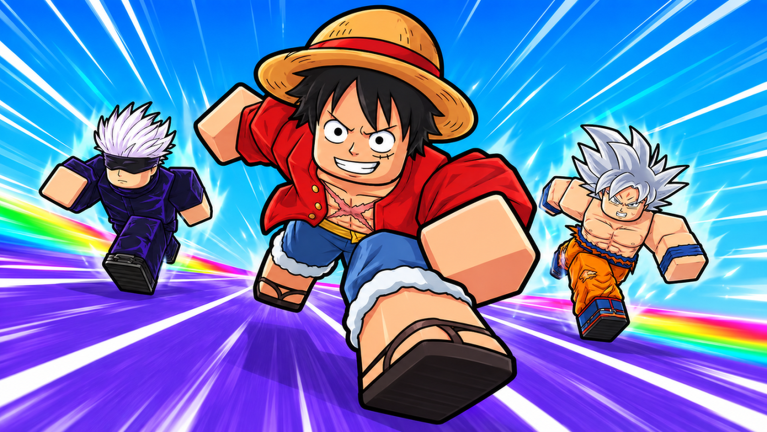
Grinding out wins in Anime Racing Clicker script without losing your mind is totally doable once you let a script handle the tedious clicking for you.
You just click to speed up, hit checkpoints for shurikens, and hatch heroes to move even faster while racing toward the finish line.
Grab the working script below to speed up your progression right now.
Anime Racing Clicker Script – Auto Click & More
if getgenv().AnimeRacingClicker then
    pcall(function()
        getgenv().AnimeRacingClicker:Unload()
    end)
    getgenv().AnimeRacingClicker = nil
end

local baseUrl = "https://raw.githubusercontent.com/croksyscript/CrypticLoader/refs/heads/main/Obsidian/Obsidian_UI/"
local ok, Library = pcall(function()
    return loadstring(game:HttpGet(baseUrl .. "Obsidian_UI.lua"))()
end)
if not ok or not Library then
    return
end

local Players = game:GetService("Players")
local ReplicatedStorage = game:GetService("ReplicatedStorage")
local VirtualUser = game:GetService("VirtualUser")
local player = Players.LocalPlayer

local Knit = getrenv()._G.Knit
for _ = 1, 40 do
    if Knit and Knit.Controllers and Knit.Controllers.RaceController then
        break
    end
    task.wait(0.5)
    Knit = getrenv()._G.Knit
end
if not (Knit and Knit.Controllers and Knit.Controllers.RaceController) then
    Library:Unload()
    return
end

getgenv().AnimeRacingClicker = Library

local raceController = Knit.Controllers.RaceController
local regionController = Knit.Controllers.RegionController
local autoRunController = Knit.Controllers.AutoRunController
local movementController = Knit.Controllers.RaceMovementController

local clickerService = Knit.GetService("ClickerService")
local movementService = Knit.GetService("RaceMovementService")
local raceGenerator = Knit.GetService("RaceGeneratorService")
local settingsService = Knit.GetService("GameSettingsService")
local raceService = Knit.GetService("RaceService")

local regionTable = require(ReplicatedStorage.DataBank.RegionTable)

local active = true
local connections = {}
local overlay
local lastJoin = 0
local speed = 0
local wallsReached = 0
local wallsTotal = 16
local worldKeys = {}
local autoWorld = "Best Money (auto)"

local function notify(text, time)
    task.spawn(function()
        pcall(function()
            Library:Notify(text, time or 3)
        end)
    end)
end

local function formatNumber(value)
    if value >= 1e9 then
        return string.format("%.2e", value)
    end
    if value >= 1e6 then
        return string.format("%.1fM", value / 1e6)
    end
    if value >= 1e3 then
        return string.format("%.1fk", value / 1e3)
    end
    return string.format("%.0f", value)
end

local function secondsLeft()
    return math.max(0, raceController.Timer - os.time())
end

local function rootPart()
    local character = player.Character
    return character and character:FindFirstChild("HumanoidRootPart")
end

local function currentWorld()
    return regionController.playersRegion[player]
end

local function loadWorlds()
    local worlds = {}
    for key, data in pairs(regionTable) do
        if type(data) == "table" and key ~= "World0" and regionController.AllowedRegions[key] then
            table.insert(worlds, {
                key = key,
                money = data.ShurikensMultiplier or 0,
                click = data.ClickMultiplier or 0,
                name = string.format("%s %s | %s | x%s", tostring(data.WorldName), tostring(data.Island), key, formatNumber(data.ShurikensMultiplier or 0)),
            })
        end
    end

    table.sort(worlds, function(a, b)
        if a.money ~= b.money then
            return a.money > b.money
        end
        return a.click > b.click
    end)

    worldKeys = { [autoWorld] = worlds[1] and worlds[1].key }
    local names = { autoWorld }
    for _, world in ipairs(worlds) do
        worldKeys[world.name] = world.key
        table.insert(names, world.name)
    end
    return names
end

local function targetWorld()
    local picked = Library.Options.RaceWorld and Library.Options.RaceWorld.Value
    return worldKeys[picked] or currentWorld()
end

local function joinRace()
    local world = targetWorld()
    if not world or world == "World0" then
        return
    end
    pcall(function()
        movementService.TeleportToRace:Fire(world)
    end)
end

local function click()
    local success, gain = pcall(function()
        return clickerService:PlayerClick()
    end)
    if success and gain and Library.Toggles.ClickEffect.Value then
        pcall(function()
            Knit.Controllers.ClickerController:TriggerClickBounce(gain)
        end)
    end
end

local function setAutoRun(state)
    pcall(function()
        if state then
            autoRunController:StartAutoRun()
        else
            autoRunController:StopAutoRun()
        end
        settingsService:SaveSetting("AutoRun", state)
    end)
end

local Window = Library:CreateWindow({
    Title = "Cryptic Hub | Anime Racing Clicker",
    Footer = ".gg/XDpsSW7Ybs",
    Icon = 120217226033572,
    NotifySide = "Right",
    Center = true,
    AutoShow = true,
    ToggleKeybind = Enum.KeyCode.RightControl,
    Folder = "CrypticHub/AnimeRacingClicker",
})

local Tabs = {
    Main = Window:AddTab("Main", "zap"),
    Clicker = Window:AddTab("Clicker", "mouse-pointer-click"),
    Race = Window:AddTab("Race", "flag"),
}

local Toggles = Library.Toggles
local Options = Library.Options

local stateLabel, worldLabel, speedLabel, wallLabel

local function buildMain(tab)
    local auto = tab:AddGroupbox({ Side = "Left", Name = "Automation", IconName = "bot" })

    auto:AddToggle("AutoClick", {
        Text = "Auto Click",
        Tooltip = "Clicks during the click phase to gain speed",
    }):AddKeyPicker("AutoClickKey", {
        Text = "Auto Click",
        Default = "C",
        Mode = "Toggle",
        SyncToggleState = true,
    })

    auto:AddToggle("AutoJoin", {
        Text = "Auto Join Race",
        Tooltip = "Joins the selected world when the race starts",
    }):AddKeyPicker("AutoJoinKey", {
        Text = "Auto Join Race",
        Default = "J",
        Mode = "Toggle",
        SyncToggleState = true,
    })

    auto:AddToggle("AutoRun", {
        Text = "Auto Run",
        Callback = setAutoRun,
    })

    auto:AddToggle("ForceForward", {
        Text = "Force Forward Input",
    })

    auto:AddToggle("AntiAfk", {
        Text = "Anti AFK",
        Default = true,
    })

    auto:AddButton({
        Text = "Join Race Now",
        Func = joinRace,
    })

    local info = tab:AddGroupbox({ Side = "Right", Name = "Live Info", IconName = "activity" })
    stateLabel = info:AddLabel("State: -")
    worldLabel = info:AddLabel("World: -")
    speedLabel = info:AddLabel("Speed: -")
    wallLabel = info:AddLabel("Walls: -")
end

local function buildClicker(tab)
    local box = tab:AddGroupbox({ Side = "Left", Name = "Click Settings", IconName = "mouse-pointer-click" })

    box:AddSlider("ClicksPerSecond", {
        Text = "Clicks per second",
        Default = 15,
        Min = 1,
        Max = 40,
        Rounding = 0,
        Tooltip = "The server accepts about 15 clicks per second",
    })

    box:AddSlider("ClickWindow", {
        Text = "Only click in last (s)",
        Default = 60,
        Min = 1,
        Max = 60,
        Rounding = 0,
        Suffix = "s",
    })

    box:AddToggle("ClickEffect", {
        Text = "Show Click Effect",
    })
end

local function buildRace(tab)
    local world = tab:AddGroupbox({ Side = "Left", Name = "World", IconName = "globe" })

    world:AddDropdown("RaceWorld", {
        Text = "Race World",
        Values = loadWorlds(),
        Default = 1,
        Searchable = true,
        MaxVisibleDropdownItems = 10,
        Tooltip = "Unlocked worlds, sorted by money multiplier",
    })

    world:AddButton({
        Text = "Refresh Worlds",
        Func = function()
            Options.RaceWorld:SetValues(loadWorlds())
            Options.RaceWorld:SetValue(autoWorld)
        end,
    })

    world:AddSlider("JoinRetry", {
        Text = "Retry every",
        Default = 2,
        Min = 1,
        Max = 10,
        Rounding = 0,
        Suffix = "s",
    })

    local extras = tab:AddGroupbox({ Side = "Right", Name = "Notifications", IconName = "bell" })

    extras:AddToggle("WallNotify", {
        Text = "Notify on wall",
        Default = true,
    })

    extras:AddToggle("PhaseNotify", {
        Text = "Notify on phase change",
    })

    extras:AddToggle("Overlay", {
        Text = "Status Overlay",
        Callback = function(value)
            if value and not overlay then
                overlay = Library:AddDraggableLabel("Starting...")
            elseif not value and overlay then
                overlay:Destroy()
                overlay = nil
            end
        end,
    })
end

buildMain(Tabs.Main)
buildClicker(Tabs.Clicker)
buildRace(Tabs.Race)

local function loop(interval, body)
    task.spawn(function()
        while active and not Library.Unloaded do
            body()
            task.wait(interval)
        end
    end)
end

loop(0.05, function()
    if not Toggles.AutoClick.Value or raceController.State ~= "Click" then
        return
    end
    if secondsLeft() > Options.ClickWindow.Value then
        return
    end
    task.spawn(click)
    task.wait(1 / Options.ClicksPerSecond.Value - 0.05)
end)

loop(0.25, function()
    if not Toggles.AutoJoin.Value or raceController.State ~= "Running" then
        return
    end
    local root = rootPart()
    local atStart = not root or root.Position.Z < 65
    local wrongWorld = currentWorld() ~= targetWorld()
    local needsJoin = wrongWorld or (atStart and not movementController.IsActive)
    if needsJoin and os.clock() - lastJoin >= Options.JoinRetry.Value then
        lastJoin = os.clock()
        joinRace()
    end
end)

loop(0.5, function()
    if Toggles.AutoRun.Value and not autoRunController.Activated then
        setAutoRun(true)
    end
end)

loop(0.05, function()
    if Toggles.ForceForward.Value and movementController.IsActive then
        movementService.SendMoveDirection:Fire(Vector3.new(0, 0, 1))
    end
end)

loop(0.25, function()
    local state = raceController.State
    local left = secondsLeft()

    stateLabel:SetText(string.format("State: %s (%ds)", state ~= "" and state or "-", left))
    worldLabel:SetText("World: " .. tostring(currentWorld()))
    speedLabel:SetText("Speed: " .. formatNumber(speed) .. " studs/s")
    wallLabel:SetText(string.format("Walls: %d/%d", wallsReached, wallsTotal))

    if overlay then
        overlay:SetText(string.format("%s %ds | Walls %d/%d", state, left, wallsReached, wallsTotal))
    end
end)

local function listen(signal, callback)
    table.insert(connections, signal:Connect(callback))
end

listen(raceGenerator.CheckpointReached, function(number, total)
    wallsReached = number or wallsReached
    wallsTotal = total or wallsTotal
    if Toggles.WallNotify.Value then
        notify(string.format("Wall %s/%s reached", tostring(number), tostring(total)), 2)
    end
end)

listen(movementService.SyncSpeed, function(value)
    if type(value) == "number" then
        speed = value
    end
end)

listen(raceService.TriggerState, function(state)
    if state == "Running" then
        wallsReached = 0
    end
    if Toggles.PhaseNotify.Value then
        notify("Phase: " .. tostring(state), 2)
    end
end)

listen(player.Idled, function()
    if Toggles.AntiAfk.Value then
        VirtualUser:CaptureController()
        VirtualUser:ClickButton2(Vector2.new())
    end
end)

Library:OnUnload(function()
    active = false
    for _, connection in ipairs(connections) do
        connection:Disconnect()
    end
    if overlay then
        overlay:Destroy()
    end
    if getgenv().AnimeRacingClicker == Library then
        getgenv().AnimeRacingClicker = nil
    end
end)Copy the code above into a compatible Roblox script executor if you choose to test it.
Anime Racing Clicker Script Status
Roblox and game updates can affect compatibility, so the script’s status should be treated as temporary rather than guaranteed.
What Is a Anime Racing Clicker Script?
A Anime Racing Clicker script is Lua code intended to run alongside the Roblox game through a third-party script executor.
Different scripts can contain different code and features. This version includes the following features:
How to Use the Anime Racing Clicker Script
If you decide to test a third-party Roblox script, the general process involves a compatible executor and the Lua code provided above.
Can a Anime Racing Clicker Script Get Your Roblox Account Banned?
- Only use code from a source you trust.
- Never enter your Roblox password into a script or executor.
- Test on an alternate account first.
Anime Racing Clicker Script for Mobile
If you’re searching for a Anime Racing Clicker script for mobile, check whether both the executor and the script support your device and current Roblox version. Mobile executor support does not guarantee that every script will work.
Frequently Asked Questions
What is a Anime Racing Clicker script?
A Anime Racing Clicker script is third-party Lua code intended to run alongside the Roblox game through a compatible script executor.
What features does this Anime Racing Clicker script include?
Different scripts contain different code. This version includes: Auto Click, Race World – beste Welt automatisch, Auto Run, Force Forward Input, Anti AFK, Live Info, Status Overlay.
How do you use the Anime Racing Clicker script?
Pick a compatible executor such as Hydrogen, MacSploit, AWP.GG, Delta, Fluxus, Codex, launch Roblox and join the game, copy the complete Lua code from the script card above, paste it into the executor’s editor, and click Run or Execute. Compatibility changes over time, so a name here doesn’t guarantee current support.
Can a Anime Racing Clicker script get your Roblox account banned?
Yes. Third-party scripts can violate Roblox rules and may put an account at risk. Only use code from a source you trust, never enter your Roblox password into a script or executor, and test on an alternate account first.
Does the Anime Racing Clicker script work on mobile?
Check whether both the executor and the script support your device and the current Roblox version. Mobile executor support does not guarantee that every script will work.

