
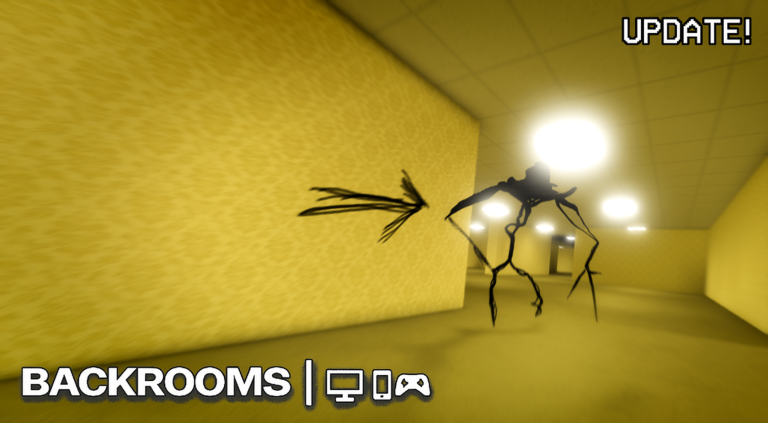
Grinding out levels and cash can take forever if you are playing legit, which is why dropping a Backrooms script into the mix makes life way easier.
You wander around creepy hallways, dodge scary nextbots, and try not to get jumped in this dreamcore horror game, but the grind for money and experience gets old fast.
We grabbed the working code so you can skip the tedious stuff and just see what the script can do.
Backrooms Script – !!!!Ai makes the script!!!! & More
-- Multi-Slot Position Saver & Configurable Auto Farm (Speed Display in Status)
local Players = game:GetService("Players")
local CoreGui = game:GetService("CoreGui")
local UserInputService = game:GetService("UserInputService")
local HttpService = game:GetService("HttpService")
local ProximityPromptService = game:GetService("ProximityPromptService")
local LocalPlayer = Players.LocalPlayer

-- File storage settings
local fileName = "PositionSaver_Data.json"

-- Auto Farm State, Target & Speed Settings
local _G_AutoFarmActive = false
local TargetPosition = Vector3.new(1968.1, 374.6, 805.0)
local currentFarmDelay = 0.00001 -- Default Ultra Fast
local currentSpeedName = "Ultra Fast"

-- Exact Staff / Member List compiled from your screenshots
local staffList = {
    "cupof_soda3", "manhattanristretto", "babang_gaming120",
    "theconduitofbalance", "wyj0101", "heheboys1013",
    "meiltsuki", "ps_lol", "creeper_thai2551", "winchieuk",
    "kasmare_king", "chewypeaches", "westiealtacc", "posicos",
    "pawpogen", "1wmaul", "bonelessbones1", "subru127pc",
    "andrabag_3", "knighted_vessel", "dev_pandaz0", "brokenzdevs",
    "baconlostsky30", "paxtonmantara", "memorybased", "shrk_vincent",
    "jshazelnc", "flfinland", "zzaaaam9", "dgt21d4c",
    "earthfox25", "sypfur", "twelvespade", "orrorrrorror", "meanddaboi1"
}

-- Anti Gameplay Paused
pcall(function()
    if UserSettings():GetService("UserGameSettings") then
        UserSettings():GetService("UserGameSettings").SavedQualityLevel = Enum.SavedQualityLevel.Level1
    end
end)

-- Default data structure
local slotData = {
    {name = "Slot 1", coords = "X: ??? , Y: ??? , Z: ???", pos = nil},
    {name = "Slot 2", coords = "X: ??? , Y: ??? , Z: ???", pos = nil},
    {name = "Slot 3", coords = "X: ??? , Y: ??? , Z: ???", pos = nil}
}

-- Load saved data
pcall(function()
    if isfile and isfile(fileName) and readfile then
        local success, decoded = pcall(function()
            return HttpService:JSONDecode(readfile(fileName))
        end)
        if success and decoded and type(decoded) == "table" and #decoded > 0 then
            slotData = {}
            for i, v in ipairs(decoded) do
                table.insert(slotData, {
                    name = v.name or ("Slot " .. i),
                    coords = v.coords or "X: ??? , Y: ??? , Z: ???",
                    pos = (v.x and v.y and v.z) and Vector3.new(v.x, v.y, v.z) or nil
                })
            end
        end
    end
end)

local function saveToFile()
    pcall(function()
        if writefile then
            local serializable = {}
            for i, v in ipairs(slotData) do
                serializable[i] = {
                    name = v.name,
                    coords = v.coords,
                    x = v.pos and v.pos.X or nil,
                    y = v.pos and v.pos.Y or nil,
                    z = v.pos and v.pos.Z or nil
                }
            end
            writefile(fileName, HttpService:JSONEncode(serializable))
        end
    end)
end

-- Remove existing UI if already running
if CoreGui:FindFirstChild("PositionSaverUI") then
    CoreGui.PositionSaverUI:Destroy()
end

-- Create ScreenGui
local ScreenGui = Instance.new("ScreenGui")
ScreenGui.Name = "PositionSaverUI"
ScreenGui.ResetOnSpawn = false

pcall(function()
    ScreenGui.Parent = CoreGui
end)
if not ScreenGui.Parent then
    ScreenGui.Parent = LocalPlayer:WaitForChild("PlayerGui")
end

-- Floating UI Toggle Button
local ToggleBtn = Instance.new("TextButton")
ToggleBtn.Name = "ToggleBtn"
ToggleBtn.Size = UDim2.new(0, 45, 0, 45)
ToggleBtn.Position = UDim2.new(0, 15, 0.4, 0)
ToggleBtn.BackgroundColor3 = Color3.fromRGB(40, 40, 48)
ToggleBtn.Text = "UI"
ToggleBtn.TextColor3 = Color3.fromRGB(255, 255, 255)
ToggleBtn.TextSize = 14
ToggleBtn.Font = Enum.Font.SourceSansBold
ToggleBtn.BorderSizePixel = 0
ToggleBtn.Active = true
ToggleBtn.ZIndex = 200
ToggleBtn.Parent = ScreenGui

local ToggleCorner = Instance.new("UICorner")
ToggleCorner.CornerRadius = UDim.new(0, 8)
ToggleCorner.Parent = ToggleBtn

-- Main Window Frame
local MainFrame = Instance.new("Frame")
MainFrame.Name = "MainFrame"
MainFrame.Size = UDim2.new(0, 430, 0, 395)
MainFrame.Position = UDim2.new(0.5, -215, 0.4, -195)
MainFrame.BackgroundColor3 = Color3.fromRGB(28, 28, 35)
MainFrame.BorderSizePixel = 0
MainFrame.Visible = true
MainFrame.Active = true
MainFrame.Parent = ScreenGui

MainFrame.DescendantAdded:Connect(function() end)

local MainCorner = Instance.new("UICorner")
MainCorner.CornerRadius = UDim.new(0, 8)
MainCorner.Parent = MainFrame

-- Fixed Toggle Logic for UI Button
local function toggleUI()
    MainFrame.Visible = not MainFrame.Visible
end

ToggleBtn.MouseButton1Click:Connect(toggleUI)
ToggleBtn.Activated:Connect(toggleUI)
ToggleBtn.InputBegan:Connect(function(input)
    if input.UserInputType == Enum.UserInputType.MouseButton1 or input.UserInputType == Enum.UserInputType.Touch then
        toggleUI()
    end
end)

-- Title Bar Label
local Title = Instance.new("TextLabel")
Title.Name = "Title"
Title.Size = UDim2.new(1, -45, 0, 35)
Title.Position = UDim2.new(0, 12, 0, 0)
Title.BackgroundTransparency = 1
Title.Text = "Position Saver + Speed Selector"
Title.TextColor3 = Color3.fromRGB(240, 240, 240)
Title.TextSize = 15
Title.Font = Enum.Font.SourceSansBold
Title.TextXAlignment = Enum.TextXAlignment.Left
Title.Parent = MainFrame

-- Close Button ("X")
local CloseButton = Instance.new("TextButton")
CloseButton.Name = "CloseButton"
CloseButton.Size = UDim2.new(0, 28, 0, 28)
CloseButton.Position = UDim2.new(1, -32, 0, 4)
CloseButton.BackgroundColor3 = Color3.fromRGB(220, 50, 50)
CloseButton.Text = "X"
CloseButton.TextColor3 = Color3.fromRGB(255, 255, 255)
CloseButton.TextSize = 14
CloseButton.Font = Enum.Font.SourceSansBold
CloseButton.BorderSizePixel = 0
CloseButton.Active = true
CloseButton.ZIndex = 10
CloseButton.Parent = MainFrame

local CloseCorner = Instance.new("UICorner")
CloseCorner.CornerRadius = UDim.new(0, 6)
CloseCorner.Parent = CloseButton

CloseButton.MouseButton1Click:Connect(function()
    ScreenGui:Destroy()
end)
CloseButton.Activated:Connect(function()
    ScreenGui:Destroy()
end)

-- Smooth Dragging Implementation
local dragging, dragStart, startPos
MainFrame.InputBegan:Connect(function(input)
    if input.UserInputType == Enum.UserInputType.MouseButton1 or input.UserInputType == Enum.UserInputType.Touch then
        local mousePos = input.Position
        local absPos = MainFrame.AbsolutePosition
        if mousePos.Y <= absPos.Y + 35 then
            dragging = true
            dragStart = input.Position
            startPos = MainFrame.Position
            input.Changed:Connect(function()
                if input.UserInputState == Enum.UserInputState.End then
                    dragging = false
                end
            end)
        end
    end
end)

UserInputService.InputChanged:Connect(function(input)
    if dragging and (input.UserInputType == Enum.UserInputType.MouseMovement or input.UserInputType == Enum.UserInputType.Touch) then
        local delta = input.Position - dragStart
        MainFrame.Position = UDim2.new(startPos.X.Scale, startPos.X.Offset + delta.X, startPos.Y.Scale, startPos.Y.Offset + delta.Y)
    end
end)

-- Auto Farm Control Panel
local AutoFarmPanel = Instance.new("Frame")
AutoFarmPanel.Name = "AutoFarmPanel"
AutoFarmPanel.Size = UDim2.new(1, -16, 0, 70)
AutoFarmPanel.Position = UDim2.new(0, 8, 0, 38)
AutoFarmPanel.BackgroundColor3 = Color3.fromRGB(35, 35, 42)
AutoFarmPanel.BorderSizePixel = 0
AutoFarmPanel.ZIndex = 5
AutoFarmPanel.Parent = MainFrame

local PanelCorner = Instance.new("UICorner")
PanelCorner.CornerRadius = UDim.new(0, 6)
PanelCorner.Parent = AutoFarmPanel

-- Start Farm Button
local ToggleFarmBtn = Instance.new("TextButton")
ToggleFarmBtn.Size = UDim2.new(1, -55, 0, 30)
ToggleFarmBtn.Position = UDim2.new(0, 8, 0, 6)
ToggleFarmBtn.BackgroundColor3 = Color3.fromRGB(0, 120, 215)
ToggleFarmBtn.Text = "Start Auto Farm"
ToggleFarmBtn.TextColor3 = Color3.fromRGB(255, 255, 255)
ToggleFarmBtn.TextSize = 13
ToggleFarmBtn.Font = Enum.Font.SourceSansBold
ToggleFarmBtn.BorderSizePixel = 0
ToggleFarmBtn.Active = true
ToggleFarmBtn.ZIndex = 6
ToggleFarmBtn.Parent = AutoFarmPanel

local FarmBtnCorner = Instance.new("UICorner")
FarmBtnCorner.CornerRadius = UDim.new(0, 4)
FarmBtnCorner.Parent = ToggleFarmBtn

-- Speed Dropdown Toggle Button ("^")
local SpeedMenuBtn = Instance.new("TextButton")
SpeedMenuBtn.Size = UDim2.new(0, 35, 0, 30)
SpeedMenuBtn.Position = UDim2.new(1, -43, 0, 6)
SpeedMenuBtn.BackgroundColor3 = Color3.fromRGB(60, 60, 70)
SpeedMenuBtn.Text = "^"
SpeedMenuBtn.TextColor3 = Color3.fromRGB(255, 255, 255)
SpeedMenuBtn.TextSize = 16
SpeedMenuBtn.Font = Enum.Font.SourceSansBold
SpeedMenuBtn.BorderSizePixel = 0
SpeedMenuBtn.Active = true
SpeedMenuBtn.ZIndex = 6
SpeedMenuBtn.Parent = AutoFarmPanel

local SpeedMenuCorner = Instance.new("UICorner")
SpeedMenuCorner.CornerRadius = UDim.new(0, 4)
SpeedMenuCorner.Parent = SpeedMenuBtn

local StatusLabel = Instance.new("TextLabel")
StatusLabel.Size = UDim2.new(1, -16, 0, 22)
StatusLabel.Position = UDim2.new(0, 8, 0, 40)
StatusLabel.BackgroundTransparency = 1
StatusLabel.Text = "Status: Scanning Staff..."
StatusLabel.TextColor3 = Color3.fromRGB(180, 180, 190)
StatusLabel.TextSize = 11
StatusLabel.Font = Enum.Font.SourceSans
StatusLabel.TextXAlignment = Enum.TextXAlignment.Left
StatusLabel.ZIndex = 6
StatusLabel.Parent = AutoFarmPanel

-- Popup Speed Options Frame (Parented to MainFrame)
local SpeedDropdown = Instance.new("Frame")
SpeedDropdown.Size = UDim2.new(0, 120, 0, 110)
SpeedDropdown.Position = UDim2.new(1, -125, 0, 42)
SpeedDropdown.BackgroundColor3 = Color3.fromRGB(45, 45, 55)
SpeedDropdown.BorderSizePixel = 0
SpeedDropdown.Visible = false
SpeedDropdown.Active = true
SpeedDropdown.ZIndex = 500
SpeedDropdown.Parent = MainFrame

local DropdownCorner = Instance.new("UICorner")
DropdownCorner.CornerRadius = UDim.new(0, 6)
DropdownCorner.Parent = SpeedDropdown

local speeds = {
    {name = "Slow (0.5s)", val = 0.5},
    {name = "Normal (0.2s)", val = 0.2},
    {name = "Fast (0.05s)", val = 0.05},
    {name = "Ultra Fast", val = 0.00001}
}

-- Global function to update status text cleanly
local cachedStaffStatus = "Safe (No Staff)"
local function updateStatusDisplay()
    StatusLabel.Text = "Status: " .. cachedStaffStatus .. " | Speed: " .. currentSpeedName
end

for idx, spd in ipairs(speeds) do
    local optBtn = Instance.new("TextButton")
    optBtn.Size = UDim2.new(1, -8, 0, 24)
    optBtn.Position = UDim2.new(0, 4, 0, 4 + ((idx - 1) * 26))
    optBtn.BackgroundColor3 = Color3.fromRGB(70, 70, 85)
    optBtn.Text = spd.name
    optBtn.TextColor3 = Color3.fromRGB(255, 255, 255)
    optBtn.TextSize = 11
    optBtn.Font = Enum.Font.SourceSansBold
    optBtn.BorderSizePixel = 0
    optBtn.Active = true
    optBtn.ZIndex = 501
    optBtn.Parent = SpeedDropdown

    local optCorner = Instance.new("UICorner")
    optCorner.CornerRadius = UDim.new(0, 4)
    optCorner.Parent = optBtn

    local function selectSpeed()
        currentFarmDelay = spd.val
        currentSpeedName = spd.name
        SpeedDropdown.Visible = false
        updateStatusDisplay()
    end

    optBtn.MouseButton1Click:Connect(selectSpeed)
    optBtn.Activated:Connect(selectSpeed)
    optBtn.InputBegan:Connect(function(input)
        if input.UserInputType == Enum.UserInputType.MouseButton1 or input.UserInputType == Enum.UserInputType.Touch then
            selectSpeed()
        end
    end)
end

local function toggleDropdownMenu()
    SpeedDropdown.Visible = not SpeedDropdown.Visible
end

SpeedMenuBtn.MouseButton1Click:Connect(toggleDropdownMenu)
SpeedMenuBtn.Activated:Connect(toggleDropdownMenu)
SpeedMenuBtn.InputBegan:Connect(function(input)
    if input.UserInputType == Enum.UserInputType.MouseButton1 or input.UserInputType == Enum.UserInputType.Touch then
        toggleDropdownMenu()
    end
end)

-- Scrolling Frame for Slots
local ScrollingFrame = Instance.new("ScrollingFrame")
ScrollingFrame.Name = "SlotContainer"
ScrollingFrame.Size = UDim2.new(1, -16, 1, -120)
ScrollingFrame.Position = UDim2.new(0, 8, 0, 114)
ScrollingFrame.BackgroundTransparency = 1
ScrollingFrame.BorderSizePixel = 0
ScrollingFrame.CanvasSize = UDim2.new(0, 0, 0, 0)
ScrollingFrame.ScrollBarThickness = 4
ScrollingFrame.Parent = MainFrame

-- Resize Handle at Bottom Right ("◢")
local ResizeHandle = Instance.new("TextButton")
ResizeHandle.Name = "ResizeHandle"
ResizeHandle.Size = UDim2.new(0, 22, 0, 22)
ResizeHandle.Position = UDim2.new(1, -22, 1, -22)
ResizeHandle.BackgroundTransparency = 1
ResizeHandle.Text = "◢"
ResizeHandle.TextColor3 = Color3.fromRGB(150, 150, 160)
ResizeHandle.TextSize = 12
ResizeHandle.Font = Enum.Font.SourceSansBold
ResizeHandle.ZIndex = 10
ResizeHandle.Parent = MainFrame

local resizing = false
local refreshSlots
local resizeStart, startSize

ResizeHandle.InputBegan:Connect(function(input)
    if input.UserInputType == Enum.UserInputType.MouseButton1 or input.UserInputType == Enum.UserInputType.Touch then
        resizing = true
        resizeStart = input.Position
        startSize = MainFrame.Size
        input.Changed:Connect(function()
            if input.UserInputState == Enum.UserInputState.End then
                resizing = false
            end
        end)
    end
end)

UserInputService.InputChanged:Connect(function(input)
    if resizing and (input.UserInputType == Enum.UserInputType.MouseMovement or input.UserInputType == Enum.UserInputType.Touch) then
        local delta = input.Position - resizeStart
        local newW = math.clamp(startSize.X.Offset + delta.X, 390, 800)
        local newH = math.clamp(startSize.Y.Offset + delta.Y, 250, 700)
        MainFrame.Size = UDim2.new(0, newW, 0, newH)
        refreshSlots()
    end
end)

-- Function to Render All Slots & Buttons Dynamically
refreshSlots = function()
    for _, child in ipairs(ScrollingFrame:GetChildren()) do
        if child:IsA("Frame") or child:IsA("TextButton") then
            child:Destroy()
        end
    end

    local currentWidth = MainFrame.AbsoluteSize.X - 24
    if currentWidth < 300 then currentWidth = 406 end

    local yOffset = 0
    local slotHeight = 68
    local spacing = 8

    for i, data in ipairs(slotData) do
        local SlotFrame = Instance.new("Frame")
        SlotFrame.Name = "Slot_" .. i
        SlotFrame.Size = UDim2.new(0, currentWidth, 0, slotHeight)
        SlotFrame.Position = UDim2.new(0, 0, 0, yOffset)
        SlotFrame.BackgroundColor3 = Color3.fromRGB(38, 38, 45)
        SlotFrame.BorderSizePixel = 0
        SlotFrame.Parent = ScrollingFrame

        local SlotCorner = Instance.new("UICorner")
        SlotCorner.CornerRadius = UDim.new(0, 6)
        SlotCorner.Parent = SlotFrame

        -- Editable Name TextBox
        local NameBox = Instance.new("TextBox")
        NameBox.Name = "NameBox"
        NameBox.Size = UDim2.new(0, 110, 0, 26)
        NameBox.Position = UDim2.new(0, 8, 0, 6)
        NameBox.BackgroundColor3 = Color3.fromRGB(50, 50, 60)
        NameBox.Text = data.name
        NameBox.TextColor3 = Color3.fromRGB(255, 255, 255)
        NameBox.TextSize = 12
        NameBox.Font = Enum.Font.SourceSansBold
        NameBox.ClearTextOnFocus = false
        NameBox.Parent = SlotFrame

        local NameCorner = Instance.new("UICorner")
        NameCorner.CornerRadius = UDim.new(0, 4)
        NameCorner.Parent = NameBox

        -- Editable Coordinates TextBox
        local coordBoxWidth = currentWidth - 170
        if coordBoxWidth < 150 then coordBoxWidth = 150 end

        local CoordBox = Instance.new("TextBox")
        CoordBox.Name = "CoordBox"
        CoordBox.Size = UDim2.new(0, coordBoxWidth, 0, 26)
        CoordBox.Position = UDim2.new(0, 124, 0, 6)
        CoordBox.BackgroundColor3 = Color3.fromRGB(50, 50, 60)
        CoordBox.Text = data.coords
        CoordBox.TextColor3 = Color3.fromRGB(200, 200, 200)
        CoordBox.TextSize = 12
        CoordBox.Font = Enum.Font.SourceSans
        CoordBox.ClearTextOnFocus = false
        CoordBox.Parent = SlotFrame

        local CoordCorner = Instance.new("UICorner")
        CoordCorner.CornerRadius = UDim.new(0, 4)
        CoordCorner.Parent = CoordBox

        -- Delete Slot Button
        local DeleteSlotBtn = Instance.new("TextButton")
        DeleteSlotBtn.Name = "DeleteSlotBtn"
        DeleteSlotBtn.Size = UDim2.new(0, 26, 0, 26)
        DeleteSlotBtn.Position = UDim2.new(1, -32, 0, 6)
        DeleteSlotBtn.BackgroundColor3 = Color3.fromRGB(180, 40, 40)
        DeleteSlotBtn.Text = "X"
        DeleteSlotBtn.TextColor3 = Color3.fromRGB(255, 255, 255)
        DeleteSlotBtn.TextSize = 12
        DeleteSlotBtn.Font = Enum.Font.SourceSansBold
        DeleteSlotBtn.BorderSizePixel = 0
        DeleteSlotBtn.Active = true
        DeleteSlotBtn.Parent = SlotFrame

        local DelCorner = Instance.new("UICorner")
        DelCorner.CornerRadius = UDim.new(0, 4)
        DelCorner.Parent = DeleteSlotBtn

        DeleteSlotBtn.MouseButton1Click:Connect(function()
            table.remove(slotData, i)
            saveToFile()
            refreshSlots()
        end)
        DeleteSlotBtn.Activated:Connect(function()
            table.remove(slotData, i)
            saveToFile()
            refreshSlots()
        end)

        -- 3 Main Buttons (Save, Teleport, Copy)
        local totalSpacing = 22
        local usableWidth = currentWidth - 16 - totalSpacing
        local btnWidth = math.floor(usableWidth / 3)

        local SaveBtn = Instance.new("TextButton")
        SaveBtn.Name = "SaveBtn"
        SaveBtn.Size = UDim2.new(0, btnWidth, 0, 26)
        SaveBtn.Position = UDim2.new(0, 8, 0, 36)
        SaveBtn.BackgroundColor3 = Color3.fromRGB(46, 160, 67)
        SaveBtn.Text = "Save Pos"
        SaveBtn.TextColor3 = Color3.fromRGB(255, 255, 255)
        SaveBtn.TextSize = 12
        SaveBtn.Font = Enum.Font.SourceSansBold
        SaveBtn.BorderSizePixel = 0
        SaveBtn.Active = true
        SaveBtn.Parent = SlotFrame

        local SaveCorner = Instance.new("UICorner")
        SaveCorner.CornerRadius = UDim.new(0, 4)
        SaveCorner.Parent = SaveBtn

        local TPBtn = Instance.new("TextButton")
        TPBtn.Name = "TPBtn"
        TPBtn.Size = UDim2.new(0, btnWidth, 0, 26)
        TPBtn.Position = UDim2.new(0, 8 + btnWidth + 11, 0, 36)
        TPBtn.BackgroundColor3 = Color3.fromRGB(0, 115, 230)
        TPBtn.Text = "Teleport"
        TPBtn.TextColor3 = Color3.fromRGB(255, 255, 255)
        TPBtn.TextSize = 12
        TPBtn.Font = Enum.Font.SourceSansBold
        TPBtn.BorderSizePixel = 0
        TPBtn.Active = true
        TPBtn.Parent = SlotFrame

        local TPCorner = Instance.new("UICorner")
        TPCorner.CornerRadius = UDim.new(0, 4)
        TPCorner.Parent = TPBtn

        local CopyBtn = Instance.new("TextButton")
        CopyBtn.Name = "CopyBtn"
        CopyBtn.Size = UDim2.new(0, btnWidth, 0, 26)
        CopyBtn.Position = UDim2.new(0, 8 + (btnWidth * 2) + 22, 0, 36)
        CopyBtn.BackgroundColor3 = Color3.fromRGB(100, 100, 115)
        CopyBtn.Text = "Copy Pos"
        CopyBtn.TextColor3 = Color3.fromRGB(255, 255, 255)
        CopyBtn.TextSize = 12
        CopyBtn.Font = Enum.Font.SourceSansBold
        CopyBtn.BorderSizePixel = 0
        CopyBtn.Active = true
        CopyBtn.Parent = SlotFrame

        local CopyCorner = Instance.new("UICorner")
        CopyCorner.CornerRadius = UDim.new(0, 4)
        CopyCorner.Parent = CopyBtn

        -- --- Slot Actions ---
        local function parseCoords()
            slotData[i].coords = CoordBox.Text
            local text = CoordBox.Text
            local nums = {}
            for num in string.gmatch(text, "([%-?%d%.]+)") do
                table.insert(nums, tonumber(num))
            end
            if #nums >= 3 then
                slotData[i].pos = Vector3.new(nums[1], nums[2], nums[3])
            end
            saveToFile()
        end

        SaveBtn.MouseButton1Click:Connect(function()
            local character = LocalPlayer.Character
            if character and character:FindFirstChild("HumanoidRootPart") then
                local rootPart = character.HumanoidRootPart
                slotData[i].pos = rootPart.Position
                local p = rootPart.Position
                CoordBox.Text = string.format("X: %.1f , Y: %.1f , Z: %.1f", p.X, p.Y, p.Z)
                slotData[i].coords = CoordBox.Text
                saveToFile()

                SaveBtn.Text = "Saved!"
                task.wait(1)
                SaveBtn.Text = "Save Pos"
            end
        end)
        SaveBtn.Activated:Connect(function()
            local character = LocalPlayer.Character
            if character and character:FindFirstChild("HumanoidRootPart") then
                local rootPart = character.HumanoidRootPart
                slotData[i].pos = rootPart.Position
                local p = rootPart.Position
                CoordBox.Text = string.format("X: %.1f , Y: %.1f , Z: %.1f", p.X, p.Y, p.Z)
                slotData[i].coords = CoordBox.Text
                saveToFile()

                SaveBtn.Text = "Saved!"
                task.wait(1)
                SaveBtn.Text = "Save Pos"
            end
        end)

        TPBtn.MouseButton1Click:Connect(function()
            parseCoords()
            if slotData[i].pos then
                local character = LocalPlayer.Character
                if character and character:FindFirstChild("HumanoidRootPart") then
                    local hrp = character.HumanoidRootPart
                    pcall(function() hrp.CFrame = CFrame.new(slotData[i].pos) end)
                    TPBtn.Text = "TP'd!"
                    task.wait(1)
                    TPBtn.Text = "Teleport"
                end
            end
        end)
        TPBtn.Activated:Connect(function()
            parseCoords()
            if slotData[i].pos then
                local character = LocalPlayer.Character
                if character and character:FindFirstChild("HumanoidRootPart") then
                    local hrp = character.HumanoidRootPart
                    pcall(function() hrp.CFrame = CFrame.new(slotData[i].pos) end)
                    TPBtn.Text = "TP'd!"
                    task.wait(1)
                    TPBtn.Text = "Teleport"
                end
            end
        end)

        CopyBtn.MouseButton1Click:Connect(function()
            parseCoords()
            pcall(function() setclipboard(NameBox.Text .. " -> " .. CoordBox.Text) end)
            CopyBtn.Text = "Copied!"
            task.wait(1)
            CopyBtn.Text = "Copy Pos"
        end)
        CopyBtn.Activated:Connect(function()
            parseCoords()
            pcall(function() setclipboard(NameBox.Text .. " -> " .. CoordBox.Text) end)
            CopyBtn.Text = "Copied!"
            task.wait(1)
            CopyBtn.Text = "Copy Pos"
        end)

        NameBox.FocusLost:Connect(function()
            slotData[i].name = NameBox.Text
            saveToFile()
        end)

        CoordBox.FocusLost:Connect(function()
            parseCoords()
        end)

        yOffset = yOffset + slotHeight + spacing
    end

    -- Add New Slot Button
    local AddSlotBtn = Instance.new("TextButton")
    AddSlotBtn.Name = "AddSlotBtn"
    AddSlotBtn.Size = UDim2.new(0, currentWidth, 0, 36)
    AddSlotBtn.Position = UDim2.new(0, 0, 0, yOffset)
    AddSlotBtn.BackgroundColor3 = Color3.fromRGB(50, 130, 246)
    AddSlotBtn.Text = "+ Add New Slot"
    AddSlotBtn.TextColor3 = Color3.fromRGB(255, 255, 255)
    AddSlotBtn.TextSize = 13
    AddSlotBtn.Font = Enum.Font.SourceSansBold
    AddSlotBtn.BorderSizePixel = 0
    AddSlotBtn.Active = true
    AddSlotBtn.Parent = ScrollingFrame

    local AddCorner = Instance.new("UICorner")
    AddCorner.CornerRadius = UDim.new(0, 6)
    AddCorner.Parent = AddSlotBtn

    local function addSlotAction()
        local newIdx = #slotData + 1
        table.insert(slotData, {
            name = "Slot " .. newIdx,
            coords = "X: ??? , Y: ??? , Z: ???",
            pos = nil
        })
        saveToFile()
        refreshSlots()
    end
    AddSlotBtn.MouseButton1Click:Connect(addSlotAction)
    AddSlotBtn.Activated:Connect(addSlotAction)

    ScrollingFrame.CanvasSize = UDim2.new(0, 0, 0, yOffset + 50)
end

-- Initial render
task.spawn(function()
    task.wait(0.1)
    refreshSlots()
end)

----------------------------------------------------
-- ONE-TIME JOIN STAFF SCAN & CONFIGURABLE FARM LOOP
----------------------------------------------------

-- Perform one-time check when joining the game against the staff list
task.spawn(function()
    task.wait(1.5)
    local foundStaff = {}
    for _, player in ipairs(Players:GetPlayers()) do
        if player ~= LocalPlayer then
            local nameLower = player.Name:lower()
            local dispLower = player.DisplayName:lower()
            for _, staffName in ipairs(staffList) do
                if nameLower:find(staffName) or dispLower:find(staffName) then
                    table.insert(foundStaff, player.Name)
                    break
                end
            end
        end
    end

    if #foundStaff > 0 then
        cachedStaffStatus = "⚠️ Staff Detected: " .. table.concat(foundStaff, ", ")
        StatusLabel.TextColor3 = Color3.fromRGB(255, 80, 80)
    else
        cachedStaffStatus = "Safe (No Staff)"
        StatusLabel.TextColor3 = Color3.fromRGB(100, 255, 100)
    end
    updateStatusDisplay()
end)

local function toggleFarmAction()
    _G_AutoFarmActive = not _G_AutoFarmActive
    if _G_AutoFarmActive then
        ToggleFarmBtn.Text = "Stop Auto Farm"
        ToggleFarmBtn.BackgroundColor3 = Color3.fromRGB(215, 50, 50)
    else
        ToggleFarmBtn.Text = "Start Auto Farm"
        ToggleFarmBtn.BackgroundColor3 = Color3.fromRGB(0, 120, 215)
    end
end

ToggleFarmBtn.MouseButton1Click:Connect(toggleFarmAction)
ToggleFarmBtn.Activated:Connect(toggleFarmAction)
ToggleFarmBtn.InputBegan:Connect(function(input)
    if input.UserInputType == Enum.UserInputType.MouseButton1 or input.UserInputType == Enum.UserInputType.Touch then
        toggleFarmAction()
    end
end)

-- Proximity Prompts Modifier
local function instantPrompts()
    for _, v in ipairs(workspace:GetDescendants()) do
        if v:IsA("ProximityPrompt") then
            v.HoldDuration = 0
            v.MaxActivationDistance = math.max(v.MaxActivationDistance, 25)
        end
    end
end

ProximityPromptService.PromptShown:Connect(function(prompt)
    if _G_AutoFarmActive then
        prompt.HoldDuration = 0
        fireproximityprompt(prompt)
    end
end)

-- Configurable Speed Auto Farm Loop
task.spawn(function()
    while ScreenGui.Parent do
        if _G_AutoFarmActive then
            instantPrompts()

            local char = LocalPlayer.Character
            if char and char:FindFirstChild("HumanoidRootPart") then
                local hrp = char.HumanoidRootPart

                pcall(function()
                    hrp.CFrame = CFrame.new(TargetPosition)
                end)

                for _, v in ipairs(workspace:GetDescendants()) do
                    if v:IsA("ProximityPrompt") and char:FindFirstChild("HumanoidRootPart") then
                        if (v.Parent.Position - char.HumanoidRootPart.Position).Magnitude <= 35 then
                            fireproximityprompt(v)
                        end
                    end
                end
            end

            task.wait(currentFarmDelay)
        else
            task.wait(0.2)
        end
    end
end)Copy the code above into a compatible Roblox script executor if you choose to test it.
Backrooms Script Status
Roblox and game updates can affect compatibility, so the script’s status should be treated as temporary rather than guaranteed.
Frequently Asked Questions
What is a Backrooms script?
A Backrooms script is third-party Lua code intended to run alongside the Roblox game through a compatible script executor.
What features does this Backrooms script include?
Different scripts contain different code. This version includes: !!!!Ai makes the script!!!!.
How do you use the Backrooms script?
Pick a compatible executor such as Hydrogen, MacSploit, AWP.GG, Delta, Fluxus, Codex, launch Roblox and join the game, copy the complete Lua code from the script card above, paste it into the executor’s editor, and click Run or Execute. Compatibility changes over time, so a name here doesn’t guarantee current support.
Can a Backrooms script get your Roblox account banned?
Yes. Third-party scripts can violate Roblox rules and may put an account at risk. Only use code from a source you trust, never enter your Roblox password into a script or executor, and test on an alternate account first.
Does the Backrooms script work on mobile?
Check whether both the executor and the script support your device and the current Roblox version. Mobile executor support does not guarantee that every script will work.

