
- 2026-11-08 — Added Script #4: Features** & More.
- 2026-11-07 — Added Script #3: Auto orbs Working and op & More.
- 2026-11-07 — Added Script #2: Auto Eat & More.
Keeping up after a new update in Bug Evolution gets way easier when you use a solid Bug Evolution script to skip the slow parts.
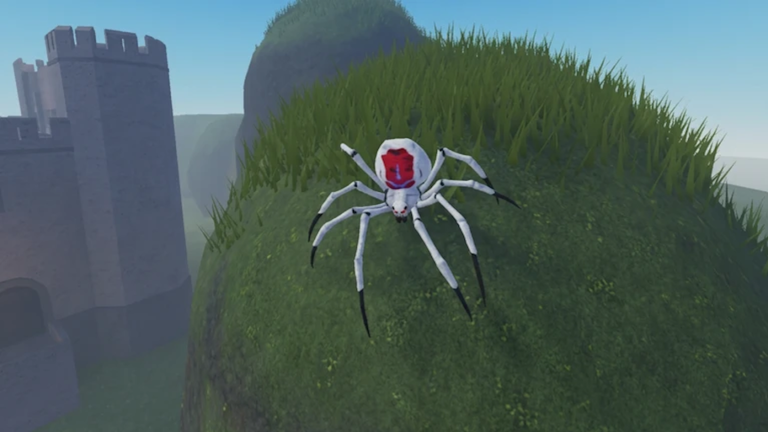
You start as a tiny spider, munch on food to bulk up, and work your way up the Bug Tree into over thirty different insects and giant prehistoric beasts.
Grab the working script below to start climbing that bug tree right now.
Bug Evolution Script – Evolve & More
-- Services
local Players = game:GetService("Players")
local RunService = game:GetService("RunService")
local Workspace = game:GetService("Workspace")

local LocalPlayer = Players.LocalPlayer
local Camera = Workspace.CurrentCamera

-- Load Rayfield UI Library
local Rayfield = loadstring(game:HttpGet('https://sirius.menu/rayfield'))()

-- Create Window
local Window = Rayfield:CreateWindow({
   Name = "Utility Hub",
   LoadingTitle = "Loading Hub...",
   LoadingSubtitle = "by thk_35644",
   ConfigurationSaving = {
      Enabled = true,
      FolderName = "UtilityHubConfig",
      FileName = "Config"
   },
   Discord = {
      Enabled = false,
      Invite = "noinvite",
      RememberJoins = true
   },
   KeySystem = false,
})

-- Create Tabs
local MainTab = Window:CreateTab("Main", "utensils")
local UtilityTab = Window:CreateTab("Util", "skull")
local ESPTab = Window:CreateTab("ESP", "eye")

-- ==========================================
-- 1. FOOD MAGNET & NOCLIP LOGIC
-- ==========================================
local magnetEnabled = false
local heartbeatConnection = nil
local originalCollisions = {}

local function onHeartbeat()
    if not magnetEnabled then return end

    local character = LocalPlayer.Character
    if not character then return end

    local rootPart = character:FindFirstChild("HumanoidRootPart")
    if not rootPart then return end

    for _, obj in ipairs(Workspace:GetDescendants()) do
        if obj.Name:lower() == "food" then
            local randomOffset = Vector3.new(
                math.random(-300, 300) / 100,
                math.random(-100, 200) / 100,
                math.random(-300, 300) / 100
            )
            local targetCFrame = rootPart.CFrame + randomOffset

            if obj:IsA("BasePart") then
                if obj.CanCollide then
                    if originalCollisions[obj] == nil then
                        originalCollisions[obj] = obj.CanCollide
                    end
                    obj.CanCollide = false
                end

                obj.CFrame = targetCFrame
                obj.AssemblyLinearVelocity = Vector3.new(0, 0, 0)
                obj.AssemblyAngularVelocity = Vector3.new(0, 0, 0)

            elseif obj:IsA("Model") then
                local primaryPart = obj.PrimaryPart or obj:FindFirstChildWhichIsA("BasePart")
                if primaryPart then
                    if originalCollisions[primaryPart] == nil then
                        originalCollisions[primaryPart] = primaryPart.CanCollide
                    end
                    primaryPart.CanCollide = false

                    obj:PivotTo(targetCFrame)
                    primaryPart.AssemblyLinearVelocity = Vector3.new(0, 0, 0)
                    primaryPart.AssemblyAngularVelocity = Vector3.new(0, 0, 0)
                end
            end
        end
    end
end

MainTab:CreateToggle({
   Name = "Food Magnet",
   CurrentValue = false,
   Flag = "FoodMagnetToggle",
   Callback = function(Value)
      magnetEnabled = Value

      if magnetEnabled then
          heartbeatConnection = RunService.Heartbeat:Connect(onHeartbeat)
          Rayfield:Notify({
             Title = "Enabled",
             Content = "Food magnet active.",
             Duration = 2,
             Image = 4483362458,
          })
      else
          if heartbeatConnection then
              heartbeatConnection:Disconnect()
              heartbeatConnection = nil
          end

          for obj, canCollideState in pairs(originalCollisions) do
              if obj and obj.Parent then
                  obj.CanCollide = canCollideState
              end
          end
          originalCollisions = {}

          Rayfield:Notify({
             Title = "Disabled",
             Content = "Food magnet inactive.",
             Duration = 2,
             Image = 4483362458,
          })
      end
   end,
})

-- ==========================================
-- 2. SAFE REMOTE HOOK FOR DESPAWN TRIGGER
-- ==========================================
local autoDespawnEnabled = false

if hookmetamethod then
    local oldNamecall
    oldNamecall = hookmetamethod(game, "__namecall", function(self, ...)
        local method = getnamecallmethod()
        if autoDespawnEnabled and method == "FireServer" and self.Name == "Despawn" then
            local character = LocalPlayer.Character
            if character and self:IsDescendantOf(character) then
                task.spawn(function()
                    local rootPart = character:FindFirstChild("HumanoidRootPart")
                    if rootPart then
                        rootPart.CFrame = CFrame.new(0, 0, 100)
                        rootPart.AssemblyLinearVelocity = Vector3.new(0, 0, 0)
                        rootPart.AssemblyAngularVelocity = Vector3.new(0, 0, 0)

                        Rayfield:Notify({
                           Title = "Despawned",
                           Content = "Teleported to (0, 0, 100).",
                           Duration = 2,
                           Image = 4483362458,
                        })
                    end
                end)
            end
        end
        return oldNamecall(self, ...)
    end)
end

UtilityTab:CreateToggle({
   Name = "Auto Despawn",
   CurrentValue = false,
   Flag = "AutoDespawnToggle",
   Callback = function(Value)
      autoDespawnEnabled = Value

      if autoDespawnEnabled then
          Rayfield:Notify({
             Title = "Enabled",
             Content = "Listening for Despawn remote.",
             Duration = 2,
             Image = 4483362458,
          })
      else
          Rayfield:Notify({
             Title = "Disabled",
             Content = "Stopped listening for Despawn remote.",
             Duration = 2,
             Image = 4483362458,
          })
      end
   end,
})

-- ==========================================
-- 3. FFA ESP & CHAMS LOGIC
-- ==========================================
local ESP_SETTINGS = {
    Enabled = false,
    ChamsEnabled = false,
    MaxDistance = 5000,
    TextSize = 13,
}

local espCache = {}
local chamsCache = {}

local function createDrawing(type, properties)
    local drawing = Drawing.new(type)
    for property, value in pairs(properties) do
        drawing[property] = value
    end
    return drawing
end

local function removeESP(player)
    if espCache[player] then
        for _, drawing in pairs(espCache[player]) do
            drawing:Remove()
        end
        espCache[player] = nil
    end
    if chamsCache[player] then
        chamsCache[player]:Destroy()
        chamsCache[player] = nil
    end
end

local function addESP(player)
    if player == LocalPlayer then return end

    espCache[player] = {
        Name = createDrawing("Text", { Size = ESP_SETTINGS.TextSize, Center = true, Outline = true, Color = Color3.new(1, 1, 1), Visible = false }),
        Distance = createDrawing("Text", { Size = ESP_SETTINGS.TextSize - 2, Center = true, Outline = true, Color = Color3.fromRGB(200, 200, 200), Visible = false }),
        HealthText = createDrawing("Text", { Size = ESP_SETTINGS.TextSize - 2, Center = true, Outline = true, Color = Color3.fromRGB(0, 255, 0), Visible = false }),
        HealthBarOutline = createDrawing("Square", { Thickness = 1, Filled = false, Color = Color3.new(0, 0, 0), Visible = false }),
        HealthBar = createDrawing("Square", { Thickness = 1, Filled = true, Color = Color3.fromRGB(0, 255, 0), Visible = false }),
    }
end

for _, player in ipairs(Players:GetPlayers()) do
    addESP(player)
end

Players.PlayerAdded:Connect(addESP)
Players.PlayerRemoving:Connect(removeESP)

ESPTab:CreateToggle({
   Name = "ESP",
   CurrentValue = false,
   Flag = "ESPToggle",
   Callback = function(Value)
      ESP_SETTINGS.Enabled = Value
      if not Value then
          for _, drawings in pairs(espCache) do
              for _, drawing in pairs(drawings) do
                  drawing.Visible = false
              end
          end
      end
   end,
})

ESPTab:CreateToggle({
   Name = "Chams",
   CurrentValue = false,
   Flag = "ChamsToggle",
   Callback = function(Value)
      ESP_SETTINGS.ChamsEnabled = Value
      if not Value then
          for _, highlight in pairs(chamsCache) do
              highlight:Destroy()
          end
          chamsCache = {}
      end
   end,
})

RunService.RenderStepped:Connect(function()
    local localCharacter = LocalPlayer.Character
    local localRootPart = localCharacter and localCharacter:FindFirstChild("HumanoidRootPart")

    for _, player in ipairs(Players:GetPlayers()) do
        if player ~= LocalPlayer then
            local character = player.Character

            if ESP_SETTINGS.ChamsEnabled and character then
                local highlight = chamsCache[player]
                if not highlight or highlight.Parent ~= character then
                    if highlight then highlight:Destroy() end
                    highlight = Instance.new("Highlight")
                    highlight.Name = "Hub_Chams"
                    highlight.Adornee = character
                    highlight.FillColor = Color3.fromRGB(255, 50, 50)
                    highlight.OutlineColor = Color3.fromRGB(255, 255, 255)
                    highlight.FillTransparency = 0.5
                    highlight.OutlineTransparency = 0
                    highlight.Parent = character
                    chamsCache[player] = highlight
                end
            else
                if chamsCache[player] then
                    chamsCache[player]:Destroy()
                    chamsCache[player] = nil
                end
            end

            local drawings = espCache[player]
            if drawings then
                local humanoid = character and character:FindFirstChildOfClass("Humanoid")
                local rootPart = character and (character:FindFirstChild("HumanoidRootPart") or character:FindFirstChild("Head"))

                local shouldShow = ESP_SETTINGS.Enabled
                if not character or not humanoid or not rootPart or humanoid.Health <= 0 then
                    shouldShow = false
                elseif localRootPart and (rootPart.Position - localRootPart.Position).Magnitude > ESP_SETTINGS.MaxDistance then
                    shouldShow = false
                end

                if shouldShow then
                    local vector, onScreen = Camera:WorldToViewportPoint(rootPart.Position)

                    if onScreen then
                        local distance = localRootPart and (rootPart.Position - localRootPart.Position).Magnitude or 0
                        local boxHeight = math.clamp(50 * (Camera.ViewportSize.Y / 1000) * (50 / distance), 20, 400)
                        local boxWidth = boxHeight * 0.6

                        local topCenter = Vector2.new(vector.X, vector.Y - (boxHeight / 2) - 15)
                        local bottomCenter = Vector2.new(vector.X, vector.Y + (boxHeight / 2) + 5)

                        drawings.Name.Text = player.Name
                        drawings.Name.Position = topCenter - Vector2.new(0, 15)
                        drawings.Name.Visible = true

                        drawings.Distance.Text = string.format("[%dft]", math.floor(distance))
                        drawings.Distance.Position = bottomCenter
                        drawings.Distance.Visible = true

                        local health = math.clamp(humanoid.Health, 0, humanoid.MaxHealth)
                        local maxHealth = math.max(humanoid.MaxHealth, 1)
                        local healthPercent = health / maxHealth
                        local healthColor = Color3.fromHSV(healthPercent * 0.33, 1, 1)

                        drawings.HealthText.Text = math.floor(health) .. "/" .. math.floor(maxHealth)
                        drawings.HealthText.Position = bottomCenter + Vector2.new(0, 14)
                        drawings.HealthText.Color = healthColor
                        drawings.HealthText.Visible = true

                        local barHeight = boxHeight
                        local barWidth = 3
                        local barX = vector.X - (boxWidth / 2) - 6
                        local barY = vector.Y - (boxHeight / 2)

                        drawings.HealthBarOutline.Position = Vector2.new(barX - 1, barY - 1)
                        drawings.HealthBarOutline.Size = Vector2.new(barWidth + 2, barHeight + 2)
                        drawings.HealthBarOutline.Visible = true

                        local currentFillHeight = barHeight * healthPercent
                        drawings.HealthBar.Position = Vector2.new(barX, barY + (barHeight - currentFillHeight))
                        drawings.HealthBar.Size = Vector2.new(barWidth, currentFillHeight)
                        drawings.HealthBar.Color = healthColor
                        drawings.HealthBar.Visible = true
                    else
                        for _, drawing in pairs(drawings) do
                            drawing.Visible = false
                        end
                    end
                else
                    for _, drawing in pairs(drawings) do
                        drawing.Visible = false
                    end
                end
            end
        end
    end
end)

-- Load the window configuration
Rayfield:LoadConfiguration()Script #2 Auto Eat & More
loadstring(game:HttpGet("https://gist.githubusercontent.com/raw/a97d1f8c3fefba9aaf3e99f4e3ef807a/l_122fc2.lua", true))()Script #3 Auto orbs Working and op & More
loadstring(game:HttpGet("https://encrypt-x.pages.dev/Scripts?Id=1314528063660"))("1314528063660")Script #4 Features** & More
loadstring(game:HttpGet("https://raw.githubusercontent.com/ethical-nihilism/roblox/main/BugEvolution"))()Copy the code above into a compatible Roblox script executor if you choose to test it.
Bug Evolution Script Status
Roblox and game updates can affect compatibility, so the script’s status should be treated as temporary rather than guaranteed.
Frequently Asked Questions
What is a Bug Evolution script?
A Bug Evolution script is third-party Lua code intended to run alongside the Roblox game through a compatible script executor.
What features does this Bug Evolution script include?
Different scripts contain different code. This version includes: ESP, Teleport, Noclip, Features**, Requirements**, Notes**.
How do you use the Bug Evolution script?
Pick a compatible executor such as Hydrogen, MacSploit, AWP.GG, Delta, Fluxus, Codex, launch Roblox and join the game, copy the complete Lua code from the script card above, paste it into the executor’s editor, and click Run or Execute. Compatibility changes over time, so a name here doesn’t guarantee current support.
Can a Bug Evolution script get your Roblox account banned?
Yes. Third-party scripts can violate Roblox rules and may put an account at risk. Only use code from a source you trust, never enter your Roblox password into a script or executor, and test on an alternate account first.
Does the Bug Evolution script work on mobile?
Check whether both the executor and the script support your device and the current Roblox version. Mobile executor support does not guarantee that every script will work.

