
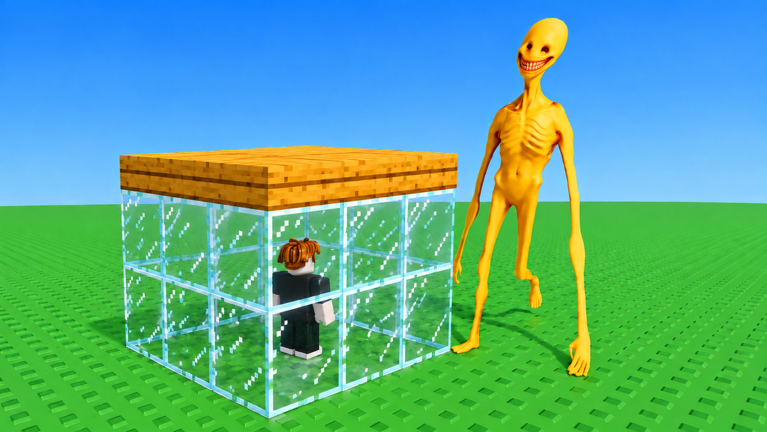
- Build and Kill Verity Script – auto start waves in build and kill verity & More
- Build and Kill Verity Script Status
- What Is a Build and Kill Verity Script?
- How to Use the Build and Kill Verity Script
- Can a Build and Kill Verity Script Get Your Roblox Account Banned?
- Build and Kill Verity Script for Mobile
- Frequently Asked Questions
Grinding out long sessions without losing your mind is way easier when you grab the Build and Kill Verity script.
You just build bases to defend yourself against waves of monsters that spawn every wave, plus you can invite friends to build together on your base while your buildings autosave and your base fights offline against the bosses.
Grab the working code below and test it out right now.
Build and Kill Verity Script – auto start waves in build and kill verity & More
local Players = game:GetService("Players")
local RS = game:GetService("ReplicatedStorage")
local VirtualUser = game:GetService("VirtualUser")
local StarterGui = game:GetService("StarterGui")
local plr = Players.LocalPlayer
local Event = RS:WaitForChild("Events"):WaitForChild("DefenseStartWaves")

-- Anti AFK
plr.Idled:Connect(function()
	VirtualUser:CaptureController()
	VirtualUser:ClickButton2(Vector2.new())
end)

pcall(function()
	StarterGui:SetCore("SendNotification", {
		Title = "AntiAFK Berhasil!",
		Text = "Dibuat oleh Novarosenz",
		Button1 = "Ashiap",
		Duration = 5
	})
end)

-- UI Start Wave
local gui = Instance.new("ScreenGui", plr:WaitForChild("PlayerGui"))
gui.Name = "WaveStartUI"
gui.ResetOnSpawn = false

local frame = Instance.new("Frame", gui)
frame.Size = UDim2.fromOffset(180, 90)
frame.Position = UDim2.new(0.5, -90, 0.3, 0)
frame.BackgroundColor3 = Color3.fromRGB(30, 30, 35)
frame.Active = true
frame.Draggable = true
Instance.new("UICorner", frame).CornerRadius = UDim.new(0, 8)

local title = Instance.new("TextLabel", frame)
title.Size = UDim2.new(1, 0, 0, 22)
title.BackgroundTransparency = 1
title.Text = "Start Wave"
title.TextColor3 = Color3.new(1, 1, 1)
title.Font = Enum.Font.GothamBold
title.TextSize = 14

local box = Instance.new("TextBox", frame)
box.Size = UDim2.new(1, -16, 0, 28)
box.Position = UDim2.fromOffset(8, 28)
box.BackgroundColor3 = Color3.fromRGB(50, 50, 55)
box.Text = "1"
box.TextColor3 = Color3.new(1, 1, 1)
box.Font = Enum.Font.Gotham
box.TextSize = 16
box.ClearTextOnFocus = false
Instance.new("UICorner", box).CornerRadius = UDim.new(0, 6)

local btn = Instance.new("TextButton", frame)
btn.Size = UDim2.new(1, -16, 0, 26)
btn.Position = UDim2.fromOffset(8, 60)
btn.BackgroundColor3 = Color3.fromRGB(0, 140, 90)
btn.Text = "START"
btn.TextColor3 = Color3.new(1, 1, 1)
btn.Font = Enum.Font.GothamBold
btn.TextSize = 14
Instance.new("UICorner", btn).CornerRadius = UDim.new(0, 6)

local function setBtn(text, color)
	btn.Text = text
	btn.BackgroundColor3 = color or Color3.fromRGB(0, 140, 90)
end

local function getWave()
	local n = tonumber(box.Text)
	return n and math.max(1, math.floor(n)) or 1
end

local function fireWave()
	local wave = getWave()
	pcall(function()
		Event:FireServer({
			Mode = "Normal",
			StartWave = wave
		})
	end)
	print("Start wave:", wave)
end

local function getClaim()
	local main = plr.PlayerGui:FindFirstChild("Main")
	local endResult = main and main:FindFirstChild("EndResult")
	local action = endResult and endResult:FindFirstChild("Action")
	return action and action:FindFirstChild("Claim")
end

local function clickClaim()
	local claim = getClaim()
	if not claim then return false end
	pcall(function()
		claim:Activate()
	end)
	pcall(function()
		if firesignal then
			firesignal(claim.MouseButton1Click)
			firesignal(claim.Activated)
		end
	end)
	print("Claim ditekan")
	return true
end

local busy = false
local cancel = false
local lastId = tonumber(plr:GetAttribute("DefenseResultId")) or 0

local function onResultIdUp()
	if busy then return end
	busy = true
	cancel = false
	task.spawn(function()
		setBtn("WAITING...", Color3.fromRGB(120, 120, 60))
		task.wait(2)
		if cancel then setBtn("CANCELED", Color3.fromRGB(160, 50, 50)) busy = false return end

		setBtn("CLAIMING...", Color3.fromRGB(180, 120, 40))
		clickClaim()
		task.wait(2)
		if cancel then setBtn("CANCELED", Color3.fromRGB(160, 50, 50)) busy = false return end

		setBtn("STARTING...", Color3.fromRGB(40, 120, 180))
		fireWave()
		task.wait(0.8)
		if cancel then setBtn("CANCELED", Color3.fromRGB(160, 50, 50)) busy = false return end

		setBtn("START", Color3.fromRGB(0, 140, 90))
		busy = false
	end)
end

btn.MouseButton1Click:Connect(function()
	if busy then
		-- cancel proses yang sedang jalan
		cancel = true
		setBtn("CANCELED", Color3.fromRGB(160, 50, 50))
		task.delay(1, function()
			if not busy then
				setBtn("START", Color3.fromRGB(0, 140, 90))
			end
		end)
		return
	end

	-- start manual
	busy = true
	cancel = false
	setBtn("STARTING...", Color3.fromRGB(40, 120, 180))
	fireWave()
	task.wait(0.8)
	if not cancel then
		setBtn("START", Color3.fromRGB(0, 140, 90))
	else
		setBtn("CANCELED", Color3.fromRGB(160, 50, 50))
	end
	busy = false
end)

plr:GetAttributeChangedSignal("DefenseResultId"):Connect(function()
	local now = tonumber(plr:GetAttribute("DefenseResultId")) or 0
	if now == lastId + 1 and not cancel then
		onResultIdUp()
	end
	lastId = now
end)Copy the code above into a compatible Roblox script executor if you choose to test it.
Build and Kill Verity Script Status
Roblox and game updates can affect compatibility, so the script’s status should be treated as temporary rather than guaranteed.
What Is a Build and Kill Verity Script?
A Build and Kill Verity script is Lua code intended to run alongside the Roblox game through a third-party script executor.
Different scripts can contain different code and features. This version includes the following features:
How to Use the Build and Kill Verity Script
If you decide to test a third-party Roblox script, the general process involves a compatible executor and the Lua code provided above.
Can a Build and Kill Verity Script Get Your Roblox Account Banned?
- Only use code from a source you trust.
- Never enter your Roblox password into a script or executor.
- Test on an alternate account first.
Build and Kill Verity Script for Mobile
If you’re searching for a Build and Kill Verity script for mobile, check whether both the executor and the script support your device and current Roblox version. Mobile executor support does not guarantee that every script will work.
Frequently Asked Questions
What is a Build and Kill Verity script?
A Build and Kill Verity script is third-party Lua code intended to run alongside the Roblox game through a compatible script executor.
What features does this Build and Kill Verity script include?
Different scripts contain different code. This version includes: auto start waves in build and kill verity, for long afk runs.
How do you use the Build and Kill Verity script?
Pick a compatible executor such as Hydrogen, MacSploit, AWP.GG, Delta, Fluxus, Codex, launch Roblox and join the game, copy the complete Lua code from the script card above, paste it into the executor’s editor, and click Run or Execute. Compatibility changes over time, so a name here doesn’t guarantee current support.
Can a Build and Kill Verity script get your Roblox account banned?
Yes. Third-party scripts can violate Roblox rules and may put an account at risk. Only use code from a source you trust, never enter your Roblox password into a script or executor, and test on an alternate account first.
Does the Build and Kill Verity script work on mobile?
Check whether both the executor and the script support your device and the current Roblox version. Mobile executor support does not guarantee that every script will work.

