
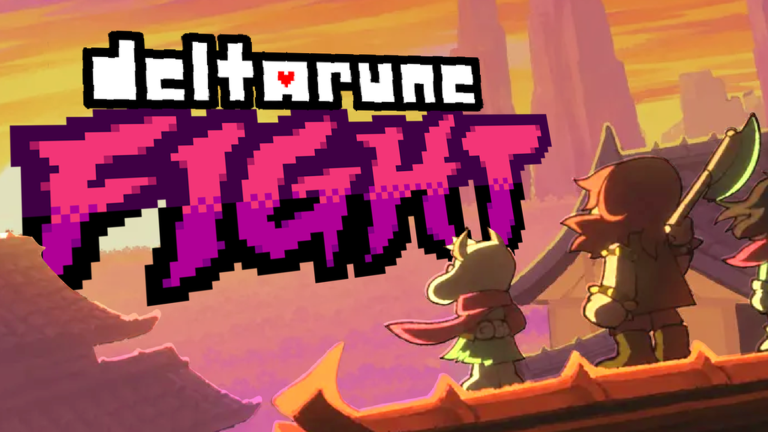
Playing smarter on mobile is the only way to survive tough battles without losing your mind, and using a DELTARUNE Fight script makes handling chaotic boss patterns way less painful.
This experience is a classic fight sim fan game where you test your skills in intense showdowns, replay classic boss fights, and grind out wins against tricky enemies using simple keyboard controls.
If you want to breeze past the annoying parts and stop dying on the same attack pattern, grab the working script below and jump straight back into the action.
DELTARUNE Fight Script – Click Teleport god mode infinite tp & More
-- Load Rayfield Library
local Rayfield = loadstring(game:HttpGet('https://sirius.menu/rayfield'))()

local Players = game:GetService("Players")
local UserInputService = game:GetService("UserInputService")
local ReplicatedStorage = game:GetService("ReplicatedStorage")

local LocalPlayer = Players.LocalPlayer
local PlayerGui = LocalPlayer:WaitForChild("PlayerGui")

----------------------------------------------------
-- TARGET OBJECT LOCATOR
----------------------------------------------------
local function getSoulField()
	local gameUI = PlayerGui:FindFirstChild("GameUI")
	if not gameUI then return nil end

	local main = gameUI:FindFirstChild("Main")
	local activeBattle = main and main:FindFirstChild("ActiveBattle")
	local battleMain = activeBattle and activeBattle:FindFirstChild("Main")
	local base = battleMain and battleMain:FindFirstChild("Base")
	return base and base:FindFirstChild("SoulField")
end

local function getSoulObject()
	local soulField = getSoulField()
	return soulField and soulField:FindFirstChild("Soul")
end

----------------------------------------------------
-- RAYFIELD WINDOW CREATION
----------------------------------------------------
local Window = Rayfield:CreateWindow({
   Name = "Deptarunebattle yes",
   LoadingTitle = "Loading deltarune battle",
   LoadingSubtitle = "uh put smtng",
   ConfigurationSaving = {
      Enabled = false,
   },
   KeySystem = false,
})

local SoulTab = Window:CreateTab("Soul", "user")
local GrazeTab = Window:CreateTab("Graze", "zap")

----------------------------------------------------
-- STATE VARIABLES
----------------------------------------------------
local teleportEnabled = false
local isTeleportDragging = false
local removeHitboxesEnabled = false

local infiniteTPEnabled = false
local finishTurnButtonEnabled = false

-- Floating Draggable Button Reference
local floatingGui = nil
local floatingButton = nil

----------------------------------------------------
-- RAYFIELD ELEMENTS: SOUL TAB
----------------------------------------------------
SoulTab:CreateToggle({
   Name = "Click Teleport",
   CurrentValue = false,
   Flag = "TeleportToggle",
   Callback = function(Value)
      teleportEnabled = Value
      if not Value then
         isTeleportDragging = false
      end
   end,
})

SoulTab:CreateToggle({
   Name = "Remove All Hitboxes",
   CurrentValue = false,
   Flag = "RemoveHitboxToggle",
   Callback = function(Value)
      removeHitboxesEnabled = Value
   end,
})

----------------------------------------------------
-- RAYFIELD ELEMENTS: GRAZE TAB
----------------------------------------------------
GrazeTab:CreateToggle({
   Name = "Infinite TP",
   CurrentValue = false,
   Flag = "InfiniteTPToggle",
   Callback = function(Value)
      infiniteTPEnabled = Value
   end,
})

GrazeTab:CreateToggle({
   Name = "Finish Enemy Turn Button",
   CurrentValue = false,
   Flag = "FinishTurnToggle",
   Callback = function(Value)
      finishTurnButtonEnabled = Value

      if Value then
         -- Create Floating Draggable Button
         if floatingGui then floatingGui:Destroy() end

         floatingGui = Instance.new("ScreenGui")
         floatingGui.Name = "FinishTurnScreenGui"
         floatingGui.ResetOnSpawn = false
         floatingGui.DisplayOrder = 999999
         floatingGui.Parent = PlayerGui

         floatingButton = Instance.new("TextButton")
         floatingButton.Name = "FinishTurnButton"
         floatingButton.Size = UDim2.new(0, 140, 0, 45)
         floatingButton.Position = UDim2.new(0.5, -70, 0.1, 0)
         floatingButton.BackgroundColor3 = Color3.fromRGB(180, 40, 40)
         floatingButton.TextColor3 = Color3.fromRGB(255, 255, 255)
         floatingButton.Text = "FINISH TURN"
         floatingButton.Font = Enum.Font.SourceSansBold
         floatingButton.TextSize = 14
         floatingButton.Active = true
         floatingButton.Parent = floatingGui

         local corner = Instance.new("UICorner")
         corner.CornerRadius = UDim.new(0, 6)
         corner.Parent = floatingButton

         -- Draggable logic for floating button
         local dragging, dragInput, dragStart, startPos

         floatingButton.InputBegan:Connect(function(input)
            if input.UserInputType == Enum.UserInputType.MouseButton1 or input.UserInputType == Enum.UserInputType.Touch then
               dragging = true
               dragStart = input.Position
               startPos = floatingButton.Position

               input.Changed:Connect(function()
                  if input.UserInputState == Enum.UserInputState.End then
                     dragging = false
                  end
               end)
            end
         end)

         floatingButton.InputChanged:Connect(function(input)
            if input.UserInputType == Enum.UserInputType.MouseMovement or input.UserInputType == Enum.UserInputType.Touch then
               dragInput = input
            end
         end)

         UserInputService.InputChanged:Connect(function(input)
            if input == dragInput and dragging then
               local delta = input.Position - dragStart
               floatingButton.Position = UDim2.new(
                  startPos.X.Scale, startPos.X.Offset + delta.X,
                  startPos.Y.Scale, startPos.Y.Offset + delta.Y
               )
            end
         end)

         -- Click / Touch behavior to fire SequenceDone remote
         floatingButton.MouseButton1Click:Connect(function()
            local remotes = ReplicatedStorage:FindFirstChild("Remotes")
            local seqDoneEvent = remotes and remotes:FindFirstChild("Battle_SequenceDone")
            if seqDoneEvent then
               pcall(function()
                  seqDoneEvent:FireServer()
               end)
            end
         end)
      else
         -- Remove Floating Button
         if floatingGui then
            floatingGui:Destroy()
            floatingGui = nil
            floatingButton = nil
         end
      end
   end,
})

----------------------------------------------------
-- CLICK TELEPORT LOGIC
----------------------------------------------------
local function updateSoulToPosition(inputPos)
	local soul = getSoulObject()
	local soulField = getSoulField()
	if not soul or not soulField then return end

	local absPos = soulField.AbsolutePosition
	local localX = inputPos.X - absPos.X
	local localY = inputPos.Y - absPos.Y

	local soulSize = soul.AbsoluteSize
	local anchor = soul.AnchorPoint

	local targetX = localX - (soulSize.X * anchor.X)
	local targetY = localY - (soulSize.Y * anchor.Y)

	soul.Position = UDim2.new(0, targetX, 0, targetY)
end

UserInputService.InputBegan:Connect(function(input, gameProcessed)
	if not teleportEnabled or gameProcessed then return end
	if input.UserInputType == Enum.UserInputType.MouseButton1 or input.UserInputType == Enum.UserInputType.Touch then
		isTeleportDragging = true
		updateSoulToPosition(input.Position)
	end
end)

UserInputService.InputEnded:Connect(function(input)
	if input.UserInputType == Enum.UserInputType.MouseButton1 or input.UserInputType == Enum.UserInputType.Touch then
		isTeleportDragging = false
	end
end)

UserInputService.InputChanged:Connect(function(input)
	if teleportEnabled and isTeleportDragging and (input.UserInputType == Enum.UserInputType.MouseMovement or input.UserInputType == Enum.UserInputType.Touch) then
		updateSoulToPosition(input.Position)
	end
end)

----------------------------------------------------
-- HITBOX REMOVER
----------------------------------------------------
local function destroyHitboxes()
	if not removeHitboxesEnabled then return end

	for _, descendant in ipairs(PlayerGui:GetDescendants()) do
		if descendant:IsA("GuiObject") then
			local nameLower = string.lower(descendant.Name)
			if string.find(nameLower, "hitbox") or string.find(nameLower, "damage") or string.find(nameLower, "collider") then
				pcall(function()
					descendant:Destroy()
				end)
			end
		end
	end
end

----------------------------------------------------
-- INSTANT REMOTE FIRE HELPERS
----------------------------------------------------
local function fireTP(count)
	local remotes = ReplicatedStorage:FindFirstChild("Remotes")
	local grazedEvent = remotes and remotes:FindFirstChild("Battle_Grazed")
	if grazedEvent then
		local args = {
			[1] = nil,
			[2] = math.random() * 0.5,
			[3] = nil,
			n = 3,
		}
		for i = 1, count do
			task.spawn(function()
				grazedEvent:FireServer(unpack(args, 1, args.n or #args))
			end)
		end
	end
end

----------------------------------------------------
-- MAIN BACKGROUND LOOP
----------------------------------------------------
task.spawn(function()
	while task.wait(0.05) do
		-- Hitbox Destroyer
		destroyHitboxes()

		-- Instant Background TP
		if infiniteTPEnabled then
			fireTP(100)
		end
	end
end)Copy the code above into a compatible Roblox script executor if you choose to test it.
DELTARUNE Fight Script Status
Roblox and game updates can affect compatibility, so the script’s status should be treated as temporary rather than guaranteed.
Frequently Asked Questions
What is a DELTARUNE Fight script?
A DELTARUNE Fight script is third-party Lua code intended to run alongside the Roblox game through a compatible script executor.
What features does this DELTARUNE Fight script include?
Different scripts contain different code. This version includes: Click Teleport god mode infinite tp.
How do you use the DELTARUNE Fight script?
Pick a compatible executor such as Hydrogen, MacSploit, AWP.GG, Delta, Fluxus, Codex, launch Roblox and join the game, copy the complete Lua code from the script card above, paste it into the executor’s editor, and click Run or Execute. Compatibility changes over time, so a name here doesn’t guarantee current support.
Can a DELTARUNE Fight script get your Roblox account banned?
Yes. Third-party scripts can violate Roblox rules and may put an account at risk. Only use code from a source you trust, never enter your Roblox password into a script or executor, and test on an alternate account first.
Does the DELTARUNE Fight script work on mobile?
Check whether both the executor and the script support your device and the current Roblox version. Mobile executor support does not guarantee that every script will work.

