
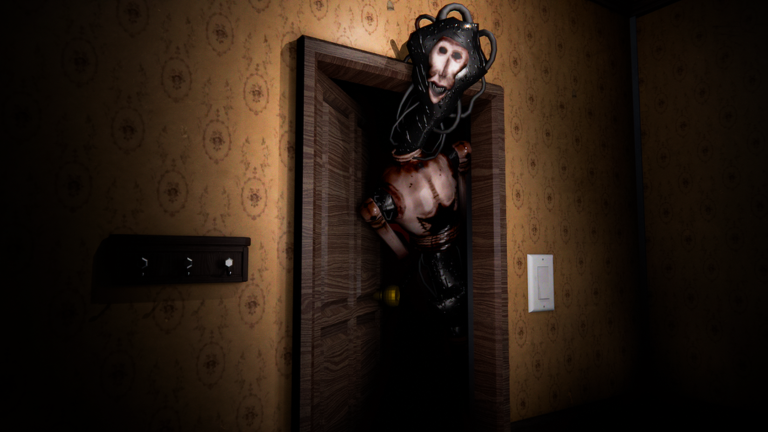
Playing on mobile makes quick survival games way more intense, especially when you are trying to stay alive without clunky controls getting in the way. Grabbing the DON’T LET HIM IN script is the best way to handle the chaos and keep your focus on surviving the night instead of fighting the interface.
The main loop revolves around keeping the floodlights powered, watching the doors and windows, and fixing the breaker when the lights go out. You work together to survive while something circles the house, studies your mistakes, and looks for an open window or door. If it gets inside, the house goes dark and you have to hide and stay quiet until morning.
Since surviving the night is tough when the power fails and monsters are hunting, having a solid tool ready helps you skip the stress. Here is the working script to help you get through your next match.
DON’T LET HIM IN Script – [ HOW TO USE ] & More
-- Made by Alo's [Have Fun] V1
-- Ultimate Edition: Locust ESP, Anti-Cheat Bypass, God-Tier Fog Eraser

repeat wait() until game:IsLoaded()

local Players = game:GetService("Players")
local RunService = game:GetService("RunService")
local UserInputService = game:GetService("UserInputService")
local Lighting = game:GetService("Lighting")
local TweenService = game:GetService("TweenService")
local plr = Players.LocalPlayer

local function getChar() return plr.Character or plr.CharacterAdded:Wait() end
local function getRoot() local c = getChar() return c:WaitForChild("HumanoidRootPart") end

-- SPOT DATABASE
local SPOTS = {
    houseLarge = { name = "Safe Spot [LARGE]", path = "Workspace.House.Second Floor.Structure.MasterScalePartition.PlasterPartition", game = "The House" },
    houseSafe = { name = "Lazy Spot [He Can See You but he cant kill you]", path = "Workspace.House.Second Floor.Rooms.Bathroom2.Objects.BathAndShower.Bathtub", game = "The House" },
    lazySpot2 = { name = "Lazy Spot 2 [Same Thing]", path = "Workspace.House.Areas.Bathroom1.Objects.Shower.Bathtub", game = "The House" },
    snowMini = { name = "Safe Spot [Mini but safe]", path = "Workspace.House.Areas.LodgeArt.Snowden.07_Hearth.ChimneyShaft", game = "Snowbound" },
    snowWIP = { name = "Safe Spot (WIP)", path = nil, game = "Snowbound" },
    stormIron = { name = "Safe spot (Super super lazy searching best spot..)", path = "Workspace.House.Shell.BuiltInFurniture.GroundFloor.Kitchen.Iron.iron", game = "StormChast" },
    stormMahog = { name = "Safe Spot (Idk)", path = "Workspace.House.Shell.GrandStaircase.GroundFloor.GrandHall.Mahog.mahog", game = "StormChast" }
}

local noclipActive = true
local espActive = false
local brightActive = false
local fogErased = false

-- CUSTOM NOTIF UI
local function showCustomNotif()
    local existingNotif = game.CoreGui:FindFirstChild("CustomPhoneNotif")
    if existingNotif then existingNotif:Destroy() end

    local notifGui = Instance.new("ScreenGui")
    notifGui.Name = "CustomPhoneNotif"
    notifGui.Parent = game.CoreGui

    local frame = Instance.new("Frame")
    frame.Size = UDim2.new(0, 350, 0, 45)
    frame.Position = UDim2.new(0.5, -175, -0.1, 0)
    frame.BackgroundColor3 = Color3.fromRGB(30, 30, 30)
    frame.BorderSizePixel = 0
    frame.Parent = notifGui

    local corner = Instance.new("UICorner"); corner.CornerRadius = UDim.new(0, 8); corner.Parent = frame
    local stroke = Instance.new("UIStroke"); stroke.Color = Color3.fromRGB(100, 0, 0); stroke.Thickness = 1.5; stroke.Parent = frame

    local text = Instance.new("TextLabel")
    text.Size = UDim2.new(1, -50, 1, 0)
    text.Position = UDim2.new(0, 10, 0, 0)
    text.BackgroundTransparency = 1
    text.Text = "TIP: Teleport not working? Try spam click the safe spot button and its will working again! Trust me"
    text.TextColor3 = Color3.fromRGB(255, 255, 255)
    text.Font = Enum.Font.Gotham
    text.TextSize = 12
    text.TextWrapped = true
    text.TextXAlignment = Enum.TextXAlignment.Left
    text.Parent = frame

    local closeBtn = Instance.new("TextButton")
    closeBtn.Size = UDim2.new(0, 30, 0, 30)
    closeBtn.Position = UDim2.new(1, -35, 0.5, -15)
    closeBtn.BackgroundColor3 = Color3.fromRGB(80, 0, 0)
    closeBtn.Text = "X"; closeBtn.TextColor3 = Color3.fromRGB(255, 100, 100); closeBtn.Font = Enum.Font.GothamBold
    closeBtn.Parent = frame
    local closeCorner = Instance.new("UICorner"); closeCorner.CornerRadius = UDim.new(0, 6); closeCorner.Parent = closeBtn

    TweenService:Create(frame, TweenInfo.new(0.5, Enum.EasingStyle.Quad, Enum.EasingDirection.Out), {Position = UDim2.new(0.5, -175, 0.05, 0)}):Play()

    local function closeNotif()
        local tweenOut = TweenService:Create(frame, TweenInfo.new(0.5, Enum.EasingStyle.Quad, Enum.EasingDirection.In), {Position = UDim2.new(0.5, -175, -0.1, 0)})
        tweenOut:Play()
        tweenOut.Completed:Connect(function() notifGui:Destroy() end)
    end

    closeBtn.MouseButton1Click:Connect(closeNotif)
    task.delay(25, function() if notifGui and notifGui.Parent then closeNotif() end end)
end

local function noclip()
    if noclipActive then
        local c = getChar()
        for _, v in pairs(c:GetDescendants()) do if v:IsA("BasePart") then v.CanCollide = false end end
    end
end

local function findPartByName(name)
    for _, obj in pairs(workspace:GetDescendants()) do
        if obj:IsA("BasePart") and obj.Name == name then return obj end
    end
    return nil
end

local function getPartFromPath(path)
    if not path then return nil end
    local parts = string.split(path, ".")
    local current = game
    for _, partName in pairs(parts) do
        if current then current = current:FindFirstChild(partName) end
    end
    if current and current:IsA("BasePart") then return current end
    return findPartByName(parts[#parts])
end

-- ULTIMATE ANTI-CHEAT BYPASS
local function teleportToSpot(spotKey)
    local spot = SPOTS[spotKey]
    if not spot then return end
    if not spot.path then
        task.spawn(function() game:GetService("StarterGui"):SetCore("SendNotification", {Title = "By Alo's", Text = spot.name .. " is still under construction!", Duration = 3}) end)
        return
    end

    local part = getPartFromPath(spot.path)
    if part then
        local root = getRoot()
        local targetPos = part.CFrame

        -- 1. ANCHOR HACK
        local isAnchored = root.Anchored
        root.Anchored = true

        -- 2. TELEPORT SPAM
        for i = 1, 10 do
            root.CFrame = targetPos
            task.wait(0.01)
        end

        -- 3. LOOP GUARD (Kunci 2 detik)
        task.spawn(function()
            local lockTime = tick() + 2
            while tick() < lockTime do
                task.wait(0.1)
                if (root.Position - targetPos.Position).Magnitude > 10 then
                    root.CFrame = targetPos
                end
            end
            root.Anchored = isAnchored
        end)

        task.spawn(function() game:GetService("StarterGui"):SetCore("SendNotification", {Title = "By Alo's", Text = "Teleported to " .. spot.name .. "!", Duration = 3}) end)
    else
        task.spawn(function() game:GetService("StarterGui"):SetCore("SendNotification", {Title = "By Alo's", Text = "Spot not found, This is for " .. spot.game .. " btw", Duration = 3}) end)
    end
end

-- GUI SETUP
local gui = Instance.new("ScreenGui")
gui.Name = "By_Alos"
gui.Parent = game.CoreGui

local mainFrame = Instance.new("Frame")
mainFrame.Size = UDim2.new(0, 320, 0, 420)
mainFrame.Position = UDim2.new(0.5, -160, 0.5, -210)
mainFrame.BackgroundColor3 = Color3.fromRGB(20, 0, 0)
mainFrame.BackgroundTransparency = 0.1
mainFrame.Active = true
mainFrame.Draggable = true
mainFrame.Parent = gui
mainFrame.Visible = true

local title = Instance.new("TextLabel")
title.Size = UDim2.new(1, 0, 0, 40)
title.Text = "By Alo's [Have Fun] V1"
title.TextColor3 = Color3.fromRGB(255, 50, 50)
title.BackgroundColor3 = Color3.fromRGB(60, 0, 0)
title.Font = Enum.Font.GothamBold
title.TextSize = 18
title.Parent = mainFrame

local closeBtn = Instance.new("TextButton")
closeBtn.Size = UDim2.new(0, 30, 0, 30)
closeBtn.Position = UDim2.new(1, -35, 0, 5)
closeBtn.Text = "X"
closeBtn.BackgroundColor3 = Color3.fromRGB(100, 0, 0)
closeBtn.TextColor3 = Color3.fromRGB(255, 100, 100)
closeBtn.Font = Enum.Font.GothamBold
closeBtn.Parent = mainFrame

local menuFrame = Instance.new("Frame")
menuFrame.Size = UDim2.new(1, -20, 0, 80)
menuFrame.Position = UDim2.new(0, 10, 0, 50)
menuFrame.BackgroundTransparency = 1
menuFrame.Parent = mainFrame

local function createMenuBtn(text, x, callback)
    local b = Instance.new("TextButton")
    b.Size = UDim2.new(0, 70, 0, 35)
    b.Position = UDim2.new(0, x, 0, 0)
    b.Text = text
    b.BackgroundColor3 = Color3.fromRGB(80, 0, 0)
    b.TextColor3 = Color3.fromRGB(255, 100, 100)
    b.Font = Enum.Font.GothamBold
    b.TextSize = 12
    b.Parent = menuFrame
    b.MouseButton1Click:Connect(callback)
    return b
end

local houseBtn = createMenuBtn("The House", 0, function() end)
local snowBtn = createMenuBtn("Snowbound", 75, function() end)
local stormBtn = createMenuBtn("StormChast", 150, function() end)
local mainBtn2 = createMenuBtn("Main", 225, function() end)

-- KONTEN HOUSE
local houseContent = Instance.new("Frame")
houseContent.Size = UDim2.new(1, -20, 0, 250)
houseContent.Position = UDim2.new(0, 10, 0, 140)
houseContent.BackgroundTransparency = 1
houseContent.Visible = false
houseContent.Parent = mainFrame

local function makeHouseBtn(text, y, key)
    local b = Instance.new("TextButton")
    b.Size = UDim2.new(1, 0, 0, 45)
    b.Position = UDim2.new(0, 0, 0, y)
    b.Text = text
    b.BackgroundColor3 = Color3.fromRGB(80, 0, 0)
    b.TextColor3 = Color3.fromRGB(255, 100, 100)
    b.Font = Enum.Font.GothamBold
    b.TextSize = 14
    b.TextWrapped = true
    b.Parent = houseContent
    b.MouseButton1Click:Connect(function() teleportToSpot(key) end)
end
makeHouseBtn("Safe Spot [LARGE]", 0, "houseLarge")
makeHouseBtn("Lazy Spot [He Can See You but he cant kill you]", 55, "houseSafe")
makeHouseBtn("Lazy Spot 2 [Same Thing]", 115, "lazySpot2")

-- KONTEN SNOWBOUND
local snowContent = Instance.new("Frame")
snowContent.Size = UDim2.new(1, -20, 0, 250)
snowContent.Position = UDim2.new(0, 10, 0, 140)
snowContent.BackgroundTransparency = 1
snowContent.Visible = false
snowContent.Parent = mainFrame

local function makeSnowBtn(text, y, key)
    local b = Instance.new("TextButton")
    b.Size = UDim2.new(1, 0, 0, 45)
    b.Position = UDim2.new(0, 0, 0, y)
    b.Text = text
    b.BackgroundColor3 = Color3.fromRGB(80, 0, 0)
    b.TextColor3 = Color3.fromRGB(255, 100, 100)
    b.Font = Enum.Font.GothamBold
    b.TextSize = 14
    b.Parent = snowContent
    b.MouseButton1Click:Connect(function() teleportToSpot(key) end)
end
makeSnowBtn("Safe Spot [Mini but safe]", 0, "snowMini")
makeSnowBtn("Safe Spot (WIP)", 55, "snowWIP")

-- KONTEN STORMCHAST
local stormContent = Instance.new("Frame")
stormContent.Size = UDim2.new(1, -20, 0, 250)
stormContent.Position = UDim2.new(0, 10, 0, 140)
stormContent.BackgroundTransparency = 1
stormContent.Visible = false
stormContent.Parent = mainFrame

local function makeStormBtn(text, y, key)
    local b = Instance.new("TextButton")
    b.Size = UDim2.new(1, 0, 0, 45)
    b.Position = UDim2.new(0, 0, 0, y)
    b.Text = text
    b.BackgroundColor3 = Color3.fromRGB(80, 0, 0)
    b.TextColor3 = Color3.fromRGB(255, 100, 100)
    b.Font = Enum.Font.GothamBold
    b.TextSize = 14
    b.TextWrapped = true
    b.Parent = stormContent
    b.MouseButton1Click:Connect(function() teleportToSpot(key) end)
end
makeStormBtn("Safe spot (Super super lazy searching best spot..)", 0, "stormIron")
makeStormBtn("Safe Spot (Idk)", 55, "stormMahog")

-- KONTEN MAIN
local mainContent = Instance.new("Frame")
mainContent.Size = UDim2.new(1, -20, 0, 250)
mainContent.Position = UDim2.new(0, 10, 0, 140)
mainContent.BackgroundTransparency = 1
mainContent.Visible = false
mainContent.Parent = mainFrame

local noclipBtn = Instance.new("TextButton")
noclipBtn.Size = UDim2.new(1, 0, 0, 40)
noclipBtn.Position = UDim2.new(0, 0, 0, 0)
noclipBtn.Text = "Noclip: ON"
noclipBtn.BackgroundColor3 = Color3.fromRGB(80, 0, 0)
noclipBtn.TextColor3 = Color3.fromRGB(255, 100, 100)
noclipBtn.Font = Enum.Font.GothamBold
noclipBtn.TextSize = 14
noclipBtn.Parent = mainContent
noclipBtn.MouseButton1Click:Connect(function()
    noclipActive = not noclipActive
    noclipBtn.Text = "Noclip: " .. (noclipActive and "ON" or "OFF")
end)

local brightBtn = Instance.new("TextButton")
brightBtn.Size = UDim2.new(1, 0, 0, 40)
brightBtn.Position = UDim2.new(0, 0, 0, 45)
brightBtn.Text = "Fullbright: OFF"
brightBtn.BackgroundColor3 = Color3.fromRGB(80, 0, 0)
brightBtn.TextColor3 = Color3.fromRGB(255, 100, 100)
brightBtn.Font = Enum.Font.GothamBold
brightBtn.TextSize = 14
brightBtn.Parent = mainContent
brightBtn.MouseButton1Click:Connect(function()
    brightActive = not brightActive
    brightBtn.Text = "Fullbright: " .. (brightActive and "ON" or "OFF")
    if brightActive then
        Lighting.Brightness = 5
        Lighting.ClockTime = 14
        Lighting.OutdoorAmbient = Color3.fromRGB(255, 255, 255)
        Lighting.Ambient = Color3.fromRGB(255, 255, 255)
        Lighting.GlobalShadows = false
    else
        Lighting.Brightness = 1
        Lighting.ClockTime = 0
        Lighting.OutdoorAmbient = Color3.fromRGB(0, 0, 0)
        Lighting.GlobalShadows = true
    end
end)

local fogBtn = Instance.new("TextButton")
fogBtn.Size = UDim2.new(1, 0, 0, 40)
fogBtn.Position = UDim2.new(0, 0, 0, 90)
fogBtn.Text = "Erase FOG (Extreme): OFF"
fogBtn.BackgroundColor3 = Color3.fromRGB(80, 0, 0)
fogBtn.TextColor3 = Color3.fromRGB(255, 100, 100)
fogBtn.Font = Enum.Font.GothamBold
fogBtn.TextSize = 14
fogBtn.Parent = mainContent
fogBtn.MouseButton1Click:Connect(function()
    fogErased = not fogErased
    fogBtn.Text = "Erase FOG (Extreme): " .. (fogErased and "ON" or "OFF")
    if fogErased then
        for _, effect in pairs(Lighting:GetChildren()) do
            if effect:IsA("Atmosphere") or effect:IsA("BlurEffect") or effect:IsA("SunRaysEffect") or effect:IsA("ColorCorrectionEffect") then
                effect:Destroy()
            end
        end
        Lighting.FogEnd = 100000
        Lighting.FogStart = 0
        Lighting.ClockTime = 14

        for _, v in pairs(workspace:GetDescendants()) do
            if v:IsA("ParticleEmitter") and (string.find(string.lower(v.Name), "fog") or string.find(string.lower(v.Name), "smoke") or string.find(string.lower(v.Name), "mist") or string.find(string.lower(v.Name), "cloud")) then
                v.Enabled = false
            elseif v:IsA("BasePart") and (string.find(string.lower(v.Name), "fog") or string.find(string.lower(v.Name), "mist")) then
                v.Transparency = 1
                v.CanCollide = false
            end
        end
        local camera = workspace.CurrentCamera
        for _, camEffect in pairs(camera:GetChildren()) do
            if camEffect:IsA("PostEffect") then camEffect.Enabled = false end
        end
    end
end)

local espBtn = Instance.new("TextButton")
espBtn.Size = UDim2.new(1, 0, 0, 40)
espBtn.Position = UDim2.new(0, 0, 0, 135)
espBtn.Text = "Locust ESP: OFF"
espBtn.BackgroundColor3 = Color3.fromRGB(80, 0, 0)
espBtn.TextColor3 = Color3.fromRGB(255, 100, 100)
espBtn.Font = Enum.Font.GothamBold
espBtn.TextSize = 14
espBtn.Parent = mainContent
espBtn.MouseButton1Click:Connect(function()
    espActive = not espActive
    espBtn.Text = "Locust ESP: " .. (espActive and "ON" or "OFF")
end)

local function showPage(page)
    houseContent.Visible = (page == "house")
    snowContent.Visible = (page == "snow")
    stormContent.Visible = (page == "storm")
    mainContent.Visible = (page == "main")
end

houseBtn.MouseButton1Click:Connect(function() showPage("house") end)
snowBtn.MouseButton1Click:Connect(function() showPage("snow") end)
stormBtn.MouseButton1Click:Connect(function() showPage("storm") end)
mainBtn2.MouseButton1Click:Connect(function() showPage("main") end)

-- LOCUST ESP LOOP (AUTO REFRESH)
local locustHighlight = nil
RunService.RenderStepped:Connect(function()
    if espActive then
        local locust = workspace:FindFirstChild("Locust")
        if locust then
            if not locustHighlight or locustHighlight.Parent ~= locust then
                if locustHighlight then locustHighlight:Destroy() end
                locustHighlight = Instance.new("Highlight")
                locustHighlight.Adornee = locust
                locustHighlight.FillColor = Color3.fromRGB(255, 0, 0)
                locustHighlight.FillTransparency = 0.5
                locustHighlight.OutlineColor = Color3.fromRGB(255, 0, 0)
                locustHighlight.Parent = locust
            end
        else
            if locustHighlight then locustHighlight:Destroy() locustHighlight = nil end
        end
    else
        if locustHighlight then locustHighlight:Destroy() locustHighlight = nil end
    end
end)

-- IKON BULAT (PAKE LOGO ALO'S)
local iconFrame = Instance.new("ImageButton")
iconFrame.Size = UDim2.new(0, 60, 0, 60)
iconFrame.Position = UDim2.new(0.9, 0, 0.2, 0)
iconFrame.Image = "rbxassetid://123552587537878" -- ID LOGO LO
iconFrame.BackgroundColor3 = Color3.fromRGB(150, 0, 0)
iconFrame.BackgroundTransparency = 0
iconFrame.Visible = false
iconFrame.Parent = gui

local iconCorner = Instance.new("UICorner")
iconCorner.CornerRadius = UDim.new(1, 0)
iconCorner.Parent = iconFrame

local dragging = false
local dragStart, startPos
iconFrame.InputBegan:Connect(function(input)
    if input.UserInputType == Enum.UserInputType.MouseButton1 or input.UserInputType == Enum.UserInputType.Touch then
        dragging = true; dragStart = input.Position; startPos = iconFrame.Position
    end
end)
iconFrame.InputChanged:Connect(function(input)
    if dragging and (input.UserInputType == Enum.UserInputType.MouseMovement or input.UserInputType == Enum.UserInputType.Touch) then
        local delta = input.Position - dragStart
        iconFrame.Position = UDim2.new(startPos.X.Scale, startPos.X.Offset + delta.X, startPos.Y.Scale, startPos.Y.Offset + delta.Y)
    end
end)
UserInputService.InputEnded:Connect(function(input)
    if input.UserInputType == Enum.UserInputType.MouseButton1 or input.UserInputType == Enum.UserInputType.Touch then dragging = false end
end)

closeBtn.MouseButton1Click:Connect(function() mainFrame.Visible = false; iconFrame.Visible = true end)
iconFrame.MouseButton1Click:Connect(function() mainFrame.Visible = true; iconFrame.Visible = false end)
RunService.Stepped:Connect(function() if noclipActive then noclip() end end)

task.wait(1)
showCustomNotif()Copy the code above into a compatible Roblox script executor if you choose to test it.
DON’T LET HIM IN Script Status
Roblox and game updates can affect compatibility, so the script’s status should be treated as temporary rather than guaranteed.
What Is a DON’T LET HIM IN Script?
A DON’T LET HIM IN script is Lua code intended to run alongside the Roblox game through a third-party script executor.
Different scripts can contain different code and features. This version includes the following features:
How to Use the DON’T LET HIM IN Script
If you decide to test a third-party Roblox script, the general process involves a compatible executor and the Lua code provided above.
Can a DON’T LET HIM IN Script Get Your Roblox Account Banned?
- Only use code from a source you trust.
- Never enter your Roblox password into a script or executor.
- Test on an alternate account first.
DON’T LET HIM IN Script for Mobile
If you’re searching for a DON’T LET HIM IN script for mobile, check whether both the executor and the script support your device and current Roblox version. Mobile executor support does not guarantee that every script will work.
Frequently Asked Questions
What is a DON’T LET HIM IN script?
A DON’T LET HIM IN script is third-party Lua code intended to run alongside the Roblox game through a compatible script executor.
What features does this DON’T LET HIM IN script include?
Different scripts contain different code. This version includes: [ HOW TO USE ], 1. Execute the script., 2. Select the map you are currently playing., 4. Toggle Noclip ON/OFF in the Main menu., [ NOTE ].
How do you use the DON’T LET HIM IN script?
Pick a compatible executor such as Hydrogen, MacSploit, AWP.GG, Delta, Fluxus, Codex, launch Roblox and join the game, copy the complete Lua code from the script card above, paste it into the executor’s editor, and click Run or Execute. Compatibility changes over time, so a name here doesn’t guarantee current support.
Can a DON’T LET HIM IN script get your Roblox account banned?
Yes. Third-party scripts can violate Roblox rules and may put an account at risk. Only use code from a source you trust, never enter your Roblox password into a script or executor, and test on an alternate account first.
Does the DON’T LET HIM IN script work on mobile?
Check whether both the executor and the script support your device and the current Roblox version. Mobile executor support does not guarantee that every script will work.

