
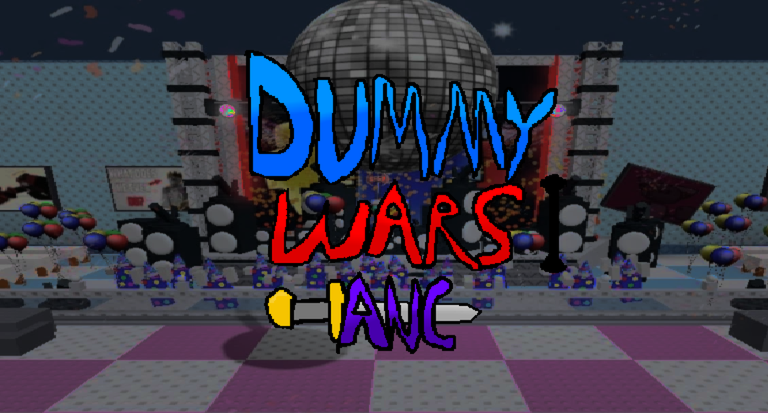
Grinding out upgrades can get pretty boring when you are waiting on slow timers, so using the Dummy Wars: A New Chapter script is an easy fix if you want to skip the boring stuff.
This game is all about sending out units to fight enemies, unlocking new statues, and spending your upgrade points on cool skins after the recent chapter update.
If you want to test out some powerful helpers without the usual wait, grab the working script below and jump right into the action.
Dummy Wars: A New Chapter Script – Allows you spawn admin units & More
-- GUI 2 LUA --

local Players = game:GetService("Players")
local UserInputService = game:GetService("UserInputService")
local ReplicatedStorage = game:GetService("ReplicatedStorage")

local player = Players.LocalPlayer

local ScreenGui_1 = Instance.new("ScreenGui")
ScreenGui_1.Name = "TemplateAdminPanel"
ScreenGui_1.ResetOnSpawn = false
ScreenGui_1.Parent = player:WaitForChild("PlayerGui")

local cyan = Color3.fromRGB(106, 223, 255)

-- MAIN FRAME

local Frame_1 = Instance.new("Frame")
Frame_1.BackgroundColor3 = Color3.fromRGB(0, 0, 0)
Frame_1.Position = UDim2.new(0.2849, 0, 0.1273, 0)
Frame_1.Size = UDim2.new(0, 528, 0, 329)
Frame_1.Active = true
Frame_1.Parent = ScreenGui_1

local UICorner_1 = Instance.new("UICorner")
UICorner_1.Parent = Frame_1

local UIStroke_1 = Instance.new("UIStroke")
UIStroke_1.Color = cyan
UIStroke_1.Parent = Frame_1

-- TITLE

local TextLabel_1 = Instance.new("TextLabel")
TextLabel_1.BackgroundTransparency = 1
TextLabel_1.Position = UDim2.new(0.0265, 0, 0.0212, 0)
TextLabel_1.Size = UDim2.new(0, 403, 0, 50)
TextLabel_1.FontFace = Font.new("rbxasset://fonts/families/FredokaOne.json")
TextLabel_1.Text = "Template Admin panel"
TextLabel_1.TextSize = 45
TextLabel_1.TextColor3 = Color3.new(1, 1, 1)
TextLabel_1.TextStrokeColor3 = cyan
TextLabel_1.TextStrokeTransparency = 0
TextLabel_1.Parent = Frame_1

-- CLOSE BUTTON

local Frame_2 = Instance.new("Frame")
Frame_2.BackgroundColor3 = Color3.fromRGB(0, 0, 0)
Frame_2.Position = UDim2.new(0.6335, 0, 0.1349, 0)
Frame_2.Size = UDim2.new(0, 69, 0, 51)
Frame_2.Parent = ScreenGui_1

local UICorner_2 = Instance.new("UICorner")
UICorner_2.Parent = Frame_2

local UIStroke_2 = Instance.new("UIStroke")
UIStroke_2.Color = cyan
UIStroke_2.Parent = Frame_2

local CloseButton = Instance.new("TextButton")
CloseButton.BackgroundTransparency = 1
CloseButton.Size = UDim2.new(1, 0, 1, 0)
CloseButton.FontFace = Font.new("rbxasset://fonts/families/FredokaOne.json")
CloseButton.Text = "X"
CloseButton.TextSize = 45
CloseButton.TextColor3 = Color3.new(1, 1, 1)
CloseButton.TextStrokeColor3 = cyan
CloseButton.TextStrokeTransparency = 0
CloseButton.Parent = Frame_2

CloseButton.MouseButton1Click:Connect(function()
    ScreenGui_1.Enabled = false
end)

-- BUTTON CREATOR

local function createButton(position, buttonText, textSize, unitName)

    local frame = Instance.new("Frame")
    frame.BackgroundColor3 = Color3.fromRGB(0, 0, 0)
    frame.Position = position
    frame.Size = UDim2.new(0, 185, 0, 46)
    frame.Parent = ScreenGui_1

    local corner = Instance.new("UICorner")
    corner.Parent = frame

    local stroke = Instance.new("UIStroke")
    stroke.Color = cyan
    stroke.Parent = frame

    local button = Instance.new("TextButton")
    button.BackgroundTransparency = 1
    button.Size = UDim2.new(1, 0, 1, 0)
    button.FontFace = Font.new("rbxasset://fonts/families/FredokaOne.json")
    button.Text = buttonText
    button.TextSize = textSize
    button.TextColor3 = Color3.new(1, 1, 1)
    button.TextStrokeColor3 = cyan
    button.TextStrokeTransparency = 0
    button.Parent = frame

    button.MouseButton1Click:Connect(function()

        local args = {
            unitName,
            workspace:WaitForChild("Map"),
            "Blue"
        }

        ReplicatedStorage:WaitForChild("RemoteEvents")
            :WaitForChild("SpawnUnit")
            :InvokeServer(unpack(args))

    end)

    return frame
end

-- SPAWN BUTTONS

local Frame_3 = createButton(
    UDim2.new(0.2958, 0, 0.2181, 0),
    "Spawn boss",
    31,
    "Painter The Great"
)

local Frame_4 = createButton(
    UDim2.new(0.2958, 0, 0.2862, 0),
    "Spawn Mini Boss",
    26,
    "Artist"
)

local Frame_5 = createButton(
    UDim2.new(0.2958, 0, 0.3593, 0),
    "Kevin",
    26,
    "Kevin"
)

local Frame_6 = createButton(
    UDim2.new(0.2958, 0, 0.4300, 0),
    "Neco",
    26,
    "Necromancer"
)

-- DRAGGABLE GUI

local dragging = false
local dragStart
local startPositions = {}

local guiFrames = {
    Frame_1,
    Frame_2,
    Frame_3,
    Frame_4,
    Frame_5,
    Frame_6
}

Frame_1.InputBegan:Connect(function(input)

    if input.UserInputType == Enum.UserInputType.MouseButton1
    or input.UserInputType == Enum.UserInputType.Touch then

        dragging = true
        dragStart = input.Position

        startPositions = {}

        for i, frame in ipairs(guiFrames) do
            startPositions[i] = frame.Position
        end
    end
end)

UserInputService.InputEnded:Connect(function(input)

    if input.UserInputType == Enum.UserInputType.MouseButton1
    or input.UserInputType == Enum.UserInputType.Touch then

        dragging = false
    end
end)

UserInputService.InputChanged:Connect(function(input)

    if dragging and input.UserInputType == Enum.UserInputType.MouseMovement then

        local delta = input.Position - dragStart

        for i, frame in ipairs(guiFrames) do
            frame.Position = startPositions[i] + UDim2.fromOffset(delta.X, delta.Y)
        end
    end
end)

-- K TO REOPEN

UserInputService.InputBegan:Connect(function(input, gameProcessed)

    if gameProcessed then return end

    if input.KeyCode == Enum.KeyCode.K then
        ScreenGui_1.Enabled = true
    end
end)Copy the code above into a compatible Roblox script executor if you choose to test it.
Dummy Wars: A New Chapter Script Status
Roblox and game updates can affect compatibility, so the script’s status should be treated as temporary rather than guaranteed.
Frequently Asked Questions
What is a Dummy Wars: A New Chapter script?
A Dummy Wars: A New Chapter script is third-party Lua code intended to run alongside the Roblox game through a compatible script executor.
What features does this Dummy Wars: A New Chapter script include?
Different scripts contain different code. This version includes: Allows you spawn admin units.
How do you use the Dummy Wars: A New Chapter script?
Pick a compatible executor such as Hydrogen, MacSploit, AWP.GG, Delta, Fluxus, Codex, launch Roblox and join the game, copy the complete Lua code from the script card above, paste it into the executor’s editor, and click Run or Execute. Compatibility changes over time, so a name here doesn’t guarantee current support.
Can a Dummy Wars: A New Chapter script get your Roblox account banned?
Yes. Third-party scripts can violate Roblox rules and may put an account at risk. Only use code from a source you trust, never enter your Roblox password into a script or executor, and test on an alternate account first.
Does the Dummy Wars: A New Chapter script work on mobile?
Check whether both the executor and the script support your device and the current Roblox version. Mobile executor support does not guarantee that every script will work.

