
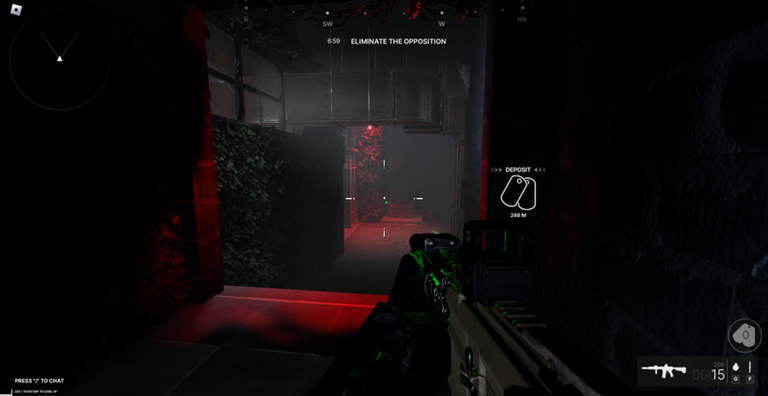
Playing with a FRONTLINES script helps you stay ahead of other players who spend all day grinding out matches just to keep a decent KDA.
This title brings a classic FPS experience to Roblox that redefines what standard shooters look like on the platform. You will spend your time running and gunning, managing your graphics settings for better performance, and using chat commands to vote kick hackers out of your lobbies.
If you want to test out these functions during your next match, grab the working code right down below.
FRONTLINES Script – silent aim & More
local Players = game:GetService("Players")
local actor = Players.LocalPlayer:WaitForChild("PlayerScripts"):WaitForChild("frontlines_client_actor", 15)

assert(actor, "FRONTLINES client Actor was not found")
assert(type(run_on_actor) == "function", "This script requires run_on_actor")

run_on_actor(actor, [=[
local environment = getgenv()
local previous = environment.FrontlinesSilent
if previous and previous.Unload then
    previous.Unload()
end

local native = getrenv()._G
assert(type(native.globals) == "table", "Native combat state is not ready")

local globals = native.globals
local Input = game:GetService("UserInputService")
local state = {
    Enabled = true,
    Alive = true,
    Radius = 200,
    MaxDistance = 1500,
    Redirected = 0,
    LastTarget = nil,
    Connections = {},
}
environment.FrontlinesSilent = state

local spawnBullet = filtergc("function", { Name = "spawn_bullet" }, true)
assert(type(spawnBullet) == "function", "Native projectile function was not found")
assert(string.find(debug.info(spawnBullet, "s"), "bullet_core", 1, true),
    "Unexpected projectile function")

local rayParams = RaycastParams.new()
rayParams.IgnoreWater = true
rayParams.CollisionGroup = "FRIENDLY_PROJECTILE"

local function findTarget(origin)
    local camera = workspace.CurrentCamera
    if not camera then
        return nil
    end

    local localId = globals.cli_state.id
    local localTeam = globals.cli_teams[localId]
    if localTeam == nil then
        return nil
    end

    local mouse = Input:GetMouseLocation()
    local bestDistance = state.Radius
    local bestPart, bestId

    for part, soldierId in pairs(globals.soldier_hitbox_hash) do
        if soldierId ~= localId
            and globals.cli_teams[soldierId] ~= nil
            and globals.cli_teams[soldierId] ~= localTeam
            and (globals.gbl_sol_healths[soldierId] or 0) > 0
            and globals.soldier_hitbox_id_hash[part] == 4
            and part.Parent then
            local position = part.Position
            local offset = position - origin
            if offset.Magnitude > 0.01 and offset.Magnitude <= state.MaxDistance then
                local screen, visible = camera:WorldToScreenPoint(position)
                local distance = (Vector2.new(screen.X, screen.Y) - mouse).Magnitude
                if visible and distance < bestDistance then
                    local hit = workspace:Raycast(origin, offset, rayParams)
                    if hit and globals.soldier_hitbox_hash[hit.Instance] == soldierId then
                        bestPart = part
                        bestId = soldierId
                        bestDistance = distance
                    end
                end
            end
        end
    end

    return bestPart, bestId
end

local original
original = hookfunction(spawnBullet, function(projectileId, bulletType, origin, velocity, ...)
    if state.Alive and state.Enabled
        and type(projectileId) == "number"
        and typeof(origin) == "Vector3"
        and typeof(velocity) == "Vector3"
        and projectileId % globals.cli_id_alloc.m == globals.cli_state.id then
        local ok, part, targetId = pcall(findTarget, origin)
        if ok and part then
            local direction = part.Position - origin
            if direction.Magnitude > 0.01 then
                velocity = direction.Unit * velocity.Magnitude
                state.Redirected += 1
                state.LastTarget = targetId
            end
        elseif not ok then
            state.LastError = tostring(part)
        end
    end
    return original(projectileId, bulletType, origin, velocity, ...)
end)

function state.Unload()
    state.Alive = false
    state.Enabled = false
    for _, connection in ipairs(state.Connections) do
        connection:Disconnect()
    end
    table.clear(state.Connections)
end

state.Connections[1] = Input.InputBegan:Connect(function(input, processed)
    if processed or Input:GetFocusedTextBox() then
        return
    end
    if input.KeyCode == Enum.KeyCode.P then
        state.Enabled = not state.Enabled
    elseif input.KeyCode == Enum.KeyCode.End then
        state.Unload()
    end
end)
state.Installed = true
]=])Copy the code above into a compatible Roblox script executor if you choose to test it.
FRONTLINES Script Status
Roblox and game updates can affect compatibility, so the script’s status should be treated as temporary rather than guaranteed.
Frequently Asked Questions
What is a FRONTLINES script?
A FRONTLINES script is third-party Lua code intended to run alongside the Roblox game through a compatible script executor.
What features does this FRONTLINES script include?
Different scripts contain different code. This version includes: silent aim.
How do you use the FRONTLINES script?
Pick a compatible executor such as Hydrogen, MacSploit, AWP.GG, Delta, Fluxus, Codex, launch Roblox and join the game, copy the complete Lua code from the script card above, paste it into the executor’s editor, and click Run or Execute. Compatibility changes over time, so a name here doesn’t guarantee current support.
Can a FRONTLINES script get your Roblox account banned?
Yes. Third-party scripts can violate Roblox rules and may put an account at risk. Only use code from a source you trust, never enter your Roblox password into a script or executor, and test on an alternate account first.
Does the FRONTLINES script work on mobile?
Check whether both the executor and the script support your device and the current Roblox version. Mobile executor support does not guarantee that every script will work.

