
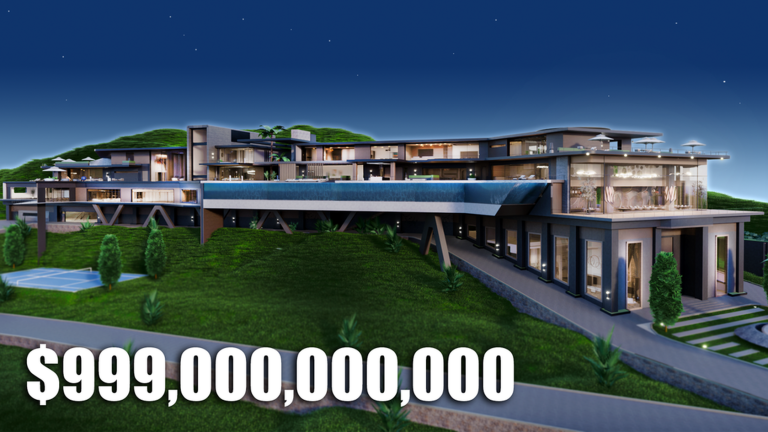
Skipping a slow grind in Giga Mansion Tycoon is pretty easy when you use a Giga Mansion Tycoon script to speed things up.
You build massive houses like the Giga Villa and Giga Yacht, buy sports cars, and drive around Blockywood while hitting tons of buttons to earn cash. This script keeps things moving without all the waiting.
Let us check out the working script you need for your session.
Giga Mansion Tycoon Script – Auto Farm & More
local Fluent = loadstring(game:HttpGet("https://github.com/dawid-scripts/Fluent/releases/latest/download/main.lua"))()

local Players = game:GetService("Players")
local ReplicatedStorage = game:GetService("ReplicatedStorage")
local RunService = game:GetService("RunService")
local VirtualUser = game:GetService("VirtualUser")
local UserInputService = game:GetService("UserInputService")
local CollectionService = game:GetService("CollectionService")

local LocalPlayer = Players.LocalPlayer
local Remotes = ReplicatedStorage:WaitForChild("Remotes")

local State = {
    OneClick = false,
    AutoWithdraw = false,
    AutoBuy = false,
    AutoCollectEvents = false,
    WalkSpeed = 16,
    JumpPower = 50,
    SpeedEnabled = false,
    JumpEnabled = false,
    Noclip = false,
    InfiniteJump = false
}

LocalPlayer.Idled:Connect(function()
    VirtualUser:CaptureController()
    VirtualUser:ClickButton2(Vector2.new())
end)

local function getOwnTycoon()
    local tycoons = workspace:FindFirstChild("Tycoons")
    if not tycoons then return nil end
    for _, t in ipairs(tycoons:GetChildren()) do
        if t:GetAttribute("Owner") == LocalPlayer.Name or t.Name:find(LocalPlayer.Name) then
            return t
        end
    end
    return nil
end

local function withdrawCash()
    local tycoon = getOwnTycoon()
    if not tycoon then return false end
    local bank = tycoon:FindFirstChild("Models") and tycoon.Models:FindFirstChild("Bank")
    local character = LocalPlayer.Character
    local hrp = character and character:FindFirstChild("HumanoidRootPart")

    if bank and hrp then
        for _, part in ipairs(bank:GetDescendants()) do
            if part:IsA("BasePart") then
                firetouchinterest(hrp, part, 0)
                firetouchinterest(hrp, part, 1)
            end
        end
        return true
    end
    return false
end

local function collectEventItems()
    local collectRemote = Remotes:FindFirstChild("CollectEventRemote")
    if not collectRemote then return end

    local events = workspace:FindFirstChild("Events")
    local collectEvent = events and events:FindFirstChild("CollectEvent")
    local spawned = collectEvent and collectEvent:FindFirstChild("SpawnedObjects")

    if spawned then
        for _, item in ipairs(spawned:GetChildren()) do
            pcall(function()
                collectRemote:FireServer(item)
            end)
        end
    end

    for _, item in ipairs(CollectionService:GetTagged("EventItemClient")) do
        pcall(function()
            collectRemote:FireServer(item)
        end)
    end
end

local function buyAffordableButtons()
    local tycoon = getOwnTycoon()
    if not tycoon then return 0 end
    local character = LocalPlayer.Character
    local hrp = character and character:FindFirstChild("HumanoidRootPart")
    if not hrp then return 0 end

    local currentMoney = (LocalPlayer:FindFirstChild("leaderstats") and LocalPlayer.leaderstats:FindFirstChild("Money")) and LocalPlayer.leaderstats.Money.Value or 0
    local buttonsToBuy = {}

    local function scanButtonsFolder(folder)
        if not folder then return end
        for _, btn in ipairs(folder:GetChildren()) do
            local price = btn:GetAttribute("Price") or 0
            local press = btn:FindFirstChild("Press") or btn:FindFirstChildWhichIsA("BasePart")
            if press then
                table.insert(buttonsToBuy, {
                    button = btn,
                    press = press,
                    price = price
                })
            end
        end
    end

    scanButtonsFolder(tycoon:FindFirstChild("Buttons"))

    if tycoon:FindFirstChild("Extensions") then
        for _, ext in ipairs(tycoon.Extensions:GetChildren()) do
            scanButtonsFolder(ext:FindFirstChild("Buttons"))
        end
    end

    table.sort(buttonsToBuy, function(a, b)
        return a.price < b.price
    end)

    local bought = 0
    for _, item in ipairs(buttonsToBuy) do
        if item.price <= currentMoney then
            firetouchinterest(hrp, item.press, 0)
            task.wait(0.04)
            firetouchinterest(hrp, item.press, 1)
            bought = bought + 1
            currentMoney = currentMoney - item.price
            task.wait(0.06)
        end
    end

    return bought
end

task.spawn(function()
    while true do
        task.wait(0.3)

        if State.OneClick then
            withdrawCash()
            task.wait(0.05)
            buyAffordableButtons()
            collectEventItems()
        else
            if State.AutoWithdraw then
                withdrawCash()
            end
            if State.AutoBuy then
                buyAffordableButtons()
            end
            if State.AutoCollectEvents then
                collectEventItems()
            end
        end
    end
end)

RunService.Stepped:Connect(function()
    if State.Noclip and LocalPlayer.Character then
        for _, part in ipairs(LocalPlayer.Character:GetDescendants()) do
            if part:IsA("BasePart") and part.CanCollide then
                part.CanCollide = false
            end
        end
    end
end)

UserInputService.JumpRequest:Connect(function()
    if State.InfiniteJump and LocalPlayer.Character and LocalPlayer.Character:FindFirstChildOfClass("Humanoid") then
        LocalPlayer.Character:FindFirstChildOfClass("Humanoid"):ChangeState(Enum.HumanoidStateType.Jumping)
    end
end)

RunService.RenderStepped:Connect(function()
    local humanoid = LocalPlayer.Character and LocalPlayer.Character:FindFirstChildOfClass("Humanoid")
    if humanoid then
        if State.SpeedEnabled then
            humanoid.WalkSpeed = State.WalkSpeed
        end
        if State.JumpEnabled then
            humanoid.UseJumpPower = true
            humanoid.JumpPower = State.JumpPower
        end
    end
end)

local Window = Fluent:CreateWindow({
    Title = "Giga Mansion Tycoon 🏝️",
    SubTitle = "Complete Automation Suite",
    TabWidth = 160,
    Size = UDim2.fromOffset(580, 440),
    Acrylic = true,
    Theme = "Dark",
    MinimizeKey = Enum.KeyCode.RightControl
})

local Tabs = {
    Main = Window:AddTab({ Title = "Main Tycoon", Icon = "home" }),
    Automation = Window:AddTab({ Title = "Automations", Icon = "sparkles" }),
    Movement = Window:AddTab({ Title = "Player & Move", Icon = "user" }),
    Settings = Window:AddTab({ Title = "Settings", Icon = "settings" })
}

Tabs.Main:AddParagraph({
    Title = "⚡ 1-Click Tycoon Mode",
    Content = "The all-in-one progression engine. Once enabled, it continuously withdraws vault cash, automatically purchases every mansion & extension button, and claims all event drops until your tycoon is 100% completed!"
})

local OneClickToggle = Tabs.Main:AddToggle("OneClickTycoon", {
    Title = "⚡ Enable 1-Click Tycoon",
    Default = false
})

OneClickToggle:OnChanged(function()
    State.OneClick = Fluent.Options.OneClickTycoon.Value
    if State.OneClick then
        Fluent:Notify({
            Title = "1-Click Tycoon",
            Content = "All-In-One Automation ACTIVE! Sit back and watch it build.",
            Duration = 4
        })
    else
        Fluent:Notify({
            Title = "1-Click Tycoon",
            Content = "All-In-One Automation Paused.",
            Duration = 2
        })
    end
end)

Tabs.Main:AddSection("Quick Actions")

Tabs.Main:AddButton({
    Title = "💰 Withdraw Bank Cash Now",
    Description = "Instantly claims all money from the ATM mailbox into your wallet.",
    Callback = function()
        if withdrawCash() then
            Fluent:Notify({ Title = "Bank", Content = "Withdrew cash successfully!", Duration = 2 })
        else
            Fluent:Notify({ Title = "Bank", Content = "Could not find Bank model.", Duration = 2 })
        end
    end
})

Tabs.Main:AddButton({
    Title = "🔨 Buy All Affordable Buttons Now",
    Description = "Checks your current cash and buys every button you can afford right now.",
    Callback = function()
        local count = buyAffordableButtons()
        Fluent:Notify({ Title = "Tycoon", Content = "Purchased " .. count .. " button(s)!", Duration = 2 })
    end
})

Tabs.Main:AddButton({
    Title = "🏠 Teleport to Mansion Spawn",
    Description = "Instantly teleports your character back to your tycoon base.",
    Callback = function()
        local homeRemote = Remotes:FindFirstChild("HomeTeleportRequested")
        if homeRemote then
            homeRemote:FireServer()
        else
            local tycoon = getOwnTycoon()
            local homeSpawn = tycoon and tycoon:FindFirstChild("HomeSpawn")
            if homeSpawn and LocalPlayer.Character and LocalPlayer.Character:FindFirstChild("HumanoidRootPart") then
                LocalPlayer.Character.HumanoidRootPart.CFrame = homeSpawn.CFrame + Vector3.new(0, 3, 0)
            end
        end
    end
})

Tabs.Automation:AddSection("Individual Toggles")

local WithdrawToggle = Tabs.Automation:AddToggle("AutoWithdraw", {
    Title = "Auto-Withdraw Cash (ATM Farmer)",
    Description = "Continuously empties your ATM mailbox directly into your wallet.",
    Default = false
})
WithdrawToggle:OnChanged(function()
    State.AutoWithdraw = Fluent.Options.AutoWithdraw.Value
end)

local AutoBuyToggle = Tabs.Automation:AddToggle("AutoBuy", {
    Title = "Auto-Buy / Auto-Builder",
    Description = "Automatically steps on & purchases buttons when you have enough cash.",
    Default = false
})
AutoBuyToggle:OnChanged(function()
    State.AutoBuy = Fluent.Options.AutoBuy.Value
end)

local CollectEventsToggle = Tabs.Automation:AddToggle("AutoCollectEvents", {
    Title = "Auto-Collect Events",
    Description = "Instantly claims active collectible event items across the map.",
    Default = false
})
CollectEventsToggle:OnChanged(function()
    State.AutoCollectEvents = Fluent.Options.AutoCollectEvents.Value
end)

Tabs.Movement:AddSection("Character Speed & Jump")

local SpeedToggle = Tabs.Movement:AddToggle("SpeedEnabled", {
    Title = "Custom WalkSpeed",
    Default = false
})
SpeedToggle:OnChanged(function()
    State.SpeedEnabled = Fluent.Options.SpeedEnabled.Value
    if not State.SpeedEnabled and LocalPlayer.Character and LocalPlayer.Character:FindFirstChildOfClass("Humanoid") then
        LocalPlayer.Character:FindFirstChildOfClass("Humanoid").WalkSpeed = 16
    end
end)

Tabs.Movement:AddSlider("WalkSpeedSlider", {
    Title = "WalkSpeed Value",
    Default = 16,
    Min = 16,
    Max = 200,
    Rounding = 0,
    Callback = function(val)
        State.WalkSpeed = val
    end
})

local JumpToggle = Tabs.Movement:AddToggle("JumpEnabled", {
    Title = "Custom JumpPower",
    Default = false
})
JumpToggle:OnChanged(function()
    State.JumpEnabled = Fluent.Options.JumpEnabled.Value
    if not State.JumpEnabled and LocalPlayer.Character and LocalPlayer.Character:FindFirstChildOfClass("Humanoid") then
        LocalPlayer.Character:FindFirstChildOfClass("Humanoid").JumpPower = 50
    end
end)

Tabs.Movement:AddSlider("JumpPowerSlider", {
    Title = "JumpPower Value",
    Default = 50,
    Min = 50,
    Max = 350,
    Rounding = 0,
    Callback = function(val)
        State.JumpPower = val
    end
})

Tabs.Movement:AddSection("Movement Utilities")

local NoclipToggle = Tabs.Movement:AddToggle("Noclip", {
    Title = "Noclip (Walk Through Walls)",
    Default = false
})
NoclipToggle:OnChanged(function()
    State.Noclip = Fluent.Options.Noclip.Value
end)

local InfJumpToggle = Tabs.Movement:AddToggle("InfJump", {
    Title = "Infinite Jump",
    Default = false
})
InfJumpToggle:OnChanged(function()
    State.InfiniteJump = Fluent.Options.InfJump.Value
end)

Tabs.Settings:AddParagraph({
    Title = "Giga Mansion Tycoon Automation Hub",
    Content = "Press RightControl to hide or reopen the interface.\nBuilt-in Anti-AFK protects from 20-minute disconnects."
})

Window:SelectTab(1)

Fluent:Notify({
    Title = "Giga Mansion Hub",
    Content = "Loaded successfully! Press RightControl to toggle UI.",
    Duration = 5
})Copy the code above into a compatible Roblox script executor if you choose to test it.
Giga Mansion Tycoon Script Status
Roblox and game updates can affect compatibility, so the script’s status should be treated as temporary rather than guaranteed.
Frequently Asked Questions
What is a Giga Mansion Tycoon script?
A Giga Mansion Tycoon script is third-party Lua code intended to run alongside the Roblox game through a compatible script executor.
What features does this Giga Mansion Tycoon script include?
Different scripts contain different code. This version includes: Auto Farm.
How do you use the Giga Mansion Tycoon script?
Pick a compatible executor such as Hydrogen, MacSploit, AWP.GG, Delta, Fluxus, Codex, launch Roblox and join the game, copy the complete Lua code from the script card above, paste it into the executor’s editor, and click Run or Execute. Compatibility changes over time, so a name here doesn’t guarantee current support.
Can a Giga Mansion Tycoon script get your Roblox account banned?
Yes. Third-party scripts can violate Roblox rules and may put an account at risk. Only use code from a source you trust, never enter your Roblox password into a script or executor, and test on an alternate account first.
Does the Giga Mansion Tycoon script work on mobile?
Check whether both the executor and the script support your device and the current Roblox version. Mobile executor support does not guarantee that every script will work.

