
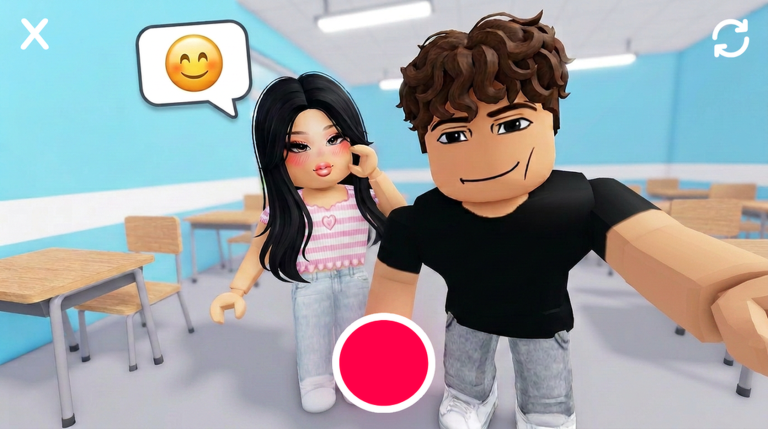
Skipping the slow grind is pretty easy when you run a Highschool Experience RP script on your server. You get to bypass the boring parts and jump straight into the fun stuff without wasting your afternoon.
This game is all about hanging out in a virtual school where you can play as a teacher, security guard, nurse, or principal. You will spend your time socializing with friends, using fun gear, dancing in the halls, and exploring every corner of the campus.
Grabbing a working script makes the whole session a lot smoother. Here is the code you need right now to get things rolling.
Highschool Experience RP Script – High School Life Rp SpamGrab & More
-- ROLEX
-- Micro rainbow GUI + MAXIMUM speed SpamGrab (no R bubble)

local Players = game:GetService("Players")
local ReplicatedStorage = game:GetService("ReplicatedStorage")
local RunService = game:GetService("RunService")
local UserInputService = game:GetService("UserInputService")

local LocalPlayer = Players.LocalPlayer
local PlayerGui = LocalPlayer:WaitForChild("PlayerGui")

local CombatService = ReplicatedStorage:WaitForChild("Packages"):WaitForChild("Knit"):WaitForChild("Services"):WaitForChild("CombatService")
local GrabRemote = CombatService:WaitForChild("RF"):WaitForChild("Grab")

--------------------------------------------------------------------
-- CONFIG
--------------------------------------------------------------------
local CONFIG = {
    ExtendedRange = 5000,
    GrabsPerFrame = 10,
    ParallelThreads = 4,
    RainbowSpeed = 0.4,
}

--------------------------------------------------------------------
-- STATE
--------------------------------------------------------------------
local isSpamming = false
local spamToken = 0
local frameConn = nil
local isMinimized = false

--------------------------------------------------------------------
-- MICRO GUI (70x52)
--------------------------------------------------------------------
local ScreenGui = Instance.new("ScreenGui")
ScreenGui.Name = "ROLEX"
ScreenGui.ResetOnSpawn = false
ScreenGui.IgnoreGuiInset = true
ScreenGui.DisplayOrder = 999
ScreenGui.ZIndexBehavior = Enum.ZIndexBehavior.Sibling
ScreenGui.Parent = PlayerGui

local MainFrame = Instance.new("Frame")
MainFrame.Name = "MainFrame"
MainFrame.Size = UDim2.new(0, 70, 0, 52)
MainFrame.Position = UDim2.new(0, 10, 0.5, -26)
MainFrame.BackgroundColor3 = Color3.fromRGB(15, 15, 20)
MainFrame.BorderSizePixel = 0
MainFrame.Active = true
MainFrame.ClipsDescendants = true
MainFrame.Parent = ScreenGui

local UICorner = Instance.new("UICorner")
UICorner.CornerRadius = UDim.new(0, 8)
UICorner.Parent = MainFrame

local UIStroke = Instance.new("UIStroke")
UIStroke.Color = Color3.fromRGB(255, 0, 0)
UIStroke.Thickness = 1.5
UIStroke.Parent = MainFrame

-- Status dot
local Dot = Instance.new("Frame")
Dot.Name = "Dot"
Dot.Size = UDim2.new(0, 6, 0, 6)
Dot.Position = UDim2.new(1, -10, 0, 4)
Dot.BackgroundColor3 = Color3.fromRGB(120, 120, 120)
Dot.BorderSizePixel = 0
Dot.Parent = MainFrame

local DotCorner = Instance.new("UICorner")
DotCorner.CornerRadius = UDim.new(1, 0)
DotCorner.Parent = Dot

-- Brand (tap = minimize, drag = move)
local BrandLabel = Instance.new("TextButton")
BrandLabel.Name = "Brand"
BrandLabel.Size = UDim2.new(0, 40, 0, 10)
BrandLabel.Position = UDim2.new(0, 5, 0, 3)
BrandLabel.BackgroundTransparency = 1
BrandLabel.Text = "ROLEX"
BrandLabel.TextColor3 = Color3.fromRGB(255, 0, 0)
BrandLabel.TextScaled = true
BrandLabel.Font = Enum.Font.GothamBold
BrandLabel.TextXAlignment = Enum.TextXAlignment.Left
BrandLabel.AutoButtonColor = false
BrandLabel.Parent = MainFrame

-- START/STOP button
local StartStopBtn = Instance.new("TextButton")
StartStopBtn.Name = "StartStopBtn"
StartStopBtn.Size = UDim2.new(1, -10, 0, 28)
StartStopBtn.Position = UDim2.new(0, 5, 0, 15)
StartStopBtn.BackgroundColor3 = Color3.fromRGB(0, 180, 130)
StartStopBtn.Text = "START"
StartStopBtn.TextColor3 = Color3.new(1, 1, 1)
StartStopBtn.TextScaled = true
StartStopBtn.Font = Enum.Font.GothamBold
StartStopBtn.AutoButtonColor = false
StartStopBtn.Parent = MainFrame

local SS_Corner = Instance.new("UICorner")
SS_Corner.CornerRadius = UDim.new(0, 6)
SS_Corner.Parent = StartStopBtn

-- Status text
local StatusLabel = Instance.new("TextLabel")
StatusLabel.Name = "StatusLabel"
StatusLabel.Size = UDim2.new(1, -10, 0, 7)
StatusLabel.Position = UDim2.new(0, 5, 1, -9)
StatusLabel.BackgroundTransparency = 1
StatusLabel.Text = "IDLE"
StatusLabel.TextColor3 = Color3.fromRGB(200, 200, 200)
StatusLabel.TextScaled = true
StatusLabel.Font = Enum.Font.Gotham
StatusLabel.TextXAlignment = Enum.TextXAlignment.Left
StatusLabel.Parent = MainFrame

--------------------------------------------------------------------
-- RAINBOW
--------------------------------------------------------------------
local function startRainbow()
    local t = 0
    RunService.RenderStepped:Connect(function(dt)
        t += dt * CONFIG.RainbowSpeed
        local c1 = Color3.fromHSV(t % 1, 1, 1)
        local c2 = Color3.fromHSV((t + 0.33) % 1, 1, 1)
        local c3 = Color3.fromHSV((t + 0.66) % 1, 1, 1)

        UIStroke.Color = c1
        BrandLabel.TextColor3 = c2
        if isSpamming then
            StartStopBtn.BackgroundColor3 = c3
            Dot.BackgroundColor3 = Color3.fromRGB(0, 255, 100)
        else
            StartStopBtn.BackgroundColor3 = c1
            Dot.BackgroundColor3 = Color3.fromRGB(120, 120, 120)
        end
        StatusLabel.TextColor3 = c2
    end)
end

--------------------------------------------------------------------
-- EXTENDED RANGE
--------------------------------------------------------------------
local function applyExtendedRange()
    local char = LocalPlayer.Character
    if not char then return end
    for _, obj in ipairs(char:GetDescendants()) do
        if obj:IsA("NumberValue") or obj:IsA("IntValue") then
            if obj.Name:lower():find("range") or obj.Name:lower():find("grab") then
                pcall(function() obj.Value = CONFIG.ExtendedRange end)
            end
        end
    end
    pcall(function()
        LocalPlayer:SetAttribute("GrabRange", CONFIG.ExtendedRange)
        LocalPlayer:SetAttribute("Range", CONFIG.ExtendedRange)
    end)
end

--------------------------------------------------------------------
-- SPAM ENGINE
--------------------------------------------------------------------
local function startSpam()
    if isSpamming then return end
    isSpamming = true
    spamToken += 1
    local myToken = spamToken

    StartStopBtn.Text = "STOP"
    StatusLabel.Text = "MAX"

    frameConn = RunService.RenderStepped:Connect(function()
        if not isSpamming or myToken ~= spamToken then
            if frameConn then frameConn:Disconnect() end
            return
        end
        for _ = 1, CONFIG.GrabsPerFrame do
            task.spawn(function()
                pcall(function()
                    GrabRemote:InvokeServer()
                end)
            end)
        end
    end)

    for _ = 1, CONFIG.ParallelThreads do
        task.spawn(function()
            while isSpamming and myToken == spamToken do
                pcall(function()
                    GrabRemote:InvokeServer()
                end)
                task.wait()
            end
        end)
    end
end

local function stopSpam()
    isSpamming = false
    spamToken += 1
    if frameConn then
        pcall(function() frameConn:Disconnect() end)
        frameConn = nil
    end
    StartStopBtn.Text = "START"
    StatusLabel.Text = "IDLE"
end

--------------------------------------------------------------------
-- PERFECT DRAG (touch + mouse)
--------------------------------------------------------------------
local dragging = false
local dragStartPos = nil
local frameStartPos = nil

local function startDrag(input)
    dragging = true
    dragStartPos = Vector2.new(input.Position.X, input.Position.Y)
    frameStartPos = MainFrame.Position

    local moveConn, endConn

    moveConn = UserInputService.InputChanged:Connect(function(inp)
        if not dragging then return end
        if inp.UserInputType ~= Enum.UserInputType.Touch
            and inp.UserInputType ~= Enum.UserInputType.MouseMovement then
            return
        end
        local current = Vector2.new(inp.Position.X, inp.Position.Y)
        local delta = current - dragStartPos
        MainFrame.Position = UDim2.new(
            frameStartPos.X.Scale, frameStartPos.X.Offset + delta.X,
            frameStartPos.Y.Scale, frameStartPos.Y.Offset + delta.Y
        )
    end)

    endConn = UserInputService.InputEnded:Connect(function(inp)
        if inp.UserInputType == Enum.UserInputType.Touch
            or inp.UserInputType == Enum.UserInputType.MouseButton1 then
            dragging = false
            dragStartPos = nil
            frameStartPos = nil
            if moveConn then moveConn:Disconnect() end
            if endConn then endConn:Disconnect() end
        end
    end)
end

BrandLabel.InputBegan:Connect(function(input)
    if input.UserInputType == Enum.UserInputType.Touch
        or input.UserInputType == Enum.UserInputType.MouseButton1 then
        startDrag(input)
    end
end)

-- Also drag from top strip of frame
MainFrame.InputBegan:Connect(function(input)
    if (input.UserInputType == Enum.UserInputType.Touch
        or input.UserInputType == Enum.UserInputType.MouseButton1)
        and input.Position.Y <= MainFrame.AbsolutePosition.Y + 14 then
        startDrag(input)
    end
end)

--------------------------------------------------------------------
-- MINIMIZE / RESTORE (tap brand toggles)
--------------------------------------------------------------------
BrandLabel.Activated:Connect(function()
    if isMinimized then
        -- Restore
        isMinimized = false
        StartStopBtn.Visible = true
        StatusLabel.Visible = true
        Dot.Visible = true
        MainFrame.Size = UDim2.new(0, 70, 0, 52)
        BrandLabel.Position = UDim2.new(0, 5, 0, 3)
        BrandLabel.Size = UDim2.new(0, 40, 0, 10)
    else
        -- Minimize
        isMinimized = true
        StartStopBtn.Visible = false
        StatusLabel.Visible = false
        Dot.Visible = true
        MainFrame.Size = UDim2.new(0, 70, 0, 16)
        BrandLabel.Position = UDim2.new(0, 5, 0, 3)
        BrandLabel.Size = UDim2.new(0, 40, 0, 10)
    end
end)

--------------------------------------------------------------------
-- BUTTON HANDLERS
--------------------------------------------------------------------
StartStopBtn.Activated:Connect(function()
    if isSpamming then stopSpam() else startSpam() end
end)

--------------------------------------------------------------------
-- RESPAWN
--------------------------------------------------------------------
LocalPlayer.CharacterAdded:Connect(function()
    task.wait(1)
    applyExtendedRange()
end)

if LocalPlayer.Character then
    applyExtendedRange()
end

startRainbow()
print("[ROLEX] Micro GUI | No R | Perfect drag | MAX speed")Copy the code above into a compatible Roblox script executor if you choose to test it.
Highschool Experience RP Script Status
Roblox and game updates can affect compatibility, so the script’s status should be treated as temporary rather than guaranteed.
Frequently Asked Questions
What is a Highschool Experience RP script?
A Highschool Experience RP script is third-party Lua code intended to run alongside the Roblox game through a compatible script executor.
What features does this Highschool Experience RP script include?
Different scripts contain different code. This version includes: High School Life Rp SpamGrab.
How do you use the Highschool Experience RP script?
Pick a compatible executor such as Hydrogen, MacSploit, AWP.GG, Delta, Fluxus, Codex, launch Roblox and join the game, copy the complete Lua code from the script card above, paste it into the executor’s editor, and click Run or Execute. Compatibility changes over time, so a name here doesn’t guarantee current support.
Can a Highschool Experience RP script get your Roblox account banned?
Yes. Third-party scripts can violate Roblox rules and may put an account at risk. Only use code from a source you trust, never enter your Roblox password into a script or executor, and test on an alternate account first.
Does the Highschool Experience RP script work on mobile?
Check whether both the executor and the script support your device and the current Roblox version. Mobile executor support does not guarantee that every script will work.

