
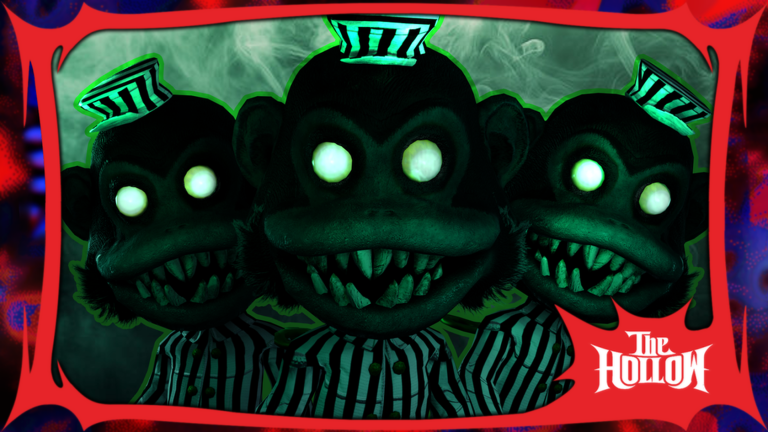
Grinding out the Hollow event gets old fast when you keep getting jumped in the dark, which is why having a HUNTED script ready to go just makes sense.
You are running through cursed mazes, dodging nightmares, and hunting down soul shards and candies to finish quests without getting caught.
If you want to clear that event fast and see what is behind the next door without fumbling around, check out the working code below.
HUNTED Script – Working Script
local Players          = game:GetService("Players")
local RunService       = game:GetService("RunService")
local Workspace        = game:GetService("Workspace")
local UserInputService = game:GetService("UserInputService")

local LP = Players.LocalPlayer

local espObjects  = {}
local connections = {}
local doors       = setmetatable({}, {__mode = "k"})
local espEnabled  = true

local noclipEnabled = false
local noclipConn    = nil
local noclipParts   = {}

do
    local hd = Workspace:FindFirstChild("HalloweenDoors")
    if hd then
        for _, d in ipairs(hd:GetDescendants()) do
            if d.Name == "DoorESP_HL" or d.Name == "DoorESP_BB" then
                pcall(function() d:Destroy() end)
            end
        end
    end
    local pg = LP:FindFirstChild("PlayerGui")
    local old = pg and pg:FindFirstChild("DoorESP")
    if old then pcall(function() old:Destroy() end) end
end

local function pickPrimaryPart(door)
    if door:IsA("BasePart") then return door end
    for _, n in ipairs({"Door", "Panel", "Main", "Handle"}) do
        local p = door:FindFirstChild(n, true)
        if p and p:IsA("BasePart") then return p end
    end
    local best, bestSize = nil, 0
    for _, d in ipairs(door:GetDescendants()) do
        if d:IsA("BasePart") then
            local s = d.Size.X * d.Size.Y * d.Size.Z
            if s > bestSize then best, bestSize = d, s end
        end
    end
    return best
end

local function clearESP()
    for _, o in ipairs(espObjects) do pcall(function() o:Destroy() end) end
    for _, c in ipairs(connections) do pcall(function() c:Disconnect() end) end
    espObjects, connections = {}, {}
    for k in pairs(doors) do doors[k] = nil end
end

local function markVisited(door)
    local info = doors[door]
    if not info or info.visited then return end
    info.visited = true
    if info.hl then
        info.hl.FillColor    = Color3.fromRGB(40, 255, 40)
        info.hl.OutlineColor = Color3.fromRGB(40, 255, 40)
    end
end

local function hookDetectors(door)
    local function onUse()
        markVisited(door)
    end
    for _, d in ipairs(door:GetDescendants()) do
        if d:IsA("ClickDetector") then
            table.insert(connections, d.MouseClick:Connect(onUse))
        elseif d:IsA("ProximityPrompt") then
            table.insert(connections, d.Triggered:Connect(onUse))
        end
    end
    table.insert(connections, door.DescendantAdded:Connect(function(d)
        if d:IsA("ClickDetector") then
            table.insert(connections, d.MouseClick:Connect(onUse))
        elseif d:IsA("ProximityPrompt") then
            table.insert(connections, d.Triggered:Connect(onUse))
        end
    end))
end

local function addESP(door, idx)
    if doors[door] then return end
    local part = pickPrimaryPart(door)
    if not part then return end
    local name = (door.Name ~= "" and door.Name) or ("Door " .. idx)

    local hl = Instance.new("Highlight")
    hl.Name               = "DoorESP_HL"
    hl.Adornee            = part
    hl.FillColor          = Color3.fromRGB(255, 40, 40)
    hl.FillTransparency   = 0.55
    hl.OutlineColor       = Color3.fromRGB(255, 255, 255)
    hl.OutlineTransparency= 0
    hl.DepthMode          = Enum.HighlightDepthMode.AlwaysOnTop
    hl.Enabled            = espEnabled
    hl.Parent             = part
    table.insert(espObjects, hl)

    local bb = Instance.new("BillboardGui")
    bb.Name        = "DoorESP_BB"
    bb.Adornee     = part
    bb.Size        = UDim2.new(0, 200, 0, 40)
    bb.StudsOffset = Vector3.new(0, 2.5, 0)
    bb.AlwaysOnTop = true
    bb.Enabled     = espEnabled
    bb.Parent      = part
    table.insert(espObjects, bb)

    local lbl = Instance.new("TextLabel")
    lbl.Size                   = UDim2.new(1, 0, 1, 0)
    lbl.BackgroundTransparency = 1
    lbl.TextColor3             = Color3.fromRGB(255, 90, 90)
    lbl.TextStrokeTransparency = 0
    lbl.TextScaled             = true
    lbl.Font                   = Enum.Font.SourceSansBold
    lbl.Text                   = name
    lbl.Parent                 = bb

    local info = { part = part, hl = hl, bb = bb, lbl = lbl, name = name, visited = false }
    doors[door] = info

    local conn
    conn = RunService.RenderStepped:Connect(function()
        if not part.Parent then
            conn:Disconnect()
            return
        end
        if not espEnabled then return end
        local char = LP.Character
        local root = char and char:FindFirstChild("HumanoidRootPart")
        if root then
            local dist = math.floor((root.Position - part.Position).Magnitude)
            local tag  = info.visited and " [USED]" or ""
            lbl.Text = string.format("%s%s [%d]", name, tag, dist)
            if info.visited then
                lbl.TextColor3 = Color3.fromRGB(90, 255, 90)
            end
        end
    end)
    table.insert(connections, conn)

    hookDetectors(door)
end

local function refresh()
    local hd = Workspace:FindFirstChild("HalloweenDoors")
    if not hd then return end
    for i, door in ipairs(hd:GetChildren()) do
        addESP(door, i)
    end
end

local function watchFolder(hd)
    hd = hd or Workspace:FindFirstChild("HalloweenDoors")
    if not hd then return end
    table.insert(connections, hd.ChildAdded:Connect(function()
        task.wait(0.15)
        refresh()
    end))
end

refresh()
watchFolder()

table.insert(connections, Workspace.ChildAdded:Connect(function(child)
    if child.Name == "HalloweenDoors" then
        task.wait(0.3)
        clearESP()
        refresh()
        watchFolder(child)
    end
end))

local function startNoclip()
    if noclipConn then noclipConn:Disconnect() end
    noclipParts = {}
    noclipConn = RunService.Stepped:Connect(function()
        if not noclipEnabled then return end
        local char = LP.Character
        if not char then return end
        for _, part in ipairs(char:GetDescendants()) do
            if part:IsA("BasePart") and part.CanCollide then
                part.CanCollide = false
                noclipParts[part] = true
            end
        end
    end)
end

local function stopNoclip()
    if noclipConn then
        noclipConn:Disconnect()
        noclipConn = nil
    end
    for part in pairs(noclipParts) do
        if typeof(part) == "Instance" and part:IsA("BasePart") and part.Parent then
            part.CanCollide = true
        end
    end
    noclipParts = {}
end

local gui = Instance.new("ScreenGui")
gui.Name          = "DoorESP"
gui.ResetOnSpawn  = false
gui.Parent        = LP:WaitForChild("PlayerGui")

local container = Instance.new("Frame")
container.Size             = UDim2.new(0, 160, 0, 110)
container.Position         = UDim2.new(0, 20, 0, 20)
container.BackgroundColor3 = Color3.fromRGB(20, 20, 20)
container.BorderSizePixel  = 0
container.Parent           = gui

local containerCorner = Instance.new("UICorner")
containerCorner.CornerRadius = UDim.new(0, 8)
containerCorner.Parent       = container

local containerStroke = Instance.new("UIStroke")
containerStroke.Color     = Color3.fromRGB(255, 40, 40)
containerStroke.Thickness = 2
containerStroke.Parent    = container

local title = Instance.new("TextLabel")
title.Size                   = UDim2.new(1, 0, 0, 22)
title.Position               = UDim2.new(0, 0, 0, 4)
title.BackgroundTransparency = 1
title.TextColor3             = Color3.fromRGB(255, 255, 255)
title.Font                   = Enum.Font.SourceSansBold
title.TextSize               = 13
title.Text                   = "2od's Menu"
title.Parent                 = container

local espBtn = Instance.new("TextButton")
espBtn.Size             = UDim2.new(1, -16, 0, 30)
espBtn.Position         = UDim2.new(0, 8, 0, 30)
espBtn.BackgroundColor3 = Color3.fromRGB(35, 35, 35)
espBtn.BorderSizePixel  = 0
espBtn.Text             = "Door ESP: ON"
espBtn.TextColor3       = Color3.fromRGB(255, 255, 255)
espBtn.Font             = Enum.Font.SourceSansBold
espBtn.TextSize         = 13
espBtn.AutoButtonColor  = false
espBtn.Parent           = container

local espBtnCorner = Instance.new("UICorner")
espBtnCorner.CornerRadius = UDim.new(0, 5)
espBtnCorner.Parent       = espBtn

local espBtnStroke = Instance.new("UIStroke")
espBtnStroke.Color     = Color3.fromRGB(255, 40, 40)
espBtnStroke.Thickness = 1
espBtnStroke.Parent    = espBtn

local noclipBtn = Instance.new("TextButton")
noclipBtn.Size             = UDim2.new(1, -16, 0, 30)
noclipBtn.Position         = UDim2.new(0, 8, 0, 64)
noclipBtn.BackgroundColor3 = Color3.fromRGB(35, 35, 35)
noclipBtn.BorderSizePixel  = 0
noclipBtn.Text             = "Noclip: OFF"
noclipBtn.TextColor3       = Color3.fromRGB(255, 255, 255)
noclipBtn.Font             = Enum.Font.SourceSansBold
noclipBtn.TextSize         = 13
noclipBtn.AutoButtonColor  = false
noclipBtn.Parent           = container

local noclipBtnCorner = Instance.new("UICorner")
noclipBtnCorner.CornerRadius = UDim.new(0, 5)
noclipBtnCorner.Parent       = noclipBtn

local noclipBtnStroke = Instance.new("UIStroke")
noclipBtnStroke.Color     = Color3.fromRGB(100, 100, 100)
noclipBtnStroke.Thickness = 1
noclipBtnStroke.Parent    = noclipBtn

local footer = Instance.new("TextLabel")
footer.Size                   = UDim2.new(1, 0, 0, 16)
footer.Position               = UDim2.new(0, 0, 1, -18)
footer.BackgroundTransparency = 1
footer.TextColor3             = Color3.fromRGB(140, 140, 140)
footer.Font                   = Enum.Font.SourceSans
footer.TextSize               = 11
footer.Text                   = "made by 2od"
footer.Parent                 = container

local dragging, dragStart, startPos

container.InputBegan:Connect(function(input)
    if input.UserInputType == Enum.UserInputType.MouseButton1
    or input.UserInputType == Enum.UserInputType.Touch then
        dragging  = true
        dragStart = input.Position
        startPos  = container.Position
    end
end)

UserInputService.InputChanged:Connect(function(input)
    if not dragging then return end
    if input.UserInputType == Enum.UserInputType.MouseMovement
    or input.UserInputType == Enum.UserInputType.Touch then
        local delta = input.Position - dragStart
        container.Position = UDim2.new(
            startPos.X.Scale, startPos.X.Offset + delta.X,
            startPos.Y.Scale, startPos.Y.Offset + delta.Y
        )
    end
end)

UserInputService.InputEnded:Connect(function(input)
    if input.UserInputType == Enum.UserInputType.MouseButton1
    or input.UserInputType == Enum.UserInputType.Touch then
        dragging = false
    end
end)

espBtn.MouseButton1Click:Connect(function()
    espEnabled = not espEnabled
    espBtn.Text        = "Door ESP: " .. (espEnabled and "ON" or "OFF")
    espBtnStroke.Color = espEnabled and Color3.fromRGB(255, 40, 40)
                                   or  Color3.fromRGB(100, 100, 100)
    for _, o in ipairs(espObjects) do
        if o:IsA("Highlight") or o:IsA("BillboardGui") then
            o.Enabled = espEnabled
        end
    end
end)

noclipBtn.MouseButton1Click:Connect(function()
    noclipEnabled = not noclipEnabled
    noclipBtn.Text        = "Noclip: " .. (noclipEnabled and "ON" or "OFF")
    noclipBtnStroke.Color = noclipEnabled and Color3.fromRGB(40, 255, 40)
                                        or  Color3.fromRGB(100, 100, 100)
    if noclipEnabled then
        startNoclip()
    else
        stopNoclip()
    end
end)Copy the code above into a compatible Roblox script executor if you choose to test it.
HUNTED Script Status
Roblox and game updates can affect compatibility, so the script’s status should be treated as temporary rather than guaranteed.
Frequently Asked Questions
What is a HUNTED script?
A HUNTED script is third-party Lua code intended to run alongside the Roblox game through a compatible script executor.
What features does this HUNTED script include?
Different scripts contain different code and features. Check the script menu after it loads to see everything it offers.
How do you use the HUNTED script?
Pick a compatible executor such as Hydrogen, MacSploit, AWP.GG, Delta, Fluxus, Codex, launch Roblox and join the game, copy the complete Lua code from the script card above, paste it into the executor’s editor, and click Run or Execute. Compatibility changes over time, so a name here doesn’t guarantee current support.
Can a HUNTED script get your Roblox account banned?
Yes. Third-party scripts can violate Roblox rules and may put an account at risk. Only use code from a source you trust, never enter your Roblox password into a script or executor, and test on an alternate account first.
Does the HUNTED script work on mobile?
Check whether both the executor and the script support your device and the current Roblox version. Mobile executor support does not guarantee that every script will work.

