
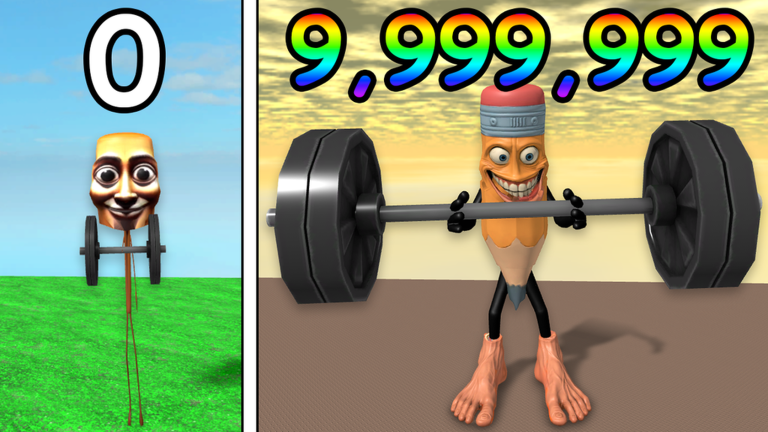
Grinding out clicks all day gets old fast when you want to keep up with faster players, which is why using the Italian Brainrot Strength Clicker script makes total sense for saving your fingers.
You just click to gain strength, unlock weird Italian brainrot morphs, collect pets, and punch other players across different worlds without constantly doing all the heavy lifting yourself.
If you want to skip the endless tapping and make your training session way easier, grab the working script right down below.
Italian Brainrot Strength Clicker Script – Auto Rebirth & More
-- ==========================================
-- ROBLOX IMAGE ASSET ID:
local PROFILE_PIC_ID = "rbxassetid://115315887535992"
-- ==========================================

-- ScreenGui Setup
local ScreenGui = Instance.new("ScreenGui")
local MainFrame = Instance.new("Frame")
local HeaderIcon = Instance.new("ImageLabel")
local Title = Instance.new("TextLabel")
local MinimizeBtn = Instance.new("TextButton")

-- Tabs
local MainTab = Instance.new("TextButton")
local CreditsTab = Instance.new("TextButton")

-- Containers / Views
local MainControlsFrame = Instance.new("Frame")
local CreditsFrame = Instance.new("Frame")

-- Main Controls Elements inside MainControlsFrame
local StatusLabel = Instance.new("TextLabel")
local SafeZoneTpBtn = Instance.new("TextButton")
local AutoTrainToggle = Instance.new("TextButton")
local AutoRebirthToggle = Instance.new("TextButton")
local FastPunchToggle = Instance.new("TextButton")

-- Credits Elements inside CreditsFrame
local ProfileImage = Instance.new("ImageLabel")
local CreatorLabel = Instance.new("TextLabel")
local TiktokLabel = Instance.new("TextLabel")
local DiscordCopyBtn = Instance.new("TextButton")

-- Configure Core GUI
ScreenGui.Name = "ItalianBrainrotClickerUI"
ScreenGui.Parent = game:GetService("CoreGui") or game:GetService("Players").LocalPlayer:WaitForChild("PlayerGui")
ScreenGui.ResetOnSpawn = false

-- Main Container Window (Transparent & Crimson Red Theme - Compact Size)
MainFrame.Name = "MainFrame"
MainFrame.Parent = ScreenGui
MainFrame.BackgroundColor3 = Color3.fromRGB(15, 10, 10)
MainFrame.BackgroundTransparency = 0.25
MainFrame.Position = UDim2.new(0.5, -120, 0.5, -185)
MainFrame.Size = UDim2.new(0, 240, 0, 360)
MainFrame.Active = true
MainFrame.Draggable = true
MainFrame.ClipsDescendants = false

-- Crimson Border Stroke
local MainStroke = Instance.new("UIStroke")
MainStroke.Parent = MainFrame
MainStroke.Color = Color3.fromRGB(180, 20, 20)
MainStroke.Thickness = 2

-- Mini Header Profile Icon
HeaderIcon.Name = "HeaderIcon"
HeaderIcon.Parent = MainFrame
HeaderIcon.BackgroundColor3 = Color3.fromRGB(30, 10, 10)
HeaderIcon.Position = UDim2.new(0.03, 0, 0.015, 0)
HeaderIcon.Size = UDim2.new(0, 20, 0, 20)
HeaderIcon.Image = PROFILE_PIC_ID
HeaderIcon.ScaleType = Enum.ScaleType.Crop

local HeaderCorner = Instance.new("UICorner")
HeaderCorner.CornerRadius = UDim.new(1, 0)
HeaderCorner.Parent = HeaderIcon

-- Header Title
Title.Name = "Title"
Title.Parent = MainFrame
Title.BackgroundTransparency = 1
Title.Position = UDim2.new(0.13, 0, 0, 0)
Title.Size = UDim2.new(0.65, 0, 0, 26)
Title.Font = Enum.Font.SourceSansBold
Title.Text = "Italian Brainrot Clicker"
Title.TextColor3 = Color3.fromRGB(255, 50, 50)
Title.TextSize = 13
Title.TextXAlignment = Enum.TextXAlignment.Left

-- Minimize Button
MinimizeBtn.Name = "MinimizeBtn"
MinimizeBtn.Parent = MainFrame
MinimizeBtn.BackgroundColor3 = Color3.fromRGB(40, 15, 15)
MinimizeBtn.Position = UDim2.new(0.83, 0, 0.015, 0)
MinimizeBtn.Size = UDim2.new(0, 24, 0, 20)
MinimizeBtn.Font = Enum.Font.SourceSansBold
MinimizeBtn.Text = "-"
MinimizeBtn.TextColor3 = Color3.fromRGB(255, 100, 100)
MinimizeBtn.TextSize = 16

-- Mode Selector Tabs (Main, Credits)
MainTab.Name = "MainTab"
MainTab.Parent = MainFrame
MainTab.BackgroundColor3 = Color3.fromRGB(60, 20, 20)
MainTab.Position = UDim2.new(0.05, 0, 0.08, 0)
MainTab.Size = UDim2.new(0.43, 0, 0, 22)
MainTab.Font = Enum.Font.SourceSansBold
MainTab.Text = "Main"
MainTab.TextColor3 = Color3.fromRGB(255, 255, 255)
MainTab.TextSize = 11

CreditsTab.Name = "CreditsTab"
CreditsTab.Parent = MainFrame
CreditsTab.BackgroundColor3 = Color3.fromRGB(30, 15, 15)
CreditsTab.Position = UDim2.new(0.52, 0, 0.08, 0)
CreditsTab.Size = UDim2.new(0.43, 0, 0, 22)
CreditsTab.Font = Enum.Font.SourceSansBold
CreditsTab.Text = "Credits"
CreditsTab.TextColor3 = Color3.fromRGB(180, 150, 150)
CreditsTab.TextSize = 11

-- Main Controls Frame Container
MainControlsFrame.Name = "MainControlsFrame"
MainControlsFrame.Parent = MainFrame
MainControlsFrame.BackgroundTransparency = 1
MainControlsFrame.Position = UDim2.new(0, 0, 0.15, 0)
MainControlsFrame.Size = UDim2.new(1, 0, 0.85, 0)
MainControlsFrame.Visible = true

-- Status Info Label (Compact)
StatusLabel.Name = "StatusLabel"
StatusLabel.Parent = MainControlsFrame
StatusLabel.BackgroundTransparency = 1
StatusLabel.Position = UDim2.new(0.05, 0, 0.01, 0)
StatusLabel.Size = UDim2.new(0.9, 0, 0, 22)
StatusLabel.Font = Enum.Font.SourceSansItalic
StatusLabel.Text = "Ready..."
StatusLabel.TextColor3 = Color3.fromRGB(200, 150, 150)
StatusLabel.TextSize = 11
StatusLabel.TextWrapped = true

-- TP to World 14 Button
SafeZoneTpBtn.Name = "SafeZoneTpBtn"
SafeZoneTpBtn.Parent = MainControlsFrame
SafeZoneTpBtn.BackgroundColor3 = Color3.fromRGB(160, 20, 20)
SafeZoneTpBtn.Position = UDim2.new(0.08, 0, 0.15, 0)
SafeZoneTpBtn.Size = UDim2.new(0.84, 0, 0, 32)
SafeZoneTpBtn.Font = Enum.Font.SourceSansBold
SafeZoneTpBtn.Text = "TP TO WORLD 14"
SafeZoneTpBtn.TextColor3 = Color3.fromRGB(255, 255, 255)
SafeZoneTpBtn.TextSize = 12

local TpBtnStroke = Instance.new("UIStroke")
TpBtnStroke.Parent = SafeZoneTpBtn
TpBtnStroke.Color = Color3.fromRGB(255, 80, 80)
TpBtnStroke.Thickness = 1

-- Auto Train Toggle Button
AutoTrainToggle.Name = "AutoTrainToggle"
AutoTrainToggle.Parent = MainControlsFrame
AutoTrainToggle.BackgroundColor3 = Color3.fromRGB(40, 15, 15)
AutoTrainToggle.Position = UDim2.new(0.08, 0, 0.35, 0)
AutoTrainToggle.Size = UDim2.new(0.84, 0, 0, 32)
AutoTrainToggle.Font = Enum.Font.SourceSansBold
AutoTrainToggle.Text = "Auto Train: OFF"
AutoTrainToggle.TextColor3 = Color3.fromRGB(200, 150, 150)
AutoTrainToggle.TextSize = 12

local TrainStroke = Instance.new("UIStroke")
TrainStroke.Parent = AutoTrainToggle
TrainStroke.Color = Color3.fromRGB(180, 50, 50)
TrainStroke.Thickness = 1

-- Auto Rebirth Toggle Button
AutoRebirthToggle.Name = "AutoRebirthToggle"
AutoRebirthToggle.Parent = MainControlsFrame
AutoRebirthToggle.BackgroundColor3 = Color3.fromRGB(40, 15, 15)
AutoRebirthToggle.Position = UDim2.new(0.08, 0, 0.55, 0)
AutoRebirthToggle.Size = UDim2.new(0.84, 0, 0, 32)
AutoRebirthToggle.Font = Enum.Font.SourceSansBold
AutoRebirthToggle.Text = "Auto Rebirth: OFF"
AutoRebirthToggle.TextColor3 = Color3.fromRGB(200, 150, 150)
AutoRebirthToggle.TextSize = 12

local RebirthStroke = Instance.new("UIStroke")
RebirthStroke.Parent = AutoRebirthToggle
RebirthStroke.Color = Color3.fromRGB(180, 50, 50)
RebirthStroke.Thickness = 1

-- Fast Punch Toggle Button
FastPunchToggle.Name = "FastPunchToggle"
FastPunchToggle.Parent = MainControlsFrame
FastPunchToggle.BackgroundColor3 = Color3.fromRGB(40, 15, 15)
FastPunchToggle.Position = UDim2.new(0.08, 0, 0.75, 0)
FastPunchToggle.Size = UDim2.new(0.84, 0, 0, 32)
FastPunchToggle.Font = Enum.Font.SourceSansBold
FastPunchToggle.Text = "Fast Punching: OFF"
FastPunchToggle.TextColor3 = Color3.fromRGB(200, 150, 150)
FastPunchToggle.TextSize = 12

local PunchStroke = Instance.new("UIStroke")
PunchStroke.Parent = FastPunchToggle
PunchStroke.Color = Color3.fromRGB(180, 50, 50)
PunchStroke.Thickness = 1

-- Credits Frame Container
CreditsFrame.Name = "CreditsFrame"
CreditsFrame.Parent = MainFrame
CreditsFrame.BackgroundTransparency = 1
CreditsFrame.Position = UDim2.new(0, 0, 0.15, 0)
CreditsFrame.Size = UDim2.new(1, 0, 0.85, 0)
CreditsFrame.Visible = false

-- Circular Profile Picture Display in Credits
ProfileImage.Name = "ProfileImage"
ProfileImage.Parent = CreditsFrame
ProfileImage.BackgroundColor3 = Color3.fromRGB(25, 10, 10)
ProfileImage.Position = UDim2.new(0.5, -35, 0.02, 0)
ProfileImage.Size = UDim2.new(0, 70, 0, 70)
ProfileImage.Image = PROFILE_PIC_ID
ProfileImage.ScaleType = Enum.ScaleType.Crop

local PicCorner = Instance.new("UICorner")
PicCorner.CornerRadius = UDim.new(1, 0)
PicCorner.Parent = ProfileImage

local PicStroke = Instance.new("UIStroke")
PicStroke.Parent = ProfileImage
PicStroke.Color = Color3.fromRGB(220, 30, 30)
PicStroke.Thickness = 2

CreatorLabel.Name = "CreatorLabel"
CreatorLabel.Parent = CreditsFrame
CreatorLabel.BackgroundTransparency = 1
CreatorLabel.Position = UDim2.new(0.05, 0, 0.34, 0)
CreatorLabel.Size = UDim2.new(0.9, 0, 0, 24)
CreatorLabel.Font = Enum.Font.SourceSansBold
CreatorLabel.Text = "CREATOR: CRIMS0N"
CreatorLabel.TextColor3 = Color3.fromRGB(255, 80, 80)
CreatorLabel.TextSize = 15

TiktokLabel.Name = "TiktokLabel"
TiktokLabel.Parent = CreditsFrame
TiktokLabel.BackgroundTransparency = 1
TiktokLabel.Position = UDim2.new(0.05, 0, 0.47, 0)
TiktokLabel.Size = UDim2.new(0.9, 0, 0, 22)
TiktokLabel.Font = Enum.Font.SourceSansBold
TiktokLabel.Text = "TIKTOK: that_ma.t"
TiktokLabel.TextColor3 = Color3.fromRGB(255, 150, 150)
TiktokLabel.TextSize = 13

DiscordCopyBtn.Name = "DiscordCopyBtn"
DiscordCopyBtn.Parent = CreditsFrame
DiscordCopyBtn.BackgroundColor3 = Color3.fromRGB(120, 20, 40)
DiscordCopyBtn.Position = UDim2.new(0.1, 0, 0.66, 0)
DiscordCopyBtn.Size = UDim2.new(0.8, 0, 0, 36)
DiscordCopyBtn.Font = Enum.Font.SourceSansBold
DiscordCopyBtn.Text = "DISCORD BUTTON"
DiscordCopyBtn.TextColor3 = Color3.fromRGB(255, 255, 255)
DiscordCopyBtn.TextSize = 14

-- Services & Variables
local Players = game:GetService("Players")
local Workspace = game:GetService("Workspace")
local ReplicatedStorage = game:GetService("ReplicatedStorage")
local LocalPlayer = Players.LocalPlayer

local isMinimized = false
local activeTab = "Main"
local isAutoTraining = false
local isAutoRebirth = false
local isFastPunching = false

-- UI Minimize System
MinimizeBtn.MouseButton1Click:Connect(function()
    isMinimized = not isMinimized
    if isMinimized then
        MainFrame:TweenSize(UDim2.new(0, 240, 0, 26), Enum.EasingDirection.Out, Enum.EasingStyle.Quad, 0.2, true)
        MinimizeBtn.Text = "+"
        MainTab.Visible = false
        CreditsTab.Visible = false
        MainControlsFrame.Visible = false
        CreditsFrame.Visible = false
    else
        MainFrame:TweenSize(UDim2.new(0, 240, 0, 360), Enum.EasingDirection.Out, Enum.EasingStyle.Quad, 0.2, true)
        MinimizeBtn.Text = "-"
        MainTab.Visible = true
        CreditsTab.Visible = true
        if activeTab == "Credits" then
            CreditsFrame.Visible = true
            MainControlsFrame.Visible = false
        else
            MainControlsFrame.Visible = true
            CreditsFrame.Visible = false
        end
    end
end)

-- Tab Switch Logic
MainTab.MouseButton1Click:Connect(function()
    activeTab = "Main"
    MainTab.BackgroundColor3 = Color3.fromRGB(60, 20, 20)
    MainTab.TextColor3 = Color3.fromRGB(255, 255, 255)
    CreditsTab.BackgroundColor3 = Color3.fromRGB(30, 15, 15)
    CreditsTab.TextColor3 = Color3.fromRGB(180, 150, 150)
    MainControlsFrame.Visible = true
    CreditsFrame.Visible = false
end)

CreditsTab.MouseButton1Click:Connect(function()
    activeTab = "Credits"
    CreditsTab.BackgroundColor3 = Color3.fromRGB(60, 20, 20)
    CreditsTab.TextColor3 = Color3.fromRGB(255, 255, 255)
    MainTab.BackgroundColor3 = Color3.fromRGB(30, 15, 15)
    MainTab.TextColor3 = Color3.fromRGB(180, 150, 150)
    MainControlsFrame.Visible = false
    CreditsFrame.Visible = true
end)

-- Fast Folder Search & Teleport Logic
local function findWorld14InSafeZone()
    local searchRoots = {Workspace, ReplicatedStorage}

    for _, rootContainer in ipairs(searchRoots) do
        local directFolder = rootContainer:FindFirstChild("SafeZone", true)
        if directFolder then
            local target = directFolder:FindFirstChild("World14", true)
            if target then
                return target
            end
        end

        for _, obj in ipairs(rootContainer:GetDescendants()) do
            if obj.Name == "SafeZone" then
                local target = obj:FindFirstChild("World14", true)
                if target then
                    return target
                end
            end
        end
    end

    return nil
end

local function teleportToTarget(targetInstance)
    local myChar = LocalPlayer.Character
    local myRoot = myChar and myChar:FindFirstChild("HumanoidRootPart")
    if not myRoot then return false end

    local targetCFrame = nil
    if targetInstance:IsA("BasePart") then
        targetCFrame = targetInstance.CFrame
    elseif targetInstance:IsA("Model") then
        targetCFrame = targetInstance:GetPivot()
    else
        local firstPart = targetInstance:FindFirstChildWhichIsA("BasePart", true)
        if firstPart then targetCFrame = firstPart.CFrame end
    end

    if targetCFrame then
        myRoot.AssemblyLinearVelocity = Vector3.new(0, 0, 0)
        myRoot.CFrame = targetCFrame + Vector3.new(0, 3, 0)
        return true
    end
    return false
end

SafeZoneTpBtn.MouseButton1Click:Connect(function()
    StatusLabel.Text = "Searching SafeZone -> World14..."
    SafeZoneTpBtn.Text = "SEARCHING..."

    task.wait(0.05)
    local world14Target = findWorld14InSafeZone()

    if world14Target then
        local success = teleportToTarget(world14Target)
        if success then
            StatusLabel.Text = "Teleported to World 14!"
            SafeZoneTpBtn.Text = "TP TO WORLD 14"
        else
            StatusLabel.Text = "Found World14, but no position!"
            SafeZoneTpBtn.Text = "TP FAILED"
        end
    else
        StatusLabel.Text = "Could not find SafeZone -> World14!"
        SafeZoneTpBtn.Text = "NOT FOUND"
    end

    task.wait(1.5)
    SafeZoneTpBtn.Text = "TP TO WORLD 14"
end)

-- Smart Strength Tool Finder
local function findBestStrengthTool()
    local currentUserName = string.lower(LocalPlayer.Name)
    local currentUserDisplayName = string.lower(LocalPlayer.DisplayName)

    local function matchesUser(name)
        local lower = string.lower(name)
        return lower == currentUserName or lower == currentUserDisplayName
    end

    local availableTools = {}

    local searchContainers = {Workspace, ReplicatedStorage, Players}
    for _, container in ipairs(searchContainers) do
        for _, obj in ipairs(container:GetDescendants()) do
            if matchesUser(obj.Name) then
                for _, item in ipairs(obj:GetDescendants()) do
                    if item:IsA("Tool") then
                        table.insert(availableTools, item)
                    end
                end
            end
        end
    end

    if LocalPlayer:FindFirstChild("Backpack") then
        for _, item in ipairs(LocalPlayer.Backpack:GetChildren()) do
            if item:IsA("Tool") then
                table.insert(availableTools, item)
            end
        end
    end

    if LocalPlayer.Character then
        for _, item in ipairs(LocalPlayer.Character:GetChildren()) do
            if item:IsA("Tool") then
                table.insert(availableTools, item)
            end
        end
    end

    if #availableTools == 0 then return nil end

    local bestTool = availableTools[1]
    for _, tool in ipairs(availableTools) do
        local tName = string.lower(tool.Name)
        if string.find(tName, "strength") or string.find(tName, "click") or string.find(tName, "weight") or string.find(tName, "dumbbell") or string.find(tName, "gym") then
            bestTool = tool
        end
    end

    return bestTool
end

-- Smart Punch/Combat Tool Finder
local function findPunchTool()
    local availableTools = {}

    if LocalPlayer:FindFirstChild("Backpack") then
        for _, item in ipairs(LocalPlayer.Backpack:GetChildren()) do
            if item:IsA("Tool") then
                table.insert(availableTools, item)
            end
        end
    end

    if LocalPlayer.Character then
        for _, item in ipairs(LocalPlayer.Character:GetChildren()) do
            if item:IsA("Tool") then
                table.insert(availableTools, item)
            end
        end
    end

    if #availableTools == 0 then return nil end

    local punchTool = availableTools[1]
    for _, tool in ipairs(availableTools) do
        local tName = string.lower(tool.Name)
        if string.find(tName, "punch") or string.find(tName, "sword") or string.find(tName, "combat") or string.find(tName, "gloves") or string.find(tName, "fist") or string.find(tName, "weapon") then
            punchTool = tool
            break
        end
    end

    return punchTool
end

-- Feature Loops (Persistent & Respawn-Safe)
local function startAutoTrainLoop()
    task.spawn(function()
        while isAutoTraining do
            local myChar = LocalPlayer.Character
            local humanoid = myChar and myChar:FindFirstChildOfClass("Humanoid")
            local backpack = LocalPlayer:FindFirstChild("Backpack")

            if myChar and humanoid then
                local bestTool = findBestStrengthTool()
                local equippedTool = myChar:FindFirstChildWhichIsA("Tool")

                if bestTool and equippedTool ~= bestTool then
                    if equippedTool then equippedTool.Parent = backpack end
                    if bestTool.Parent == backpack then
                        humanoid:EquipTool(bestTool)
                    elseif bestTool:IsA("Tool") then
                        bestTool.Parent = myChar
                    end
                    equippedTool = bestTool
                end

                if equippedTool and equippedTool.Parent == myChar then
                    pcall(function() equippedTool:Activate() end)
                end

                pcall(function()
                    for _, remote in ipairs(ReplicatedStorage:GetDescendants()) do
                        if remote:IsA("RemoteEvent") then
                            local rName = string.lower(remote.Name)
                            if string.find(rName, "train") or string.find(rName, "click") or string.find(rName, "strength") then
                                remote:FireServer()
                            end
                        end
                    end
                end)
            end
            task.wait(0.12)
        end
    end)
end

local function startAutoRebirthLoop()
    task.spawn(function()
        while isAutoRebirth do
            local currentUserName = string.lower(LocalPlayer.Name)
            local currentUserDisplayName = string.lower(LocalPlayer.DisplayName)

            local function matchesUser(name)
                local lower = string.lower(name)
                return lower == currentUserName or lower == currentUserDisplayName
            end

            local searchContainers = {Workspace, ReplicatedStorage, Players, LocalPlayer:FindFirstChild("PlayerGui")}
            for _, container in ipairs(searchContainers) do
                if container then
                    for _, obj in ipairs(container:GetDescendants()) do
                        if matchesUser(obj.Name) or obj.Name == "MainGui" or obj.Name == "PlayerGui" then
                            local rebirthObj = obj:FindFirstChild("Rebirth", true)
                            if rebirthObj then
                                if rebirthObj:IsA("RemoteEvent") then
                                    pcall(function() rebirthObj:FireServer() end)
                                elseif rebirthObj:IsA("RemoteFunction") then
                                    pcall(function() rebirthObj:InvokeServer() end)
                                elseif rebirthObj:IsA("TextButton") or rebirthObj:IsA("ImageButton") then
                                    pcall(function()
                                        for _, conn in ipairs(getconnections(rebirthObj.MouseButton1Click)) do
                                            conn:Fire()
                                        end
                                    end)
                                end
                            end
                        end
                    end
                end
            end

            pcall(function()
                for _, remote in ipairs(ReplicatedStorage:GetDescendants()) do
                    if (remote:IsA("RemoteEvent") or remote:IsA("RemoteFunction")) and string.find(string.lower(remote.Name), "rebirth") then
                        if remote:IsA("RemoteEvent") then remote:FireServer() else remote:InvokeServer() end
                    end
                end
            end)

            task.wait(0.5)
        end
    end)
end

local function startFastPunchLoop()
    task.spawn(function()
        while isFastPunching do
            local myChar = LocalPlayer.Character
            local humanoid = myChar and myChar:FindFirstChildOfClass("Humanoid")
            local backpack = LocalPlayer:FindFirstChild("Backpack")

            if myChar and humanoid then
                local punchTool = findPunchTool()
                local equippedTool = myChar:FindFirstChildWhichIsA("Tool")

                if punchTool and equippedTool ~= punchTool then
                    if equippedTool then equippedTool.Parent = backpack end
                    if punchTool.Parent == backpack then
                        humanoid:EquipTool(punchTool)
                    elseif punchTool:IsA("Tool") then
                        punchTool.Parent = myChar
                    end
                    equippedTool = punchTool
                end

                if equippedTool and equippedTool.Parent == myChar then
                    pcall(function()
                        equippedTool:Activate()
                    end)
                end

                pcall(function()
                    for _, remote in ipairs(ReplicatedStorage:GetDescendants()) do
                        if remote:IsA("RemoteEvent") then
                            local rName = string.lower(remote.Name)
                            if string.find(rName, "punch") or string.find(rName, "attack") or string.find(rName, "hit") or string.find(rName, "damage") or string.find(rName, "combat") then
                                remote:FireServer()
                            end
                        end
                    end
                end)
            end
            task.wait(0.05) -- Super fast punching speed with zero lag
        end
    end)
end

-- Button Toggles
AutoTrainToggle.MouseButton1Click:Connect(function()
    isAutoTraining = not isAutoTraining
    if isAutoTraining then
        AutoTrainToggle.Text = "Auto Train: ON"
        AutoTrainToggle.BackgroundColor3 = Color3.fromRGB(40, 140, 40)
        AutoTrainToggle.TextColor3 = Color3.fromRGB(255, 255, 255)
        StatusLabel.Text = "Auto Training Active!"
        startAutoTrainLoop()
    else
        AutoTrainToggle.Text = "Auto Train: OFF"
        AutoTrainToggle.BackgroundColor3 = Color3.fromRGB(40, 15, 15)
        AutoTrainToggle.TextColor3 = Color3.fromRGB(200, 150, 150)
        StatusLabel.Text = "Auto Train stopped."
    end
end)

AutoRebirthToggle.MouseButton1Click:Connect(function()
    isAutoRebirth = not isAutoRebirth
    if isAutoRebirth then
        AutoRebirthToggle.Text = "Auto Rebirth: ON"
        AutoRebirthToggle.BackgroundColor3 = Color3.fromRGB(40, 140, 40)
        AutoRebirthToggle.TextColor3 = Color3.fromRGB(255, 255, 255)
        StatusLabel.Text = "Auto Rebirth Active!"
        startAutoRebirthLoop()
    else
        AutoRebirthToggle.Text = "Auto Rebirth: OFF"
        AutoRebirthToggle.BackgroundColor3 = Color3.fromRGB(40, 15, 15)
        AutoRebirthToggle.TextColor3 = Color3.fromRGB(200, 150, 150)
        StatusLabel.Text = "Auto Rebirth stopped."
    end
end)

FastPunchToggle.MouseButton1Click:Connect(function()
    isFastPunching = not isFastPunching
    if isFastPunching then
        FastPunchToggle.Text = "Fast Punching: ON"
        FastPunchToggle.BackgroundColor3 = Color3.fromRGB(40, 140, 40)
        FastPunchToggle.TextColor3 = Color3.fromRGB(255, 255, 255)
        StatusLabel.Text = "Super Fast Punching Active!"
        startFastPunchLoop()
    else
        FastPunchToggle.Text = "Fast Punching: OFF"
        FastPunchToggle.BackgroundColor3 = Color3.fromRGB(40, 15, 15)
        FastPunchToggle.TextColor3 = Color3.fromRGB(200, 150, 150)
        StatusLabel.Text = "Fast Punching stopped."
    end
end)

-- Character Respawn Persistence Handler (Keeps toggles running when you respawn/reset)
LocalPlayer.CharacterAdded:Connect(function(newCharacter)
    newCharacter:WaitForChild("HumanoidRootPart", 5)
    task.wait(0.5) -- Short breathing room for tools/backpack to load

    if isAutoTraining then startAutoTrainLoop() end
    if isAutoRebirth then startAutoRebirthLoop() end
    if isFastPunching then startFastPunchLoop() end
end)

-- Discord Copy Button Logic
DiscordCopyBtn.MouseButton1Click:Connect(function()
    pcall(function()
        setclipboard("https://discord.gg/vpF33PUah")
    end)
    DiscordCopyBtn.Text = "COPIED TO CLIPBOARD!"
    task.wait(1.5)
    DiscordCopyBtn.Text = "DISCORD BUTTON"
end)Copy the code above into a compatible Roblox script executor if you choose to test it.
Italian Brainrot Strength Clicker Script Status
Roblox and game updates can affect compatibility, so the script’s status should be treated as temporary rather than guaranteed.
Frequently Asked Questions
What is a Italian Brainrot Strength Clicker script?
A Italian Brainrot Strength Clicker script is third-party Lua code intended to run alongside the Roblox game through a compatible script executor.
What features does this Italian Brainrot Strength Clicker script include?
Different scripts contain different code. This version includes: Auto Rebirth.
How do you use the Italian Brainrot Strength Clicker script?
Pick a compatible executor such as Hydrogen, MacSploit, AWP.GG, Delta, Fluxus, Codex, launch Roblox and join the game, copy the complete Lua code from the script card above, paste it into the executor’s editor, and click Run or Execute. Compatibility changes over time, so a name here doesn’t guarantee current support.
Can a Italian Brainrot Strength Clicker script get your Roblox account banned?
Yes. Third-party scripts can violate Roblox rules and may put an account at risk. Only use code from a source you trust, never enter your Roblox password into a script or executor, and test on an alternate account first.
Does the Italian Brainrot Strength Clicker script work on mobile?
Check whether both the executor and the script support your device and the current Roblox version. Mobile executor support does not guarantee that every script will work.

