
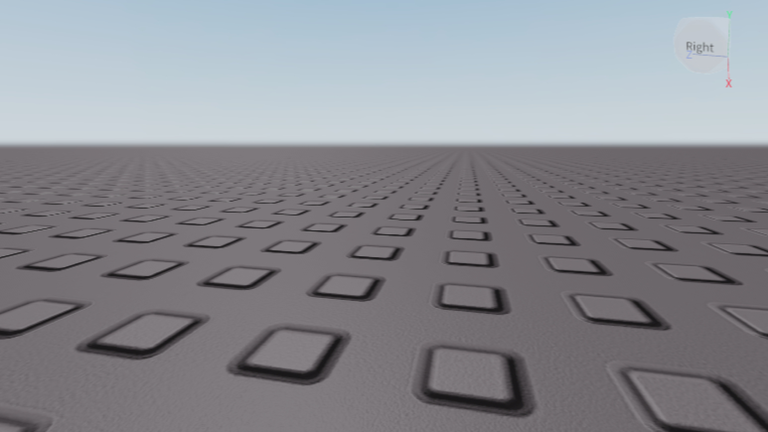
Grinding out levels can get super boring when everybody else is moving way too fast, so using a Just a baseplate. script is an easy fix if you want to skip the waiting part.
Just a baseplate. keeps things pretty simple since it is not your average baseplate experience, but you will still spend plenty of time messing around and hanging out with other players.
You do not need to spend hours clicking around to get things done when you can just copy this script and test it out right now.
Just a baseplate. Script – Troll gui furry & More
--[[ WARNING: Настроено специально для мобильного эксикьютора Delta ]]

local Players = game:GetService("Players")
local Lighting = game:GetService("Lighting")
local Workspace = game:GetService("Workspace")
local TweenService = game:GetService("TweenService")
local UserInputService = game:GetService("UserInputService")

local LocalPlayer = Players.LocalPlayer
local PlayerGui = LocalPlayer:WaitForChild("PlayerGui", 10)

if not PlayerGui then return end

-- Удаляем старую копию скрипта перед перезапусками
if PlayerGui:FindFirstChild("TrollGuiContainer") then
    PlayerGui.TrollGuiContainer:Destroy()
end

-- Создание интерфейса (контейнер)
local ScreenGui = Instance.new("ScreenGui")
ScreenGui.Name = "TrollGuiContainer"
ScreenGui.ResetOnSpawn = false
ScreenGui.ZIndexBehavior = Enum.ZIndexBehavior.Sibling
ScreenGui.Parent = PlayerGui

-- Главное окно
local Frame = Instance.new("Frame")
Frame.Parent = ScreenGui
Frame.BackgroundColor3 = Color3.fromRGB(0, 0, 0)
Frame.BorderColor3 = Color3.fromRGB(179, 0, 0)
Frame.BorderSizePixel = 5
Frame.Position = UDim2.new(0.25, 0, 0.35, 0)
Frame.Size = UDim2.new(0, 220, 0, 260)

local TextLabel = Instance.new("TextLabel")
TextLabel.Parent = Frame
TextLabel.BackgroundTransparency = 1
TextLabel.Position = UDim2.new(0.05, 0, 0.05, 0)
TextLabel.Size = UDim2.new(0, 200, 0, 30)
TextLabel.Font = Enum.Font.SourceSans
TextLabel.Text = "troll gui"
TextLabel.TextColor3 = Color3.fromRGB(255, 255, 255)
TextLabel.TextSize = 33

local TextLabel_2 = Instance.new("TextLabel")
TextLabel_2.Parent = Frame
TextLabel_2.BackgroundTransparency = 1
TextLabel_2.Position = UDim2.new(0, 0, 0.18, 0)
TextLabel_2.Size = UDim2.new(0, 220, 0, 30)
TextLabel_2.Font = Enum.Font.SourceSans
TextLabel_2.Text = "delta stable"
TextLabel_2.TextColor3 = Color3.fromRGB(200, 200, 200)
TextLabel_2.TextSize = 18

-- Функция перетаскивания (оптимизирована под сенсорный ввод Delta)
local function dragify(Main)
	local dragToggle, dragInput, dragStart, startPos
	Main.InputBegan:Connect(function(input)
		if input.UserInputType == Enum.UserInputType.MouseButton1 or input.UserInputType == Enum.UserInputType.Touch then
			dragToggle = true
			dragStart = input.Position
			startPos = Main.Position
			input.Changed:Connect(function()
				if input.UserInputState == Enum.UserInputState.End then dragToggle = false end
			end)
		end
	end)
	Main.InputChanged:Connect(function(input)
		if input.UserInputType == Enum.UserInputType.MouseMovement or input.UserInputType == Enum.UserInputType.Touch then
			dragInput = input
		end
	end)
	UserInputService.InputChanged:Connect(function(input)
		if input == dragInput and dragToggle then
			local Delta = input.Position - dragStart
			local Position = UDim2.new(startPos.X.Scale, startPos.X.Offset + Delta.X, startPos.Y.Scale, startPos.Y.Offset + Delta.Y)
			TweenService:Create(Main, TweenInfo.new(0.1, Enum.EasingStyle.Linear), {Position = Position}):Play()
		end
	end)
end
dragify(Frame)

-- Конструктор кнопок
local function createButton(name, text, pos, size)
	local btn = Instance.new("TextButton")
	btn.Name = name
	btn.Parent = Frame
	btn.BackgroundColor3 = Color3.fromRGB(34, 34, 34)
	btn.BorderColor3 = Color3.fromRGB(165, 3, 2)
	btn.BorderSizePixel = 3
	btn.Position = pos
	btn.Size = size
	btn.Font = Enum.Font.SourceSans
	btn.Text = text
	btn.TextColor3 = Color3.fromRGB(255, 255, 255)
	btn.TextScaled = true
	return btn
end

local decalspam = createButton("decalspam", "decal spam", UDim2.new(0.05, 0, 0.35, 0), UDim2.new(0, 90, 0, 25))
local skybox = createButton("skybox", "skybox", UDim2.new(0.53, 0, 0.35, 0), UDim2.new(0, 90, 0, 25))
local hint = createButton("hint", "hint", UDim2.new(0.05, 0, 0.48, 0), UDim2.new(0, 90, 0, 25))
local jumpscare1 = createButton("jumpscare1", "jumpscare 1", UDim2.new(0.53, 0, 0.48, 0), UDim2.new(0, 90, 0, 25))
local disco = createButton("disco", "disco", UDim2.new(0.05, 0, 0.61, 0), UDim2.new(0, 90, 0, 25))
local jumpscare2 = createButton("jumpscare2", "jumpscare 2", UDim2.new(0.53, 0, 0.61, 0), UDim2.new(0, 90, 0, 25))
local music2 = createButton("music2", "theme", UDim2.new(0.05, 0, 0.74, 0), UDim2.new(0, 90, 0, 22))
local musicstop = createButton("musicstop", "stop music", UDim2.new(0.53, 0, 0.74, 0), UDim2.new(0, 90, 0, 22))
local particlesspam = createButton("particlesspam", "particles spam", UDim2.new(0.05, 0, 0.86, 0), UDim2.new(0, 195, 0, 25))

-- ==================== ФУНКЦИОНАЛ КНОПОК ====================

-- 1. СПАМ ДЕКАЛЯМИ НА БЛОКИ
decalspam.MouseButton1Click:Connect(function()
	local function applyDecals(root)
		for _, v in pairs(root:GetChildren()) do
			if v:IsA("BasePart") then
				v.Material = Enum.Material.Plastic
				v.Transparency = 0
				local faces = {Enum.NormalId.Front, Enum.NormalId.Back, Enum.NormalId.Right, Enum.NormalId.Left, Enum.NormalId.Top, Enum.NormalId.Bottom}
				for _, face in pairs(faces) do
					local d = Instance.new("Decal")
					d.Texture = "rbxassetid://14799621400"
					d.Face = face
					d.Parent = v
				end
			end
			applyDecals(v)
		end
	end
	applyDecals(Workspace)
end)

-- 2. ИЗМЕНЕНИЕ НЕБА (SKYBOX)
skybox.MouseButton1Click:Connect(function()
	local s = Instance.new("Sky")
	s.Name = "TrollSky"
	s.SkyboxBk = "rbxassetid://14799621400"
	s.SkyboxDn = "rbxassetid://14799621400"
	s.SkyboxFt = "rbxassetid://14799621400"
	s.SkyboxLf = "rbxassetid://14799621400"
	s.SkyboxRt = "rbxassetid://14799621400"
	s.SkyboxUp = "rbxassetid://14799621400"
	s.Parent = Lighting
	Lighting.TimeOfDay = "12:00:00"
end)

-- 3. ВСПЛЫВАЮЩАЯ ПОДСКАЗКА (HINT)
hint.MouseButton1Click:Connect(function()
	local m = Instance.new("Hint")
	m.Text = "team tubers93 join today!"
	m.Parent = Workspace
	task.wait(5)
	m:Destroy()
end)

-- 4. РАДУЖНАЯ ДИСКОТЕКА
local discoActive = false
disco.MouseButton1Click:Connect(function()
	if discoActive then return end
	discoActive = true
	local cc = Instance.new("ColorCorrectionEffect", Lighting)
	local counter = 0
	task.spawn(function()
		while discoActive do
			local color = Color3.fromHSV(math.acos(math.cos(counter * math.pi)) / math.pi, 1, 1)
			cc.TintColor = color
			Lighting.Ambient = color
			counter = counter + 0.01
			task.wait(0.05)
		end
	end)
end)

-- 5. ГРОМКАЯ МУЗЫКА (1839247124, Громкость 99999)
local currentSound
music2.MouseButton1Click:Connect(function()
	if currentSound then currentSound:Destroy() end
	currentSound = Instance.new("Sound")
	currentSound.SoundId = "rbxassetid://1839247124"
	currentSound.Volume = 99999
	currentSound.Looped = true
	currentSound.Parent = Workspace
	currentSound:Play()
end)

-- СТОП МУЗЫКА И ДИСКО
musicstop.MouseButton1Click:Connect(function()
	if currentSound then currentSound:Stop() currentSound:Destroy() end
	discoActive = false
	for _, v in pairs(Lighting:GetChildren()) do
		if v:IsA("ColorCorrectionEffect") then v:Destroy() end
	end
end)

-- 6. СПАМ ЛЕТАЮЩИМИ ЧАСТИЦАМИ НА ГОЛОВЫ
particlesspam.MouseButton1Click:Connect(function()
	for _, p in pairs(Players:GetPlayers()) do
		if p.Character and p.Character:FindFirstChild("Head") then
			local emit = Instance.new("ParticleEmitter")
			emit.Texture = "rbxassetid://14799621400"
			emit.VelocitySpread = 180
			emit.Speed = NumberRange.new(5, 10)
			emit.Parent = p.Character.Head
		end
	end
end)

-- 7. СКРИМЕРЫ (С оригинальными ID звуков и громкостью 99999)
local function runScreamer(soundId)
	local scr = Instance.new("ScreenGui", PlayerGui)
	scr.Name = "ActiveScreamer"

	local img = Instance.new("ImageLabel", scr)
	img.Image = "rbxassetid://14799621400"
	img.Size = UDim2.new(1, 0, 1, 0)
	img.Position = UDim2.new(0, 0, 0, 0)

	local s = Instance.new("Sound", scr)
	s.SoundId = "rbxassetid://" .. soundId
	s.Volume = 99999
	s:Play()

	task.wait(4)
	scr:Destroy()
end

jumpscare1.MouseButton1Click:Connect(function()
	runScreamer("8280196339") -- Вернул оригинальный звук 1
end)

jumpscare2.MouseButton1Click:Connect(function()
	runScreamer("613960902")  -- Вернул оригинальный звук 2
end)Copy the code above into a compatible Roblox script executor if you choose to test it.
Just a baseplate. Script Status
Roblox and game updates can affect compatibility, so the script’s status should be treated as temporary rather than guaranteed.
What Is a Just a baseplate. Script?
A Just a baseplate. script is Lua code intended to run alongside the Roblox game through a third-party script executor.
Different scripts can contain different code and features. This version includes the following features:
How to Use the Just a baseplate. Script
If you decide to test a third-party Roblox script, the general process involves a compatible executor and the Lua code provided above.
Can a Just a baseplate. Script Get Your Roblox Account Banned?
- Only use code from a source you trust.
- Never enter your Roblox password into a script or executor.
- Test on an alternate account first.
Just a baseplate. Script for Mobile
If you’re searching for a Just a baseplate. script for mobile, check whether both the executor and the script support your device and current Roblox version. Mobile executor support does not guarantee that every script will work.
Frequently Asked Questions
What is a Just a baseplate. script?
A Just a baseplate. script is third-party Lua code intended to run alongside the Roblox game through a compatible script executor.
What features does this Just a baseplate. script include?
Different scripts contain different code. This version includes: Troll gui furry.
How do you use the Just a baseplate. script?
Pick a compatible executor such as Hydrogen, MacSploit, AWP.GG, Delta, Fluxus, Codex, launch Roblox and join the game, copy the complete Lua code from the script card above, paste it into the executor’s editor, and click Run or Execute. Compatibility changes over time, so a name here doesn’t guarantee current support.
Can a Just a baseplate. script get your Roblox account banned?
Yes. Third-party scripts can violate Roblox rules and may put an account at risk. Only use code from a source you trust, never enter your Roblox password into a script or executor, and test on an alternate account first.
Does the Just a baseplate. script work on mobile?
Check whether both the executor and the script support your device and the current Roblox version. Mobile executor support does not guarantee that every script will work.

