
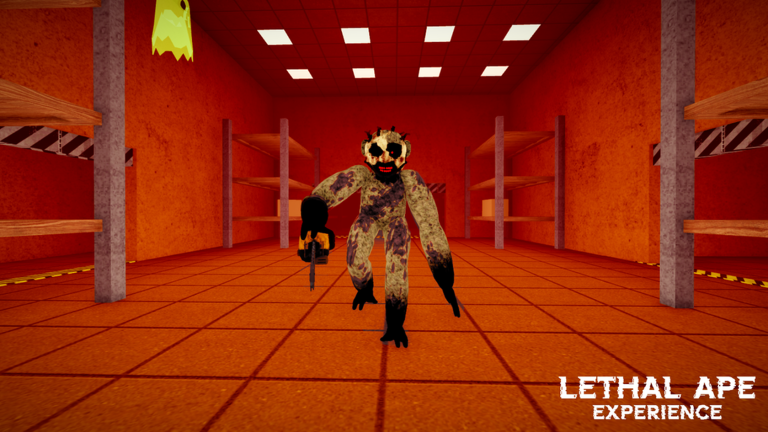
Keeping up after a new update in Lethal Ape Experience can be a real headache when monsters are breathing down your neck. Slapping on the Lethal Ape Experience script makes dodging these experiments a lot easier.
You are stuck in a creepy abandoned lab where failed science projects roam the dark hallways. Your main job is hiding, staying quiet, and surviving while scouting rooms for junk and pumpkins.
If you want to move faster and spot things easier without getting jumpscared, you need to check out the working code below.
Lethal Ape Experience Script – Player Cheats: & More
local UserInputService = game:GetService("UserInputService")
local Players = game:GetService("Players")
local Workspace = game:GetService("Workspace")
local RunService = game:GetService("RunService")
local CoreGui = game:GetService("CoreGui")
local TweenService = game:GetService("TweenService")
local ReplicatedStorage = game:GetService("ReplicatedStorage")
local CollectionService = game:GetService("CollectionService")
local Camera = workspace.CurrentCamera
local LocalPlayer = Players.LocalPlayer
local isMobile = UserInputService.TouchEnabled and not UserInputService.KeyboardEnabled
local isTouchDevice = UserInputService.TouchEnabled
----------------------------------------------------
-- GUI BASE
----------------------------------------------------
local ScreenGui = Instance.new("ScreenGui")
ScreenGui.Name = "GameMenuTemplate"
ScreenGui.ResetOnSpawn = false
ScreenGui.ZIndexBehavior = Enum.ZIndexBehavior.Sibling
ScreenGui.IgnoreGuiInset = true
local successUI = pcall(function() ScreenGui.Parent = CoreGui end)
if not successUI then ScreenGui.Parent = LocalPlayer:WaitForChild("PlayerGui") end
local MainFrame = Instance.new("Frame")
MainFrame.Name = "MainFrame"
MainFrame.Size = UDim2.new(0, 520, 0, 620)
MainFrame.Position = UDim2.new(0.5, -260, 0.5, -310)
MainFrame.BackgroundColor3 = Color3.fromRGB(18, 18, 22)
MainFrame.BorderSizePixel = 0
MainFrame.Active = true
MainFrame.Draggable = not isMobile
MainFrame.ClipsDescendants = true
MainFrame.Visible = not isMobile
MainFrame.Parent = ScreenGui
Instance.new("UICorner", MainFrame).CornerRadius = UDim.new(0, 8)
local MainStroke = Instance.new("UIStroke", MainFrame)
MainStroke.Color = Color3.fromRGB(50, 45, 40)
MainStroke.Thickness = 1
local UIScale = Instance.new("UIScale", MainFrame)
local function updateScale()
local viewport = workspace.CurrentCamera and workspace.CurrentCamera.ViewportSize or Vector2.new(1920, 1080)
local scale = 1
if isTouchDevice then
scale = math.clamp(math.min(viewport.X * 0.92, 520) / 520, 0.55, 0.95)
end
UIScale.Scale = scale
local scaledW, scaledH = 520 * scale, 620 * scale
MainFrame.Position = UDim2.new(0.5, -scaledW / 2, 0.5, -scaledH / 2)
end
updateScale()
workspace.CurrentCamera:GetPropertyChangedSignal("ViewportSize"):Connect(updateScale)
-- Mobile Open Button
local MobileOpenBtn = Instance.new("TextButton")
MobileOpenBtn.Name = "MobileOpen"
MobileOpenBtn.Size = UDim2.new(0, 52, 0, 52)
MobileOpenBtn.Position = UDim2.new(1, -70, 0.5, -26)
MobileOpenBtn.AnchorPoint = Vector2.new(0, 0.5)
MobileOpenBtn.BackgroundColor3 = Color3.fromRGB(22, 22, 28)
MobileOpenBtn.Text = "⚙️"
MobileOpenBtn.TextSize = 26
MobileOpenBtn.Font = Enum.Font.GothamBold
MobileOpenBtn.TextColor3 = Color3.fromRGB(240, 240, 245)
MobileOpenBtn.AutoButtonColor = false
MobileOpenBtn.Visible = isTouchDevice
MobileOpenBtn.ZIndex = 50
MobileOpenBtn.Parent = ScreenGui
Instance.new("UICorner", MobileOpenBtn).CornerRadius = UDim.new(1, 0)
local MobileStroke = Instance.new("UIStroke", MobileOpenBtn)
MobileStroke.Color = Color3.fromRGB(220, 110, 30) -- Orange Theme Accent
MobileStroke.Thickness = 2
do
local dragging, dragStart, startPos
MobileOpenBtn.InputBegan:Connect(function(input)
if input.UserInputType == Enum.UserInputType.Touch or input.UserInputType == Enum.UserInputType.MouseButton1 then
dragging = true
dragStart = input.Position
startPos = MobileOpenBtn.Position
end
end)
UserInputService.InputChanged:Connect(function(input)
if dragging and (input.UserInputType == Enum.UserInputType.Touch or input.UserInputType == Enum.UserInputType.MouseMovement) then
local delta = input.Position - dragStart
MobileOpenBtn.Position = UDim2.new(startPos.X.Scale, startPos.X.Offset + delta.X, startPos.Y.Scale, startPos.Y.Offset + delta.Y)
end
end)
UserInputService.InputEnded:Connect(function(input)
if input.UserInputType == Enum.UserInputType.Touch or input.UserInputType == Enum.UserInputType.MouseButton1 then
dragging = false
end
end)
end
MobileOpenBtn.MouseButton1Click:Connect(function()
MainFrame.Visible = not MainFrame.Visible
if MainFrame.Visible then updateScale() end
end)
-- Snow Particles Effect
local SnowContainer = Instance.new("Frame")
SnowContainer.Name = "Snow"
SnowContainer.Size = UDim2.new(1, 0, 1, 0)
SnowContainer.BackgroundTransparency = 1
SnowContainer.ClipsDescendants = true
SnowContainer.ZIndex = 10
SnowContainer.Parent = MainFrame
local snowflakes = {}
local function createSnowflake()
local size = math.random(3, 6)
local flake = Instance.new("Frame")
flake.Size = UDim2.new(0, size, 0, size)
flake.BackgroundColor3 = Color3.fromRGB(255, 255, 255)
flake.BackgroundTransparency = 0.4
flake.BorderSizePixel = 0
flake.ZIndex = 11
flake.Parent = SnowContainer
Instance.new("UICorner", flake).CornerRadius = UDim.new(1, 0)
local startX, startY = math.random(), math.random() * -0.5
flake.Position = UDim2.new(startX, 0, startY, 0)
table.insert(snowflakes, {
frame = flake, speed = math.random(20, 45) / 100,
drift = (math.random() - 0.5) * 0.15, x = startX, y = startY,
baseTransparency = math.random(30, 55) / 100
})
end
for i = 1, 60 do createSnowflake() end
RunService.RenderStepped:Connect(function(dt)
for _, flake in ipairs(snowflakes) do
flake.y = flake.y + flake.speed * dt
flake.x = flake.x + flake.drift * dt
local fade = 1
if flake.y < 0.1 then fade = flake.y / 0.1
elseif flake.y > 0.9 then fade = (1.2 - flake.y) / 0.3 end
fade = math.clamp(fade, 0, 1)
flake.frame.BackgroundTransparency = flake.baseTransparency + (1 - fade) * 0.5
if flake.y > 1.2 then
flake.y = -0.15
flake.x = math.random()
flake.speed = math.random(20, 45) / 100
flake.drift = (math.random() - 0.5) * 0.15
flake.baseTransparency = math.random(30, 55) / 100
end
if flake.x < -0.1 then flake.x = 1.1 end
if flake.x > 1.1 then flake.x = -0.1 end
flake.frame.Position = UDim2.new(flake.x, 0, flake.y, 0)
end
end)
-- Title Bar
local TitleBar = Instance.new("Frame")
TitleBar.Size = UDim2.new(1, 0, 0, 42)
TitleBar.BackgroundColor3 = Color3.fromRGB(22, 22, 28)
TitleBar.BorderSizePixel = 0
TitleBar.ZIndex = 2
TitleBar.Parent = MainFrame
Instance.new("UICorner", TitleBar).CornerRadius = UDim.new(0, 8)
local TitleFix = Instance.new("Frame")
TitleFix.Size = UDim2.new(1, 0, 0, 12)
TitleFix.Position = UDim2.new(0, 0, 1, -12)
TitleFix.BackgroundColor3 = Color3.fromRGB(22, 22, 28)
TitleFix.BorderSizePixel = 0
TitleFix.ZIndex = 2
TitleFix.Parent = TitleBar
local TitleLabel = Instance.new("TextLabel")
TitleLabel.Size = UDim2.new(1, -100, 1, 0)
TitleLabel.Position = UDim2.new(0, 16, 0, 0)
TitleLabel.BackgroundTransparency = 1
TitleLabel.Text = "[🎃] Lethal Ape Experience"
TitleLabel.TextColor3 = Color3.fromRGB(240, 240, 245)
TitleLabel.TextSize = 16
TitleLabel.Font = Enum.Font.GothamBold
TitleLabel.TextXAlignment = Enum.TextXAlignment.Left
TitleLabel.ZIndex = 3
TitleLabel.Parent = TitleBar
local VersionLabel = Instance.new("TextLabel")
VersionLabel.Size = UDim2.new(0, 50, 1, 0)
VersionLabel.Position = UDim2.new(1, -60, 0, 0)
VersionLabel.BackgroundTransparency = 1
VersionLabel.Text = "v2.8"
VersionLabel.TextColor3 = Color3.fromRGB(220, 110, 30) -- Orange Accent
VersionLabel.TextSize = 12
VersionLabel.Font = Enum.Font.Gotham
VersionLabel.ZIndex = 3
VersionLabel.Parent = TitleBar
local CloseBtn = Instance.new("TextButton")
CloseBtn.Size = UDim2.new(0, 32, 0, 32)
CloseBtn.Position = UDim2.new(1, -40, 0.5, -16)
CloseBtn.BackgroundColor3 = Color3.fromRGB(40, 40, 50)
CloseBtn.Text = "×"
CloseBtn.TextSize = 22
CloseBtn.Font = Enum.Font.GothamBold
CloseBtn.TextColor3 = Color3.fromRGB(200, 200, 210)
CloseBtn.AutoButtonColor = false
CloseBtn.ZIndex = 4
CloseBtn.Parent = TitleBar
Instance.new("UICorner", CloseBtn).CornerRadius = UDim.new(0, 6)
CloseBtn.MouseButton1Click:Connect(function() MainFrame.Visible = false end)
-- Sidebar
local Sidebar = Instance.new("Frame")
Sidebar.Size = UDim2.new(0, 130, 1, -42)
Sidebar.Position = UDim2.new(0, 0, 0, 42)
Sidebar.BackgroundColor3 = Color3.fromRGB(16, 16, 20)
Sidebar.BorderSizePixel = 0
Sidebar.ZIndex = 2
Sidebar.Parent = MainFrame
local SidebarLayout = Instance.new("UIListLayout", Sidebar)
SidebarLayout.Padding = UDim.new(0, 4)
local SidebarPadding = Instance.new("UIPadding", Sidebar)
SidebarPadding.PaddingTop = UDim.new(0, 12)
SidebarPadding.PaddingLeft = UDim.new(0, 10)
SidebarPadding.PaddingRight = UDim.new(0, 10)
-- Content Area & Tabs
local ContentFrame = Instance.new("Frame")
ContentFrame.Size = UDim2.new(1, -130, 1, -42)
ContentFrame.Position = UDim2.new(0, 130, 0, 42)
ContentFrame.BackgroundColor3 = Color3.fromRGB(20, 20, 25)
ContentFrame.BorderSizePixel = 0
ContentFrame.ZIndex = 2
ContentFrame.Parent = MainFrame
local MainTab = Instance.new("ScrollingFrame")
MainTab.Size = UDim2.new(1, 0, 1, 0)
MainTab.BackgroundTransparency = 1
MainTab.BorderSizePixel = 0
MainTab.ScrollBarThickness = isTouchDevice and 6 or 3
MainTab.ScrollBarImageColor3 = Color3.fromRGB(60, 50, 40)
MainTab.CanvasSize = UDim2.new(0, 0, 0, 0)
MainTab.AutomaticCanvasSize = Enum.AutomaticSize.Y
MainTab.ZIndex = 3
MainTab.Parent = ContentFrame
local VisualsTab = Instance.new("ScrollingFrame")
VisualsTab.Size = UDim2.new(1, 0, 1, 0)
VisualsTab.BackgroundTransparency = 1
VisualsTab.BorderSizePixel = 0
VisualsTab.ScrollBarThickness = isTouchDevice and 6 or 3
VisualsTab.ScrollBarImageColor3 = Color3.fromRGB(60, 50, 40)
VisualsTab.CanvasSize = UDim2.new(0, 0, 0, 0)
VisualsTab.AutomaticCanvasSize = Enum.AutomaticSize.Y
VisualsTab.Visible = false
VisualsTab.ZIndex = 3
VisualsTab.Parent = ContentFrame
local CameraTab = Instance.new("ScrollingFrame")
CameraTab.Size = UDim2.new(1, 0, 1, 0)
CameraTab.BackgroundTransparency = 1
CameraTab.BorderSizePixel = 0
CameraTab.ScrollBarThickness = isTouchDevice and 6 or 3
CameraTab.ScrollBarImageColor3 = Color3.fromRGB(60, 50, 40)
CameraTab.CanvasSize = UDim2.new(0, 0, 0, 0)
CameraTab.AutomaticCanvasSize = Enum.AutomaticSize.Y
CameraTab.Visible = false
CameraTab.ZIndex = 3
CameraTab.Parent = ContentFrame
local function applyContentLayout(parent)
local layout = Instance.new("UIListLayout", parent)
layout.SortOrder = Enum.SortOrder.LayoutOrder
layout.Padding = UDim.new(0, 6)
local padding = Instance.new("UIPadding", parent)
padding.PaddingTop = UDim.new(0, 14)
padding.PaddingLeft = UDim.new(0, 16)
padding.PaddingRight = UDim.new(0, 16)
padding.PaddingBottom = UDim.new(0, 14)
end
applyContentLayout(MainTab)
applyContentLayout(VisualsTab)
applyContentLayout(CameraTab)
-- Helpers
local function createSectionHeader(text, parent)
local header = Instance.new("TextLabel")
header.Size = UDim2.new(1, 0, 0, 22)
header.BackgroundTransparency = 1
header.Text = text
header.TextColor3 = Color3.fromRGB(220, 130, 60) -- Orange Section Header
header.TextSize = 12
header.Font = Enum.Font.GothamBold
header.TextXAlignment = Enum.TextXAlignment.Left
header.ZIndex = 4
header.Parent = parent
return header
end
local function createSidebarButton(text, parent)
local btn = Instance.new("TextButton")
btn.Size = UDim2.new(1, 0, 0, isTouchDevice and 40 or 32)
btn.BackgroundColor3 = Color3.fromRGB(16, 16, 20)
btn.TextColor3 = Color3.fromRGB(150, 150, 165)
btn.Font = Enum.Font.GothamSemibold
btn.TextSize = 13
btn.Text = text
btn.TextXAlignment = Enum.TextXAlignment.Left
btn.AutoButtonColor = false
btn.ZIndex = 3
btn.Parent = parent
Instance.new("UICorner", btn).CornerRadius = UDim.new(0, 6)
local padding = Instance.new("UIPadding", btn)
padding.PaddingLeft = UDim.new(0, 12)
btn.MouseEnter:Connect(function()
if btn.BackgroundColor3 ~= Color3.fromRGB(200, 95, 20) then
TweenService:Create(btn, TweenInfo.new(0.12), {BackgroundColor3 = Color3.fromRGB(28, 26, 24)}):Play()
end
end)
btn.MouseLeave:Connect(function()
if btn.BackgroundColor3 ~= Color3.fromRGB(200, 95, 20) then
TweenService:Create(btn, TweenInfo.new(0.12), {BackgroundColor3 = Color3.fromRGB(16, 16, 20)}):Play()
end
end)
return btn
end
local function createToggle(text, parent, defaultState, callback)
local row = Instance.new("Frame")
row.Size = UDim2.new(1, 0, 0, isTouchDevice and 40 or 32)
row.BackgroundTransparency = 1
row.ZIndex = 4
row.Parent = parent
local label = Instance.new("TextLabel")
label.Size = UDim2.new(1, -55, 1, 0)
label.BackgroundTransparency = 1
label.Text = text
label.TextColor3 = Color3.fromRGB(210, 210, 220)
label.TextSize = isTouchDevice and 14 or 13
label.Font = Enum.Font.Gotham
label.TextXAlignment = Enum.TextXAlignment.Left
label.ZIndex = 5
label.Parent = row
local toggle = Instance.new("TextButton")
toggle.Size = UDim2.new(0, isTouchDevice and 44 or 36, 0, isTouchDevice and 22 or 18)
toggle.Position = UDim2.new(1, isTouchDevice and -44 or -36, 0.5, isTouchDevice and -11 or -9)
toggle.BackgroundColor3 = defaultState and Color3.fromRGB(200, 95, 20) or Color3.fromRGB(45, 45, 55)
toggle.Text = ""
toggle.AutoButtonColor = false
toggle.ZIndex = 5
toggle.Parent = row
Instance.new("UICorner", toggle).CornerRadius = UDim.new(1, 0)
local knob = Instance.new("Frame")
knob.Size = UDim2.new(0, isTouchDevice and 18 or 14, 0, isTouchDevice and 18 or 14)
knob.Position = defaultState and UDim2.new(1, isTouchDevice and -20 or -16, 0.5, isTouchDevice and -9 or -7) or UDim2.new(0, 2, 0.5, isTouchDevice and -9 or -7)
knob.BackgroundColor3 = Color3.fromRGB(240, 240, 245)
knob.BorderSizePixel = 0
knob.ZIndex = 6
knob.Parent = toggle
Instance.new("UICorner", knob).CornerRadius = UDim.new(1, 0)
local state = defaultState
toggle.MouseButton1Click:Connect(function()
state = not state
local onPos = isTouchDevice and UDim2.new(1, -20, 0.5, -9) or UDim2.new(1, -16, 0.5, -7)
local offPos = isTouchDevice and UDim2.new(0, 2, 0.5, -9) or UDim2.new(0, 2, 0.5, -7)
if state then
TweenService:Create(toggle, TweenInfo.new(0.15), {BackgroundColor3 = Color3.fromRGB(200, 95, 20)}):Play()
TweenService:Create(knob, TweenInfo.new(0.15), {Position = onPos}):Play()
else
TweenService:Create(toggle, TweenInfo.new(0.15), {BackgroundColor3 = Color3.fromRGB(45, 45, 55)}):Play()
TweenService:Create(knob, TweenInfo.new(0.15), {Position = offPos}):Play()
end
if callback then callback(state) end
end)
return row
end
local function createSetting(text, parent, defaultValue, minVal, maxVal, step, onChange)
local row = Instance.new("Frame")
row.Size = UDim2.new(1, 0, 0, 28)
row.BackgroundTransparency = 1
row.ZIndex = 4
row.Parent = parent
local label = Instance.new("TextLabel")
label.Size = UDim2.new(0.55, 0, 1, 0)
label.BackgroundTransparency = 1
label.Text = text
label.TextColor3 = Color3.fromRGB(170, 170, 185)
label.TextSize = 12
label.Font = Enum.Font.Gotham
label.TextXAlignment = Enum.TextXAlignment.Left
label.ZIndex = 5
label.Parent = row
local valueLabel = Instance.new("TextLabel")
valueLabel.Size = UDim2.new(0, 50, 1, 0)
valueLabel.Position = UDim2.new(0.55, 0, 0, 0)
valueLabel.BackgroundTransparency = 1
valueLabel.Text = tostring(defaultValue)
valueLabel.TextColor3 = Color3.fromRGB(220, 220, 230)
valueLabel.TextSize = 12
valueLabel.Font = Enum.Font.GothamSemibold
valueLabel.ZIndex = 5
valueLabel.Parent = row
local minusBtn = Instance.new("TextButton")
minusBtn.Size = UDim2.new(0, 26, 0, 22)
minusBtn.Position = UDim2.new(1, -60, 0.5, -11)
minusBtn.BackgroundColor3 = Color3.fromRGB(40, 40, 50)
minusBtn.Text = "-"
minusBtn.TextColor3 = Color3.fromRGB(220, 220, 230)
minusBtn.TextSize = 16
minusBtn.Font = Enum.Font.GothamBold
minusBtn.AutoButtonColor = false
minusBtn.ZIndex = 5
minusBtn.Parent = row
Instance.new("UICorner", minusBtn).CornerRadius = UDim.new(0, 5)
local plusBtn = Instance.new("TextButton")
plusBtn.Size = UDim2.new(0, 26, 0, 22)
plusBtn.Position = UDim2.new(1, -28, 0.5, -11)
plusBtn.BackgroundColor3 = Color3.fromRGB(40, 40, 50)
plusBtn.Text = "+"
plusBtn.TextColor3 = Color3.fromRGB(220, 220, 230)
plusBtn.TextSize = 16
plusBtn.Font = Enum.Font.GothamBold
plusBtn.AutoButtonColor = false
plusBtn.ZIndex = 5
plusBtn.Parent = row
Instance.new("UICorner", plusBtn).CornerRadius = UDim.new(0, 5)
local current = defaultValue
local function update(val)
current = math.clamp(val, minVal, maxVal)
valueLabel.Text = current == math.floor(current) and tostring(current) or string.format("%.1f", current)
if onChange then onChange(current) end
end
minusBtn.MouseButton1Click:Connect(function() update(current - step) end)
plusBtn.MouseButton1Click:Connect(function() update(current + step) end)
return row, update
end
-- Sidebar Navigation Setup
local MainTabBtn = createSidebarButton("Main", Sidebar)
local VisualsTabBtn = createSidebarButton("Visuals", Sidebar)
local CameraTabBtn = createSidebarButton("Camera Hub", Sidebar)
local function setActiveTab(tabNum)
MainTab.Visible = (tabNum == 1)
VisualsTab.Visible = (tabNum == 2)
CameraTab.Visible = (tabNum == 3)
MainTabBtn.BackgroundColor3 = (tabNum == 1) and Color3.fromRGB(200, 95, 20) or Color3.fromRGB(16, 16, 20)
MainTabBtn.TextColor3 = (tabNum == 1) and Color3.fromRGB(255, 255, 255) or Color3.fromRGB(150, 150, 165)
VisualsTabBtn.BackgroundColor3 = (tabNum == 2) and Color3.fromRGB(200, 95, 20) or Color3.fromRGB(16, 16, 20)
VisualsTabBtn.TextColor3 = (tabNum == 2) and Color3.fromRGB(255, 255, 255) or Color3.fromRGB(150, 150, 165)
CameraTabBtn.BackgroundColor3 = (tabNum == 3) and Color3.fromRGB(200, 95, 20) or Color3.fromRGB(16, 16, 20)
CameraTabBtn.TextColor3 = (tabNum == 3) and Color3.fromRGB(255, 255, 255) or Color3.fromRGB(150, 150, 165)
end
MainTabBtn.MouseButton1Click:Connect(function() setActiveTab(1) end)
VisualsTabBtn.MouseButton1Click:Connect(function() setActiveTab(2) end)
CameraTabBtn.MouseButton1Click:Connect(function() setActiveTab(3) end)
setActiveTab(1)
----------------------------------------------------
-- GAME INTEGRATED CHEATS LOGIC
----------------------------------------------------
local ScrapsEspEnabled = false
local PumpkinsEspEnabled = false
local MonsterEspEnabled = false
local MonsterNameTagsEnabled = false
local NameTagsEspEnabled = false
local AntiJumpscareEnabled = false
local AntiDangerOverlayEnabled = false
local HeadSpinEnabled = false
local SpeedHackEnabled = false
local TallerSpoofEnabled = false
local SpeedHackValue = 0.5
local HeadSpinSpeed = 5
-- Extra Camera State Variables
local ThirdPersonEnabled = false
local ActiveHighlights = {
Scraps = {},
Pumpkins = {},
Monsters = {}
}
local ActiveNameTags = {}
local ActiveMonsterNameTags = {}
local function clearGroupESP(groupKey)
local highlights = ActiveHighlights[groupKey]
if highlights then
for obj, highlight in pairs(highlights) do
if highlight and highlight.Parent then highlight:Destroy() end
end
table.clear(highlights)
end
end
local function applyESPToFolder(folderPath, groupKey, color)
if not folderPath then return end
for _, obj in ipairs(folderPath:GetChildren()) do
local targetPart = nil
if obj:IsA("BasePart") then
targetPart = obj
elseif obj:IsA("Model") then
targetPart = obj.PrimaryPart or obj:FindFirstChildWhichIsA("BasePart")
end
local highlights = ActiveHighlights[groupKey]
if targetPart and highlights and not highlights[obj] then
local hl = Instance.new("Highlight")
hl.Name = "CustomESP"
hl.Adornee = obj
hl.FillColor = color
hl.OutlineColor = Color3.new(1, 1, 1)
hl.FillTransparency = 0.5
hl.OutlineTransparency = 0
hl.DepthMode = Enum.HighlightDepthMode.AlwaysOnTop
hl.Parent = obj
highlights[obj] = hl
end
end
end
-- Helper to fetch all active monsters/threat models
local function getActiveMonsters()
local trackedObjects = {}
for _, obj in ipairs(CollectionService:GetTagged("dangersource")) do
if obj:IsA("BasePart") then
local rootModel = obj.Parent
table.insert(trackedObjects, rootModel or obj)
end
end
for _, obj in ipairs(Workspace:GetChildren()) do
if obj:IsA("Model") then
local name = obj.Name
if name == "Taller" or name == "TallerReal" or name == "Lost" or name == "Unknown" or name == "BloodmanGus" then
table.insert(trackedObjects, obj)
end
end
end
return trackedObjects
end
-- Monster ESP Loop
local function updateMonsterESP()
local highlights = ActiveHighlights["Monsters"]
if not MonsterEspEnabled then
clearGroupESP("Monsters")
return
end
local trackedObjects = getActiveMonsters()
for _, obj in ipairs(trackedObjects) do
if not highlights[obj] then
pcall(function()
local hl = Instance.new("Highlight")
hl.Name = "MonsterESP"
hl.Adornee = obj
hl.FillColor = Color3.fromRGB(255, 30, 30)
hl.OutlineColor = Color3.fromRGB(255, 255, 255)
hl.FillTransparency = 0.4
hl.OutlineTransparency = 0
hl.DepthMode = Enum.HighlightDepthMode.AlwaysOnTop
hl.Parent = obj
highlights[obj] = hl
end)
end
end
for obj, hl in pairs(highlights) do
if not obj or not obj.Parent then
if hl and hl.Parent then hl:Destroy() end
highlights[obj] = nil
end
end
end
-- Monster Name Tags Loop
local function updateMonsterNameTags()
if not MonsterNameTagsEnabled then
for obj, tag in pairs(ActiveMonsterNameTags) do
if tag and tag.Parent then tag:Destroy() end
end
table.clear(ActiveMonsterNameTags)
return
end
local trackedObjects = getActiveMonsters()
local activeMap = {}
for _, obj in ipairs(trackedObjects) do
activeMap[obj] = true
local primaryPart = obj:IsA("Model") and (obj.PrimaryPart or obj:FindFirstChildWhichIsA("BasePart")) or (obj:IsA("BasePart") and obj)
if primaryPart then
local billboard = ActiveMonsterNameTags[obj]
if not billboard or not billboard.Parent then
billboard = Instance.new("BillboardGui")
billboard.Name = "MonsterNameTag"
billboard.Adornee = primaryPart
billboard.Size = UDim2.new(0, 180, 0, 35)
billboard.StudsOffset = Vector3.new(0, 3, 0)
billboard.AlwaysOnTop = true
local textLabel = Instance.new("TextLabel")
textLabel.Name = "Label"
textLabel.Size = UDim2.new(1, 0, 1, 0)
textLabel.BackgroundTransparency = 1
textLabel.TextColor3 = Color3.fromRGB(255, 80, 80)
textLabel.TextStrokeTransparency = 0
textLabel.TextStrokeColor3 = Color3.fromRGB(0, 0, 0)
textLabel.Font = Enum.Font.GothamBold
textLabel.TextSize = 13
textLabel.Parent = billboard
billboard.Parent = primaryPart
ActiveMonsterNameTags[obj] = billboard
end
-- Update distance text
local label = billboard:FindFirstChild("Label")
local char = LocalPlayer.Character
local hrp = char and char:FindFirstChild("HumanoidRootPart")
if label and hrp then
local dist = math.floor((hrp.Position - primaryPart.Position).Magnitude)
label.Text = "[" .. obj.Name .. "] (" .. dist .. " studs)"
end
end
end
-- Clean up removed monsters
for obj, tag in pairs(ActiveMonsterNameTags) do
if not activeMap[obj] or not obj.Parent then
if tag and tag.Parent then tag:Destroy() end
ActiveMonsterNameTags[obj] = nil
end
end
end
-- Overhead NameTags Logic for Players
local function clearNameTags()
for player, billboard in pairs(ActiveNameTags) do
if billboard and billboard.Parent then billboard:Destroy() end
end
table.clear(ActiveNameTags)
end
local function applyNameTag(player)
if player == LocalPlayer or not player.Character then return end
local head = player.Character:FindFirstChild("Head")
if head and not ActiveNameTags[player] then
local billboard = Instance.new("BillboardGui")
billboard.Name = "NameTagESP"
billboard.Adornee = head
billboard.Size = UDim2.new(0, 150, 0, 30)
billboard.StudsOffset = Vector3.new(0, 2, 0)
billboard.AlwaysOnTop = true
local textLabel = Instance.new("TextLabel")
textLabel.Size = UDim2.new(1, 0, 1, 0)
textLabel.BackgroundTransparency = 1
textLabel.Text = player.DisplayName .. " (@" .. player.Name .. ")"
textLabel.TextColor3 = Color3.fromRGB(255, 255, 255)
textLabel.TextStrokeTransparency = 0
textLabel.TextStrokeColor3 = Color3.fromRGB(0, 0, 0)
textLabel.Font = Enum.Font.GothamBold
textLabel.TextSize = 13
textLabel.Parent = billboard
billboard.Parent = head
ActiveNameTags[player] = billboard
end
end
-- ESP Loop (Scraps, Pumpkins, Monsters, Monster Name Tags, & Player Name Tags)
task.spawn(function()
while true do
if ScrapsEspEnabled then
pcall(function() applyESPToFolder(Workspace:FindFirstChild("Scraps"), "Scraps", Color3.fromRGB(255, 165, 0)) end)
else
clearGroupESP("Scraps")
end
if PumpkinsEspEnabled then
pcall(function()
local utilities = Workspace:FindFirstChild("Utilities")
local pumpkins = utilities and utilities:FindFirstChild("EventPumpkins")
applyESPToFolder(pumpkins, "Pumpkins", Color3.fromRGB(255, 100, 0))
end)
else
clearGroupESP("Pumpkins")
end
updateMonsterESP()
updateMonsterNameTags()
if NameTagsEspEnabled then
for _, player in ipairs(Players:GetPlayers()) do
pcall(function() applyNameTag(player) end)
end
else
clearNameTags()
end
task.wait(1)
end
end)
-- Anti Jumpscare Hook
task.spawn(function()
while true do
task.wait(0.1)
if AntiJumpscareEnabled then
pcall(function()
shared.injump = false
local duh = LocalPlayer.PlayerGui:FindFirstChild("duh")
if duh and duh:IsA("ScreenGui") then
duh.Enabled = false
local frame = duh:FindFirstChildOfClass("Frame")
if frame then
frame.BackgroundTransparency = 1
end
end
local curCam = workspace.CurrentCamera
if curCam and curCam.CameraType == Enum.CameraType.Scriptable then
curCam.CameraType = Enum.CameraType.Custom
local char = LocalPlayer.Character
local hum = char and char:FindFirstChildOfClass("Humanoid")
if hum then curCam.CameraSubject = hum end
end
end)
end
end
end)
-- Anti Danger Overlay Loop
task.spawn(function()
local lighting = game:GetService("Lighting")
while true do
task.wait(0.1)
if AntiDangerOverlayEnabled then
pcall(function()
local dangerEffect = lighting:FindFirstChild("DUHDANGERBROOOOO")
if dangerEffect and dangerEffect:IsA("ColorCorrectionEffect") then
dangerEffect.Brightness = 0
dangerEffect.Contrast = 0
dangerEffect.Saturation = 0
dangerEffect.TintColor = Color3.new(1, 1, 1)
end
local screenGui = LocalPlayer.PlayerGui:FindFirstChild("ScreenGui")
if screenGui then
for _, name in ipairs({"Static", "RunStatic", "LostStatic"}) do
local imgLabel = screenGui:FindFirstChild(name)
if imgLabel and imgLabel:IsA("ImageLabel") then
imgLabel.ImageTransparency = 1
end
end
end
end)
end
end
end)
-- Taller Line-of-Sight Spoofer (`AllwaysLookAtTaller.txt`)
task.spawn(function()
local TallerLookRemote = ReplicatedStorage:WaitForChild("TallerLook", 5)
while true do
task.wait(0.1)
if TallerSpoofEnabled and TallerLookRemote then
pcall(function()
TallerLookRemote:FireServer(true)
end)
end
end
end)
-- Speed Hack Logic
task.spawn(function()
local t1
while true do
task.wait(0.2)
pcall(function()
if SpeedHackEnabled then
LocalPlayer:SetAttribute("speedboosttoggleloaded", true)
LocalPlayer:SetAttribute("speedboostenabled", true)
LocalPlayer:SetAttribute("speedboost", true)
if shared.SpeedBoostTable then
if t1 then
t1.add = SpeedHackValue
else
t1 = {
duration = 1e999,
add = SpeedHackValue,
hidden = true,
tag = "gamepassspeed",
time = time()
}
table.insert(shared.SpeedBoostTable, t1)
end
end
else
LocalPlayer:SetAttribute("speedboost", false)
if t1 and shared.SpeedBoostTable then
local idx = table.find(shared.SpeedBoostTable, t1)
if idx then
table.remove(shared.SpeedBoostTable, idx)
end
t1 = nil
end
end
end)
end
end)
-- Super Fast Head Spin Render Logic
RunService.RenderStepped:Connect(function(dt)
if not HeadSpinEnabled then return end
pcall(function()
local char = LocalPlayer.Character
if not char then return end
local torso = char:FindFirstChild("Torso") or char:FindFirstChild("UpperTorso")
if not torso then return end
local neck = torso:FindFirstChild("Neck")
if not neck then return end
local spinAngle = tick() * (HeadSpinSpeed * 15)
neck.C0 = neck.C0 * CFrame.Angles(0, spinAngle % math.rad(360), 0)
end)
end)
-- Third-Person Camera Logic
RunService.RenderStepped:Connect(function()
if ThirdPersonEnabled then
pcall(function()
LocalPlayer.CameraMode = Enum.CameraMode.Classic
if LocalPlayer.CameraMaxZoomDistance < 10 then
LocalPlayer.CameraMinZoomDistance = 10
LocalPlayer.CameraMaxZoomDistance = 20
end
end)
end
end)
-- Invincible Chat Command Handler Integration (`InvincibleClient`)
local InvincibleSet = ReplicatedStorage:WaitForChild("InvincibleSet", 5)
local TextChatService = game:GetService("TextChatService")
if InvincibleSet then
local function processChatMessage(msg)
local cleanMsg = msg:lower():match("^%s*(.-)%s*$")
if cleanMsg == "/invincible" then
InvincibleSet:FireServer("full")
elseif cleanMsg == "/invincible c" then
InvincibleSet:FireServer("chase")
elseif cleanMsg == "/invincible off" then
InvincibleSet:FireServer("off")
end
end
pcall(function()
local TextChannels = TextChatService:WaitForChild("TextChannels", 2)
if TextChannels then
for _, channel in ipairs(TextChannels:GetChildren()) do
if channel:IsA("TextChannel") then
channel.MessageReceived:Connect(function(p2)
if p2.TextSource and p2.TextSource.UserId == LocalPlayer.UserId then
processChatMessage(p2.Text)
end
end)
end
end
TextChannels.ChildAdded:Connect(function(channel)
if channel:IsA("TextChannel") then
channel.MessageReceived:Connect(function(p3)
if p3.TextSource and p3.TextSource.UserId == LocalPlayer.UserId then
processChatMessage(p3.Text)
end
end)
end
end)
end
end)
end
----------------------------------------------------
-- POPULATE UI CONTROLS
----------------------------------------------------
createSectionHeader("PLAYER CHEATS", MainTab)
createToggle("Speed Hack", MainTab, false, function(state)
SpeedHackEnabled = state
end)
createSetting("Speed Boost Amount", MainTab, 0.5, 0.1, 5.0, 0.1, function(val)
SpeedHackValue = val
end)
createToggle("Crazy Fast Head Spin", MainTab, false, function(state)
HeadSpinEnabled = state
end)
createSetting("Spin Speed", MainTab, 5, 1, 20, 1, function(val)
HeadSpinSpeed = val
end)
createToggle("Anti Jumpscare", MainTab, false, function(state)
AntiJumpscareEnabled = state
end)
createToggle("Anti Danger Overlay", MainTab, false, function(state)
AntiDangerOverlayEnabled = state
end)
createToggle("Spoof Taller Line-of-Sight", MainTab, false, function(state)
TallerSpoofEnabled = state
end)
createSectionHeader("ESP & VISUALS", VisualsTab)
createToggle("Monster ESP", VisualsTab, false, function(state)
MonsterEspEnabled = state
if not state then clearGroupESP("Monsters") end
end)
createToggle("Monster Name Tags", VisualsTab, false, function(state)
MonsterNameTagsEnabled = state
if not state then
for obj, tag in pairs(ActiveMonsterNameTags) do
if tag and tag.Parent then tag:Destroy() end
end
table.clear(ActiveMonsterNameTags)
end
end)
createToggle("Player Name Tags ESP", VisualsTab, false, function(state)
NameTagsEspEnabled = state
if not state then clearNameTags() end
end)
createToggle("Scraps ESP", VisualsTab, false, function(state)
ScrapsEspEnabled = state
if not state then clearGroupESP("Scraps") end
end)
createToggle("Event Pumpkins ESP", VisualsTab, false, function(state)
PumpkinsEspEnabled = state
if not state then clearGroupESP("Pumpkins") end
end)
-- Camera Settings Tab
createSectionHeader("CAMERA CONTROLS", CameraTab)
createToggle("Third-Person View", CameraTab, false, function(state)
ThirdPersonEnabled = state
if not state then
LocalPlayer.CameraMaxZoomDistance = 40
end
end)
createSetting("Field of View (FOV)", CameraTab, 70, 40, 120, 5, function(val)
pcall(function()
Camera.FieldOfView = val
end)
end)
-- Keyboard Toggle Shortcut (Right Control)
UserInputService.InputBegan:Connect(function(input, gameProcessed)
if gameProcessed then return end
if input.KeyCode == Enum.KeyCode.RightControl then
MainFrame.Visible = not MainFrame.Visible
if MainFrame.Visible then updateScale() end
end
end)Copy the code above into a compatible Roblox script executor if you choose to test it.
Lethal Ape Experience Script Status
Roblox and game updates can affect compatibility, so the script’s status should be treated as temporary rather than guaranteed.
Frequently Asked Questions
What is a Lethal Ape Experience script?
A Lethal Ape Experience script is third-party Lua code intended to run alongside the Roblox game through a compatible script executor.
What features does this Lethal Ape Experience script include?
Different scripts contain different code. This version includes: Player Cheats:, Legit Speed Hack, Funny Spin Head, Taller Line Of Sight Spoofer, Visuals:, Players NameTag, Camera:, Fov Changer, ThirdPerson Toggle.
How do you use the Lethal Ape Experience script?
Pick a compatible executor such as Hydrogen, MacSploit, AWP.GG, Delta, Fluxus, Codex, launch Roblox and join the game, copy the complete Lua code from the script card above, paste it into the executor’s editor, and click Run or Execute. Compatibility changes over time, so a name here doesn’t guarantee current support.
Can a Lethal Ape Experience script get your Roblox account banned?
Yes. Third-party scripts can violate Roblox rules and may put an account at risk. Only use code from a source you trust, never enter your Roblox password into a script or executor, and test on an alternate account first.
Does the Lethal Ape Experience script work on mobile?
Check whether both the executor and the script support your device and the current Roblox version. Mobile executor support does not guarantee that every script will work.

