
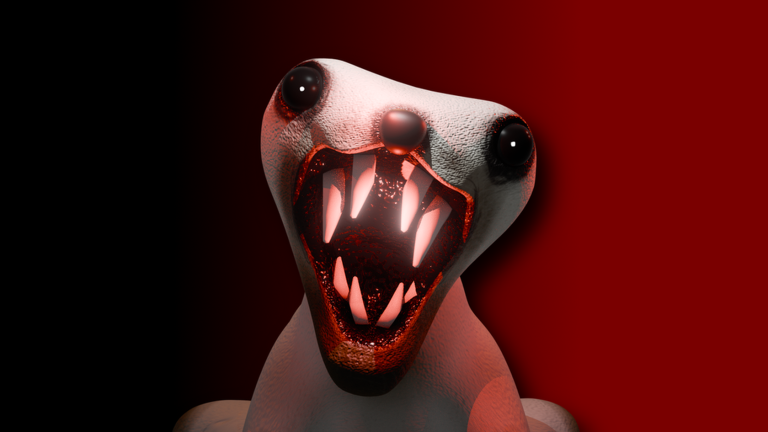
Keeping up after a new update gets tough, but this MEDVED script makes it way easier to handle the grind without wasting hours.
You wander through a massive snowy world, hunting down mutant bears or playing as one yourself to track down players. Exploring lets you uncover secrets, check out wild bear variants, and grab hidden items.
If you want to grab the MEDVED DESTROYER V2 script and test out the latest version, the code is ready right down below.
MEDVED Script – just a newer and a better version of the other script & More
local Players = game:GetService("Players")
local RunService = game:GetService("RunService")
local CoreGui = game:GetService("CoreGui")
local Workspace = game:GetService("Workspace")
local UserInputService = game:GetService("UserInputService")
local TweenService = game:GetService("TweenService")

local LocalPlayer = Players.LocalPlayer
local infAmmoEnabled = false
local rapidFireEnabled = false
local noSpreadEnabled = false
local instaReloadEnabled = false
local damageBoostEnabled = false
local pagesEspEnabled = false
local bearEspEnabled = false
local bearEspRadius = 250

local activePageHighlights = {}
local activeBearHighlights = {}

-- Clean Premium GUI Setup (Dark Glassmorphism Theme with Vibrant Blue Stroke)
local screenGui = Instance.new("ScreenGui")
screenGui.Name = "MedvedDestroyerGUI"
screenGui.ResetOnSpawn = false
screenGui.Parent = CoreGui

-- Main Destroyer Window
local mainFrame = Instance.new("Frame")
mainFrame.Name = "MainFrame"
mainFrame.Size = UDim2.new(0, 260, 0, 390)
mainFrame.Position = UDim2.new(0.5, -130, 0.5, -195)
mainFrame.BackgroundColor3 = Color3.fromRGB(12, 12, 16)
mainFrame.BackgroundTransparency = 0.05
mainFrame.BorderSizePixel = 0
mainFrame.Active = true
mainFrame.Draggable = true
mainFrame.Parent = screenGui

local mainCorner = Instance.new("UICorner")
mainCorner.CornerRadius = UDim.new(0, 10)
mainCorner.Parent = mainFrame

local uiStroke = Instance.new("UIStroke")
uiStroke.Color = Color3.fromRGB(0, 150, 255)
uiStroke.Thickness = 2
uiStroke.Parent = mainFrame

-- Title Bar with Modern Styling
local titleBar = Instance.new("Frame")
titleBar.Size = UDim2.new(1, 0, 0, 38)
titleBar.BackgroundColor3 = Color3.fromRGB(18, 18, 25)
titleBar.BorderSizePixel = 0
titleBar.Parent = mainFrame

local titleCorner = Instance.new("UICorner")
titleCorner.CornerRadius = UDim.new(0, 10)
titleCorner.Parent = titleBar

local titleCover = Instance.new("Frame")
titleCover.Size = UDim2.new(1, 0, 0, 10)
titleCover.Position = UDim2.new(0, 0, 1, -10)
titleCover.BackgroundColor3 = Color3.fromRGB(18, 18, 25)
titleCover.BorderSizePixel = 0
titleCover.Parent = titleBar

local titleLabel = Instance.new("TextLabel")
titleLabel.Size = UDim2.new(1, -20, 1, 0)
titleLabel.Position = UDim2.new(0, 12, 0, 0)
titleLabel.BackgroundTransparency = 1
titleLabel.Text = "MEDVED DESTROYER"
titleLabel.TextColor3 = Color3.fromRGB(0, 180, 255)
titleLabel.TextSize = 13
titleLabel.Font = Enum.Font.GothamBold
titleLabel.TextXAlignment = Enum.TextXAlignment.Left
titleLabel.Parent = titleBar

-- Minimize/Hide Button on Title Bar
local hideBtn = Instance.new("TextButton")
hideBtn.Size = UDim2.new(0, 24, 0, 24)
hideBtn.Position = UDim2.new(1, -30, 0.5, -12)
hideBtn.BackgroundColor3 = Color3.fromRGB(30, 30, 42)
hideBtn.BorderSizePixel = 0
hideBtn.Text = "-"
hideBtn.TextColor3 = Color3.fromRGB(255, 255, 255)
hideBtn.TextSize, hideBtn.Font = 14, Enum.Font.GothamBold
hideBtn.Parent = titleBar

local hideBtnCorner = Instance.new("UICorner")
hideBtnCorner.CornerRadius = UDim.new(1, 0)
hideBtnCorner.Parent = hideBtn

-- Small Circular Toggle Button (Floating 'M' Button)
local floatingBtn = Instance.new("TextButton")
floatingBtn.Size = UDim2.new(0, 45, 0, 45)
floatingBtn.Position = UDim2.new(0, 20, 0.5, -22)
floatingBtn.BackgroundColor3 = Color3.fromRGB(12, 12, 16)
floatingBtn.BorderSizePixel = 0
floatingBtn.Text = "M"
floatingBtn.TextColor3 = Color3.fromRGB(0, 180, 255)
floatingBtn.TextSize, floatingBtn.Font = 18, Enum.Font.GothamBold
floatingBtn.Visible = false
floatingBtn.Parent = screenGui

local floatingCorner = Instance.new("UICorner")
floatingCorner.CornerRadius = UDim.new(1, 0)
floatingCorner.Parent = floatingBtn

local floatingStroke = Instance.new("UIStroke")
floatingStroke.Color = Color3.fromRGB(0, 150, 255)
floatingStroke.Thickness = 2
floatingStroke.Parent = floatingBtn

local function toggleUI()
	local visible = not mainFrame.Visible
	mainFrame.Visible = visible
	floatingBtn.Visible = not visible
end

hideBtn.MouseButton1Click:Connect(toggleUI)
floatingBtn.MouseButton1Click:Connect(toggleUI)

UserInputService.InputBegan:Connect(function(input, gameProcessed)
	if input.KeyCode == Enum.KeyCode.RightShift then
		toggleUI()
	end
end)

-- Controls Container
local controlsFrame = Instance.new("ScrollingFrame")
controlsFrame.Size = UDim2.new(1, -16, 1, -50)
controlsFrame.Position = UDim2.new(0, 8, 0, 44)
controlsFrame.BackgroundTransparency = 1
controlsFrame.BorderSizePixel = 0
controlsFrame.CanvasSize = UDim2.new(0, 0, 0, 365)
controlsFrame.ScrollBarThickness = 3
controlsFrame.Parent = mainFrame

local controlsLayout = Instance.new("UIListLayout")
controlsLayout.SortOrder = Enum.SortOrder.LayoutOrder
controlsLayout.Padding = UDim.new(0, 6)
controlsLayout.Parent = controlsFrame

local function createToggle(name, callback)
	local btn = Instance.new("TextButton")
	btn.Size = UDim2.new(1, -4, 0, 32)
	btn.BackgroundColor3 = Color3.fromRGB(20, 20, 28)
	btn.BorderSizePixel = 0
	btn.TextColor3 = Color3.fromRGB(200, 200, 210)
	btn.TextSize, btn.Font = 11, Enum.Font.GothamMedium
	btn.Text = "  " .. name
	btn.TextXAlignment = Enum.TextXAlignment.Left
	btn.Parent = controlsFrame

	local btnCorner = Instance.new("UICorner")
	btnCorner.CornerRadius = UDim.new(0, 6)
	btnCorner.Parent = btn

	local indicator = Instance.new("Frame")
	indicator.Size = UDim2.new(0, 10, 0, 10)
	indicator.Position = UDim2.new(1, -20, 0.5, -5)
	indicator.BackgroundColor3 = Color3.fromRGB(80, 80, 100)
	indicator.BorderSizePixel = 0
	indicator.Parent = btn

	local indCorner = Instance.new("UICorner")
	indCorner.CornerRadius = UDim.new(1, 0)
	indCorner.Parent = indicator

	local active = false
	btn.MouseButton1Click:Connect(function()
		active = not active
		if active then
			indicator.BackgroundColor3 = Color3.fromRGB(0, 255, 120)
			btn.TextColor3 = Color3.fromRGB(255, 255, 255)
			TweenService:Create(btn, TweenInfo.new(0.2), {BackgroundColor3 = Color3.fromRGB(15, 35, 50)}):Play()
		else
			indicator.BackgroundColor3 = Color3.fromRGB(80, 80, 100)
			btn.TextColor3 = Color3.fromRGB(200, 200, 210)
			TweenService:Create(btn, TweenInfo.new(0.2), {BackgroundColor3 = Color3.fromRGB(20, 20, 28)}):Play()
		end
		callback(active)
	end)
end

createToggle("Continuous Inf Ammo", function(state) infAmmoEnabled = state end)
createToggle("4x Rapid Fire", function(state) rapidFireEnabled = state end)
createToggle("No Spread", function(state) noSpreadEnabled = state end)
createToggle("Insta Reload", function(state) instaReloadEnabled = state end)
createToggle("Damage Boost (10x)", function(state) damageBoostEnabled = state end)
createToggle("Pages ESP", function(state)
	pagesEspEnabled = state
	if not pagesEspEnabled then
		for _, h in pairs(activePageHighlights) do
			if h and h.Parent then h:Destroy() end
		end
		activePageHighlights = {}
	end
end)
createToggle("Bear ESP", function(state)
	bearEspEnabled = state
	if not bearEspEnabled then
		for _, h in pairs(activeBearHighlights) do
			if h and h.Parent then h:Destroy() end
		end
		activeBearHighlights = {}
	end
end)

-- Radius Slider Panel for Bear ESP
local sliderContainer = Instance.new("Frame")
sliderContainer.Size = UDim2.new(1, -4, 0, 45)
sliderContainer.BackgroundColor3 = Color3.fromRGB(20, 20, 28)
sliderContainer.BorderSizePixel = 0
sliderContainer.Parent = controlsFrame

local sliderCorner = Instance.new("UICorner")
sliderCorner.CornerRadius = UDim.new(0, 6)
sliderCorner.Parent = sliderContainer

local sliderLabel = Instance.new("TextLabel")
sliderLabel.Size = UDim2.new(1, -16, 0, 18)
sliderLabel.Position = UDim2.new(0, 8, 0, 4)
sliderLabel.BackgroundTransparency = 1
sliderLabel.Text = "Bear ESP Radius: 250 studs"
sliderLabel.TextColor3 = Color3.fromRGB(180, 180, 190)
sliderLabel.TextSize = 10
sliderLabel.Font = Enum.Font.GothamMedium
sliderLabel.TextXAlignment = Enum.TextXAlignment.Left
sliderLabel.Parent = sliderContainer

local sliderBg = Instance.new("TextButton")
sliderBg.Size = UDim2.new(1, -16, 0, 10)
sliderBg.Position = UDim2.new(0, 8, 0, 26)
sliderBg.BackgroundColor3 = Color3.fromRGB(35, 35, 48)
sliderBg.BorderSizePixel = 0
sliderBg.Text = ""
sliderBg.Parent = sliderContainer

local sliderBgCorner = Instance.new("UICorner")
sliderBgCorner.CornerRadius = UDim.new(1, 0)
sliderBgCorner.Parent = sliderBg

local sliderFill = Instance.new("Frame")
sliderFill.Size = UDim2.new(250 / 750, 0, 1, 0)
sliderFill.BackgroundColor3 = Color3.fromRGB(0, 150, 255)
sliderFill.BorderSizePixel = 0
sliderFill.Parent = sliderBg

local sliderFillCorner = Instance.new("UICorner")
sliderFillCorner.CornerRadius = UDim.new(1, 0)
sliderFillCorner.Parent = sliderFill

local draggingSlider = false
sliderBg.MouseButton1Down:Connect(function()
	draggingSlider = true
end)

UserInputService.InputEnded:Connect(function(input)
	if input.UserInputType == Enum.UserInputType.MouseButton1 then
		draggingSlider = false
	end
end)

UserInputService.InputChanged:Connect(function(input)
	if draggingSlider and input.UserInputType == Enum.UserInputType.MouseMovement then
		local mousePos = UserInputService:GetMouseLocation()
		local absPos = sliderBg.AbsolutePosition
		local absSize = sliderBg.AbsoluteSize
		local relX = math.clamp((mousePos.X - absPos.X) / absSize.X, 0, 1)

		bearEspRadius = math.floor(10 + relX * (750 - 10))
		sliderFill.Size = UDim2.new(relX, 0, 1, 0)
		sliderLabel.Text = "Bear ESP Radius: " .. bearEspRadius .. " studs"
	end
end)

-- Stable Page ESP Tracker (Bright Purple)
task.spawn(function()
	while true do
		task.wait(1)
		if pagesEspEnabled then
			local currentPages = {}
			for _, obj in ipairs(Workspace:GetDescendants()) do
				if not obj:IsA("TextLabel") and not obj:IsA("Folder") and not obj:IsA("Attachment") then
					local isCollectiblePage = false
					if obj:FindFirstChild("PageLightAttach") or (obj:IsA("Model") and obj.PrimaryPart and obj.PrimaryPart:FindFirstChild("PageLightAttach")) then
						isCollectiblePage = true
					elseif obj.Parent and obj.Parent.Name:lower() == "pages" and obj:IsA("BasePart") and obj.Name ~= "CollectThePages" then
						isCollectiblePage = true
					end
					if isCollectiblePage then table.insert(currentPages, obj) end
				end
			end

			for obj, highlight in pairs(activePageHighlights) do
				local foundStill = false
				for _, p in ipairs(currentPages) do
					if p == obj then foundStill = true break end
				end
				if not foundStill then
					if highlight and highlight.Parent then highlight:Destroy() end
					activePageHighlights[obj] = nil
				end
			end

			for _, obj in ipairs(currentPages) do
				if not activePageHighlights[obj] then
					local targetPart = (obj:IsA("BasePart") and obj) or (obj:IsA("Model") and (obj.PrimaryPart or obj:FindFirstChildWhichIsA("BasePart", true)))
					if targetPart then
						local highlight = Instance.new("Highlight")
						highlight.Name = "MedvedPageHighlight"
						highlight.Adornee = obj
						highlight.FillColor = Color3.fromRGB(170, 0, 255)
						highlight.FillTransparency = 0.3
						highlight.OutlineColor = Color3.fromRGB(255, 255, 255)
						highlight.OutlineTransparency = 0
						highlight.Parent = CoreGui
						activePageHighlights[obj] = highlight
					end
				end
			end
		end
	end
end)

-- Strict Entity-Only Bear, Medved, & Boo ESP Tracker
task.spawn(function()
	while true do
		task.wait(0.5)
		if bearEspEnabled then
			local currentBears = {}
			local char = LocalPlayer.Character
			local rootPart = char and char:FindFirstChild("HumanoidRootPart")

			if rootPart then
				for _, obj in ipairs(Workspace:GetDescendants()) do
					if obj:IsA("Model") and obj ~= char then
						local nameLower = obj.Name:lower()
						local hasHumanoid = obj:FindFirstChildOfClass("Humanoid") ~= nil
						local hasRoot = obj:FindFirstChild("HumanoidRootPart") ~= nil

						-- Match entities containing "bear", "medved", or "boo"
						if (nameLower:find("bear") or nameLower:find("medved") or nameLower:find("boo")) and (hasHumanoid or hasRoot) then
							local modelRoot = obj.PrimaryPart or obj:FindFirstChild("HumanoidRootPart") or obj:FindFirstChildWhichIsA("BasePart", true)
							if modelRoot then
								local dist = (modelRoot.Position - rootPart.Position).Magnitude
								if dist <= bearEspRadius then
									table.insert(currentBears, obj)
								end
							end
						end
					end
				end
			end

			for obj, highlight in pairs(activeBearHighlights) do
				local foundStill = false
				for _, b in ipairs(currentBears) do
					if b == obj then foundStill = true break end
				end
				if not foundStill then
					if highlight and highlight.Parent then highlight:Destroy() end
					activeBearHighlights[obj] = nil
				end
			end

			for _, obj in ipairs(currentBears) do
				if not activeBearHighlights[obj] then
					local targetPart = obj.PrimaryPart or obj:FindFirstChildWhichIsA("BasePart", true)
					if targetPart then
						local highlight = Instance.new("Highlight")
						highlight.Name = "MedvedBearHighlight"
						highlight.Adornee = obj
						highlight.FillColor = Color3.fromRGB(255, 50, 50)
						highlight.FillTransparency = 0.3
						highlight.OutlineColor = Color3.fromRGB(255, 255, 255)
						highlight.OutlineTransparency = 0
						highlight.Parent = CoreGui
						activeBearHighlights[obj] = highlight
					end
				end
			end
		end
	end
end)

-- Core Heartbeat Engine
RunService.Heartbeat:Connect(function()
	local char = LocalPlayer.Character
	local tool = char and char:FindFirstChildOfClass("Tool")

	if tool then
		local config = tool:FindFirstChild("Config")
		if config then
			local inaccuracy = config:FindFirstChild("Inaccuracy")
			if inaccuracy and (inaccuracy:IsA("IntValue") or inaccuracy:IsA("NumberValue")) then
				inaccuracy.Value = noSpreadEnabled and 0 or 3
			end

			local fireRate = config:FindFirstChild("FireRate")
			if fireRate and (fireRate:IsA("IntValue") or fireRate:IsA("NumberValue")) then
				fireRate.Value = rapidFireEnabled and 0.10 or 0.4
			end

			local reloadTime = config:FindFirstChild("ReloadTime")
			if reloadTime and (reloadTime:IsA("IntValue") or reloadTime:IsA("NumberValue")) then
				reloadTime.Value = instaReloadEnabled and 0 or 2.5
			end

			local damageVal = config:FindFirstChild("Damage")
			if damageVal and (damageVal:IsA("IntValue") or damageVal:IsA("NumberValue")) then
				damageVal.Value = damageBoostEnabled and 130 or 13
			end

			local clipSize = config:FindFirstChild("ClipSize")
			if clipSize and (clipSize:IsA("IntValue") or clipSize:IsA("NumberValue")) then
				if infAmmoEnabled then
					clipSize.Value = 999
				else
					if clipSize.Value > 50 then
						clipSize.Value = 10
					end
				end
			end
		end
	end
end)

print("Medved Destroyer UI Loaded Successfully with Boo Entity ESP Support.")Copy the code above into a compatible Roblox script executor if you choose to test it.
MEDVED Script Status
Roblox and game updates can affect compatibility, so the script’s status should be treated as temporary rather than guaranteed.
Frequently Asked Questions
What is a MEDVED script?
A MEDVED script is third-party Lua code intended to run alongside the Roblox game through a compatible script executor.
What features does this MEDVED script include?
Different scripts contain different code. This version includes: just a newer and a better version of the other script.
How do you use the MEDVED script?
Pick a compatible executor such as Hydrogen, MacSploit, AWP.GG, Delta, Fluxus, Codex, launch Roblox and join the game, copy the complete Lua code from the script card above, paste it into the executor’s editor, and click Run or Execute. Compatibility changes over time, so a name here doesn’t guarantee current support.
Can a MEDVED script get your Roblox account banned?
Yes. Third-party scripts can violate Roblox rules and may put an account at risk. Only use code from a source you trust, never enter your Roblox password into a script or executor, and test on an alternate account first.
Does the MEDVED script work on mobile?
Check whether both the executor and the script support your device and the current Roblox version. Mobile executor support does not guarantee that every script will work.


1 thought on “Roblox MEDVED Script (October 2026)”