
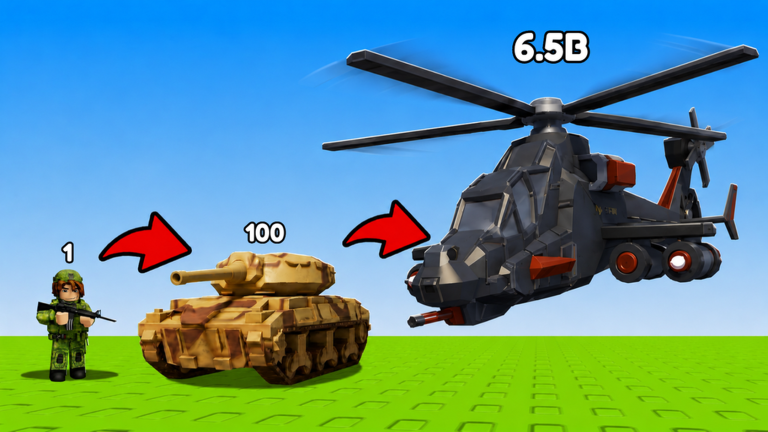
Grinding out troops and cash in Merge a Mini Army script can take forever if you are playing totally legit. Nobody has time to sit around waiting for slow timers when you want to dominate right now.
You basically spend your time combining soldiers into stronger units so they can pump out cash every second, even when you go offline. You also need to capture enemy camps and push past other players to grow your empire.
Skipping the slow parts makes everything a lot more fun, so here is the working script to help you out.
Merge a Mini Army Script – Too good to good funcions & More
--// ============================================================
--// MERGE A MINI ARMY — WindUI (Автор: armenchik)
--// ============================================================

local WindUI = loadstring(game:HttpGet("https://github.com/Footagesus/WindUI/releases/latest/download/main.lua"))()
local Players = game:GetService("Players")
local RS = game:GetService("ReplicatedStorage")
local LP = Players.LocalPlayer

-- Поиск базы (Plot)
local plot = nil
for _, v in pairs(workspace.Plots:GetDescendants()) do
    if v.Name == "Owner" and v:IsA("ObjectValue") and v.Value == LP then
        plot = v.Parent
        break
    end
end

if not plot then
    warn("База не найдена. Убедись, что ты в игре.")
    return
end

-- Окно WindUI (Автор: armenchik)
local Window = WindUI:CreateWindow({
    Title = "Merge a Mini Army",
    Icon = "gamepad-2",
    Author = "armenchik",
    Folder = "MergeArmy",
    Theme = "Dark"
})

-- Вкладка
local Tab = Window:Tab({ Title = "Auto Farm", Icon = "zap" })

-- ================= Auto Merge =================
Tab:Toggle({
    Title = "Auto Merge",
    Desc = "Автоматическое слияние одинаковых юнитов",
    Value = false,
    Callback = function(state)
        _G.Merge = state
        if not state then return end

        task.spawn(function()
            while _G.Merge do
                pcall(function()
                    local units = plot:FindFirstChild("Units")
                    if not units then return end

                    local RF = RS.Framework.Features.BrainrotSystem.BrainrotUtil.RemoteFunction
                    local groups = {}

                    for _, u in pairs(units:GetChildren()) do
                        if u:IsA("CFrameValue") then
                            local id = u:GetAttribute("BrainrotId")
                            if id then
                                groups[id] = groups[id] or {}
                                table.insert(groups[id], u)
                            end
                        end
                    end

                    for _, list in pairs(groups) do
                        if #list >= 2 then
                            RF:InvokeServer("PickUpPlot", list[1].Name)
                            task.wait(0.2)
                            RF:InvokeServer("MergePlot", list[1].Name, list[2].Name)
                            break
                        end
                    end
                end)
                task.wait(0.2)
            end
        end)
    end
})

-- ================= Auto Deploy =================
Tab:Toggle({
    Title = "Auto Deploy",
    Desc = "Развертывание юнитов, если есть место",
    Value = false,
    Callback = function(state)
        _G.Deploy = state
        if not state then return end

        task.spawn(function()
            while _G.Deploy do
                pcall(function()
                    local hud = LP.PlayerGui:FindFirstChild("HUD")
                    if hud and hud.TopButtons and hud.TopButtons.Deploy then
                        local text = hud.TopButtons.Deploy.UnitsCurrentlyDeployed.Frame.AmountDeployed.Text
                        local cur, max = text:match("(%d+)%s*/%s*(%d+)")
                        cur = tonumber(cur)
                        max = tonumber(max)

                        if cur and max and cur < max then
                            RS.Framework.Features.CampSystem.CampUtil.RemoteEvent:FireServer("Deploy")
                        end
                    end
                end)
                task.wait(0.2)
            end
        end)
    end
})

-- ================= Buy SpawnLevel =================
Tab:Toggle({
    Title = "Buy SpawnLevel",
    Desc = "Автопокупка улучшения SpawnLevel",
    Value = false,
    Callback = function(state)
        _G.up1 = state
        if not state then return end

        task.spawn(function()
            while _G.up1 do
                pcall(function()
                    local hud = LP.PlayerGui:FindFirstChild("HUD")
                    if hud and hud.TopButtons.UpgradesWindow.Notification.Visible then
                        RS.Framework.Features.BrainrotSystem.BrainrotUtil.RemoteEvent:FireServer("UpgradeSpawnLevel")
                    end
                end)
                task.wait(0.2)
            end
        end)
    end
})

-- ================= Buy MaxOutside =================
Tab:Toggle({
    Title = "Buy MaxOutside",
    Desc = "Автопокупка улучшения MaxOutside",
    Value = false,
    Callback = function(state)
        _G.up2 = state
        if not state then return end

        task.spawn(function()
            while _G.up2 do
                pcall(function()
                    local hud = LP.PlayerGui:FindFirstChild("HUD")
                    if hud and hud.TopButtons.UpgradesWindow.Notification.Visible then
                        RS.Framework.Features.BrainrotSystem.BrainrotUtil.RemoteEvent:FireServer("UpgradeMaxOutside")
                    end
                end)
                task.wait(0.2)
            end
        end)
    end
})

-- ================= Buy MaxSpawned =================
Tab:Toggle({
    Title = "Buy MaxSpawned",
    Desc = "Автопокупка улучшения MaxSpawned",
    Value = false,
    Callback = function(state)
        _G.up3 = state
        if not state then return end

        task.spawn(function()
            while _G.up3 do
                pcall(function()
                    local hud = LP.PlayerGui:FindFirstChild("HUD")
                    if hud and hud.TopButtons.UpgradesWindow.Notification.Visible then
                        RS.Framework.Features.BrainrotSystem.BrainrotUtil.RemoteEvent:FireServer("UpgradeMaxSpawned")
                    end
                end)
                task.wait(0.2)
            end
        end)
    end
})

WindUI:Notify({
    Title = "Готово",
    Content = "Скрипт от armenchik загружен",
    Duration = 4,
    Icon = "check"
})Copy the code above into a compatible Roblox script executor if you choose to test it.
Merge a Mini Army Script Status
Roblox and game updates can affect compatibility, so the script’s status should be treated as temporary rather than guaranteed.
Frequently Asked Questions
What is a Merge a Mini Army script?
A Merge a Mini Army script is third-party Lua code intended to run alongside the Roblox game through a compatible script executor.
What features does this Merge a Mini Army script include?
Different scripts contain different code. This version includes: Too good to good funcions, Merge, And more…
How do you use the Merge a Mini Army script?
Pick a compatible executor such as Hydrogen, MacSploit, AWP.GG, Delta, Fluxus, Codex, launch Roblox and join the game, copy the complete Lua code from the script card above, paste it into the executor’s editor, and click Run or Execute. Compatibility changes over time, so a name here doesn’t guarantee current support.
Can a Merge a Mini Army script get your Roblox account banned?
Yes. Third-party scripts can violate Roblox rules and may put an account at risk. Only use code from a source you trust, never enter your Roblox password into a script or executor, and test on an alternate account first.
Does the Merge a Mini Army script work on mobile?
Check whether both the executor and the script support your device and the current Roblox version. Mobile executor support does not guarantee that every script will work.

