
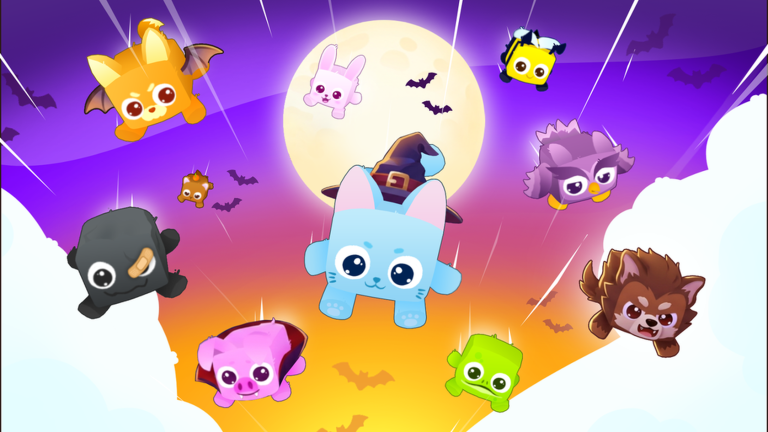
Catching every rare animal by hand takes forever, which is why most players grab the Pets Universe! script to skip the endless waiting.
You spend your time collecting coins, opening eggs to find hundreds of unique pets, and dealing with weekly updates dropped by the developer.
If you want to speed up your progress and let the game do the heavy lifting, the working code below is ready to copy.
Pets Universe! Script – Auto Fish & More
if _G.AutoFishRunning then
    _G.AutoFishRunning = false
    task.wait(0.3)
end

if _G.AutoFishWindow then
    pcall(function()
        _G.AutoFishWindow:Destroy()
    end)
    _G.AutoFishWindow = nil
end

local Rayfield = loadstring(game:HttpGet("https://sirius.menu/gen2"))()

local Window = Rayfield:CreateWindow({
    name = "DarkCode :: Auto-Fish",
    subtitle = "Pet Universe",
    sidebarLayout = false,
})
_G.AutoFishWindow = Window

local Tab = Window:CreateTab({
    name = "Fishing",
    icon = 93364949241311
})

local State = {
    Enabled = true,
    Speed = 0.25, -- Interval between tap executions
    AutoCast = true,
    CurrentStreak = 0,
    TotalCatches = 0
}

local StatStreak = Tab:CreateStat({
    name = "Current Streak",
    value = 0,
    prefix = "x",
    numberEasing = true
})

local StatCatches = Tab:CreateStat({
    name = "Total Catches",
    value = 0,
    numberEasing = true
})

Tab:CreateToggle({
    name = "Auto Fishing Active",
    value = true,
    callback = function(val)
        State.Enabled = val
    end
})

Tab:CreateSlider({
    name = "Tap Interval (Seconds)",
    range = { 0.01, 1.0 },
    increment = 0.01,
    value = 0.01,
    suffix = "s",
    callback = function(val)
        State.Speed = val
    end
})

Tab:CreateToggle({
    name = "Auto Recast Water",
    value = true,
    callback = function(val)
        State.AutoCast = val
    end
})

-- Background Worker Loop
_G.AutoFishRunning = true

task.spawn(function()
    local Players = game:GetService("Players")
    local ReplicatedStorage = game:GetService("ReplicatedStorage")
    local SafeGetService = require(ReplicatedStorage.Modules.SafeGetService)
    local FishingService = SafeGetService.Get("FishingService")
    local FishingWater = require(ReplicatedStorage.Fishing.FishingWater)
    local LocalPlayer = Players.LocalPlayer

    local function getHRP()
        local char = LocalPlayer.Character
        return char and char:FindFirstChild("HumanoidRootPart")
    end

    local lastTapTime = 0

    while _G.AutoFishRunning do
        if not State.Enabled then
            task.wait(0.5)
            continue
        end

        local hrp = getHRP()
        if not hrp then
            task.wait(1)
            continue
        end

        local session = nil
        pcall(function()
            session = FishingService:GetFishingSession()
        end)

        if not session or not session.Ok then
            -- Not fishing right now. Auto recast if enabled.
            if State.AutoCast then
                local spot = FishingWater.FindSpot(hrp.Position, hrp.CFrame.LookVector, FishingWater.BuildExclude())
                if spot then
                    pcall(function()
                        FishingService:BeginFishing()
                    end)
                    task.wait(0.4)
                else
                    task.wait(0.5)
                end
            else
                task.wait(0.5)
            end
        else
            -- Update UI Stats
            if session.Streak and session.Streak ~= State.CurrentStreak then
                State.CurrentStreak = session.Streak
                pcall(function() StatStreak:Set(session.Streak) end)
            end
            if session.Catches and session.Catches ~= State.TotalCatches then
                State.TotalCatches = session.Catches
                pcall(function() StatCatches:Set(session.Catches) end)
            end

            -- Click the active circle button directly via internal handler
            local pgui = LocalPlayer:FindFirstChild("PlayerGui")
            local fgui = pgui and pgui:FindFirstChild("FishingGui")
            local f = fgui and fgui:FindFirstChild("Fishing")
            local btn = f and f.Visible and f:FindFirstChild("ClickSpeedUpActive")

            if btn and btn.Visible then
                local now = os.clock()
                if now - lastTapTime >= State.Speed then
                    local conns = getconnections and getconnections(btn.Activated)
                    if conns and #conns > 0 then
                        local fn = conns[1].Function
                        local ups = getupvalues and getupvalues(fn)
                        if ups and ups[1] and ups[2] then
                            local OnTapClicked = ups[1]
                            local tapObj = ups[2]
                            if tapObj and not tapObj.Dead then
                                lastTapTime = now
                                pcall(function()
                                    OnTapClicked(tapObj, tapObj.Position)
                                end)
                            end
                        end
                    end
                end
                task.wait(0.02)
            else
                task.wait(0.04)
            end
        end
    end
end)Copy the code above into a compatible Roblox script executor if you choose to test it.
Pets Universe! Script Status
Roblox and game updates can affect compatibility, so the script’s status should be treated as temporary rather than guaranteed.
Frequently Asked Questions
What is a Pets Universe! script?
A Pets Universe! script is third-party Lua code intended to run alongside the Roblox game through a compatible script executor.
What features does this Pets Universe! script include?
Different scripts contain different code. This version includes: Auto Fish.
How do you use the Pets Universe! script?
Pick a compatible executor such as Hydrogen, MacSploit, AWP.GG, Delta, Fluxus, Codex, launch Roblox and join the game, copy the complete Lua code from the script card above, paste it into the executor’s editor, and click Run or Execute. Compatibility changes over time, so a name here doesn’t guarantee current support.
Can a Pets Universe! script get your Roblox account banned?
Yes. Third-party scripts can violate Roblox rules and may put an account at risk. Only use code from a source you trust, never enter your Roblox password into a script or executor, and test on an alternate account first.
Does the Pets Universe! script work on mobile?
Check whether both the executor and the script support your device and the current Roblox version. Mobile executor support does not guarantee that every script will work.

