
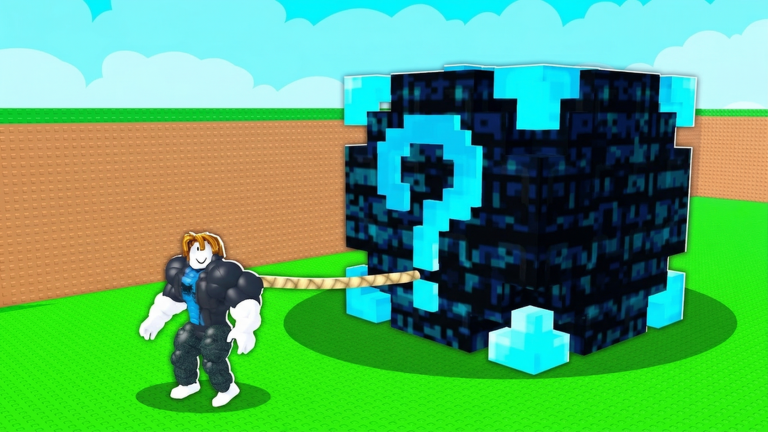
Grinding out money and weights on mobile or PC can feel like a total chore when everyone else is already flexing massive stats. Slapping the Pull Lucky Blocks script onto your game cuts right through that annoying waiting time and lets you stack up cash fast without breaking a sweat.
The main loop is all about lifting heavy dumbbells to get huge, pulling lucky blocks back to your base, and avoiding angry guards. You open those blocks to earn money, upgrade your gear to haul even heavier stuff, and let your brainrots pull in passive cash while you are offline.
If you want to speed up your cash flow and skip the tedious walking back and forth, you need to check out the working script below. Just walk up to the button with a brainrot on it, fire up the script, and let it do the hard work for you.
Pull Lucky Blocks Script – TP TO NEAREST CASH BUTTON AUTOFARM IT. & More
-- Auto-Equip + TP + Anti-Lag (Corrigé)
-- Version stable qui fonctionne parfaitement

local Players = game:GetService("Players")
local RunService = game:GetService("RunService")
local player = Players.LocalPlayer

-- Configuration
local BUTTON_NAME = "Button"
local OFFSET_ABOVE = 1

-- GUI
local ScreenGui = Instance.new("ScreenGui")
ScreenGui.Name = "AutoTPEquipGUI"
ScreenGui.Parent = player:WaitForChild("PlayerGui")

local MainFrame = Instance.new("Frame")
MainFrame.Size = UDim2.new(0, 220, 0, 50)
MainFrame.Position = UDim2.new(0.5, -110, 0.5, -25)
MainFrame.AnchorPoint = Vector2.new(0.5, 0.5)
MainFrame.BackgroundColor3 = Color3.fromRGB(35, 35, 35)
MainFrame.BorderSizePixel = 2
MainFrame.BorderColor3 = Color3.fromRGB(255, 0, 170)
MainFrame.Active = true
MainFrame.Draggable = true
MainFrame.Parent = ScreenGui

local Title = Instance.new("TextLabel")
Title.Size = UDim2.new(1, 0, 0, 20)
Title.BackgroundColor3 = Color3.fromRGB(45, 45, 45)
Title.TextColor3 = Color3.fromRGB(255, 255, 255)
Title.Text = "Auto TP + Equip + Anti-Lag"
Title.Font = Enum.Font.GothamBold
Title.TextSize = 14
Title.Parent = MainFrame

local ToggleButton = Instance.new("TextButton")
ToggleButton.Size = UDim2.new(0, 200, 0, 25)
ToggleButton.Position = UDim2.new(0, 10, 0, 22)
ToggleButton.BackgroundColor3 = Color3.fromRGB(60, 60, 60)
ToggleButton.TextColor3 = Color3.fromRGB(255, 255, 255)
ToggleButton.Text = "🔴 OFF"
ToggleButton.Font = Enum.Font.GothamBold
ToggleButton.TextSize = 13
ToggleButton.Parent = MainFrame

local isEnabled = false
local teleportConnection = nil
local equipConnection = nil
local hiddenObjects = {}

-- Trouver la base actuelle (la plus proche)
local function findCurrentBase()
    local character = player.Character
    if not character then return nil end

    local rootPart = character:FindFirstChild("HumanoidRootPart")
    if not rootPart then return nil end

    local charPos = rootPart.Position
    local closestBase = nil
    local closestDistance = math.huge

    for _, obj in ipairs(workspace:GetChildren()) do
        if obj:IsA("Folder") or obj:IsA("Model") then
            local objPos = nil
            local parts = obj:GetDescendants()
            for _, part in ipairs(parts) do
                if part:IsA("BasePart") then
                    objPos = part.Position
                    break
                end
            end

            if objPos then
                local distance = (charPos - objPos).Magnitude
                if distance < closestDistance then
                    closestDistance = distance
                    closestBase = obj
                end
            end
        end
    end

    return closestBase
end

-- Trouver le Button dans la base actuelle
local function findButtonInCurrentBase()
    local base = findCurrentBase()
    if base then
        for _, part in ipairs(base:GetDescendants()) do
            if part.Name == BUTTON_NAME and part:IsA("BasePart") then
                return part
            end
        end
    end

    -- Fallback : Button le plus proche
    local character = player.Character
    if character then
        local rootPart = character:FindFirstChild("HumanoidRootPart")
        if rootPart then
            local closestButton = nil
            local closestDistance = math.huge

            for _, part in ipairs(workspace:GetDescendants()) do
                if part.Name == BUTTON_NAME and part:IsA("BasePart") then
                    local distance = (rootPart.Position - part.Position).Magnitude
                    if distance < closestDistance then
                        closestDistance = distance
                        closestButton = part
                    end
                end
            end

            return closestButton
        end
    end

    return nil
end

-- Cacher tout sauf ta base et le Button
local function hideEverythingExceptBase()
    hiddenObjects = {}
    local currentBase = findCurrentBase()
    local button = findButtonInCurrentBase()

    -- Cache tout dans workspace
    for _, obj in ipairs(workspace:GetChildren()) do
        if obj ~= currentBase and obj:IsA("BasePart") then
            table.insert(hiddenObjects, {obj = obj, oldTransparency = obj.Transparency, oldCanCollide = obj.CanCollide})
            obj.Transparency = 1
            obj.CanCollide = false
        end
    end

    -- Cache les descendants des autres objets
    for _, obj in ipairs(workspace:GetChildren()) do
        if obj ~= currentBase and (obj:IsA("Folder") or obj:IsA("Model")) then
            for _, part in ipairs(obj:GetDescendants()) do
                if part:IsA("BasePart") then
                    table.insert(hiddenObjects, {obj = part, oldTransparency = part.Transparency, oldCanCollide = part.CanCollide})
                    part.Transparency = 1
                    part.CanCollide = false
                end
            end
        end
    end

    -- Assure que le Button reste visible
    if button then
        button.Transparency = 0
        button.CanCollide = true
    end
end

-- Restaurer tout
local function restoreEverything()
    for _, hidden in ipairs(hiddenObjects) do
        pcall(function()
            hidden.obj.Transparency = hidden.oldTransparency
            hidden.obj.CanCollide = hidden.oldCanCollide
        end)
    end
    hiddenObjects = {}
end

-- Équiper UNIQUEMENT le premier item
local function equipFirstItemOnly()
    local backpack = player:FindFirstChild("Backpack")
    if backpack then
        local items = backpack:GetChildren()
        if #items >= 1 then
            local firstItem = items[1]
            local character = player.Character
            if character then
                local isFirstEquipped = false
                for _, child in ipairs(character:GetChildren()) do
                    if child.Name == firstItem.Name then
                        isFirstEquipped = true
                        break
                    end
                end

                if not isFirstEquipped then
                    pcall(function()
                        character.Humanoid:EquipTool(firstItem)
                    end)
                end

                -- Déséquipe tout sauf le premier item
                for _, child in ipairs(character:GetChildren()) do
                    if child:IsA("Tool") and child.Name ~= firstItem.Name then
                        pcall(function()
                            character.Humanoid:UnequipTools(child)
                        end)
                    end
                end
            end
        end
    end
end

-- TP vers le Button
local function teleportToButton()
    local button = findButtonInCurrentBase()
    if button then
        local character = player.Character
        if character and character:FindFirstChild("HumanoidRootPart") then
            character.HumanoidRootPart.CFrame = button.CFrame * CFrame.new(0, OFFSET_ABOVE, 0)
        end
    end
end

-- Toggle
ToggleButton.MouseButton1Click:Connect(function()
    isEnabled = not isEnabled
    if isEnabled then
        ToggleButton.Text = "🟢 ON"
        ToggleButton.BackgroundColor3 = Color3.fromRGB(0, 170, 0)
        Title.BackgroundColor3 = Color3.fromRGB(0, 100, 0)

        -- Cache tout sauf ta base
        hideEverythingExceptBase()

        -- TP et équipement
        teleportToButton()
        equipFirstItemOnly()

        -- Boucles
        teleportConnection = RunService.Heartbeat:Connect(function()
            teleportToButton()
            equipFirstItemOnly()
        end)

        game:GetService("StarterGui"):SetCore("SendNotification", {
            Title = "Anti-Lag Activé",
            Text = "Tout est caché sauf ta base et le Button",
            Duration = 3
        })
    else
        ToggleButton.Text = "🔴 OFF"
        ToggleButton.BackgroundColor3 = Color3.fromRGB(60, 60, 60)
        Title.BackgroundColor3 = Color3.fromRGB(45, 45, 45)

        -- Restaure tout
        restoreEverything()

        -- Arrête les boucles
        if teleportConnection then teleportConnection:Disconnect() teleportConnection = nil end
    end
end)

print("✅ Script corrigé et fonctionnel !")Copy the code above into a compatible Roblox script executor if you choose to test it.
Pull Lucky Blocks Script Status
Roblox and game updates can affect compatibility, so the script’s status should be treated as temporary rather than guaranteed.
Frequently Asked Questions
What is a Pull Lucky Blocks script?
A Pull Lucky Blocks script is third-party Lua code intended to run alongside the Roblox game through a compatible script executor.
What features does this Pull Lucky Blocks script include?
Different scripts contain different code. This version includes: TP TO NEAREST CASH BUTTON AUTOFARM IT., AUTO EQUIP DUMBELL ITEM..
How do you use the Pull Lucky Blocks script?
Pick a compatible executor such as Hydrogen, MacSploit, AWP.GG, Delta, Fluxus, Codex, launch Roblox and join the game, copy the complete Lua code from the script card above, paste it into the executor’s editor, and click Run or Execute. Compatibility changes over time, so a name here doesn’t guarantee current support.
Can a Pull Lucky Blocks script get your Roblox account banned?
Yes. Third-party scripts can violate Roblox rules and may put an account at risk. Only use code from a source you trust, never enter your Roblox password into a script or executor, and test on an alternate account first.
Does the Pull Lucky Blocks script work on mobile?
Check whether both the executor and the script support your device and the current Roblox version. Mobile executor support does not guarantee that every script will work.

