
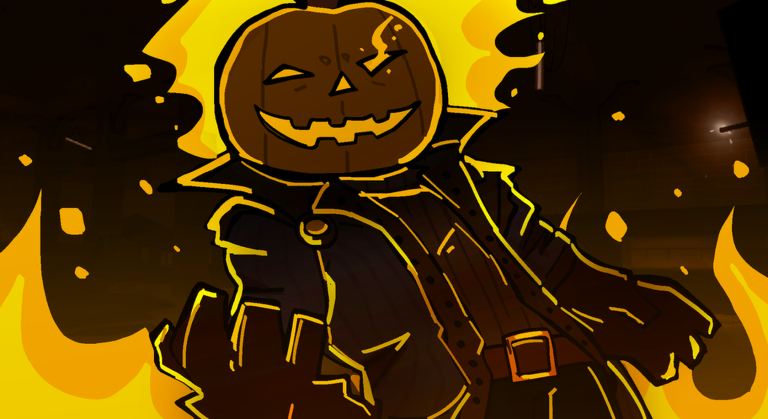
Flipping coins forever gets old fast when you just want to grab better accessories and roll high-tier cash. Running the RE:Heads, Please! script cuts through the repetitive clicking so you can skip the burnout.
You spend your time flipping coins for money, rolling for cute and cool accessories, and riding skateboards to explore the map and check out sub content at different stations. The coin grind takes a while if you do it all manually.
This is where the script steps in to handle the boring stuff for you. Here is the working pastebin code you need to get things moving.
RE:Heads, Please! Script – Auto farm & More
local Players = game:GetService("Players")
local ReplicatedStorage = game:GetService("ReplicatedStorage")
local UserInputService = game:GetService("UserInputService")
local RunService = game:GetService("RunService")
local StarterGui = game:GetService("StarterGui")

local USE_TELEPORT = true
local TOGGLE_KEY   = Enum.KeyCode.F

local LocalPlayer = Players.LocalPlayer
local enabled = false
local collecting = false
local connections = {}
local candyData = {}
local toggleButton = nil

local function Cleanup()
    enabled = false
    if toggleButton and toggleButton.Parent then
        toggleButton:Destroy()
    end
    for _, conn in ipairs(connections) do
        if conn and conn.Connected then
            conn:Disconnect()
        end
    end
    table.clear(connections)
    table.clear(candyData)
    _G.CandyAutoCleanup = nil
    print("[CandyAuto] Cleanup completed")
end
_G.CandyAutoCleanup = Cleanup

print("[CandyAuto] Initializing...")
if not LocalPlayer then
    warn("[CandyAuto] LocalPlayer not found!")
    return
end

local CandyFolder = ReplicatedStorage:WaitForChild("Candy2026")
if not CandyFolder then
    warn("[CandyAuto] Candy2026 folder not found!")
    return
end

local Remote = CandyFolder:WaitForChild("Remote")
if not Remote then
    warn("[CandyAuto] Remote not found!")
    return
end

print("[CandyAuto] LocalPlayer:", LocalPlayer.Name)
print("[CandyAuto] RemoteEvent ready")

local function CreateToggleUI()
    local screenGui = Instance.new("ScreenGui")
    screenGui.Name = "CandyAutoToggleGui"
    screenGui.ResetOnSpawn = false
    screenGui.ZIndexBehavior = Enum.ZIndexBehavior.Sibling
    screenGui.Parent = game:GetService("CoreGui")

    local button = Instance.new("TextButton")
    button.Name = "ToggleButton"
    button.Size = UDim2.new(0, 150, 0, 40)
    button.Position = UDim2.new(0, 10, 0, 10) -- Top-left
    button.BackgroundColor3 = Color3.fromRGB(0, 120, 215)
    button.TextColor3 = Color3.new(1, 1, 1)
    button.Font = Enum.Font.SourceSansBold
    button.TextSize = 18
    button.Text = "Farm: OFF"
    button.Parent = screenGui

    local corner = Instance.new("UICorner")
    corner.CornerRadius = UDim.new(0, 6)
    corner.Parent = button

    return button
end

toggleButton = CreateToggleUI()
print("[CandyAuto] Toggle UI created")

table.insert(connections, Remote.OnClientEvent:Connect(function(event, data)
    if event == "Snapshot" then
        if typeof(data) == "table" then
            table.clear(candyData)
            for _, candy in ipairs(data) do
                if candy and candy.id then
                    candyData[candy.id] = candy
                end
            end
        end
    elseif event == "Add" then
        if typeof(data) == "table" then
            for _, candy in ipairs(data) do
                if candy and candy.id then
                    candyData[candy.id] = candy
                end
            end
        end
    elseif (event == "Collected" or event == "Remove") and data and data.id then
        candyData[data.id] = nil
    end
end))

table.insert(connections, toggleButton.MouseButton1Click:Connect(function()
    enabled = not enabled
    toggleButton.Text = "Farm: " .. (enabled and "ON" or "OFF")
    toggleButton.BackgroundColor3 = enabled and Color3.fromRGB(0, 180, 0) or Color3.fromRGB(0, 120, 215)
    print("[CandyAuto] Toggled", enabled and "ON" or "OFF")
end))

table.insert(connections, UserInputService.InputBegan:Connect(function(input, gameProcessed)
    if gameProcessed then return end
    if input.KeyCode == TOGGLE_KEY then
        enabled = not enabled
        toggleButton.Text = "Farm: " .. (enabled and "ON" or "OFF")
        toggleButton.BackgroundColor3 = enabled and Color3.fromRGB(0, 180, 0) or Color3.fromRGB(0, 120, 215)
        print("[CandyAuto] Toggled via keybind:", enabled and "ON" or "OFF")
    end
end))

local function GetCharacterParts()
    local character = LocalPlayer.Character
    if not character then return nil, nil end
    return character:FindFirstChildOfClass("Humanoid"), character:FindFirstChild("HumanoidRootPart")
end

local function TeleportTo(position)
    local _, hrp = GetCharacterParts()
    if not hrp then return false end
    hrp.CFrame = CFrame.new(position)
    wait(0.1)
    return true
end

local function CollectAll()
    if collecting then return end
    collecting = true

    local list = {}
    for _, candy in pairs(candyData) do
        table.insert(list, candy)
    end

    if #list == 0 then
        collecting = false
        return
    end

    local _, hrp = GetCharacterParts()
    if not hrp then
        collecting = false
        return
    end

    table.sort(list, function(a, b)
        return (hrp.Position - a.position).Magnitude < (hrp.Position - b.position).Magnitude
    end)

    for _, candy in ipairs(list) do
        if not enabled then break end
        if not TeleportTo(candy.position) then

        end
        wait(0.2)
    end

    collecting = false
end

print("[CandyAuto] Starting main loop...")
spawn(function()
    while true do
        wait(1.5)

        if not LocalPlayer.Parent then
            print("[CandyAuto] LocalPlayer removed, exiting")
            break
        end

        pcall(function()
            Remote:FireServer("Sync")
        end)

        if enabled and not collecting then
            wait(0.5)
            pcall(CollectAll)
        end
    end
    print("[CandyAuto] Main loop ended")
    Cleanup()
end)

print("[CandyAuto] Lets larp one last time")
print("[CandyAuto] Current state: Farm: OFF (tap button to turn ON)")Copy the code above into a compatible Roblox script executor if you choose to test it.
RE:Heads, Please! Script Status
Roblox and game updates can affect compatibility, so the script’s status should be treated as temporary rather than guaranteed.
Frequently Asked Questions
What is a RE:Heads, Please! script?
A RE:Heads, Please! script is third-party Lua code intended to run alongside the Roblox game through a compatible script executor.
What features does this RE:Heads, Please! script include?
Different scripts contain different code. This version includes: Auto farm.
How do you use the RE:Heads, Please! script?
Pick a compatible executor such as Hydrogen, MacSploit, AWP.GG, Delta, Fluxus, Codex, launch Roblox and join the game, copy the complete Lua code from the script card above, paste it into the executor’s editor, and click Run or Execute. Compatibility changes over time, so a name here doesn’t guarantee current support.
Can a RE:Heads, Please! script get your Roblox account banned?
Yes. Third-party scripts can violate Roblox rules and may put an account at risk. Only use code from a source you trust, never enter your Roblox password into a script or executor, and test on an alternate account first.
Does the RE:Heads, Please! script work on mobile?
Check whether both the executor and the script support your device and the current Roblox version. Mobile executor support does not guarantee that every script will work.

