
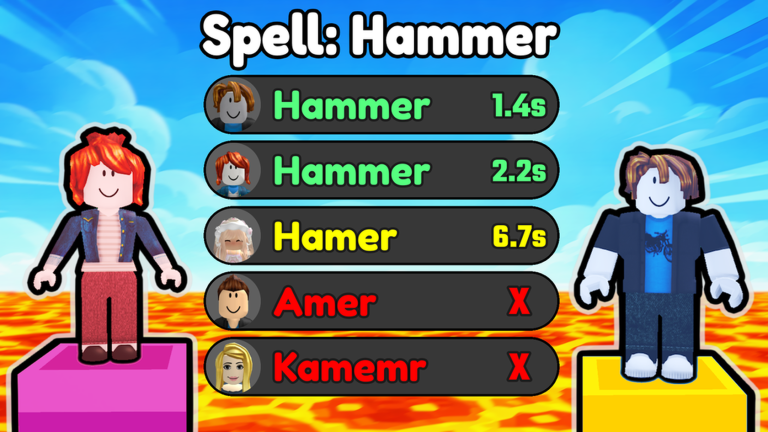
Typing fast enough to beat everyone else gets tiring fast, which is why grabbing the Spelling Race script makes total sense if you want to skip the hand cramps.
You just need to answer spelling prompts as quickly as possible to earn blocks and climb the leaderboard without losing your mind over tricky words.
We grabbed the working code you need right now so you can stop typing and let the automation handle the spelling grind for you.
Spelling Race Script – Auto Cast & More
local Players = game:GetService("Players")
local UserInputService = game:GetService("UserInputService")
local RunService = game:GetService("RunService")

local VirtualInputManager = nil
pcall(function()
    VirtualInputManager = game:GetService("VirtualInputManager")
end)

local LocalPlayer = Players.LocalPlayer
local env = (getgenv and getgenv()) or _G
if type(env.__AutoFishingCleanup) == "function" then
    pcall(env.__AutoFishingCleanup)
    env.__AutoFishingCleanup = nil
end

if not LocalPlayer.Character then
    LocalPlayer.CharacterAdded:Wait()
end

local Config = {
    Enabled = false,

    StrengthOrder = { "Low", "Medium", "High" },
    StrengthModes = { Low = 0.5, Medium = 1.0, High = 1.5 },
    CurrentMode = "High",
    CastStrength = 1.0,

    AutoHookDelay = 0.1, -- Default Config
    AutoCastDelay = 1.5,
    MinigameClickRate = 0.10,
    InvertKeys = true,
}
Config.CastStrength = Config.StrengthModes[Config.CurrentMode]

local DEADZONE = 0.05
local CAST_TIMEOUT = 90
local connections = {}
local currentState = ""
local loopThread = nil
local eventConn = nil
local keysDown = { W = false, A = false, S = false, D = false }
local KEYCODES = {
    W = Enum.KeyCode.W,
    A = Enum.KeyCode.A,
    S = Enum.KeyCode.S,
    D = Enum.KeyCode.D,
}
local minigame = { active = false, thread = nil, conn = nil, seed = nil, startedAt = 0, guiSeen = false }

local function track(conn)
    connections[#connections + 1] = conn
    return conn
end

local updateUI = function() end

local function setState(text)
    currentState = text
    updateUI()
end

local COLOR = {
    bg = Color3.fromRGB(30, 30, 30),
    row = Color3.fromRGB(50, 50, 50),
    green = Color3.fromRGB(60, 170, 90),
    red = Color3.fromRGB(190, 65, 65),
    blue = Color3.fromRGB(65, 110, 190),
    white = Color3.fromRGB(255, 255, 255),
    dim = Color3.fromRGB(160, 160, 160),
    on = Color3.fromRGB(100, 255, 100),
    off = Color3.fromRGB(255, 100, 100),
    state = Color3.fromRGB(255, 200, 100),
}

local function create(class, props, parent)
    local inst = Instance.new(class)
    for k, v in pairs(props) do
        inst[k] = v
    end
    if parent then
        inst.Parent = parent
    end
    return inst
end

local function corner(parent, radius)
    return create("UICorner", { CornerRadius = UDim.new(0, radius or 6) }, parent)
end

local function label(parent, props)
    props.BackgroundTransparency = 1
    props.TextColor3 = props.TextColor3 or COLOR.white
    props.Font = props.Font or Enum.Font.Gotham
    props.TextSize = props.TextSize or 13
    return create("TextLabel", props, parent)
end

local function button(parent, props)
    props.TextColor3 = props.TextColor3 or COLOR.white
    props.Font = props.Font or Enum.Font.GothamBold
    props.TextSize = props.TextSize or 14
    props.BorderSizePixel = 0
    props.AutoButtonColor = true
    local b = create("TextButton", props, parent)
    corner(b, 6)
    return b
end

local playerGui = LocalPlayer:WaitForChild("PlayerGui")
for _, old in ipairs(playerGui:GetChildren()) do
    if old.Name == "AutoFishing" or old.Name == "AutoFishingUI" then
        old:Destroy()
    end
end

local gui = create("ScreenGui", {
    Name = "AutoFishing",
    ResetOnSpawn = false,
    DisplayOrder = 100,
    ZIndexBehavior = Enum.ZIndexBehavior.Sibling,
}, nil)
gui.Parent = playerGui

local panel = create("Frame", {
    Name = "StatusFrame",
    Size = UDim2.new(0, 244, 0, 0),
    AutomaticSize = Enum.AutomaticSize.Y,
    Position = UDim2.new(0, 10, 0.5, -110),
    BackgroundColor3 = COLOR.bg,
    BackgroundTransparency = 0.15,
    BorderSizePixel = 0,
}, gui)
corner(panel, 8)
create("UIListLayout", {
    SortOrder = Enum.SortOrder.LayoutOrder,
    Padding = UDim.new(0, 6),
}, panel)
create("UIPadding", {
    PaddingTop = UDim.new(0, 6),
    PaddingBottom = UDim.new(0, 8),
    PaddingLeft = UDim.new(0, 8),
    PaddingRight = UDim.new(0, 8),
}, panel)

local titleBar = create("Frame", {
    Name = "TitleBar",
    Size = UDim2.new(1, 0, 0, 28),
    BackgroundTransparency = 1,
    LayoutOrder = 1,
}, panel)
local titleLabel = label(titleBar, {
    Name = "Title",
    Size = UDim2.new(1, -34, 1, 0),
    Text = "AutoFishing",
    TextSize = 18,
    Font = Enum.Font.GothamBold,
    TextXAlignment = Enum.TextXAlignment.Left,
    Active = true,
})
local minimizeBtn = button(titleBar, {
    Name = "Minimize",
    Size = UDim2.new(0, 30, 0, 26),
    Position = UDim2.new(1, -30, 0, 1),
    Text = "-",
    BackgroundColor3 = COLOR.row,
})

local statusLabel = label(panel, {
    Name = "Status",
    Size = UDim2.new(1, 0, 0, 18),
    Text = "Status: OFF",
    TextColor3 = COLOR.off,
    TextSize = 14,
    TextXAlignment = Enum.TextXAlignment.Left,
    LayoutOrder = 2,
})
local stateLabel = label(panel, {
    Name = "CurrentState",
    Size = UDim2.new(1, 0, 0, 16),
    Text = "",
    TextColor3 = COLOR.state,
    TextSize = 12,
    TextXAlignment = Enum.TextXAlignment.Left,
    LayoutOrder = 3,
})

local toggleBtn = button(panel, {
    Name = "ToggleButton",
    Size = UDim2.new(1, 0, 0, 40),
    Text = "START",
    BackgroundColor3 = COLOR.green,
    LayoutOrder = 4,
})
local strengthBtn = button(panel, {
    Name = "StrengthButton",
    Size = UDim2.new(1, 0, 0, 36),
    Text = "Strength: ...",
    BackgroundColor3 = COLOR.blue,
    LayoutOrder = 5,
})
local settingsBtn = button(panel, {
    Name = "SettingsButton",
    Size = UDim2.new(1, 0, 0, 32),
    Text = "Settings  [+]",
    BackgroundColor3 = COLOR.row,
    TextSize = 13,
    LayoutOrder = 6,
})

local settingsFrame = create("Frame", {
    Name = "SettingsFrame",
    Size = UDim2.new(1, 0, 0, 0),
    AutomaticSize = Enum.AutomaticSize.Y,
    BackgroundTransparency = 1,
    Visible = false,
    LayoutOrder = 7,
}, panel)
create("UIListLayout", {
    SortOrder = Enum.SortOrder.LayoutOrder,
    Padding = UDim.new(0, 5),
}, settingsFrame)

local refreshers = {}

local function round2(n)
    return math.floor(n * 100 + 0.5) / 100
end

local function stepper(order, text, key, step, minV, maxV)
    local row = create("Frame", {
        Size = UDim2.new(1, 0, 0, 34),
        BackgroundTransparency = 1,
        LayoutOrder = order,
    }, settingsFrame)
    label(row, {
        Size = UDim2.new(0.38, 0, 1, 0),
        Text = text,
        TextSize = 12,
        TextXAlignment = Enum.TextXAlignment.Left,
    })
    local minus = button(row, {
        Size = UDim2.new(0.17, 0, 1, 0),
        Position = UDim2.new(0.39, 0, 0, 0),
        Text = "-",
        BackgroundColor3 = COLOR.row,
        TextSize = 18,
    })
    local value = label(row, {
        Size = UDim2.new(0.26, 0, 1, 0),
        Position = UDim2.new(0.57, 0, 0, 0),
        Text = "",
        TextSize = 13,
        Font = Enum.Font.GothamBold,
    })
    local plus = button(row, {
        Size = UDim2.new(0.17, 0, 1, 0),
        Position = UDim2.new(0.83, 0, 0, 0),
        Text = "+",
        BackgroundColor3 = COLOR.row,
        TextSize = 18,
    })
    local function refresh()
        value.Text = string.format("%.2fs", Config[key])
    end
    local function change(delta)
        local v = round2(Config[key] + delta)
        if v < minV then v = minV end
        if v > maxV then v = maxV end
        Config[key] = v
        refresh()
    end
    track(minus.Activated:Connect(function() change(-step) end))
    track(plus.Activated:Connect(function() change(step) end))
    refreshers[#refreshers + 1] = refresh
    refresh()
end

stepper(1, "Hook delay", "AutoHookDelay", 0.05, 0, 3)
stepper(2, "Cast delay", "AutoCastDelay", 0.25, 0.25, 15)
stepper(3, "Click rate", "MinigameClickRate", 0.01, 0.02, 1)

local invertBtn = button(settingsFrame, {
    Name = "InvertButton",
    Size = UDim2.new(1, 0, 0, 34),
    Text = "Invert keys: OFF",
    BackgroundColor3 = COLOR.row,
    TextSize = 13,
    LayoutOrder = 4,
})

label(panel, {
    Name = "Credits",
    Size = UDim2.new(1, 0, 0, 28),
    Text = "Original by: @Ziphyx (Scriptblox)\nFix by: perplexware.vercel.app\n@rainlover.r (discord)",
    TextColor3 = COLOR.dim,
    TextSize = 10,
    LayoutOrder = 8,
})
if UserInputService.KeyboardEnabled then
    label(panel, {
        Name = "Controls",
        Size = UDim2.new(1, 0, 0, 14),
        Text = "F: Toggle | G: Strength | RCtrl: Hide",
        TextColor3 = COLOR.dim,
        TextSize = 10,
        LayoutOrder = 9,
    })
end

local mini = create("Frame", {
    Name = "MiniBar",
    Size = UDim2.new(0, 120, 0, 36),
    Position = panel.Position,
    BackgroundColor3 = COLOR.bg,
    BackgroundTransparency = 0.15,
    BorderSizePixel = 0,
    Visible = false,
}, gui)
corner(mini, 8)
local miniGrip = label(mini, {
    Size = UDim2.new(0, 24, 1, 0),
    Text = "::",
    Font = Enum.Font.GothamBold,
    TextSize = 16,
    Active = true,
})
local miniToggle = button(mini, {
    Name = "MiniToggle",
    Size = UDim2.new(0, 62, 0, 28),
    Position = UDim2.new(0, 26, 0, 4),
    Text = "OFF",
    BackgroundColor3 = COLOR.red,
})
local miniExpand = button(mini, {
    Name = "MiniExpand",
    Size = UDim2.new(0, 28, 0, 28),
    Position = UDim2.new(0, 90, 0, 4),
    Text = "+",
    BackgroundColor3 = COLOR.row,
})

local function setMinimized(state)
    if state then
        mini.Position = panel.Position
        panel.Visible = false
        mini.Visible = true
    else
        panel.Position = mini.Position
        mini.Visible = false
        panel.Visible = true
    end
end

local function makeDraggable(handle, target)
    local dragging = false
    local dragStart, startPos
    track(handle.InputBegan:Connect(function(input)
        if input.UserInputType == Enum.UserInputType.MouseButton1
            or input.UserInputType == Enum.UserInputType.Touch then
            dragging = true
            dragStart = input.Position
            startPos = target.Position
        end
    end))
    track(UserInputService.InputChanged:Connect(function(input)
        if dragging and (input.UserInputType == Enum.UserInputType.MouseMovement
            or input.UserInputType == Enum.UserInputType.Touch) then
            local delta = input.Position - dragStart
            target.Position = UDim2.new(
                startPos.X.Scale, startPos.X.Offset + delta.X,
                startPos.Y.Scale, startPos.Y.Offset + delta.Y
            )
        end
    end))
    track(UserInputService.InputEnded:Connect(function(input)
        if input.UserInputType == Enum.UserInputType.MouseButton1
            or input.UserInputType == Enum.UserInputType.Touch then
            dragging = false
        end
    end))
end
makeDraggable(titleLabel, panel)
makeDraggable(miniGrip, mini)

updateUI = function()
    if Config.Enabled then
        statusLabel.Text = "Status: ON"
        statusLabel.TextColor3 = COLOR.on
        stateLabel.Text = currentState
        toggleBtn.Text = "STOP"
        toggleBtn.BackgroundColor3 = COLOR.red
        miniToggle.Text = "ON"
        miniToggle.BackgroundColor3 = COLOR.green
    else
        statusLabel.Text = "Status: OFF"
        statusLabel.TextColor3 = COLOR.off
        stateLabel.Text = ""
        toggleBtn.Text = "START"
        toggleBtn.BackgroundColor3 = COLOR.green
        miniToggle.Text = "OFF"
        miniToggle.BackgroundColor3 = COLOR.red
    end
    strengthBtn.Text = "Strength: " .. Config.CurrentMode .. "  (tap to change)"
    invertBtn.Text = "Invert keys: " .. (Config.InvertKeys and "ON" or "OFF")
    invertBtn.BackgroundColor3 = Config.InvertKeys and COLOR.blue or COLOR.row
    for _, refresh in ipairs(refreshers) do
        refresh()
    end
end

local function sendKey(keyCode, down)
    if not VirtualInputManager then
        return
    end
    pcall(function()
        VirtualInputManager:SendKeyEvent(down, keyCode, false, game)
    end)
end

local function setKey(name, want)
    if keysDown[name] ~= want then
        sendKey(KEYCODES[name], want)
        keysDown[name] = want
    end
end

local function releaseAllKeys()
    for name, isDown in pairs(keysDown) do
        if isDown then
            sendKey(KEYCODES[name], false)
            keysDown[name] = false
        end
    end
end

local function steerKeys(offsetX, offsetY)
    if math.sqrt(offsetX * offsetX + offsetY * offsetY) < DEADZONE then
        releaseAllKeys()
        return
    end
    local sign = Config.InvertKeys and -1 or 1
    local ox, oy = offsetX * sign, offsetY * sign
    setKey("W", oy < -DEADZONE) -- target above centre
    setKey("S", oy > DEADZONE)  -- target below centre
    setKey("A", ox < -DEADZONE) -- target left of centre
    setKey("D", ox > DEADZONE)  -- target right of centre
end

local function isRod(item)
    if not item:IsA("Tool") then
        return false
    end
    local name = item.Name:lower()
    return name:find("fishing", 1, true) ~= nil
        or name:find("rod", 1, true) ~= nil
        or name:find("caña", 1, true) ~= nil
end

local function isAlive()
    local char = LocalPlayer.Character
    local hum = char and char:FindFirstChildOfClass("Humanoid")
    return hum ~= nil and hum.Health > 0
end

local function findRod()
    local char = LocalPlayer.Character
    if not char then
        return nil
    end
    for _, item in ipairs(char:GetChildren()) do
        if isRod(item) then
            return item
        end
    end
    local backpack = LocalPlayer:FindFirstChild("Backpack")
    if backpack then
        for _, item in ipairs(backpack:GetChildren()) do
            if isRod(item) then
                return item
            end
        end
    end
    return nil
end

local function equipRod(rod)
    if not rod then
        return false
    end
    local char = LocalPlayer.Character
    local hum = char and char:FindFirstChildOfClass("Humanoid")
    if not hum then
        return false
    end
    if rod.Parent == char then
        return true
    end
    hum:EquipTool(rod)
    task.wait(0.5)
    return rod.Parent == char
end

local function unequipAll()
    local char = LocalPlayer.Character
    local hum = char and char:FindFirstChildOfClass("Humanoid")
    if not hum then
        return
    end
    hum:UnequipTools()
    task.wait(0.3)
end

local function resetRod(rod)
    if not rod then
        return false
    end
    setState("Resetting rod...")
    unequipAll()
    task.wait(0.5)
    return equipRod(rod)
end

local function activateRod(rod)
    if rod and rod:IsA("Tool") then
        rod:Activate()
    end
end

local function getMinigameState()
    local state = {
        moveDirection = Vector3.zero,
        isInSuccessZone = false,
        targetDistance = 1,
        offsetX = 0,
        offsetY = 0,
    }
    local pg = LocalPlayer:FindFirstChild("PlayerGui")
    local frame = pg and pg:FindFirstChild("FishMinigame")
    local outer = frame and frame:FindFirstChild("OuterRing")
    if not outer then
        return state
    end
    local target = outer:FindFirstChild("Target")
    local inner = outer:FindFirstChild("InnerRing")
    if not target or not target:IsA("GuiObject") then
        return state
    end

    local ox = target.Position.X.Scale - 0.5
    local oy = target.Position.Y.Scale - 0.5
    local dist = math.sqrt(ox * ox + oy * oy)
    state.offsetX = ox
    state.offsetY = oy
    state.targetDistance = dist
    if inner and inner:IsA("GuiObject") then
        state.isInSuccessZone = dist < inner.Size.X.Scale / 2
    end
    return state
end

local function stopMinigame()
    minigame.active = false
    if minigame.conn then
        minigame.conn:Disconnect()
        minigame.conn = nil
    end
    local t = minigame.thread
    minigame.thread = nil
    if t and t ~= coroutine.running() then
        pcall(task.cancel, t)
    end
    releaseAllKeys()
end

local function startMinigame(rod, seed)
    if minigame.active or not Config.Enabled then
        return
    end
    minigame.active = true
    minigame.seed = seed
    minigame.startedAt = tick()
    minigame.guiSeen = false
    setState("Minigame Active")

    minigame.thread = task.spawn(function()
        local lastClick = 0
        local warned = false
        while minigame.active and Config.Enabled do
            local ok, err = pcall(function()
                local s = getMinigameState()
                steerKeys(s.offsetX, s.offsetY)
                local now = tick()
                if s.isInSuccessZone
                    and now - lastClick >= Config.MinigameClickRate
                    and rod.Parent == LocalPlayer.Character then
                    activateRod(rod)
                    lastClick = now
                end
            end)
            if not ok and not warned then
                warned = true
                warn("[AutoFishing] minigame step error: " .. tostring(err))
            end
            task.wait(0.03)
        end
        stopMinigame()
    end)

    minigame.conn = RunService.RenderStepped:Connect(function()
        local pg = LocalPlayer:FindFirstChild("PlayerGui")
        local frame = pg and pg:FindFirstChild("FishMinigame")
        if frame then
            minigame.guiSeen = true
        elseif minigame.guiSeen or tick() - minigame.startedAt > 3 then
            stopMinigame()
            setState("Minigame ended...")
        end
    end)
end

local function disconnectEvent()
    if eventConn then
        eventConn:Disconnect()
        eventConn = nil
    end
end

local function fishCycle(rod, remote)
    local outcome = nil

    disconnectEvent()
    eventConn = remote.OnClientEvent:Connect(function(data)
        if not Config.Enabled or type(data) ~= "table" then
            return
        end
        local kind = data.type
        if kind == "BITE" then
            setState("Bite! Hooking...")
            task.delay(Config.AutoHookDelay, function()
                if Config.Enabled and rod.Parent == LocalPlayer.Character then
                    activateRod(rod)
                end
            end)
        elseif kind == "MINIGAME" then
            setState("Starting Minigame...")
            local seed = data.seed
            task.delay(0.1, function()
                startMinigame(rod, seed)
            end)
        elseif kind == "LAND" then
            setState("Caught: " .. tostring(data.name or "Fish") .. "!")
            stopMinigame()
            outcome = "LAND"
        elseif kind == "BITE_ESCAPE" then
            setState("Fish escaped...")
            stopMinigame()
            outcome = "ESCAPE"
        elseif kind == "RESET" then
            setState("Resetting...")
            stopMinigame()
            outcome = "RESET"
        end
    end)

    setState("Casting...")
    activateRod(rod)
    task.wait(Config.CastStrength)

    setState("Waiting for fish...")
    local waitStart = tick()
    local died = false
    while Config.Enabled and not outcome and tick() - waitStart < CAST_TIMEOUT do
        if not isAlive() then
            died = true
            break
        end
        if minigame.active then
            waitStart = tick()
        end
        task.wait(0.5)
    end

    disconnectEvent()
    stopMinigame()

    if Config.Enabled and not died then
        if outcome == "LAND" then
            task.wait(0.5)
            resetRod(rod)
        elseif outcome == nil then
            resetRod(rod)
        end
        setState("Preparing next...")
        task.wait(Config.AutoCastDelay)
    end
end

local function runIteration()
    local char = LocalPlayer.Character
    local hum = char and char:FindFirstChildOfClass("Humanoid")
    if not hum or hum.Health <= 0 then
        setState("Waiting for character...")
        task.wait(1)
        return
    end

    local rod = findRod()
    if not rod then
        setState("Searching for rod...")
        task.wait(1)
        return
    end

    if not equipRod(rod) then
        setState("Equipping rod...")
        task.wait(1)
        return
    end

    local remote = rod:FindFirstChild("ClassEvent")
    if remote and remote:IsA("RemoteEvent") then
        fishCycle(rod, remote)
    else
        setState("Basic mode...")
        activateRod(rod)
        task.wait(3)
    end
end

local function mainLoop()
    while Config.Enabled do
        local ok, err = pcall(runIteration)
        if not ok then
            warn("[AutoFishing] error: " .. tostring(err))
            disconnectEvent()
            stopMinigame()
            setState("Error - retrying...")
            task.wait(1)
        end
    end
end

local function startLoop()
    if loopThread and coroutine.status(loopThread) ~= "dead" then
        return
    end
    loopThread = task.spawn(mainLoop)
end

local function stopLoop()
    local t = loopThread
    loopThread = nil
    if t and t ~= coroutine.running() then
        pcall(task.cancel, t)
    end
    disconnectEvent()
    stopMinigame()
    releaseAllKeys()
    currentState = "Idle"
    updateUI()
end

local function setEnabled(on)
    Config.Enabled = on and true or false
    if Config.Enabled then
        startLoop()
    else
        stopLoop()
    end
    updateUI()
end

local function cycleStrength()
    local idx = table.find(Config.StrengthOrder, Config.CurrentMode) or 0
    Config.CurrentMode = Config.StrengthOrder[idx % #Config.StrengthOrder + 1]
    Config.CastStrength = Config.StrengthModes[Config.CurrentMode]
    updateUI()
end

track(toggleBtn.Activated:Connect(function() setEnabled(not Config.Enabled) end))
track(miniToggle.Activated:Connect(function() setEnabled(not Config.Enabled) end))
track(strengthBtn.Activated:Connect(cycleStrength))
track(settingsBtn.Activated:Connect(function()
    settingsFrame.Visible = not settingsFrame.Visible
    settingsBtn.Text = settingsFrame.Visible and "Settings  [-]" or "Settings  [+]"
end))
track(invertBtn.Activated:Connect(function()
    Config.InvertKeys = not Config.InvertKeys
    updateUI()
end))
track(minimizeBtn.Activated:Connect(function() setMinimized(true) end))
track(miniExpand.Activated:Connect(function() setMinimized(false) end))

track(UserInputService.InputBegan:Connect(function(input, gameProcessed)
    if gameProcessed then
        return
    end
    if input.KeyCode == Enum.KeyCode.F then
        setEnabled(not Config.Enabled)
    elseif input.KeyCode == Enum.KeyCode.G then
        cycleStrength()
    elseif input.KeyCode == Enum.KeyCode.RightControl then
        setMinimized(panel.Visible)
    end
end))

track(LocalPlayer.CharacterAdded:Connect(function()
    stopLoop()
    if Config.Enabled then
        task.wait(2)
        if Config.Enabled then
            startLoop()
        end
    end
end))

env.__AutoFishingCleanup = function()
    Config.Enabled = false
    stopLoop()
    for _, conn in ipairs(connections) do
        pcall(function() conn:Disconnect() end)
    end
    connections = {}
    gui:Destroy()
end

updateUI()Copy the code above into a compatible Roblox script executor if you choose to test it.
Spelling Race Script Status
Roblox and game updates can affect compatibility, so the script’s status should be treated as temporary rather than guaranteed.
Frequently Asked Questions
What is a Spelling Race script?
A Spelling Race script is third-party Lua code intended to run alongside the Roblox game through a compatible script executor.
What features does this Spelling Race script include?
Different scripts contain different code. This version includes: Auto Cast, Auto Minigame, Auto Recast.
How do you use the Spelling Race script?
Pick a compatible executor such as Hydrogen, MacSploit, AWP.GG, Delta, Fluxus, Codex, launch Roblox and join the game, copy the complete Lua code from the script card above, paste it into the executor’s editor, and click Run or Execute. Compatibility changes over time, so a name here doesn’t guarantee current support.
Can a Spelling Race script get your Roblox account banned?
Yes. Third-party scripts can violate Roblox rules and may put an account at risk. Only use code from a source you trust, never enter your Roblox password into a script or executor, and test on an alternate account first.
Does the Spelling Race script work on mobile?
Check whether both the executor and the script support your device and the current Roblox version. Mobile executor support does not guarantee that every script will work.

