
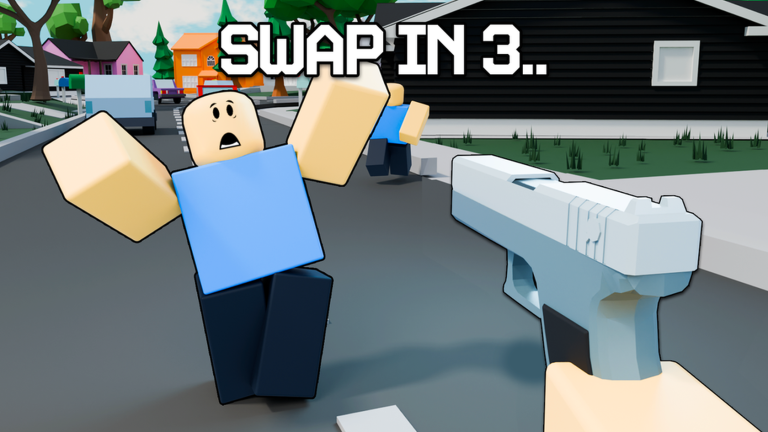
Playing on mobile can feel super messy when everyone else is spinning around you, but using the Swap Shot! script helps even the odds.
You only get fifteen seconds with the gun before it swaps to someone else, so you have to run, hide, and shoot fast. Even if you die, you can use your abilities to mess with the living players.
If you want to track targets easily and see who’s holding the weapon, check out the working script below.
Swap Shot! Script – Test : Potassium & More
-- ESP Chams & NameTag System (Red = Has Gun or Knife, Blue = No Weapon)
local Players = game:GetService("Players")
local RunService = game:GetService("RunService")
local LocalPlayer = Players.LocalPlayer

-- รายการคีย์เวิร์ดสำหรับตรวจสอบอาวุธ (ทั้งปืนและมีด/อาวุธประชิด)
local weaponKeywords = {
    -- ปืน
    "Gun", "Rifle", "Pistol", "Shotgun", "Sniper", "SMG", "Blaster", "Weapon", "Firearm", "AK47", "M4A1", "Glock",
    -- มีด / อาวุธประชิด
    "Knife", "Blade", "Dagger", "Sword", "Melee", "Karambit", "Bayonet", "Cutter"
}

local function isThreatWeapon(tool)
    if not tool or not tool:IsA("Tool") then return false end

    -- ตรวจสอบองค์ประกอบมาตรฐานของปืน (ถ้ามี)
    if tool:FindFirstChild("Ammo") or tool:FindFirstChild("Clip") or tool:FindFirstChild("GunScript") or tool:FindFirstChild("Muzzle") then
        return true
    end

    -- ตรวจสอบชื่อ Tool กับคีย์เวิร์ดของปืนและมีด
    local toolName = tool.Name:lower()
    for _, keyword in ipairs(weaponKeywords) do
        if string.find(toolName, keyword:lower()) then
            return true
        end
    end

    return false
end

local function setupESP(player)
    if player == LocalPlayer then return end

    local function hasWeapon(char)
        if not char then return false end
        for _, child in ipairs(char:GetChildren()) do
            if child:IsA("Tool") and isThreatWeapon(child) then
                return true
            end
        end
        return false
    end

    local function updateESP()
        local char = player.Character
        if not char or not char:FindFirstChild("HumanoidRootPart") or not char:FindFirstChild("Head") then
            if char then
                local hl = char:FindFirstChild("ChamsHighlight")
                if hl then hl:Destroy() end
                local tag = char.Head:FindFirstChild("ESPNameTag")
                if tag then tag:Destroy() end
            end
            return
        end

        local holdingWeapon = hasWeapon(char)
        local chamColor = holdingWeapon and Color3.fromRGB(255, 0, 0) or Color3.fromRGB(0, 0, 255)

        local highlight = char:FindFirstChild("ChamsHighlight")
        if not highlight then
            highlight = Instance.new("Highlight")
            highlight.Name = "ChamsHighlight"
            highlight.Adornee = char
            highlight.DepthMode = Enum.HighlightDepthMode.AlwaysOnTop
            highlight.Parent = char
        end
        highlight.FillColor = chamColor
        highlight.OutlineColor = chamColor
        highlight.FillTransparency = 0.45
        highlight.OutlineTransparency = 0.1

        local head = char.Head
        local nameTag = head:FindFirstChild("ESPNameTag")
        if not nameTag then
            nameTag = Instance.new("BillboardGui")
            nameTag.Name = "ESPNameTag"
            nameTag.Size = UDim2.new(0, 120, 0, 50)
            nameTag.StudsOffset = Vector3.new(0, 2.5, 0)
            nameTag.AlwaysOnTop = true

            local textLabel = Instance.new("TextLabel")
            textLabel.Name = "NameText"
            textLabel.Size = UDim2.new(1, 0, 1, 0)
            textLabel.BackgroundTransparency = 1
            textLabel.TextScaled = true
            textLabel.Font = Enum.Font.FredokaOne
            textLabel.TextStrokeTransparency = 0
            textLabel.TextStrokeColor3 = Color3.fromRGB(0, 0, 0)
            textLabel.Parent = nameTag

            nameTag.Parent = head
        end

        local textLabel = nameTag:FindFirstChild("NameText")
        if textLabel then
            textLabel.Text = player.Name
            textLabel.TextColor3 = chamColor
        end
    end

    RunService.RenderStepped:Connect(updateESP)
end

for _, player in ipairs(Players:GetPlayers()) do
    setupESP(player)
end

Players.PlayerAdded:Connect(function(player)
    setupESP(player)
end)

print("ESP Chams System (Gun & Knife) Loaded Successfully!")Copy the code above into a compatible Roblox script executor if you choose to test it.
Swap Shot! Script Status
Roblox and game updates can affect compatibility, so the script’s status should be treated as temporary rather than guaranteed.
Frequently Asked Questions
What is a Swap Shot! script?
A Swap Shot! script is third-party Lua code intended to run alongside the Roblox game through a compatible script executor.
What features does this Swap Shot! script include?
Different scripts contain different code. This version includes: Test : Potassium.
How do you use the Swap Shot! script?
Pick a compatible executor such as Hydrogen, MacSploit, AWP.GG, Delta, Fluxus, Codex, launch Roblox and join the game, copy the complete Lua code from the script card above, paste it into the executor’s editor, and click Run or Execute. Compatibility changes over time, so a name here doesn’t guarantee current support.
Can a Swap Shot! script get your Roblox account banned?
Yes. Third-party scripts can violate Roblox rules and may put an account at risk. Only use code from a source you trust, never enter your Roblox password into a script or executor, and test on an alternate account first.
Does the Swap Shot! script work on mobile?
Check whether both the executor and the script support your device and the current Roblox version. Mobile executor support does not guarantee that every script will work.

