
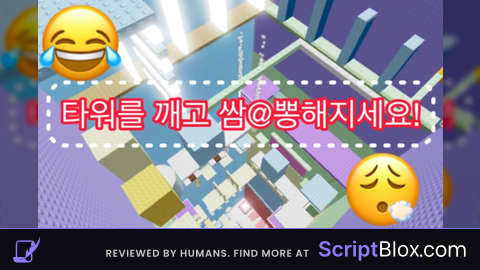
Grinding out levels can take forever when you just want to see the best parts of the game right now. Grabbing the Tahu Bulat Tower script makes dealing with the repetitive parts way easier so you can focus on having fun.
You are hanging out in Tahu Bulat Tower, picking up tofu snacks, messing around with free Korblox and Headless commands, and testing out the John Doe R6 animations while keeping the server rolling.
If you want to try it out, the working code is ready below to drop straight into your executor.
Tahu Bulat Tower Script – only works at Ssampong Tower & More
local p = game.Players.LocalPlayer
local g = Instance.new("ScreenGui", p.PlayerGui)
g.Name = "AnimToggle"
g.ResetOnSpawn = false
local main = Instance.new("Frame", g)
main.Size = UDim2.new(0, 140, 0, 70)
main.Position = UDim2.new(1, -150, 0.5, -35)
main.BackgroundColor3 = Color3.fromRGB(30,30,30)
Instance.new("UICorner", main)
local title = Instance.new("TextLabel", main)
title.Size = UDim2.new(1, 0, 0, 20)
title.Text = "  Anim Controller"
title.TextXAlignment = Enum.TextXAlignment.Left
title.TextColor3 = Color3.new(1,1,1)
title.BackgroundColor3 = Color3.fromRGB(45,45,45)
title.Font = Enum.Font.GothamBold
title.TextSize = 12
Instance.new("UICorner", title)
local btnMin = Instance.new("TextButton", title)
btnMin.Size = UDim2.new(0, 20, 0, 20)
btnMin.Position = UDim2.new(1, -22, 0, 0)
btnMin.Text = "-"
btnMin.BackgroundColor3 = Color3.fromRGB(70,70,70)
btnMin.TextColor3 = Color3.new(1,1,1)
btnMin.Font = Enum.Font.GothamBold
btnMin.TextScaled = true
Instance.new("UICorner", btnMin)
local b = Instance.new("TextButton", main)
b.Size = UDim2.new(1, -10, 0, 40)
b.Position = UDim2.new(0, 5, 0, 25)
b.Text = "ANIM: OFF"
b.BackgroundColor3 = Color3.fromRGB(80,80,80)
b.TextColor3 = Color3.new(1,1,1)
b.Font = Enum.Font.GothamBold
b.TextScaled = true
Instance.new("UICorner", b)
local dragging, dragInput, dragStart, startPos
title.InputBegan:Connect(function(input)
	if input.UserInputType == Enum.UserInputType.MouseButton1 or input.UserInputType == Enum.UserInputType.Touch then
		dragging = true dragStart = input.Position startPos = main.Position
		input.Changed:Connect(function() if input.UserInputState == Enum.UserInputState.End then dragging = false end end)
	end
end)
title.InputChanged:Connect(function(input)
	if input.UserInputType == Enum.UserInputType.MouseMovement or input.UserInputType == Enum.UserInputType.Touch then dragInput = input end
end)
game:GetService("UserInputService").InputChanged:Connect(function(input)
	if input == dragInput and dragging then
		local delta = input.Position - dragStart
		main.Position = UDim2.new(startPos.X.Scale, startPos.X.Offset + delta.X, startPos.Y.Scale, startPos.Y.Offset + delta.Y)
	end
end)
local minimized = false
btnMin.MouseButton1Click:Connect(function()
	minimized = not minimized
	if minimized then main.Size = UDim2.new(0,140,0,20) b.Visible=false btnMin.Text="+"
	else main.Size = UDim2.new(0,140,0,70) b.Visible=true btnMin.Text="-" end
end)
local IDLE = "rbxassetid://77069998410842"
local WALK = "rbxassetid://71037783668661"
local RUN = "rbxassetid://71603364430813"
local KILL = "rbxassetid://125724130705142"
local SLASH = "rbxassetid://85075426218982"
local FOOTSTEP_ID = "rbxassetid://137620518840395"
local enabled = false
local curTrack, conn, stepConn, animConn
local tracks = {}
local stepSound = nil
local isKilling = false
local function fullStop()
	if curTrack then pcall(function() curTrack:Stop(0.15) end) curTrack=nil end
	if conn then conn:Disconnect() conn=nil end
	if stepConn then stepConn:Disconnect() stepConn=nil end
	if animConn then animConn:Disconnect() animConn=nil end
	for _, t in pairs(tracks) do pcall(function() t:Stop(0.15) end) end
	tracks = {}
	if stepSound then stepSound:Destroy() stepSound=nil end
end
local function createFootstepSound(root)
	if stepSound then stepSound:Destroy() end
	stepSound = Instance.new("Sound")
	stepSound.Name = "FootstepSound"
	stepSound.SoundId = FOOTSTEP_ID
	stepSound.Volume = 1.2
	stepSound.Parent = root
end
local function play(name)
	if not enabled or isKilling then return end
	if not tracks[name] then return end
	if curTrack == tracks[name] then return end
	if curTrack then curTrack:Stop(0.15) end
	curTrack = tracks[name]
	curTrack:Play(0.15)
end
local function loadAll(hum)
	fullStop()
	local char = hum.Parent
	local root = char:WaitForChild("HumanoidRootPart")
	local animator = hum:WaitForChild("Animator")
	createFootstepSound(root)
	local function make(id, name)
		local a = Instance.new("Animation") a.Name = name a.AnimationId = id
		return animator:LoadAnimation(a)
	end
	tracks.Idle = make(IDLE, "Idle")
	tracks.Walk = make(WALK, "Walk")
	tracks.Run = make(RUN, "Run")
	tracks.Kill = make(KILL, "Kill")
	tracks.Slash = make(SLASH, "Slash")
	tracks.Kill.Looped = false tracks.Kill.Priority = Enum.AnimationPriority.Action4
	tracks.Slash.Looped = false tracks.Slash.Priority = Enum.AnimationPriority.Action3
	for _, n in pairs({"Idle","Walk","Run"}) do
		tracks[n].Looped = true tracks[n].Priority = Enum.AnimationPriority.Movement
	end
	animConn = animator.AnimationPlayed:Connect(function(track)
		if not enabled then return end
		local name = track.Name:lower()
		if name:find("slash") or name:find("attack") then
			track:Stop(0)
			tracks.Slash:Play(0.05)
			tracks.Slash.Stopped:Wait()
			if hum.MoveDirection.Magnitude > 0 then
				if hum.WalkSpeed > 16 then play("Run") else play("Walk") end
			else
				play("Idle")
			end
		end
	end)
end
local function doKillAnim(hum)
	if isKilling or not enabled then return end
	isKilling = true
	local oldWalk = hum.WalkSpeed
	local oldJump = hum.JumpPower
	if curTrack then curTrack:Stop(0.1) end
	if stepSound then stepSound:Stop() end
	hum.WalkSpeed = 0 hum.JumpPower = 0 hum.AutoRotate = false
	tracks.Kill:Play()
	tracks.Kill.Stopped:Wait()
	if tracks.Idle then
		if curTrack then curTrack:Stop(0.1) end
		curTrack = tracks.Idle
		curTrack:Play(0.1)
	end
	task.wait(1)
	hum.WalkSpeed = oldWalk > 0 and oldWalk or 16
	hum.JumpPower = oldJump > 0 and oldJump or 50
	hum.AutoRotate = true
	isKilling = false
end
local function hookHumanoid(hum)
	loadAll(hum)
	local lastStep = 0
	conn = hum.Running:Connect(function(s)
		if not enabled or isKilling then return end
		if s < 0.1 then play("Idle")
		elseif s < 16 then play("Walk")
		else play("Run") end
	end)
	stepConn = game:GetService("RunService").Heartbeat:Connect(function()
		if not enabled or isKilling or not stepSound then return end
		if hum.MoveDirection.Magnitude > 0.1 and hum.FloorMaterial ~= Enum.Material.Air then
			local interval = hum.WalkSpeed > 16 and 0.25 or 0.4
			if tick() - lastStep >= interval then lastStep = tick() stepSound:Play() end
		end
	end)
	play("Idle")
end
local function watchPlayer(other)
	if other == p then return end
	local function onChar(char)
		local hum = char:WaitForChild("Humanoid")
		hum.Died:Connect(function()
			local tag = hum:FindFirstChild("creator")
			if tag and tag.Value == p and enabled then
				local myChar = p.Character
				if myChar then
					local myHum = myChar:FindFirstChildOfClass("Humanoid")
					if myHum then doKillAnim(myHum) end
				end
			end
		end)
	end
	if other.Character then task.spawn(onChar, other.Character) end
	other.CharacterAdded:Connect(onChar)
end
for _, plr in pairs(game.Players:GetPlayers()) do watchPlayer(plr) end
game.Players.PlayerAdded:Connect(watchPlayer)
b.MouseButton1Click:Connect(function()
	enabled = not enabled
	if enabled then
		b.Text = "ANIM: ON"
		b.BackgroundColor3 = Color3.fromRGB(0,170,0)
		hookHumanoid((p.Character or p.CharacterAdded:Wait()):WaitForChild("Humanoid"))
	else
		b.Text = "ANIM: OFF"
		b.BackgroundColor3 = Color3.fromRGB(80,80,80)
		fullStop()
	end
end)
p.CharacterAdded:Connect(function(char)
	task.wait(0.5)
	if enabled then hookHumanoid(char:WaitForChild("Humanoid")) end
end)Copy the code above into a compatible Roblox script executor if you choose to test it.
Tahu Bulat Tower Script Status
Roblox and game updates can affect compatibility, so the script’s status should be treated as temporary rather than guaranteed.
Frequently Asked Questions
What is a Tahu Bulat Tower script?
A Tahu Bulat Tower script is third-party Lua code intended to run alongside the Roblox game through a compatible script executor.
What features does this Tahu Bulat Tower script include?
Different scripts contain different code. This version includes: only works at Ssampong Tower.
How do you use the Tahu Bulat Tower script?
Pick a compatible executor such as Hydrogen, MacSploit, AWP.GG, Delta, Fluxus, Codex, launch Roblox and join the game, copy the complete Lua code from the script card above, paste it into the executor’s editor, and click Run or Execute. Compatibility changes over time, so a name here doesn’t guarantee current support.
Can a Tahu Bulat Tower script get your Roblox account banned?
Yes. Third-party scripts can violate Roblox rules and may put an account at risk. Only use code from a source you trust, never enter your Roblox password into a script or executor, and test on an alternate account first.
Does the Tahu Bulat Tower script work on mobile?
Check whether both the executor and the script support your device and the current Roblox version. Mobile executor support does not guarantee that every script will work.

