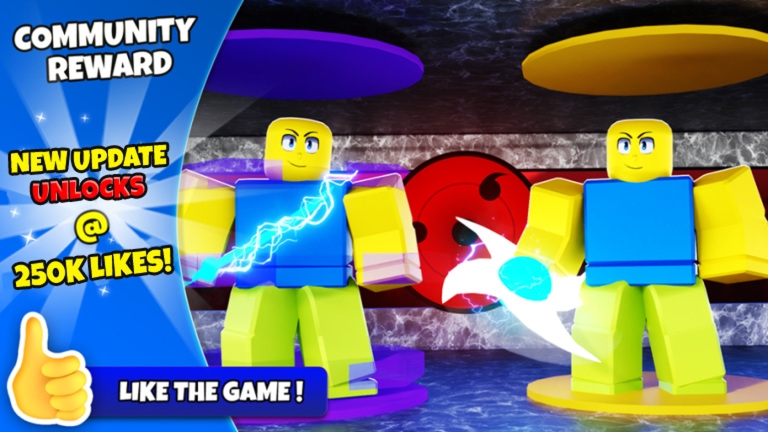
Grinding out cash in Ultra Power Tycoon gets old fast when you are trying to stay ahead of everyone else on the server. Using the Ultra Power Tycoon script makes the whole process way easier so you can skip the boring parts.
You unlock unique powers and battle enemies in this experience, running down foes with god speed or setting traps in the void. Players build up their bases and grind for upgrades, but grabbing crates and moving around can slow you down.
This helper tool fixes those annoying movement blocks and speeds up your resource collection. Here is the working script to help you get more done in less time.
Ultra Power Tycoon Script – Auto-Take Crate & More
-- Script de Exploit / Teste: Rayfield GUI + Username + Fly + Noclip + Crate + Tycoon TP
local CoreGui = game:GetService("CoreGui")
local Players = game:GetService("Players")
local Workspace = game:GetService("Workspace")
local TweenService = game:GetService("TweenService")
local UserInputService = game:GetService("UserInputService")
local RunService = game:GetService("RunService")

local player = Players.LocalPlayer
local username = player.Name -- Pega o nome principal da conta (não o Display Name)

-- Remove a GUI anterior caso o script seja executado novamente
if CoreGui:FindFirstChild("RayfieldFullGui") then
    CoreGui.RayfieldFullGui:Destroy()
end

local screenGui = Instance.new("ScreenGui")
screenGui.Name = "RayfieldFullGui"
screenGui.ResetOnSpawn = false
screenGui.Parent = CoreGui

-- Frame Principal (Estilo Rayfield Dark - Altura ajustada para caber os novos botões)
local mainFrame = Instance.new("Frame")
mainFrame.Size = UDim2.new(0, 420, 0, 235)
mainFrame.Position = UDim2.new(0.5, -210, 0.5, -117)
mainFrame.BackgroundColor3 = Color3.fromRGB(20, 20, 25)
mainFrame.BorderSizePixel = 0
mainFrame.Active = true
mainFrame.Draggable = true
mainFrame.Parent = screenGui

local mainCorner = Instance.new("UICorner")
mainCorner.CornerRadius = UDim.new(0, 8)
mainCorner.Parent = mainFrame

-- Barra Superior (Header)
local topBar = Instance.new("Frame")
topBar.Size = UDim2.new(1, 0, 0, 40)
topBar.BackgroundColor3 = Color3.fromRGB(25, 25, 32)
topBar.BorderSizePixel = 0
topBar.Parent = mainFrame

local topBarCorner = Instance.new("UICorner")
topBarCorner.CornerRadius = UDim.new(0, 8)
topBarCorner.Parent = topBar

local fixBar = Instance.new("Frame")
fixBar.Size = UDim2.new(1, 0, 0, 10)
fixBar.Position = UDim2.new(0, 0, 1, -10)
fixBar.BackgroundColor3 = Color3.fromRGB(25, 25, 32)
fixBar.BorderSizePixel = 0
fixBar.Parent = topBar

-- Título da Janela exibindo o nome principal da conta
local titleLabel = Instance.new("TextLabel")
titleLabel.Size = UDim2.new(1, -90, 1, 0)
titleLabel.Position = UDim2.new(0, 15, 0, 0)
titleLabel.BackgroundTransparency = 1
titleLabel.Font = Enum.Font.GothamBold
titleLabel.Text = "Tycoon de Ultra Poder - " .. username
titleLabel.TextColor3 = Color3.fromRGB(240, 240, 245)
titleLabel.TextSize = 13
titleLabel.TextXAlignment = Enum.TextXAlignment.Left
titleLabel.Parent = topBar

-- Container de Botões do Topo (Minimizar e Fechar)
local btnContainer = Instance.new("Frame")
btnContainer.Size = UDim2.new(0, 70, 1, 0)
btnContainer.Position = UDim2.new(1, -75, 0, 0)
btnContainer.BackgroundTransparency = 1
btnContainer.Parent = topBar

-- Botão Minimizar (-)
local minBtn = Instance.new("TextButton")
minBtn.Size = UDim2.new(0, 30, 0, 30)
minBtn.Position = UDim2.new(0, 0, 0.5, -15)
minBtn.BackgroundColor3 = Color3.fromRGB(35, 35, 45)
minBtn.Text = "-"
minBtn.TextColor3 = Color3.fromRGB(200, 200, 200)
minBtn.Font = Enum.Font.GothamBold
minBtn.TextSize = 16
minBtn.Parent = btnContainer

local minCorner = Instance.new("UICorner")
minCorner.CornerRadius = UDim.new(0, 6)
minCorner.Parent = minBtn

-- Botão Fechar (×)
local closeBtn = Instance.new("TextButton")
closeBtn.Size = UDim2.new(0, 30, 0, 30)
closeBtn.Position = UDim2.new(0, 38, 0.5, -15)
closeBtn.BackgroundColor3 = Color3.fromRGB(200, 50, 50)
closeBtn.Text = "×"
closeBtn.TextColor3 = Color3.fromRGB(255, 255, 255)
closeBtn.Font = Enum.Font.GothamBold
closeBtn.TextSize = 18
closeBtn.Parent = btnContainer

local closeCorner = Instance.new("UICorner")
closeCorner.CornerRadius = UDim.new(0, 6)
closeCorner.Parent = closeBtn

-- Container do Conteúdo Interno
local contentContainer = Instance.new("Frame")
contentContainer.Size = UDim2.new(1, 0, 1, -40)
contentContainer.Position = UDim2.new(0, 0, 0, 40)
contentContainer.BackgroundTransparency = 1
contentContainer.Parent = mainFrame

-- Botão de Fly
local flyBtn = Instance.new("TextButton")
flyBtn.Size = UDim2.new(1, -30, 0, 30)
flyBtn.Position = UDim2.new(0, 15, 0, 10)
flyBtn.BackgroundColor3 = Color3.fromRGB(60, 60, 70)
flyBtn.BorderSizePixel = 0
flyBtn.Font = Enum.Font.GothamBold
flyBtn.Text = "FLY: DESLIGADO"
flyBtn.TextColor3 = Color3.fromRGB(200, 200, 200)
flyBtn.TextSize = 11
flyBtn.AutoButtonColor = false
flyBtn.Parent = contentContainer

local flyCorner = Instance.new("UICorner")
flyCorner.CornerRadius = UDim.new(0, 6)
flyCorner.Parent = flyBtn

-- Botão de Noclip
local noclipBtn = Instance.new("TextButton")
noclipBtn.Size = UDim2.new(1, -30, 0, 30)
noclipBtn.Position = UDim2.new(0, 15, 0, 48)
noclipBtn.BackgroundColor3 = Color3.fromRGB(60, 60, 70)
noclipBtn.BorderSizePixel = 0
noclipBtn.Font = Enum.Font.GothamBold
noclipBtn.Text = "NOCLIP: DESLIGADO"
noclipBtn.TextColor3 = Color3.fromRGB(200, 200, 200)
noclipBtn.TextSize = 11
noclipBtn.AutoButtonColor = false
noclipBtn.Parent = contentContainer

local noclipCorner = Instance.new("UICorner")
noclipCorner.CornerRadius = UDim.new(0, 6)
noclipCorner.Parent = noclipBtn

-- Botão de Teleportar para a Base (Tycoon)
local baseBtn = Instance.new("TextButton")
baseBtn.Size = UDim2.new(1, -30, 0, 30)
baseBtn.Position = UDim2.new(0, 15, 0, 86)
baseBtn.BackgroundColor3 = Color3.fromRGB(52, 152, 219)
baseBtn.BorderSizePixel = 0
baseBtn.Font = Enum.Font.GothamBold
baseBtn.Text = "TELEPORTAR PARA BASE"
baseBtn.TextColor3 = Color3.fromRGB(255, 255, 255)
baseBtn.TextSize = 11
baseBtn.AutoButtonColor = false
baseBtn.Parent = contentContainer

local baseCorner = Instance.new("UICorner")
baseCorner.CornerRadius = UDim.new(0, 6)
baseCorner.Parent = baseBtn

-- Botão de Teleporte para a Crate (Condicional)
local teleportBtn = Instance.new("TextButton")
teleportBtn.Size = UDim2.new(1, -30, 0, 30)
teleportBtn.Position = UDim2.new(0, 15, 0, 124)
teleportBtn.BorderSizePixel = 0
teleportBtn.Font = Enum.Font.GothamBold
teleportBtn.Text = "TELEPORTAR PARA CRATE"
teleportBtn.TextSize = 11
teleportBtn.AutoButtonColor = false
teleportBtn.Parent = contentContainer

local btnCorner = Instance.new("UICorner")
btnCorner.CornerRadius = UDim.new(0, 6)
btnCorner.Parent = teleportBtn

-- Texto de Status abaixo do botão da Crate
local statusLabel = Instance.new("TextLabel")
statusLabel.Size = UDim2.new(1, -30, 0, 20)
statusLabel.Position = UDim2.new(0, 15, 0, 160)
statusLabel.BackgroundTransparency = 1
statusLabel.Font = Enum.Font.GothamMedium
statusLabel.TextSize = 11
statusLabel.TextXAlignment = Enum.TextXAlignment.Center
statusLabel.Parent = contentContainer

-- Modal de Confirmação de Fechamento (Overlay)
local modalOverlay = Instance.new("Frame")
modalOverlay.Size = UDim2.new(1, 0, 1, 0)
modalOverlay.BackgroundColor3 = Color3.fromRGB(0, 0, 0)
modalOverlay.BackgroundTransparency = 0.6
modalOverlay.Visible = false
modalOverlay.ZIndex = 10
modalOverlay.Parent = mainFrame

local modalCorner = Instance.new("UICorner")
modalCorner.CornerRadius = UDim.new(0, 8)
modalCorner.Parent = modalOverlay

local confirmBox = Instance.new("Frame")
confirmBox.Size = UDim2.new(0, 260, 0, 120)
confirmBox.Position = UDim2.new(0.5, -130, 0.5, -60)
confirmBox.BackgroundColor3 = Color3.fromRGB(28, 28, 36)
confirmBox.BorderSizePixel = 0
confirmBox.ZIndex = 11
confirmBox.Parent = modalOverlay

local boxCorner = Instance.new("UICorner")
boxCorner.CornerRadius = UDim.new(0, 8)
boxCorner.Parent = confirmBox

local boxStroke = Instance.new("UIStroke")
boxStroke.Color = Color3.fromRGB(60, 60, 75)
boxStroke.Thickness = 1
boxStroke.Parent = confirmBox

local confirmText = Instance.new("TextLabel")
confirmText.Size = UDim2.new(1, 0, 0, 45)
confirmText.Position = UDim2.new(0, 0, 0, 15)
confirmText.BackgroundTransparency = 1
confirmText.Font = Enum.Font.GothamBold
confirmText.Text = "Tem certeza ?"
confirmText.TextColor3 = Color3.fromRGB(255, 255, 255)
confirmText.TextSize = 16
confirmText.ZIndex = 11
confirmText.Parent = confirmBox

-- Botão Sim
local simBtn = Instance.new("TextButton")
simBtn.Size = UDim2.new(0.4, 0, 0, 32)
simBtn.Position = UDim2.new(0.07, 0, 1, -45)
simBtn.BackgroundColor3 = Color3.fromRGB(200, 50, 50)
simBtn.Text = "Sim"
simBtn.TextColor3 = Color3.fromRGB(255, 255, 255)
simBtn.Font = Enum.Font.GothamBold
simBtn.TextSize = 13
simBtn.ZIndex = 11
simBtn.Parent = confirmBox

local simCorner = Instance.new("UICorner")
simCorner.CornerRadius = UDim.new(0, 6)
simCorner.Parent = simBtn

-- Botão Não
local naoBtn = Instance.new("TextButton")
naoBtn.Size = UDim2.new(0.4, 0, 0, 32)
naoBtn.Position = UDim2.new(0.53, 0, 1, -45)
naoBtn.BackgroundColor3 = Color3.fromRGB(50, 50, 65)
naoBtn.Text = "Não"
naoBtn.TextColor3 = Color3.fromRGB(220, 220, 225)
naoBtn.Font = Enum.Font.GothamBold
naoBtn.TextSize = 13
naoBtn.ZIndex = 11
naoBtn.Parent = confirmBox

local naoCorner = Instance.new("UICorner")
naoCorner.CornerRadius = UDim.new(0, 6)
naoCorner.Parent = naoBtn

-- Variáveis de controle
local flying = false
local noclipping = false
local flySpeed = 50
local bodyVelocity, bodyGyro
local currentCrate = nil

-- Lógica do Fly
flyBtn.MouseButton1Click:Connect(function()
    flying = not flying
    local character = player.Character
    if not character then return end
    local humanoid = character:FindFirstChildOfClass("Humanoid")
    local rootPart = character:FindFirstChild("HumanoidRootPart")
    if not humanoid or not rootPart then return end

    if flying then
        flyBtn.Text = "FLY: LIGADO"
        flyBtn.BackgroundColor3 = Color3.fromRGB(46, 204, 113)
        humanoid.PlatformStand = true

        bodyVelocity = Instance.new("BodyVelocity")
        bodyVelocity.MaxForce = Vector3.new(math.huge, math.huge, math.huge)
        bodyVelocity.Velocity = Vector3.new(0, 0, 0)
        bodyVelocity.Parent = rootPart

        bodyGyro = Instance.new("BodyGyro")
        bodyGyro.MaxTorque = Vector3.new(math.huge, math.huge, math.huge)
        bodyGyro.CFrame = rootPart.CFrame
        bodyGyro.Parent = rootPart
    else
        flyBtn.Text = "FLY: DESLIGADO"
        flyBtn.BackgroundColor3 = Color3.fromRGB(60, 60, 70)
        humanoid.PlatformStand = false
        if bodyVelocity then bodyVelocity:Destroy() end
        if bodyGyro then bodyGyro:Destroy() end
    end
end)

-- Loop de Movimentação do Fly
RunService.RenderStepped:Connect(function()
    if flying then
        local character = player.Character
        if not character then return end
        local rootPart = character:FindFirstChild("HumanoidRootPart")
        if not rootPart or not bodyVelocity or not bodyGyro then return end

        local camera = workspace.CurrentCamera
        local moveDir = Vector3.new(0, 0, 0)

        if UserInputService:IsKeyDown(Enum.KeyCode.W) then
            moveDir = moveDir + camera.CFrame.LookVector
        end
        if UserInputService:IsKeyDown(Enum.KeyCode.S) then
            moveDir = moveDir - camera.CFrame.LookVector
        end
        if UserInputService:IsKeyDown(Enum.KeyCode.D) then
            moveDir = moveDir + camera.CFrame.RightVector
        end
        if UserInputService:IsKeyDown(Enum.KeyCode.A) then
            moveDir = moveDir - camera.CFrame.RightVector
        end
        if UserInputService:IsKeyDown(Enum.KeyCode.Space) then
            moveDir = moveDir + Vector3.new(0, 1, 0)
        end
        if UserInputService:IsKeyDown(Enum.KeyCode.LeftShift) then
            moveDir = moveDir - Vector3.new(0, 1, 0)
        end

        bodyVelocity.Velocity = moveDir * flySpeed
        bodyGyro.CFrame = camera.CFrame
    end
end)

-- Lógica do Noclip
noclipBtn.MouseButton1Click:Connect(function()
    noclipping = not noclipping
    if noclipping then
        noclipBtn.Text = "NOCLIP: LIGADO"
        noclipBtn.BackgroundColor3 = Color3.fromRGB(46, 204, 113)
    else
        noclipBtn.Text = "NOCLIP: DESLIGADO"
        noclipBtn.BackgroundColor3 = Color3.fromRGB(60, 60, 70)
    end
end)

RunService.Stepped:Connect(function()
    if noclipping then
        local character = player.Character
        if character then
            for _, part in ipairs(character:GetDescendants()) do
                if part:IsA("BasePart") then
                    part.CanCollide = false
                end
            end
        end
    end
end)

-- Lógica do Botão "Teleportar para base" (Busca [Username]_Tycoon -> BasicCollector)
baseBtn.MouseButton1Click:Connect(function()
    local tycoonDirectory = Workspace:FindFirstChild("TycoonDirectory")
    if tycoonDirectory then
        local targetTycoonName = username .. "_Tycoon"
        local tycoonModel = tycoonDirectory:FindFirstChild(targetTycoonName)

        if tycoonModel then
            local basicCollector = tycoonModel:FindFirstChild("BasicCollector")
            if basicCollector then
                local character = player.Character
                if character then
                    local rootPart = character:FindFirstChild("HumanoidRootPart")
                    if rootPart then
                        rootPart.CFrame = basicCollector:GetPivot() + Vector3.new(0, 3, 0)
                    end
                end
            end
        end
    end
end)

-- Função que atualiza o estado dinâmico da Crate
local function updateCrateState()
    local debrisFolder = Workspace:FindFirstChild("Debris")
    local foundCrate = nil

    if debrisFolder then
        for _, child in ipairs(debrisFolder:GetChildren()) do
            if child.Name == "Crate" then
                foundCrate = child
                break
            end
        end
    end

    currentCrate = foundCrate

    if currentCrate then
        teleportBtn.BackgroundColor3 = Color3.fromRGB(46, 204, 113)
        teleportBtn.TextColor3 = Color3.fromRGB(255, 255, 255)
        teleportBtn.Active = true
        statusLabel.Text = "Status: Crate Spawnada ✔"
        statusLabel.TextColor3 = Color3.fromRGB(46, 204, 113)
    else
        teleportBtn.BackgroundColor3 = Color3.fromRGB(60, 60, 70)
        teleportBtn.TextColor3 = Color3.fromRGB(150, 150, 160)
        teleportBtn.Active = false
        statusLabel.Text = "Status: Crate não spawnada ❌"
        statusLabel.TextColor3 = Color3.fromRGB(231, 76, 60)
    end
end

-- Ação do Botão de Teleporte para a Crate
teleportBtn.MouseButton1Click:Connect(function()
    if currentCrate and currentCrate.Parent and teleportBtn.Active then
        local character = player.Character
        if character then
            local rootPart = character:FindFirstChild("HumanoidRootPart")
            if rootPart then
                rootPart.CFrame = currentCrate:GetPivot() + Vector3.new(0, 3, 0)
            end
        end
    end
end)

-- Lógica de Minimizar o Painel
local minimized = false
local normalSize = UDim2.new(0, 420, 0, 235)
local minSize = UDim2.new(0, 420, 0, 40)

minBtn.MouseButton1Click:Connect(function()
    minimized = not minimized
    if minimized then
        contentContainer.Visible = false
        TweenService:Create(mainFrame, TweenInfo.new(0.2, Enum.EasingStyle.Quad), {Size = minSize}):Play()
        minBtn.Text = "+"
    else
        TweenService:Create(mainFrame, TweenInfo.new(0.2, Enum.EasingStyle.Quad), {Size = normalSize}):Play()
        task.wait(0.1)
        contentContainer.Visible = true
        minBtn.Text = "-"
    end
end)

-- Lógica de Fechar (Abre a confirmação)
closeBtn.MouseButton1Click:Connect(function()
    modalOverlay.Visible = true
end)

simBtn.MouseButton1Click:Connect(function()
    screenGui:Destroy()
end)

naoBtn.MouseButton1Click:Connect(function()
    modalOverlay.Visible = false
end)

-- Monitoramento automático da pasta Debris
local debrisFolder = Workspace:FindFirstChild("Debris")
if debrisFolder then
    debrisFolder.ChildAdded:Connect(function(child)
        if child.Name == "Crate" then
            updateCrateState()
        end
    end)

    debrisFolder.ChildRemoved:Connect(function(child)
        if child.Name == "Crate" then
            updateCrateState()
        end
    end)
end

-- Checagem inicial
updateCrateState()Copy the code above into a compatible Roblox script executor if you choose to test it.
Ultra Power Tycoon Script Status
Roblox and game updates can affect compatibility, so the script’s status should be treated as temporary rather than guaranteed.
Frequently Asked Questions
What is a Ultra Power Tycoon script?
A Ultra Power Tycoon script is third-party Lua code intended to run alongside the Roblox game through a compatible script executor.
What features does this Ultra Power Tycoon script include?
Different scripts contain different code. This version includes: Auto-Take Crate, TP To Base, Fly And No Clip.
How do you use the Ultra Power Tycoon script?
Pick a compatible executor such as Hydrogen, MacSploit, AWP.GG, Delta, Fluxus, Codex, launch Roblox and join the game, copy the complete Lua code from the script card above, paste it into the executor’s editor, and click Run or Execute. Compatibility changes over time, so a name here doesn’t guarantee current support.
Can a Ultra Power Tycoon script get your Roblox account banned?
Yes. Third-party scripts can violate Roblox rules and may put an account at risk. Only use code from a source you trust, never enter your Roblox password into a script or executor, and test on an alternate account first.
Does the Ultra Power Tycoon script work on mobile?
Check whether both the executor and the script support your device and the current Roblox version. Mobile executor support does not guarantee that every script will work.

