
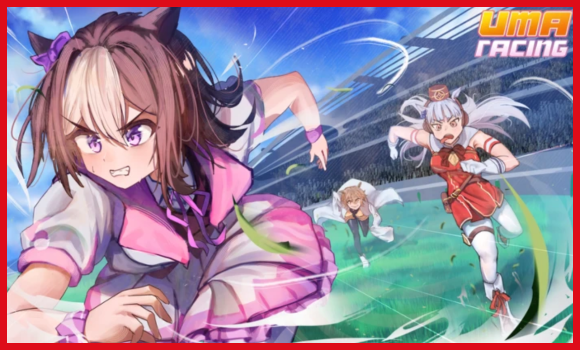
If you’re hunting for Uma Racing scripts and tired of scrolling through half-baked links and expired Pastebins, you can relax because everything you need is available here.
We’ve functional scripts for Uma Racing which can unlock pro features for you with minimal friction.
Script Features:
- Infinite Stamina – Free infinite stamina trick for every race
Tip – Always use a high UNC and sUNC executor and consider testing scripts on an alt Roblox account first. If you’re ready to go, just copy the code below and paste it into your executor to get started safely.
Uma Racing Script:
game:GetService("StarterGui"):SetCore("SendNotification", {
    Title = "More Open Source Script",
    Text = "For Join: https://discord.gg/URmka8WnQ5",
    Duration = 5
})

local Lib = loadstring(game:HttpGet("https://raw.githubusercontent.com/bloodball/-back-ups-for-libs/main/turtle"))()
local Win = Lib:Window("DraWatX Open Source")

local FVelocity = Vector3.new(0, 0, 0)
local ECSetting = false
local ISSetting = false
local VMSetting = 1

Win:Toggle("Easy Control", false, function(Bool)
    ECSetting = Bool
end)

Win:Toggle("Infinity Stamina", false, function(Bool)
    ISSetting = Bool
end)

Win:Slider("Velocity Multiplier", 1, 4, 1, function(Value)
    VMSetting = Value
end)

Win:Button("Discord Link", function()
    setclipboard("https://discord.gg/URmka8WnQ5")
end)

local oldindex;oldindex = hookmetamethod(game, "__index", function(v1, v2)
    if ECSetting and v2 == "Velocity" and getnamecallmethod() == "ToOrientation" then
        return FVelocity
    end
    return oldindex(v1, v2)
end)

local oldnewindex;oldnewindex = hookmetamethod(game, "__newindex", function(v1, v2, v3)
    if v2 == "AssemblyLinearVelocity" then
        if math.abs((v3 * VMSetting).Magnitude) < 700 then
            return oldnewindex(v1, v2, v3 * VMSetting)
        end
        return oldnewindex(v1, v2, FVelocity)
    end
    return oldnewindex(v1, v2, v3)
end)

local oldnamecall;oldnamecall = hookmetamethod(game, "__namecall", function(v1, v2, ...)
    if ISSetting and getnamecallmethod() == "FireServer" and v2 == "SpeedTarget" then
        return oldnamecall(v1, v2, 0)
    end
    return oldnamecall(v1, v2, ...)
end)Note: Every script shared here is personally tested on MacSploit first to keep things safe and working for you.
How to use these scripts?
You simply follow these quick steps given below to get the script running in the Uma Racing Roblox game.
- Download a Script Executor – I only recommend Hydrogen, AWP.GG, Delta, Fluxus, or Codex.
- Attach the Executor – Open the executor and connect it to your Roblox game process.
- Paste the Script – Copy the code above and paste it into the executor.
- Activate Features – Click the Execute button so the script injects and features will activate automatically.
Game Details:
- Name: Uma Racing
- Developer: uma racing Community
- Maturity: Moderate (Age 9+)
- Genre: Sports & Racing
- Subgenre: Racing
Frequently Asked Questions
What is a Uma Racing script?
A Uma Racing script is third-party Lua code intended to run alongside the Roblox game through a compatible script executor.
Can a Uma Racing script get an account banned?
Yes. Third-party scripts can violate Roblox rules, and compatibility or safety is never guaranteed.

