Keeping up with the latest updates gets exhausting when everyone else is already dominating the map, so grabbing an Underground War script is the smartest shortcut to staying competitive.
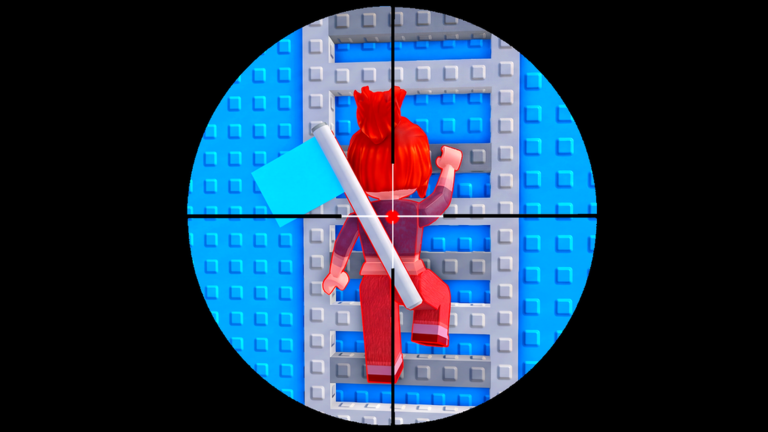
You drop right into team battles where the main goal is outsmarting the other side by digging secret tunnels, clashing in tight spaces, or sniping from high towers.
Before you head into the tunnels and test out the newest clan features, you should grab the active bonus code to boost your stash.
Underground War Script – Working Script
--========================================
-- FLAG TRACKER V4
-- ESP ONLY + DRAGGABLE GUI
--========================================

local Players = game:GetService("Players")
local UserInputService = game:GetService("UserInputService")

local player = Players.LocalPlayer

--========================================
-- SETTINGS
--========================================

local SETTINGS = {
    ESP = true,
    Team1 = true,
    Team2 = true
}

local FLAGS = {
    Team1Flag = Color3.fromRGB(255, 65, 65),
    Team2Flag = Color3.fromRGB(65, 145, 255)
}

--========================================
-- ESP STORAGE
--========================================

local espObjects = {}

local function clearESP()
    for object, gui in pairs(espObjects) do
        if gui then
            gui:Destroy()
        end
    end

    table.clear(espObjects)
end

local function getFlagPart(object)
    if object:IsA("BasePart") then
        return object
    end

    if object:IsA("Model") then
        return object:FindFirstChildWhichIsA(
            "BasePart", true
        )
    end

    return nil
end

local function addESP(object)
    local color = FLAGS[object.Name]

    if not color or not SETTINGS.ESP then
        return
    end

    local teamSetting = object.Name == "Team1Flag"
        and "Team1" or "Team2"

    if not SETTINGS[teamSetting] then
        return
    end

    if espObjects[object] then
        return
    end

    local part = getFlagPart(object)

    if not part then return end

    local billboard = Instance.new("BillboardGui")
    billboard.Name = "FlagTrackerESP"
    billboard.Adornee = part
    billboard.Size = UDim2.fromOffset(160, 40)
    billboard.StudsOffset = Vector3.new(0, 4, 0)
    billboard.AlwaysOnTop = true
    billboard.MaxDistance = 1000

    local label = Instance.new("TextLabel")
    label.Size = UDim2.fromScale(1, 1)
    label.BackgroundTransparency = 1
    label.Text = object.Name
    label.TextColor3 = color
    label.TextStrokeTransparency = 0.25
    label.TextScaled = true
    label.Font = Enum.Font.GothamBold
    label.Parent = billboard

    billboard.Parent = part

    espObjects[object] = billboard
end

local function refreshESP()
    clearESP()

    if not SETTINGS.ESP then return end

    for _, object in ipairs(workspace:GetDescendants()) do
        if FLAGS[object.Name] then
            addESP(object)
        end
    end
end

--========================================
-- GUI
--========================================

local gui = Instance.new("ScreenGui")
gui.Name = "FlagTrackerV4"
gui.ResetOnSpawn = false
gui.Parent = player:WaitForChild("PlayerGui")

local main = Instance.new("Frame")
main.Name = "Main"
main.Size = UDim2.fromOffset(280, 270)
main.Position = UDim2.new(0, 30, 0.3, 0)
main.BackgroundColor3 = Color3.fromRGB(24, 28, 39)
main.BorderSizePixel = 0
main.Active = true
main.Parent = gui

local corner = Instance.new("UICorner")
corner.CornerRadius = UDim.new(0, 13)
corner.Parent = main

local outline = Instance.new("UIStroke")
outline.Color = Color3.fromRGB(65, 85, 120)
outline.Thickness = 1.3
outline.Parent = main

--========================================
-- DRAGGABLE GUI
--========================================

local dragging = false
local dragStart
local startPosition
local dragInput

main.InputBegan:Connect(function(input)
    if input.UserInputType == Enum.UserInputType.MouseButton1
        or input.UserInputType == Enum.UserInputType.Touch then

        dragging = true
        dragStart = input.Position
        startPosition = main.Position

        input.Changed:Connect(function()
            if input.UserInputState ==
                Enum.UserInputState.End then
                dragging = false
            end
        end)
    end
end)

UserInputService.InputChanged:Connect(function(input)
    if dragging and (
        input.UserInputType == Enum.UserInputType.MouseMovement
        or input.UserInputType == Enum.UserInputType.Touch
    ) then
        local delta = input.Position - dragStart

        main.Position = UDim2.new(
            startPosition.X.Scale,
            startPosition.X.Offset + delta.X,
            startPosition.Y.Scale,
            startPosition.Y.Offset + delta.Y
        )
    end
end)

--========================================
-- HEADER
--========================================

local header = Instance.new("TextLabel")
header.Size = UDim2.new(1, -20, 0, 42)
header.Position = UDim2.fromOffset(10, 5)
header.BackgroundTransparency = 1
header.Text = "◈  FLAG TRACKER"
header.TextColor3 = Color3.new(1, 1, 1)
header.Font = Enum.Font.GothamBold
header.TextSize = 19
header.TextXAlignment = Enum.TextXAlignment.Left
header.Parent = main

local profile = Instance.new("TextLabel")
profile.Size = UDim2.new(1, -20, 0, 25)
profile.Position = UDim2.fromOffset(10, 45)
profile.BackgroundTransparency = 1
profile.Text = "Player: " .. player.DisplayName
profile.TextColor3 = Color3.fromRGB(165, 180, 200)
profile.Font = Enum.Font.Gotham
profile.TextSize = 13
profile.TextXAlignment = Enum.TextXAlignment.Left
profile.Parent = main

--========================================
-- SECTION LABEL
--========================================

local section = Instance.new("TextLabel")
section.Size = UDim2.new(1, -20, 0, 25)
section.Position = UDim2.fromOffset(10, 77)
section.BackgroundTransparency = 1
section.Text = "ESP SETTINGS"
section.TextColor3 = Color3.fromRGB(100, 160, 255)
section.Font = Enum.Font.GothamBold
section.TextSize = 13
section.TextXAlignment = Enum.TextXAlignment.Left
section.Parent = main

--========================================
-- TOGGLE BUTTONS
--========================================

local function createToggle(text, key, y)
    local button = Instance.new("TextButton")
    button.Size = UDim2.new(1, -20, 0, 38)
    button.Position = UDim2.fromOffset(10, y)
    button.BorderSizePixel = 0
    button.TextColor3 = Color3.new(1, 1, 1)
    button.TextSize = 14
    button.Font = Enum.Font.GothamMedium
    button.Parent = main

    local round = Instance.new("UICorner")
    round.CornerRadius = UDim.new(0, 8)
    round.Parent = button

    local function update()
        button.Text = text .. "     " ..
            (SETTINGS[key] and "ON" or "OFF")

        button.BackgroundColor3 = SETTINGS[key]
            and Color3.fromRGB(35, 115, 75)
            or Color3.fromRGB(135, 48, 55)
    end

    button.MouseButton1Click:Connect(function()
        SETTINGS[key] = not SETTINGS[key]
        update()
        refreshESP()
    end)

    update()
end

createToggle("Overall ESP", "ESP", 110)
createToggle("Team 1 Flag", "Team1", 155)
createToggle("Team 2 Flag", "Team2", 200)

--========================================
-- INITIAL SCAN
--========================================

refreshESP()

-- Detect newly loaded flags
workspace.DescendantAdded:Connect(function(object)
    if FLAGS[object.Name] then
        task.defer(function()
            if object.Parent then
                addESP(object)
            end
        end)
    end
end)

-- Periodically refresh for map changes
task.spawn(function()
    while gui.Parent do
        task.wait(3)
        refreshESP()
    end
end)Copy the code above into a compatible Roblox script executor if you choose to test it.
Underground War Script Status
Roblox and game updates can affect compatibility, so the script’s status should be treated as temporary rather than guaranteed.
Frequently Asked Questions
What is a Underground War script?
A Underground War script is third-party Lua code intended to run alongside the Roblox game through a compatible script executor.
What features does this Underground War script include?
Different scripts contain different code and features. Check the script menu after it loads to see everything it offers.
How do you use the Underground War script?
Pick a compatible executor such as Hydrogen, MacSploit, AWP.GG, Delta, Fluxus, Codex, launch Roblox and join the game, copy the complete Lua code from the script card above, paste it into the executor’s editor, and click Run or Execute. Compatibility changes over time, so a name here doesn’t guarantee current support.
Can a Underground War script get your Roblox account banned?
Yes. Third-party scripts can violate Roblox rules and may put an account at risk. Only use code from a source you trust, never enter your Roblox password into a script or executor, and test on an alternate account first.
Does the Underground War script work on mobile?
Check whether both the executor and the script support your device and the current Roblox version. Mobile executor support does not guarantee that every script will work.

