
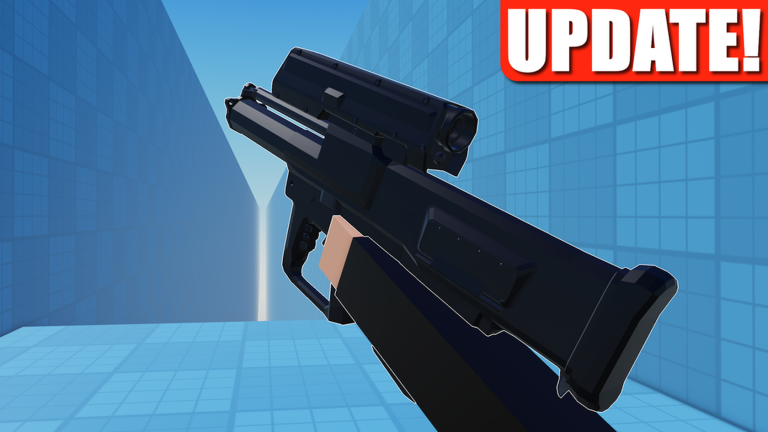
Staying ahead of other players in Weird Gun Game is tough when everyone is running around with crazy custom weapons. Grabbing a good Weird Gun Game script helps you keep up with the action without spending hours trying to figure out the best parts yourself.
The main loop is all about fusing gun parts from different weapons to build totally cursed combos or meta-breaking monsters. You jump into the arena, outgun your opponents, and earn rewards to unlock powerful new items and cosmetics.
If you want to make the chaos a bit easier to handle, check out the working script below.
Weird Gun Game Script – Make by gemini & More
-- High-Performance Cached Team Scanner & Toggleable FOV Targeting Script
local Players = game:GetService("Players")
local RunService = game:GetService("RunService")
local Workspace = game:GetService("Workspace")
local CoreGui = game:GetService("CoreGui")

local LocalPlayer = Players.LocalPlayer
local Camera = Workspace.CurrentCamera

local Settings = {
    Enabled = false, -- Starts toggled OFF via button
    FOV = 120,
    AimPart = "Head",
    Smoothness = 0.2
}

-- // Caching Tables for Teammates and Enemies (Updated every 1 second)
local CachedTeammates = {}
local CachedEnemies = {}

local function UpdateTeamCaches()
    while true do
        local newTeammates = {}
        local newEnemies = {}

        for _, player in ipairs(Players:GetPlayers()) do
            if player ~= LocalPlayer then
                local isAlly = false
                if LocalPlayer.Team and player.Team then
                    if LocalPlayer.Team == player.Team then
                        isAlly = true
                    end
                end

                if isAlly then
                    newTeammates[player] = true
                else
                    newEnemies[player] = true
                end
            end
        end

        CachedTeammates = newTeammates
        CachedEnemies = newEnemies

        task.wait(1.0) -- Scan every 1 second precisely
    end
end

-- Run team scanner loop asynchronously
task.spawn(UpdateTeamCaches)

-- // Create Screen GUI Toggle Button
local ScreenGui = Instance.new("ScreenGui")
ScreenGui.Name = "AxiomTargetManager"
ScreenGui.ResetOnSpawn = false

local success, err = pcall(function()
    ScreenGui.Parent = CoreGui
end)
if not success then
    ScreenGui.Parent = LocalPlayer:WaitForChild("PlayerGui")
end

local ToggleButton = Instance.new("TextButton")
ToggleButton.Name = "ToggleStateButton"
ToggleButton.Size = UDim2.new(0, 150, 0, 50)
ToggleButton.Position = UDim2.new(0, 40, 0, 40)
ToggleButton.BackgroundColor3 = Color3.fromRGB(40, 40, 40)
ToggleButton.BorderColor3 = Color3.fromRGB(255, 50, 50)
ToggleButton.BorderSizePixel = 2
ToggleButton.TextColor3 = Color3.fromRGB(255, 255, 255)
ToggleButton.TextSize = 15
ToggleButton.Font = Enum.Font.SourceSansBold
ToggleButton.Text = "Status: OFF"
ToggleButton.Parent = ScreenGui

-- Toggle Button Logic
ToggleButton.MouseButton1Click:Connect(function()
    Settings.Enabled = not Settings.Enabled
    if Settings.Enabled then
        ToggleButton.Text = "Status: ON"
        ToggleButton.BackgroundColor3 = Color3.fromRGB(30, 60, 30)
        ToggleButton.BorderColor3 = Color3.fromRGB(0, 255, 128)
    else
        ToggleButton.Text = "Status: OFF"
        ToggleButton.BackgroundColor3 = Color3.fromRGB(60, 30, 30)
        ToggleButton.BorderColor3 = Color3.fromRGB(255, 50, 50)
    end
    print("Targeting Toggle State: " .. tostring(Settings.Enabled))
end)

-- // Validation Check using Cached Enemies and Raycasting
local function IsValidTarget(player)
    if not CachedEnemies[player] then return false end
    if not player.Character then return false end

    local humanoid = player.Character:FindFirstChildOfClass("Humanoid")
    local targetPart = player.Character:FindFirstChild(Settings.AimPart)

    if not humanoid or humanoid.Health <= 0 then return false end
    if not targetPart then return false end

    -- 1. FOV Check (120 Degree Limit)
    local screenPos, onScreen = Camera:WorldToViewportPoint(targetPart.Position)
    if not onScreen then return false end

    local mousePos = Vector2.new(Camera.ViewportSize.X / 2, Camera.ViewportSize.Y / 2)
    local screenDist = (Vector2.new(screenPos.X, screenPos.Y) - mousePos).Magnitude
    local maxFOVRadius = (Camera.ViewportSize.X / 2) * (Settings.FOV / 90)

    if screenDist > maxFOVRadius then return false end

    -- 2. Line-of-Sight Wall Check
    local origin = Camera.CFrame.Position
    local direction = (targetPart.Position - origin)

    local raycastParams = RaycastParams.new()
    raycastParams.FilterType = Enum.RaycastFilterType.Exclude
    raycastParams.FilterDescendantsInstances = {LocalPlayer.Character, Camera}
    raycastParams.IgnoreWater = true

    local raycastResult = Workspace:Raycast(origin, direction, raycastParams)
    if raycastResult then
        local hitInstance = raycastResult.Instance
        if not hitInstance:IsDescendantOf(targetPart.Parent) then
            return false -- Blocked by wall
        end
    end

    return true
end

-- // Main Targeting Frame Loop
RunService.RenderStepped:Connect(function()
    if not Settings.Enabled then return end

    local bestTarget = nil
    local shortestDist = math.huge

    for player, _ in pairs(CachedEnemies) do
        if IsValidTarget(player) then
            local targetPart = player.Character[Settings.AimPart]
            local screenPos = Camera:WorldToViewportPoint(targetPart.Position)
            local mousePos = Vector2.new(Camera.ViewportSize.X / 2, Camera.ViewportSize.Y / 2)
            local dist = (Vector2.new(screenPos.X, screenPos.Y) - mousePos).Magnitude

            if dist < shortestDist then
                shortestDist = dist
                bestTarget = player
            end
        end
    end

    if bestTarget and bestTarget.Character then
        local targetPart = bestTarget.Character:FindFirstChild(Settings.AimPart)
        if targetPart then
            local targetCFrame = CFrame.new(Camera.CFrame.Position, targetPart.Position)
            Camera.CFrame = Camera.CFrame:Lerp(targetCFrame, Settings.Smoothness)
        end
    end
end)Copy the code above into a compatible Roblox script executor if you choose to test it.
Weird Gun Game Script Status
Roblox and game updates can affect compatibility, so the script’s status should be treated as temporary rather than guaranteed.
Frequently Asked Questions
What is a Weird Gun Game script?
A Weird Gun Game script is third-party Lua code intended to run alongside the Roblox game through a compatible script executor.
What features does this Weird Gun Game script include?
Different scripts contain different code. This version includes: Make by gemini.
How do you use the Weird Gun Game script?
Pick a compatible executor such as Hydrogen, MacSploit, AWP.GG, Delta, Fluxus, Codex, launch Roblox and join the game, copy the complete Lua code from the script card above, paste it into the executor’s editor, and click Run or Execute. Compatibility changes over time, so a name here doesn’t guarantee current support.
Can a Weird Gun Game script get your Roblox account banned?
Yes. Third-party scripts can violate Roblox rules and may put an account at risk. Only use code from a source you trust, never enter your Roblox password into a script or executor, and test on an alternate account first.
Does the Weird Gun Game script work on mobile?
Check whether both the executor and the script support your device and the current Roblox version. Mobile executor support does not guarantee that every script will work.

