
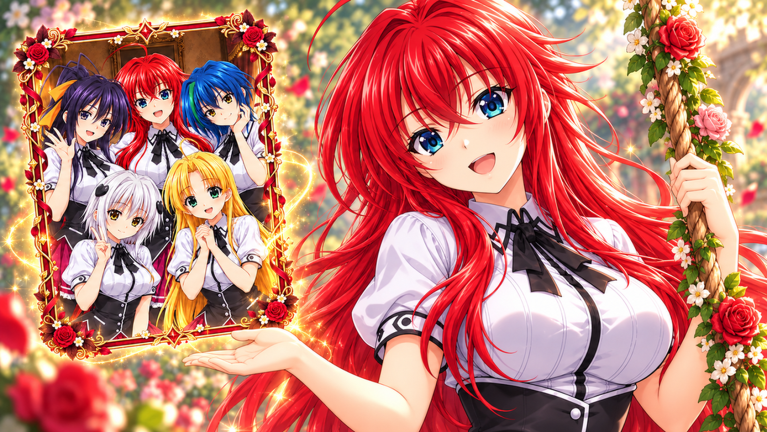
Grinding out packs for hours gets old fast, but using an Anime Girl Card Collection script makes building a massive binder way less painful.
The core gameplay loops around opening anime card packs, hunting rare variants, and stacking up cash even when you are offline. You also trade with other collectors, battle in Showdowns, and try to complete massive sets featuring popular shows.
If you want to grab the working script and start stacking rare cards right now, just scroll down to grab it.
Anime Girl Card Collection Script – Auto Collect Hub
-- Anime Stars Card Collection | Auto Collect Hub
-- Script per Executor (PRIMO SCRIPT + Auto Tokens)

local Players = game:GetService("Players")
local UserInputService = game:GetService("UserInputService")
local RunService = game:GetService("RunService")
local TweenService = game:GetService("TweenService")

local LocalPlayer = Players.LocalPlayer
local PlayerGui = LocalPlayer:WaitForChild("PlayerGui")

-- ======================
-- STATO
-- ======================
local AutoCollect = false
local AutoTokens = false
local HubVisible = true
local CollectConnection = nil
local TokenConnection = nil

-- ======================
-- CREAZIONE GUI
-- ======================
local ScreenGui = Instance.new("ScreenGui")
ScreenGui.Name = "AnimeStarsHub"
ScreenGui.ResetOnSpawn = false
ScreenGui.ZIndexBehavior = Enum.ZIndexBehavior.Sibling
ScreenGui.Parent = PlayerGui

-- === PALLINO (toggle) ===
local ToggleBtn = Instance.new("TextButton")
ToggleBtn.Name = "ToggleButton"
ToggleBtn.Size = UDim2.new(0, 45, 0, 45)
ToggleBtn.Position = UDim2.new(0, 20, 0.5, -22)
ToggleBtn.BackgroundColor3 = Color3.fromRGB(255, 105, 180)
ToggleBtn.Text = ""
ToggleBtn.AutoButtonColor = false
ToggleBtn.Parent = ScreenGui

local ToggleCorner = Instance.new("UICorner")
ToggleCorner.CornerRadius = UDim.new(1, 0)
ToggleCorner.Parent = ToggleBtn

local ToggleStroke = Instance.new("UIStroke")
ToggleStroke.Color = Color3.fromRGB(255, 255, 255)
ToggleStroke.Thickness = 2
ToggleStroke.Parent = ToggleBtn

-- === HUB PRINCIPALE ===
local Hub = Instance.new("Frame")
Hub.Name = "MainHub"
Hub.Size = UDim2.new(0, 260, 0, 210)
Hub.Position = UDim2.new(0, 80, 0.5, -105)
Hub.BackgroundColor3 = Color3.fromRGB(25, 25, 35)
Hub.BorderSizePixel = 0
Hub.Parent = ScreenGui

local HubCorner = Instance.new("UICorner")
HubCorner.CornerRadius = UDim.new(0, 12)
HubCorner.Parent = Hub

local HubStroke = Instance.new("UIStroke")
HubStroke.Color = Color3.fromRGB(255, 105, 180)
HubStroke.Thickness = 2
HubStroke.Parent = Hub

-- Titolo
local Title = Instance.new("TextLabel")
Title.Size = UDim2.new(1, 0, 0, 40)
Title.BackgroundTransparency = 1
Title.Text = "🌸 Anime Stars"
Title.TextColor3 = Color3.fromRGB(255, 182, 193)
Title.Font = Enum.Font.GothamBold
Title.TextSize = 18
Title.Parent = Hub

-- Separatore
local Line = Instance.new("Frame")
Line.Size = UDim2.new(0.9, 0, 0, 1)
Line.Position = UDim2.new(0.05, 0, 0, 40)
Line.BackgroundColor3 = Color3.fromRGB(255, 105, 180)
Line.BorderSizePixel = 0
Line.Parent = Hub

-- Bottone Auto Collect Money
local AutoBtn = Instance.new("TextButton")
AutoBtn.Name = "AutoCollectBtn"
AutoBtn.Size = UDim2.new(0.85, 0, 0, 40)
AutoBtn.Position = UDim2.new(0.075, 0, 0, 55)
AutoBtn.BackgroundColor3 = Color3.fromRGB(45, 45, 60)
AutoBtn.Text = "Auto Collect Money: OFF"
AutoBtn.TextColor3 = Color3.fromRGB(255, 255, 255)
AutoBtn.Font = Enum.Font.Gotham
AutoBtn.TextSize = 14
AutoBtn.AutoButtonColor = false
AutoBtn.Parent = Hub

local AutoCorner = Instance.new("UICorner")
AutoCorner.CornerRadius = UDim.new(0, 8)
AutoCorner.Parent = AutoBtn

-- Bottone Auto Collect Tokens
local TokenBtn = Instance.new("TextButton")
TokenBtn.Name = "AutoTokensBtn"
TokenBtn.Size = UDim2.new(0.85, 0, 0, 40)
TokenBtn.Position = UDim2.new(0.075, 0, 0, 105)
TokenBtn.BackgroundColor3 = Color3.fromRGB(45, 45, 60)
TokenBtn.Text = "Auto Collect Tokens: OFF"
TokenBtn.TextColor3 = Color3.fromRGB(255, 255, 255)
TokenBtn.Font = Enum.Font.Gotham
TokenBtn.TextSize = 14
TokenBtn.AutoButtonColor = false
TokenBtn.Parent = Hub

local TokenCorner = Instance.new("UICorner")
TokenCorner.CornerRadius = UDim.new(0, 8)
TokenCorner.Parent = TokenBtn

-- Status
local Status = Instance.new("TextLabel")
Status.Size = UDim2.new(1, 0, 0, 25)
Status.Position = UDim2.new(0, 0, 1, -30)
Status.BackgroundTransparency = 1
Status.Text = "Pronto"
Status.TextColor3 = Color3.fromRGB(180, 180, 180)
Status.Font = Enum.Font.Gotham
Status.TextSize = 12
Status.Parent = Hub

-- ======================
-- FUNZIONE DRAG
-- ======================
local function makeDraggable(frame)
	local dragging = false
	local dragStart = nil
	local startPos = nil

	frame.InputBegan:Connect(function(input)
		if input.UserInputType == Enum.UserInputType.MouseButton1 or input.UserInputType == Enum.UserInputType.Touch then
			dragging = true
			dragStart = input.Position
			startPos = frame.Position
		end
	end)

	frame.InputEnded:Connect(function(input)
		if input.UserInputType == Enum.UserInputType.MouseButton1 or input.UserInputType == Enum.UserInputType.Touch then
			dragging = false
		end
	end)

	UserInputService.InputChanged:Connect(function(input)
		if dragging and (input.UserInputType == Enum.UserInputType.MouseMovement or input.UserInputType == Enum.UserInputType.Touch) then
			local delta = input.Position - dragStart
			frame.Position = UDim2.new(
				startPos.X.Scale,
				startPos.X.Offset + delta.X,
				startPos.Y.Scale,
				startPos.Y.Offset + delta.Y
			)
		end
	end)
end

makeDraggable(Hub)
makeDraggable(ToggleBtn)

-- ======================
-- TOGGLE HUB
-- ======================
ToggleBtn.MouseButton1Click:Connect(function()
	HubVisible = not HubVisible
	Hub.Visible = HubVisible

	if HubVisible then
		ToggleBtn.BackgroundColor3 = Color3.fromRGB(255, 105, 180)
	else
		ToggleBtn.BackgroundColor3 = Color3.fromRGB(80, 80, 100)
	end
end)

-- ======================
-- AUTO COLLECT MONEY
-- ======================
local function collectMoney()
	-- Metodo 1: Prova a fireare remot e comuni
	local success = pcall(function()
		for _, v in pairs(game:GetService("ReplicatedStorage"):GetDescendants()) do
			if v:IsA("RemoteEvent") or v:IsA("RemoteFunction") then
				local name = string.lower(v.Name)
				if name:find("collect") or name:find("claim") or name:find("money") or name:find("cash") or name:find("yen") or name:find("income") then
					pcall(function()
						if v:IsA("RemoteEvent") then
							v:FireServer()
						else
							v:InvokeServer()
						end
					end)
				end
			end
		end
	end)

	-- Metodo 2: Cerca bottoni/GUI di collect nel PlayerGui
	pcall(function()
		for _, gui in pairs(PlayerGui:GetDescendants()) do
			if gui:IsA("TextButton") or gui:IsA("ImageButton") then
				local text = string.lower(gui.Text or gui.Name or "")
				if text:find("collect") or text:find("claim") or text:find("money") or text:find("cash") or text:find("yen") then
					pcall(function()
						gui.MouseButton1Click:Fire()
					end)
				end
			end
		end
	end)

	-- Metodo 3: ProximityPrompt
	pcall(function()
		for _, prompt in pairs(workspace:GetDescendants()) do
			if prompt:IsA("ProximityPrompt") then
				local name = string.lower(prompt.Name .. (prompt.ObjectText or "") .. (prompt.ActionText or ""))
				if name:find("collect") or name:find("claim") or name:find("money") or name:find("cash") then
					fireproximityprompt(prompt)
				end
			end
		end
	end)

	Status.Text = "Raccolto Money • " .. os.date("%H:%M:%S")
end

-- ======================
-- AUTO COLLECT TOKENS
-- ======================
local function collectTokens()
	local character = LocalPlayer.Character
	if not character then return end
	local hrp = character:FindFirstChild("HumanoidRootPart")
	if not hrp then return end

	for _, obj in pairs(workspace:GetDescendants()) do
		if obj:IsA("BasePart") or obj:IsA("MeshPart") then
			local name = string.lower(obj.Name)
			if name:find("token") or name:find("grade") or name:find("gradetoken") or name:find("ss") or name:find("coin") then
				pcall(function()
					local oldPos = hrp.CFrame
					hrp.CFrame = obj.CFrame + Vector3.new(0, 3, 0)
					task.wait(0.12)
					hrp.CFrame = oldPos
				end)

				pcall(function()
					for _, p in pairs(obj:GetDescendants()) do
						if p:IsA("ProximityPrompt") then
							fireproximityprompt(p)
						end
					end
					if obj:IsA("ProximityPrompt") then
						fireproximityprompt(obj)
					end
				end)
			end
		end

		if obj:IsA("Model") then
			local name = string.lower(obj.Name)
			if name:find("token") or name:find("grade") or name:find("gradetoken") then
				local part = obj.PrimaryPart or obj:FindFirstChildWhichIsA("BasePart")
				if part then
					pcall(function()
						local oldPos = hrp.CFrame
						hrp.CFrame = part.CFrame + Vector3.new(0, 3, 0)
						task.wait(0.15)
						hrp.CFrame = oldPos
					end)
				end
			end
		end
	end

	Status.Text = "Raccolto Tokens • " .. os.date("%H:%M:%S")
end

local function toggleAutoCollect()
	AutoCollect = not AutoCollect

	if AutoCollect then
		AutoBtn.Text = "Auto Collect Money: ON"
		AutoBtn.BackgroundColor3 = Color3.fromRGB(50, 180, 100)
		Status.Text = "Auto Collect Money attivo"

		CollectConnection = task.spawn(function()
			while AutoCollect do
				collectMoney()
				task.wait(3)
			end
		end)
	else
		AutoBtn.Text = "Auto Collect Money: OFF"
		AutoBtn.BackgroundColor3 = Color3.fromRGB(45, 45, 60)
		Status.Text = "Auto Collect Money spento"
		AutoCollect = false
	end
end

local function toggleAutoTokens()
	AutoTokens = not AutoTokens

	if AutoTokens then
		TokenBtn.Text = "Auto Collect Tokens: ON"
		TokenBtn.BackgroundColor3 = Color3.fromRGB(50, 180, 100)
		Status.Text = "Auto Collect Tokens attivo"

		TokenConnection = task.spawn(function()
			while AutoTokens do
				collectTokens()
				task.wait(1.5)
			end
		end)
	else
		TokenBtn.Text = "Auto Collect Tokens: OFF"
		TokenBtn.BackgroundColor3 = Color3.fromRGB(45, 45, 60)
		Status.Text = "Auto Collect Tokens spento"
		AutoTokens = false
	end
end

AutoBtn.MouseButton1Click:Connect(toggleAutoCollect)
TokenBtn.MouseButton1Click:Connect(toggleAutoTokens)

-- Notifica di avvio
Status.Text = "Hub caricato correttamente"

print("Anime Stars Hub caricato!")Copy the code above into a compatible Roblox script executor if you choose to test it.
Anime Girl Card Collection Script Status
Roblox and game updates can affect compatibility, so the script’s status should be treated as temporary rather than guaranteed.
Frequently Asked Questions
What is a Anime Girl Card Collection script?
A Anime Girl Card Collection script is third-party Lua code intended to run alongside the Roblox game through a compatible script executor.
What features does this Anime Girl Card Collection script include?
Different scripts contain different code and features. Check the script menu after it loads to see everything it offers.
How do you use the Anime Girl Card Collection script?
Pick a compatible executor such as Hydrogen, MacSploit, AWP.GG, Delta, Fluxus, Codex, launch Roblox and join the game, copy the complete Lua code from the script card above, paste it into the executor’s editor, and click Run or Execute. Compatibility changes over time, so a name here doesn’t guarantee current support.
Can a Anime Girl Card Collection script get your Roblox account banned?
Yes. Third-party scripts can violate Roblox rules and may put an account at risk. Only use code from a source you trust, never enter your Roblox password into a script or executor, and test on an alternate account first.
Does the Anime Girl Card Collection script work on mobile?
Check whether both the executor and the script support your device and the current Roblox version. Mobile executor support does not guarantee that every script will work.

