
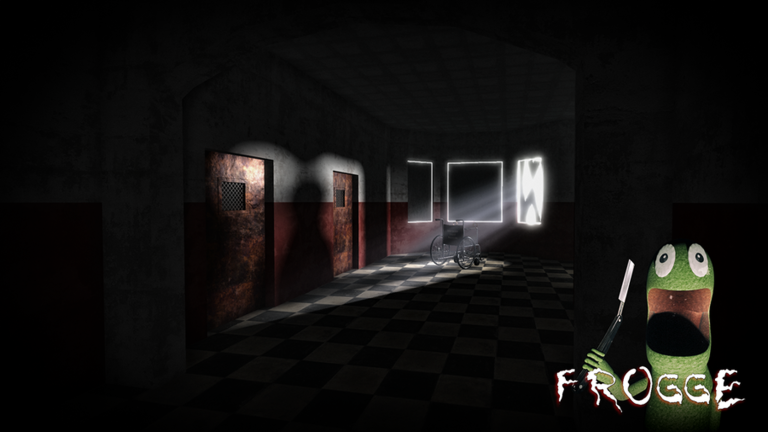
Playing on mobile makes dodging that cursed doll way harder when your controls lag. Grab the Frogge script and keep up with sweaty lobbies without breaking a sweat.
You only get three minutes to survive a homicidal frog doll from 1692. Hide, run, or use the script to wipe out the threat and take control of the match.
Enough hiding from the spooky toy and hoping for the best. Copy the working code below and start dominating every round right now.
Frogge Script – Kill all frogge & More
local Players = game:GetService("Players")
local LocalPlayer = Players.LocalPlayer
local CoreGui = game:GetService("CoreGui")

-- 1. رسالة الترحيب
local function showWelcomeMessage()
    local PlayerName = LocalPlayer.Name
    local MessageGui = Instance.new("ScreenGui")
    MessageGui.Name = "WelcomeMessageGui"
    MessageGui.Parent = CoreGui

    local TextLabel = Instance.new("TextLabel")
    TextLabel.Size = UDim2.new(0, 400, 0, 60)
    TextLabel.Position = UDim2.new(0.5, -200, 0.2, 0)
    TextLabel.BackgroundColor3 = Color3.fromRGB(20, 20, 20)
    TextLabel.BackgroundTransparency = 0.2
    TextLabel.TextColor3 = Color3.fromRGB(255, 255, 255)
    TextLabel.Text = " مساء النور يا " .. PlayerName .. " 🌙 "
    TextLabel.Font = Enum.Font.SourceSansBold
    TextLabel.TextSize = 24
    TextLabel.Parent = MessageGui

    -- إخفاء الرسالة بعد 5 ثواني
    task.delay(5, function()
        if MessageGui then MessageGui:Destroy() end
    end)
end

showWelcomeMessage()

-- 2. إعداد القائمة (بدون مكتبات خارجية)
local ScreenGui = Instance.new("ScreenGui")
ScreenGui.Name = "FroggeAutoBringMenu"
ScreenGui.ResetOnSpawn = false
ScreenGui.Parent = CoreGui

local MainFrame = Instance.new("Frame")
MainFrame.Size = UDim2.new(0, 250, 0, 350)
MainFrame.Position = UDim2.new(0, 50, 0, 50)
MainFrame.BackgroundColor3 = Color3.fromRGB(30, 30, 30)
MainFrame.BorderSizePixel = 0
MainFrame.Active = true
MainFrame.Draggable = true -- لتحريك القائمة بالماوس
MainFrame.Parent = ScreenGui

local Title = Instance.new("TextLabel")
Title.Size = UDim2.new(1, 0, 0, 30)
Title.BackgroundColor3 = Color3.fromRGB(45, 45, 45)
Title.TextColor3 = Color3.fromRGB(255, 255, 255)
Title.Text = "Frogge | سحب اللاعبين"
Title.Font = Enum.Font.SourceSansBold
Title.TextSize = 18
Title.Parent = MainFrame

local ToggleButton = Instance.new("TextButton")
ToggleButton.Size = UDim2.new(1, -20, 0, 40)
ToggleButton.Position = UDim2.new(0, 10, 0, 40)
ToggleButton.BackgroundColor3 = Color3.fromRGB(200, 50, 50)
ToggleButton.TextColor3 = Color3.fromRGB(255, 255, 255)
ToggleButton.Text = "تشغيل السحب: OFF"
ToggleButton.Font = Enum.Font.SourceSansBold
ToggleButton.TextSize = 16
ToggleButton.Parent = MainFrame

local ScrollingFrame = Instance.new("ScrollingFrame")
ScrollingFrame.Size = UDim2.new(1, -20, 1, -90)
ScrollingFrame.Position = UDim2.new(0, 10, 0, 90)
ScrollingFrame.BackgroundTransparency = 1
ScrollingFrame.ScrollBarThickness = 4
ScrollingFrame.Parent = MainFrame

local UIListLayout = Instance.new("UIListLayout")
UIListLayout.Padding = UDim.new(0, 5)
UIListLayout.Parent = ScrollingFrame

-- متغيرات السكريبت
local bringing = false
local selectedPlayers = {}

-- دالة تشغيل وإطفاء السحب
ToggleButton.MouseButton1Click:Connect(function()
    bringing = not bringing
    if bringing then
        ToggleButton.Text = "تشغيل السحب: ON"
        ToggleButton.BackgroundColor3 = Color3.fromRGB(50, 200, 50)
        task.spawn(function()
            while bringing do
                local lpChar = LocalPlayer.Character
                if lpChar and lpChar:FindFirstChild("HumanoidRootPart") then
                    for player, isSelected in pairs(selectedPlayers) do
                        if isSelected and player.Character and player.Character:FindFirstChild("HumanoidRootPart") then
                            player.Character.HumanoidRootPart.CFrame = lpChar.HumanoidRootPart.CFrame * CFrame.new(0, 0, -3)
                        end
                    end
                end
                task.wait(0.1)
            end
        end)
    else
        ToggleButton.Text = "تشغيل السحب: OFF"
        ToggleButton.BackgroundColor3 = Color3.fromRGB(200, 50, 50)
    end
end)

-- 3. دالة إضافة اللاعبين للقائمة (واختيارهم تلقائياً)
local function createPlayerItem(player)
    if player == LocalPlayer then return end

    local PlayerFrame = Instance.new("Frame")
    PlayerFrame.Size = UDim2.new(1, 0, 0, 30)
    PlayerFrame.BackgroundColor3 = Color3.fromRGB(50, 50, 50)
    PlayerFrame.Parent = ScrollingFrame

    local NameLabel = Instance.new("TextLabel")
    NameLabel.Size = UDim2.new(0.7, 0, 1, 0)
    NameLabel.BackgroundTransparency = 1
    NameLabel.TextColor3 = Color3.fromRGB(255, 255, 255)
    NameLabel.Text = player.Name
    NameLabel.TextXAlignment = Enum.TextXAlignment.Left
    NameLabel.Font = Enum.Font.SourceSans
    NameLabel.TextSize = 16
    NameLabel.Parent = PlayerFrame

    local SelectButton = Instance.new("TextButton")
    SelectButton.Size = UDim2.new(0.3, -5, 1, -6)
    SelectButton.Position = UDim2.new(0.7, 5, 0, 3)
    SelectButton.TextColor3 = Color3.fromRGB(255, 255, 255)
    SelectButton.Font = Enum.Font.SourceSansBold
    SelectButton.TextSize = 14
    SelectButton.Parent = PlayerFrame

    -- دالة التحديث (لتفعيل وإلغاء التفعيل)
    local function updateButtonVisual()
        if selectedPlayers[player] then
            SelectButton.Text = "ON"
            SelectButton.BackgroundColor3 = Color3.fromRGB(50, 150, 50) -- أخضر
        else
            SelectButton.Text = "OFF"
            SelectButton.BackgroundColor3 = Color3.fromRGB(80, 80, 80) -- رمادي
        end
    end

    -- الاختيار التلقائي لأي لاعب يدخل أو موجود بالفعل
    selectedPlayers[player] = true
    updateButtonVisual()

    -- إذا ضغطت على الزر بنفسك (تشيل الصح أو تحطه)
    SelectButton.MouseButton1Click:Connect(function()
        selectedPlayers[player] = not selectedPlayers[player]
        updateButtonVisual()
    end)

    -- إذا طلع اللاعب من السيرفر، نحذفه من القائمة
    player.AncestryChanged:Connect(function()
        if not player:IsDescendantOf(Players) then
            PlayerFrame:Destroy()
            selectedPlayers[player] = nil
        end
    end)
end

-- إضافة كل اللاعبين الحاليين وتفعيلهم تلقائياً
for _, player in pairs(Players:GetPlayers()) do
    createPlayerItem(player)
end

-- إضافة أي لاعب جديد يدخل السيرفر وتفعيله تلقائياً
Players.PlayerAdded:Connect(function(player)
    createPlayerItem(player)
end)Copy the code above into a compatible Roblox script executor if you choose to test it.
Frogge Script Status
Roblox and game updates can affect compatibility, so the script’s status should be treated as temporary rather than guaranteed.
Frequently Asked Questions
What is a Frogge script?
A Frogge script is third-party Lua code intended to run alongside the Roblox game through a compatible script executor.
What features does this Frogge script include?
Different scripts contain different code. This version includes: Kill all frogge, How to use the script:, Own:romal, Username :romal3m607.
How do you use the Frogge script?
Pick a compatible executor such as Hydrogen, MacSploit, AWP.GG, Delta, Fluxus, Codex, launch Roblox and join the game, copy the complete Lua code from the script card above, paste it into the executor’s editor, and click Run or Execute. Compatibility changes over time, so a name here doesn’t guarantee current support.
Can a Frogge script get your Roblox account banned?
Yes. Third-party scripts can violate Roblox rules and may put an account at risk. Only use code from a source you trust, never enter your Roblox password into a script or executor, and test on an alternate account first.
Does the Frogge script work on mobile?
Check whether both the executor and the script support your device and the current Roblox version. Mobile executor support does not guarantee that every script will work.

